


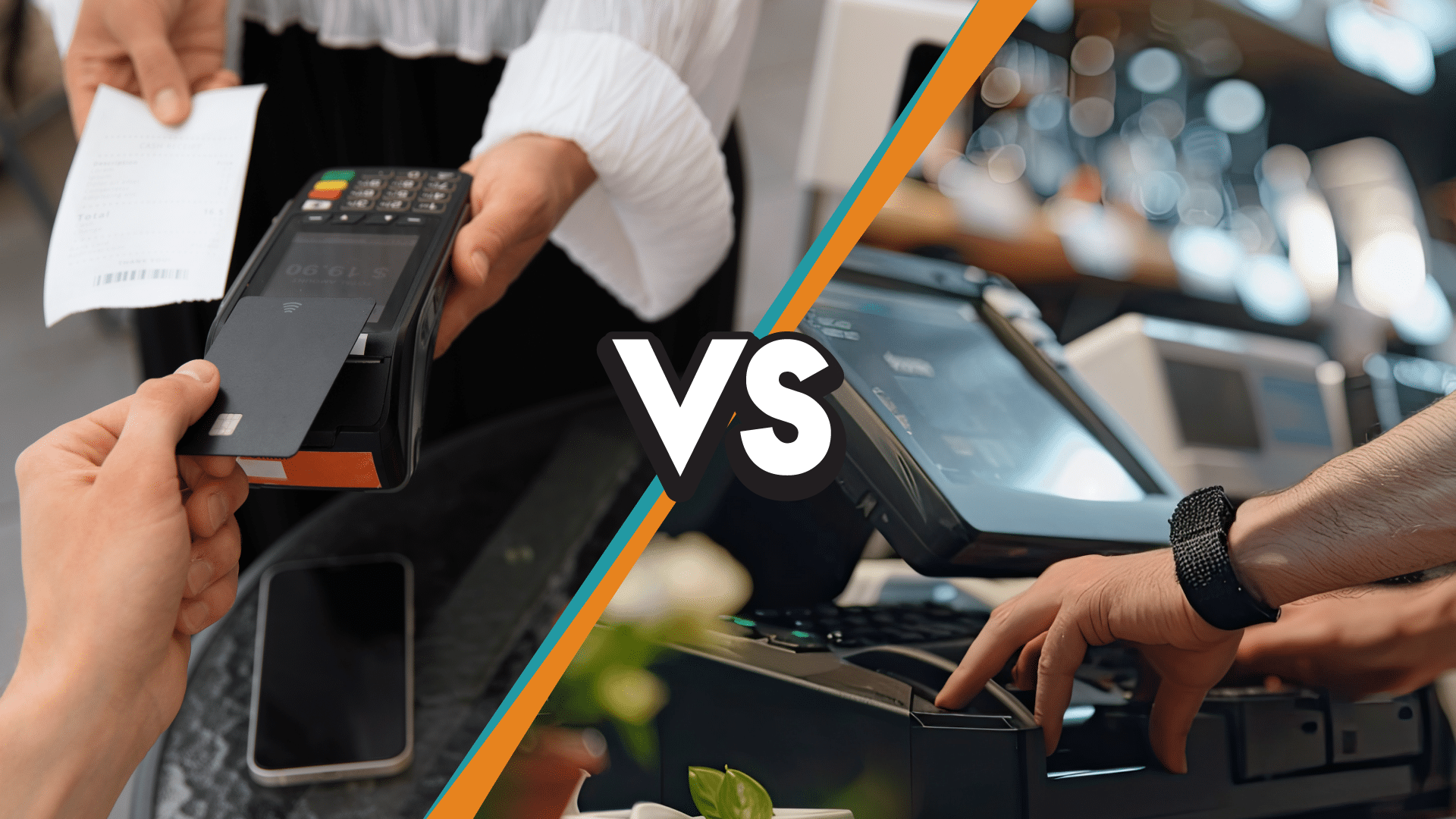
POS vs payment processor is one of the most confusing comparisons in retail technology, because the two tools work so closely together that many business owners assume they are the same product. They are not. A POS system runs everything at the counter: sales, inventory, customers, and reporting.
A payment processor moves funds between banks whenever a card is used. The article ahead covers what each one actually does, how they connect during a transaction, how the pricing models differ, and how to decide whether to buy them bundled or keep them separate.
Key Takeaways:
- A POS system and a payment processor are two different tools: the POS manages counter operations, and the processor moves money between banks.
- Most businesses need both, because the POS records the sale and the processor completes the card payment.
- The real decision is whether to buy them bundled from a single vendor or keep them separate.
- Pricing model matters more than headline rate, and interchange-plus typically costs less than flat-rate at meaningful card volume.
- A processing-agnostic POS like KORONA POS lets a business switch processors without a full system replacement.
What Is a Point of Sale System?
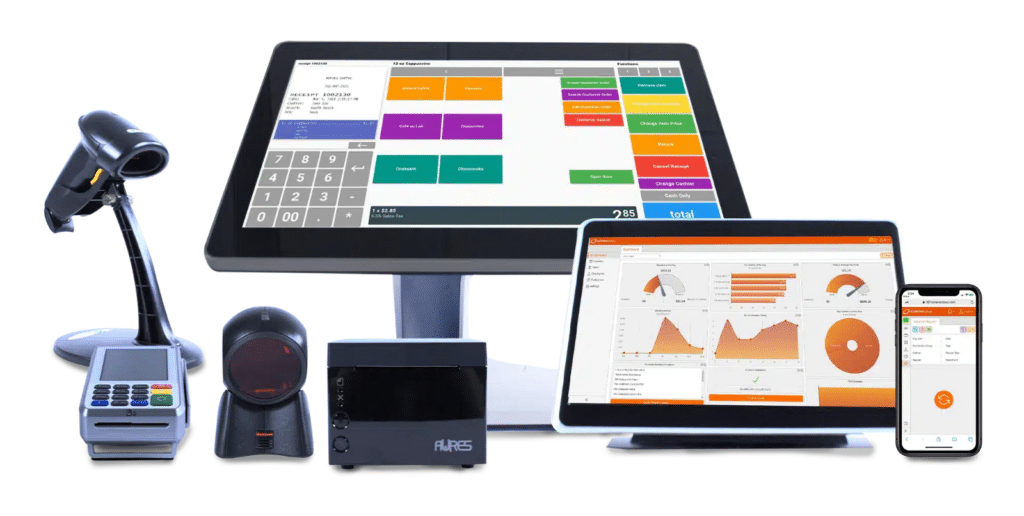
A point of sale (POS) system is the combination of hardware and software a business uses to process transactions, manage inventory, track customer data, and run day-to-day operations at the counter. It is the central hub where every sale happens, where each transaction is recorded and categorized, and where raw checkout activity becomes usable business data.
Modern POS systems have moved well past the cash registers they replaced. Most are now cloud-based, integrate with multiple sales channels, and serve as the operational backbone for retail, restaurant, and service businesses.
What a POS System Actually Does
A modern POS system handles far more than ringing up a sale. Its core responsibilities range from accepting payments at the counter to providing the owner with a clear view of the business.
- It processes transactions across multiple payment methods, including cash, credit and debit cards, and mobile wallets such as Apple Pay and Google Pay.
- It tracks inventory in real time, flags low stock, and manages reorders so that what sits on the shelf matches what appears in the system.
- It captures customer data and powers loyalty programs by linking purchase history to individual shoppers.
- It generates detailed reports and analytics covering sales trends, margins, and employee performance.
- It clocks employees in and out, tracks shifts, and controls permissions across the floor.
- For multi-location or omnichannel businesses, it keeps inventory and sales data consistent across every storefront and channel.
The depth of these POS features is what separates a real POS system from a basic cash register or a standalone card reader.
Examples of Popular POS Systems
The POS market is fragmented by industry, and the right system depends heavily on what a business sells.
- Toast POS specializes in restaurants and food service, offering table management, menu customization, and kitchen display integration. It is widely considered one of the best POS systems for restaurants.
- Clover POS takes a modular approach and serves both retail and service businesses. For a deeper look at how it stacks up against other major players, see how Clover compares to Lightspeed and Revel.
- KORONA POS is built for high-volume retail and quick service environments such as convenience stores, music stores, liquor stores, vape shops, and CBD stores. Even large retailers like Home Depot rely on efficient POS systems to manage massive inventories across multiple locations.
- Lavu POS focuses on hospitality, providing solutions for restaurants, bars, and cafes.
- Other established players in the market include Lightspeed, Revel, Square POS, and Shopify POS.
How POS Needs Differ by Business Type
There is no universal best POS. The right fit is defined by the operational demands of the business itself.
- Liquor stores need age verification at checkout, case-break tracking, and bulk inventory management that can handle hundreds of SKUs.
- Vape and CBD shops require compliance-ready software along with support for high-risk payment processing, since standard processors often refuse to work with their industries.
- Restaurants depend on table management, split billing, and kitchen display integration to keep service moving during a rush.
- Multi-location retailers need centralized inventory, consolidated reporting, and franchise-level controls so the head office can manage every store from a single dashboard.
The takeaway is straightforward. A POS system is not a generic tool. Choosing one means aligning its capabilities with the industry’s operational realities and with where the business is headed, rather than just where it sits today.
What Is a Payment Processor?
A payment processor is the company or service that handles the movement of money between a customer’s bank and the merchant’s bank every time a card is used. Its job is to take the payment information captured at checkout, verify that the funds are available, route the transaction through the card networks for authorization, and ensure the funds eventually land in the business owner’s account.
Payment processors come in several forms, including traditional banks, independent sales organizations (ISOs), and modern fintech companies. They are the invisible infrastructure behind every card-present and card-not-present transaction, and they determine how quickly a business gets paid, what it costs to accept cards, and how secure each transaction is.
What a Payment Processor Actually Does
A payment processor sits between several parties, including the customer’s issuing bank, the card networks (Visa, Mastercard, American Express, Discover), and the merchant’s acquiring bank, enabling a transaction. Its responsibilities cover the full lifecycle of a card payment.
- It authorizes each transaction by verifying that the customer’s card is valid and that sufficient funds or credit are available.
- It captures transaction data and securely transmits it to the relevant card networks for approval by the issuing bank.
- It settles the payment by transferring funds from the customer’s account to the merchant’s bank account, typically within 1 to 2 business days.
- It handles PCI DSS compliance and secures cardholder data through encryption and tokenization at every step of the process.
- It provides fraud detection tools and manages chargebacks when customers dispute transactions.
- It enables businesses to accept multiple payment types, including credit cards, debit cards, mobile wallets, and digital payments.
Without a payment processor, a business simply cannot accept card payments. The POS system can ring up the sale, but it has no way to actually move the money.
Examples of Popular Payment Processors
The payment processing landscape is competitive, and the right processor depends on a business’s size, industry, and average transaction volume.
- Stripe is a fintech processor built primarily for online businesses, SaaS companies, and developers, with strong APIs and global reach.
- Square is a payment processor and POS provider in one, popular with small businesses, mobile vendors, and food trucks because of its flat-rate pricing and minimal setup.
- Fiserv is one of the largest payment processors in the world and the parent company of Clover, serving small businesses, banks, and large enterprises through its merchant acquiring network.
- Global Payments is a major global processor that completed its acquisition of Worldpay in January 2026, giving it one of the largest merchant acquiring footprints in the industry, with strong coverage across retail, restaurants, and enterprise commerce.
- Heartland Payment Systems is well known for restaurants and small to midsize businesses, with a focus on transparent pricing and merchant advocacy.
- Chase Payment Solutions, formerly Chase Paymentech, is the merchant services arm of JPMorgan Chase and is often chosen by businesses that already bank with Chase.
- Elavon is a global processor owned by U.S. Bank, with a strong presence in retail, hospitality, and healthcare.
- Adyen serves enterprise and high-volume merchants with a unified platform for online, in-app, and in-store payments.
For retailers comparing options at a more granular level, our guide on the best retail payment solutions breaks down which processors are best suited for different store types.
How Payment Processor Needs Differ by Business Type
Just like POS systems, payment processors are not interchangeable. The right processor for a business depends on what it sells, how it sells, and how risky its industry is in the eyes of the card networks.
- E-commerce businesses need processors with strong fraud detection, recurring billing support, and a payment gateway that integrates cleanly with their checkout.
- Brick-and-mortar retailers need processors that offer competitive interchange-plus pricing, reliable terminals, and same-day or next-day funding.
- High-risk industries such as CBD, vape, cannabis-adjacent products, firearms, and nutraceuticals require specialized high-risk processors, since mainstream providers refuse to underwrite those accounts.
- Restaurants and bars need processors that handle tipping, split payments, and quick batch settlements without holding funds.
- Subscription and SaaS businesses need processors that support recurring billing, automatic card updates, and dunning management for failed payments.
The processor a business chooses has a direct impact on its margins, since processing fees often represent one of the largest variable costs in retail and restaurant operations. Choosing well is less about brand recognition and more about matching the processor’s pricing model and capabilities to the realities of the business.
How POS Systems and Payment Processors Work Together?
A POS system and a payment processor work together by handling two distinct parts of every card sale. The POS captures transactions at the counter, manages inventory, and records sales. The payment processor transfers funds between the customer’s bank and the merchant’s bank, completing the financial side of the transaction.
In most modern businesses, the POS and the processor are connected via an integrated payments setup that automatically sends the transaction amount from the POS to the card reader, returns the approval, and closes the sale in seconds without manual input.
The Step-by-Step Transaction Flow
A complete card transaction involves eight steps that occur in roughly three to four seconds.
- The customer presents a card, taps a phone, or inserts a chip card at the POS terminal.
- The POS system calculates the total and sends the transaction data to the payment processor.
- The payment processor routes the transaction through the relevant card network, such as Visa, Mastercard, American Express, or Discover.
- The card network forwards the request to the customer’s issuing bank, which checks for sufficient funds or available credit.
- The issuing bank approves or declines the transaction and sends the response back through the card network.
- The payment processor relays the approval or decline to the POS system.
- The POS finalizes the sale, updates inventory, records the transaction, and prints or emails a receipt.
- The payment processor settles the funds into the merchant’s bank account, typically within one to two business days.
The flow is possible only because the POS and the processor communicate in real time via a secure, encrypted connection.
Why the Integration Matters
A tightly integrated POS and payment processor eliminates three operational risks: manual entry of transaction amounts between systems, mismatched end-of-day reconciliation, and transactions approved on the card reader but never recorded in the POS.
POS systems fall into two categories based on how they handle processor integration. Bundled POS systems require businesses to use the processor owned or partnered with the POS company, which simplifies setup but limits flexibility.
Other POS systems are processing-agnostic, like KORONA POS, meaning they integrate with any major payment processor a business chooses, giving the business direct control over fees, contracts, and long-term margin. The next section breaks down which approach fits which type of business.
POS vs Payment Processor: Side-by-Side Comparison
The core differences between a POS system and a payment processor are summarized in the table below across seven dimensions.
| Category | POS System | Payment Processor |
|---|---|---|
| Primary Function | Manages sales, inventory, customers, and reporting at the counter | Authorizes, processes, and settles card payments between banks |
| Hardware | POS terminal, cash drawer, barcode scanner, receipt printer, kitchen display | Card reader, payment terminal, mobile card reader |
| Data Captured | Sales, inventory, customer profiles, employee performance, margins | Transaction data, authorization status, settlement records |
| Pricing Model | Monthly software fee, hardware cost, optional add-ons | Per-transaction fee (flat-rate, interchange-plus, or tiered), plus possible monthly fees |
| Common Providers | Toast, Clover, KORONA POS, Lightspeed, Square POS, Lavu | Stripe, Square, Fiserv, Global Payments, Heartland, Chase, Elavon, Adyen |
| Vendor Lock-In | Some POS systems force the use of a specific processor | Most processors work across many POS systems |
| PCI Compliance | Required if the POS stores or processes cardholder data | Always required, mandated by all card networks |
Scope of Work
A POS system manages the entire counter-side operation. It rings up sales across multiple payment methods, tracks inventory in real time, runs CRM and loyalty programs, and manages employee time-tracking and shifts. Some POS platforms also include retail pricing optimization and barcode-driven workflows for high-SKU stores.
Beyond core functions, POS systems specialize by industry. Common examples include liquor store POS, vape shop POS, smoke shop POS, cannabis store POS, convenience store POS, music store POS, and dollar store POS, alongside broader retail POS and quick-service POS platforms.
A payment processor’s scope is narrower. It exists to facilitate the secure transfer of payment information and funds, meaning it handles authorization, captures transaction data, and settles funds into the merchant’s account. Mobile payments such as Apple Pay and Google Pay, and card-not-present transactions all flow through the processor, not the POS.
Pricing Model
POS systems and payment processors charge in fundamentally different ways. A POS system charges a monthly software subscription, a one-time hardware cost, and sometimes setup or training fees. Costs vary based on the system’s complexity, the number of registers, and the modules selected.
A payment processor charges per transaction. The three common pricing models are flat rate (such as 2.6% + $0.10 per transaction), interchange plus (interchange plus a fixed markup), and tiered. The differences add up fast for any business with significant card volume, which is why processing fees are usually among the highest variable costs in a retail or restaurant operation. Our guide on the cheapest credit card processing options breaks down which model fits which type of business.
Integration and Vendor Lock-In
The biggest hidden risk in choosing a POS or payment processor is how they lock together. Some POS systems only work with their bundled processor, so switching processors requires switching POS systems entirely. Other POS systems are processing-agnostic and integrate with eCommerce platforms, accounting tools, and any major payment processor a business chooses.
Both POS systems and payment processors must comply with PCI DSS standards to securely handle cardholder data. The difference is where the compliance burden sits: bundled solutions usually carry most of it, while businesses using a separate POS and processor must verify that both systems are compliant.
Bundled POS + Processing vs. Processing-Agnostic Setup: Which One Should You Choose?
The decision is not whether to use a POS or a payment processor, since most businesses need both. The real decision is whether to buy them bundled from the same vendor or keep them separate so the processor can be chosen, negotiated, and replaced independently.
How Each Setup Works
A bundled setup means the POS company is also the payment processor. Toast and Square are the clearest examples, since neither allows a merchant to bring a third-party processor.
Clover and Shopify POS technically allow third-party processors, but the fees make doing so uneconomical in practice, so they function as bundled setups for most merchants.
The hardware, software, and processing come from the same vendor and are billed together. Setup is fast, support is centralized, and the processing rate is typically published as a single flat percentage. The trade-off is loss of control. The processor cannot be changed without leaving the POS in any meaningful way, and the published rate is rarely the cheapest option available.
A processing-agnostic setup means the POS system is built to integrate with any major payment processor. KORONA POS is one of the few POS platforms that operates this way at scale. The business signs a separate contract with the processor of its choice, which means it can negotiate rates, switch processors when a better deal appears, and avoid being locked out of pricing improvements over time.
The trade-off is that the business takes on the work of selecting the processor and managing two vendor relationships, rather than one. A payment processor should integrate with a POS cleanly, which is why the quality of the integration matters as much as the rate itself.
The Cost Difference Over Time
Processing fees are usually among the highest variable costs in a retail or restaurant business, and the pricing model directly impacts margins.
Consider a business processing $50,000 in card sales per month, with an average ticket of $25 (about 2,000 transactions per month). Under a flat-rate model at 2.6% + $0.15 per transaction, that business pays roughly $1,600 per month in processing fees, or about $19,200 per year. Under interchange-plus pricing at interchange + 0.3% + $0.10, with a blended interchange rate of around 1.8%, the same business pays roughly $1,250 per month, or about $15,000 per year. The annual difference is around $4,200 at this volume, and it scales with sales. At $200,000 per month in card volume, the same gap widens to roughly $16,800 per year.
These are illustrative numbers, not quotes. Actual rates depend on the processor, the card mix, the industry, and the negotiated terms. The point is that the pricing model itself, not just the headline rate, is where long-term margin is decided.
A processing-agnostic POS gives the business the leverage to choose and re-choose that model as it grows. The processing rate calculator is the fastest way to model what a switch would mean for a specific business.
How to Decide Which Setup Fits Your Business
A bundled setup is usually the right call when:
- The business is new and prioritizes speed of setup over long-term margin.
- Monthly card volume is low, and the per-transaction savings from interchange-plus would be small.
- The owner does not want to manage multiple vendor relationships.
- The business needs a single point of support and a single contract.
A processing-agnostic setup is usually the right call when:
- Monthly card volume is significant, and processing fees are a meaningful line item.
- The business operates in a high-risk industry where mainstream bundled processors will not underwrite the account.
- The business has multiple locations and needs leverage in negotiations with processors.
- Long-term flexibility and margin control matter more than the convenience of one bill.
The right setup is not about which is universally better. It is about which one best matches the business’s volume, industry, and operational maturity.
POS vs Payment Processor: Final Thoughts
A POS system and a payment processor are not interchangeable. The POS runs the business at the counter, the payment processor moves the money between banks, and most businesses need both. The real decision is whether to buy them bundled from a single vendor like Square or Toast, or to keep them separate using a processing-agnostic POS like KORONA POS.
Bundled is simpler to deploy. Processing-agnostic preserves the ability to negotiate rates, switch processors, and protect margin as the business grows. For any operator doing meaningful card volume, the second option typically compounds into thousands of dollars in saved processing fees per year.
To model the difference for a specific business, use our processing rate calculator. For a walkthrough of how a processing-agnostic POS would work in practice, schedule a KORONA POS demo.
Speak with a product specialist and learn how KORONA POS can power your business.
Frequently Asked Questions
Is a POS system the same as a payment processor?
No. A POS system and a payment processor are two different tools. A POS system runs the business at the counter, including sales, inventory, and reporting. A payment processor transfers funds from the customer’s bank to the merchant’s bank. Most businesses need both, and they typically work together as one integrated checkout experience.
Can I have a POS without a payment processor?
A POS system can technically operate without a payment processor, but only if the business accepts cash, check, or other non-card payments. Any business that wants to accept credit cards, debit cards, or mobile wallets needs a payment processor connected to its POS. For most retail and restaurant operations, that means the two systems are non-negotiable partners.
Can I have a payment processor without a POS?
Yes. A payment processor can operate on its own using a standalone card reader, a payment terminal, or a virtual terminal. This setup works for very small operations, mobile vendors, or service providers who do not need inventory management, reporting, or other POS features. The trade-off is that the business has no centralized record of sales, customers, or stock.
Which is more expensive, the POS or the payment processor?
Over time, the payment processor usually costs more. POS systems charge a fixed monthly software fee plus a one-time hardware cost. Payment processors charge a percentage of every transaction, which scales directly with sales. For most businesses with meaningful card volume, processing fees end up being the largest variable cost in the operation.
Can I keep my POS and switch payment processors?
Only if the POS is processing-agnostic. Bundled POS systems like Square and Toast require their own processor, so switching processors means switching POS systems. Processing-agnostic systems, such as KORONA POS, integrate with any major processor, which lets the business renegotiate or change processors without replacing the rest of the technology stack.
What is the difference between a payment processor and a payment gateway?
A payment processor handles the movement of funds between banks. A payment gateway is the software layer that securely captures and transmits payment information, especially for online or card-not-present transactions. For brick-and-mortar businesses, the gateway is usually built into the card reader. For e-commerce businesses, the gateway is a separate component that works alongside the processor.
Is Square a POS or a payment processor?
Square is both. Square POS provides the software and hardware for running sales at the counter, and Square also acts as the payment processor for every card transaction made through that POS. The two are bundled into one product, which simplifies setup but removes the option to use a separate processor with Square’s software.
Do I pay POS fees and payment processing fees separately?
Usually, yes. A POS system charges a monthly software subscription and a one-time hardware cost, billed independently from card transactions. A payment processor charges per transaction, typically as a percentage plus a fixed per-transaction fee. In bundled setups, the two fees may appear on the same bill, but they are still calculated separately.
Who is responsible for PCI compliance, the POS or the payment processor?
Both are responsible for PCI DSS compliance, but for different parts. The payment processor handles cardholder data directly and must remain compliant at all times. The POS system must be compliant if it stores or processes that data. In modern setups where the POS routes card data straight to the processor, the POS’s compliance burden is significantly reduced.


