


Knowing how to choose a POS system is not just about picking software. It affects how you manage inventory, process payments, serve customers, and grow your business. The wrong choice is expensive to fix. In the guide below, we cover everything you need to evaluate before committing to any system: types of POS, key features, costs, and the questions every vendor should be able to answer.
Key Takeaways:
- The advertised price is never the full price. Always ask every vendor for a complete first-year cost estimate that includes software, hardware, processing fees, and any setup charges before you commit to anything.
- A POS system that works well for one location may fall apart at three. Evaluate scalability, offline mode, and contract terms early so you are not forced into a costly switch later.
- Start with your business needs, not the feature list. Knowing your industry, your sales channels, and your biggest operational pain points will tell you exactly which features matter and which ones you will never use.
What Is a POS System?
A POS system is a combination of software and hardware that businesses use to process sales. POS stands for “point of sale.” It is the moment a customer pays for a product or service.
Most people picture a cash register when they hear “POS.” But a modern POS system does much more than ring up a sale. It tracks inventory, stores customer data, generates sales reports, and manages employee activity.
The software is the brain of the system. It handles calculations, records transactions, and connects to payment processors. The hardware is the physical side. This includes the screen, card reader, barcode scanner, receipt printer, and cash drawer.
A common mistake is confusing a payment terminal with a full POS system. A POS system is not the same as a cash register. A payment terminal only processes card payments. A POS system manages your entire sales operation.
The two are not the same, and choosing the wrong one can leave you with serious gaps in how you run your business.
Types of POS Systems
Not all POS systems are built the same. The right type depends on your business model, your industry, and how your customers shop. Here is a breakdown of the most common options.
Traditional POS
This is a fixed setup installed at a counter or checkout station. It runs on an on-site server and is common in established retail stores with high transaction volumes. It is reliable but less flexible than newer options.
Cloud-Based POS
A cloud-based POS system stores data on remote servers rather than on local hardware. You can access it from anywhere with an internet connection. Updates happen automatically and setup costs are generally lower. This is currently the most popular choice for small and medium-sized businesses.
Mobile POS (mPOS)
A mobile POS runs on a smartphone or tablet. It is ideal for businesses that need flexibility. Pop-up shops, market vendors, and sales staff who assist customers on the floor all benefit from this setup.
Self-Service / Kiosk POS
Customers operate this type of system themselves. It is common in fast food restaurants, supermarkets, and high-traffic retail environments. It reduces wait times and lowers staffing needs at checkout.
Multichannel POS
A multichannel POS connects your in-store and online sales in one place. Inventory, orders, and customer data are all managed from a single system. This is the right choice if you sell both in a physical location and online.
Start With Your Business Needs
Before you look at any POS system, get clear on what your business actually needs. It sounds obvious, but most business owners skip this step and end up paying for features they never use or missing ones they desperately need.
Start by answering these five questions:
- How many locations do you operate, or plan to open?
- Do you sell in-store, online, or both?
- What industry are you in? Retail, food service, and ticketing all have different requirements.
- How many products do you carry?
- What is your biggest operational headache right now?
Your answers will separate the must-haves from the nice-to-haves. A single-location boutique has very different needs from a multi-store retail chain. A food truck has very different needs from a furniture store.
No POS system is perfect for every business. The goal is to find the one that fits yours.
Key Features to Look For in a POS System
You know what type of POS you need. You know what your business requires. Now it is time to evaluate the features. Not every feature on this list will apply to you. Focus on the ones that match the needs you identified in the previous section.
Inventory Management
Good retail inventory management is one of the most important things a POS system can do for a retailer. Without it, you are guessing at your stock levels.
A solid system will track every product from the moment it arrives until it is sold. It should update stock counts automatically after every sale. Running out of stock entirely is one of the most preventable problems in retail, and understanding how stockouts happen is the first step toward stopping them.
If you sell across multiple channels, inventory should stay in sync across all of them. A perpetual inventory system does this automatically, updating stock counts across every sales channel so you always know exactly where you stand.
PRO TIP
Ask your vendor: Does inventory update automatically after every sale? Can I import supplier product lists? Does stock sync across all my sales channels?
Payment Processing and Accepted Methods
At a minimum, your system should accept credit and debit cards, contactless and mobile payments like Apple Pay and Google Pay, and standard debit transactions. Depending on your business, you may also need support for gift cards, split payments, invoices, and buy-now-pay-later options.
PRO TIP
Ask your vendor: What payment methods do you support? Am I required to use your payment processor? What are the transaction fees?
Pay close attention to processor flexibility. Some POS systems lock you into their own payment processor. This means you have no choice but to accept whatever rates they charge.
Understanding how credit card processing works before you sign any contract will help you spot unfavorable terms before they cost you. A processor-agnostic system lets you shop for better rates while keeping the relationship you already have with your current processor.
Hardware and Equipment
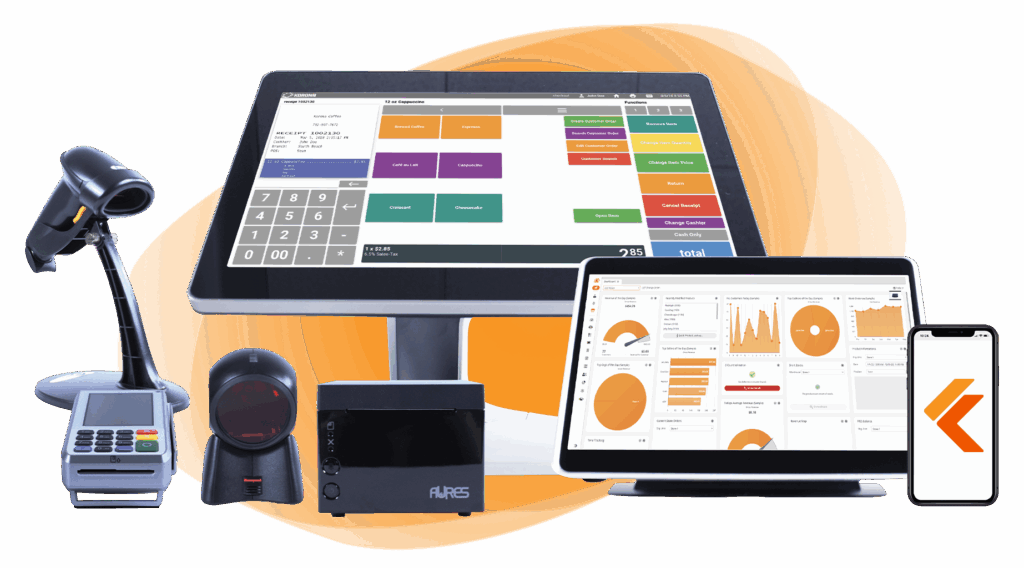
The hardware you need depends on your business type. Most retailers will need a touchscreen terminal, a card reader, a barcode scanner, a receipt printer, and a cash drawer. That is the standard setup.
Some businesses need more specialized equipment. A restaurant may need a kitchen display system. A business that sells products by weight will need a scale that connects to the POS. A high-traffic store may benefit from self-checkout kiosks.
Before you commit to any system, check whether your existing hardware is compatible. Some vendors require you to buy their proprietary hardware. Others work with a wide range of third-party devices.
Also find out who owns the hardware if you decide to cancel. This is a detail many business owners overlook until it is too late.
PRO TIP
Ask your vendor: What hardware do I need to get started? Can I use hardware I already own? Who owns the hardware if I cancel my subscription?
Build Your Own POS
Whether you run a retail store, café, or admissions booth, we have the point of sale hardware designed for your specific needs. Start building your ideal POS system now.
Ease of Use and Staff Training
A POS system that is hard to use is a problem every single day. During a busy period, a slow or confusing interface costs you time and frustrates both your staff and your customers.
Look for a system with a clean, simple interface. Your staff should be able to learn the basics quickly. The faster the onboarding, the lower your training costs and the less disruption to your operation.
Ask whether the vendor provides training resources. Video tutorials, written guides, and live onboarding sessions all make a difference. A system that takes weeks to learn is not a good fit for most businesses.
If you have a customer-facing screen or a self-checkout station, test that too. The customer experience at checkout matters just as much as the staff experience behind the counter.
PRO TIP
Ask your vendor: How long does it typically take to train a new employee? What training resources do you provide? Can I see a live demo before I commit?
Reporting and Analytics
Your POS should do more than process sales. It should help you understand your business.
At a minimum, look for daily sales summaries, product performance reports, and peak hour breakdowns. Keeping an eye on the right retail KPIs and metrics gives you a reliable baseline to measure growth against and helps you spot problems early.
A more advanced system will show you employee performance, inventory shrinkage, and customer purchase history. Retail analytics tools built into your POS let you act on trends before they become costly problems. Some systems let you build custom reports based on the specific numbers you care about most.
Make sure the reports are easy to read. A system that generates data but buries it in complicated tables is not useful to most business owners.
Also, check whether you can access reports remotely. If you manage more than one location, you should be able to check performance from anywhere, even if you’re not on-site.
PRO TIP
Ask your vendor: What reports come standard? Can I build custom reports? Can I access reporting remotely?
Discover Advanced Analytics and Custom Reports
Speak with a product specialist and learn how KORONA POS can work for your business.
Automation
Modern POS systems can handle many of the repetitive tasks that eat up your time every week.
Stock running low? A good automated inventory management system removes the guesswork from reordering entirely, triggering alerts or purchase orders before you are ever caught short. Need a sales report every morning? It should arrive in your inbox without you having to generate it manually. Promotions and discounts should be schedulable in advance so you are not making changes on the fly.
Some more advanced systems use historical sales data to forecast demand. Automation is not a luxury. For any business managing a large number of products or multiple locations, it is a necessity.
PRO TIP
Ask your vendor: What tasks can be automated? Do you offer automatic reordering? Can I schedule promotions and pricing changes in advance?
eCommerce and Omnichannel Integration
If you sell online and in-store, your POS and your eCommerce platform need to work together. When they do not, you end up with inventory errors, overselling, and a lot of manual correction work.
A solid eCommerce and POS integration means your online and in-store inventory always reflects the same numbers. Look for a native integration with the eCommerce platform you already use or plan to use.
A native integration is built and maintained by the POS vendor. It is generally more stable than a third-party plugin that connects two systems that were never designed to work together.
Orders placed online should be visible in the POS. Returns processed in-store should update your online stock.
PRO TIP
Ask your vendor: Which eCommerce platforms do you integrate with natively? How quickly does inventory sync after a sale? Do you support click and collect?
CRM, Loyalty, and Customer Data
Your POS collects valuable information about your customers every time they make a purchase. A good system lets you use that information to bring them back.
Look for built-in customer profiles that track purchase history. This lets you see who your best customers are and what they buy most often.
A points-based loyalty program is one of the most effective tools a retailer has for keeping customers coming back. Your POS should support points-based rewards, tiered memberships, or personalized discounts. The easier it is to enroll a customer and apply a reward at checkout, the more likely your staff will actually use it.
If you already use a CRM or email marketing tool, check whether the POS integrates with it. Customer data should move between your systems without manual exports.
PRO TIP
Ask your vendor: Is CRM built into the system or an add-on? What loyalty program structures do you support? Can I integrate with my existing marketing tools?
Security and Compliance
Your POS handles sensitive customer payment data every day. Security is not optional.
There are two standards every business owner should know. The first is PCI DSS. This stands for Payment Card Industry Data Security Standard. PCI compliance is the baseline requirement for any business that accepts card payments, and any POS system you consider must meet it.
The second is P2PE, which stands for Point-to-Point Encryption. This encrypts card data from the moment a card is swiped or tapped to the payment processor. It means that even if someone intercepts the data, it is unreadable.
Data tokenization is also worth asking about. It replaces sensitive card information with a random token so the actual card data is never stored in your system.
PRO TIP
Ask your vendor: Are you PCI DSS certified? Do you support P2PE? How are staff permissions and access levels managed?
Scalability
The POS system you choose today should still work for your business two or three years from now.
Think about where you want to be. If you plan to open more locations, the system needs to handle multi-store inventory management from a single account without requiring a separate login or dashboard for each location. If you plan to grow your product catalog, it needs to support a large number of SKUs without slowing down.
Check how pricing changes as you scale. Some vendors charge a flat fee regardless of size. Others charge per terminal or per location, and costs can add up quickly as you grow.
Switching POS systems is expensive and disruptive. It is worth spending extra time upfront to find a system that can grow with you rather than one you will outgrow in eighteen months.
PRO TIP
Ask your vendor: Is there a limit on the number of locations or products I can add? How does your pricing change as I grow?
Reliability and Offline Mode
What happens when your internet goes down? If your POS system simply stops working, so does your entire operation.
A reliable POS system should have an offline mode. This means it can continue processing sales even without an internet connection. Once the connection is restored, it syncs everything automatically.
Ask your vendor about their uptime record. A standard benchmark is 99.9% uptime. Anything below that is worth questioning. Also ask how they communicate outages and how quickly they resolve them.
Hardware reliability matters too. Find out what the warranty and replacement policy is if a terminal or card reader stops working during business hours.
PRO TIP
Ask your vendor: Do you have an offline mode? What is your uptime guarantee? How do you handle hardware failures?
Integrations and Open API
Your POS will not operate in isolation. It needs to work with the other tools your business already uses.
Common integrations include accounting software like QuickBooks or Xero, payroll systems, email marketing platforms, and industry-specific tools. If you run a dispensary, for example, you may need compliance software. If you sell alcohol, age verification integration may be required.
Check whether the integrations you need are built-in or whether they require a third-party connector. Built-in integrations are more reliable. Third-party connectors add another layer of potential failure.
Also, ask about the API. An open and well-documented API means your development team or a third-party developer can build custom integrations if needed. A closed or poorly documented API significantly limits your options.
PRO TIP
Ask your vendor: Which integrations do you support natively? Is your API publicly documented? Can I connect tools that are not on your standard integration list?
Customer Support
Good support is easy to overlook when everything is working. It becomes critical the moment something goes wrong.
Find out exactly what support is included in your subscription. Some vendors charge extra for phone support or limit you to email only. Others offer 24/7 emergency support for critical issues.
Test the support before you commit. During your trial period, call or message the support team with a real question. See how fast they respond and how helpful the answer actually is. This tells you far more than any promise on a sales page.
Also consider what happens outside of business hours. If your system goes down on a Saturday afternoon, can you reach someone who can fix it?
PRO TIP
Ask your vendor: What support channels are available? What are your support hours? Is emergency support included in my subscription?
Have trouble getting your POS customer service on the phone?
KORONA POS offers 24/7 phone, chat, and email support. Call us at 833.200.0213 to see how reliable we are.
Understanding POS System Costs
The price advertised on a vendor’s website is rarely what you will actually pay. Before you commit to any system, you need to understand every layer of cost involved.
Here is a breakdown of what to expect.
Software Costs
Most modern POS systems use a subscription model. You pay a monthly or annual fee to use the software. This fee usually covers updates and basic support. Some vendors charge a flat rate regardless of your size. Others charge per terminal or per location, so costs grow as your business grows.
Watch out for add-on fees. Advanced reporting, loyalty features, and certain integrations are sometimes sold separately rather than included in the base plan.
Hardware Costs
Hardware is often a significant upfront expense. A basic setup, including a terminal, card reader, barcode scanner, receipt printer, and cash drawer, can run anywhere from a few hundred to several thousand dollars.
Some vendors offer free or discounted hardware to get you signed up. Read the fine print. That hardware often comes with a long-term contract or higher processing fees attached.
Payment Processing Fees
Every time a customer pays by card, you pay a fee. This is typically a small percentage of the transaction plus a fixed amount per transaction. Over the course of a year, these fees add up to a significant sum. There are concrete steps you can take to lower your merchant fees and keep more of what you earn, starting with choosing a processor-agnostic POS.
Some POS vendors bundle their own payment processing into the software. Others let you choose your own processor. A processor-agnostic system gives you the freedom to negotiate better rates.
Payment processors giving you trouble?
We won’t. KORONA POS is not a payment processor. That means we’ll always find the best payment provider for your business’s needs.
Other Costs to Factor In
- Setup and installation fees
- Staff training costs
- Ongoing technical support beyond what is included
- Customization or development work for specific integrations
Watch out for early termination fees and long-term contracts buried in the fine print. Some vendors make it very expensive to leave, and you will want to know that before you sign.
Before you sign anything, ask each vendor for a written, full first-year cost estimate. Compare that number across vendors, not just the monthly software fee.
Common Mistakes to Avoid When Choosing a POS
Choosing a POS system is a significant decision. The wrong choice can cost you time, money, and a lot of frustration. These are the most common mistakes business owners make and how to avoid them.
Choosing Based on Price Alone
The cheapest option is rarely the best option. A low monthly fee can hide high processing fees, expensive hardware requirements, or poor support. Look at the total cost over a full year, not just the subscription price.
Ignoring Payment Processor Lock-In
Some POS systems advertise free hardware or low software fees. In return, you are locked into their payment processor at rates you cannot negotiate. Over time, this often costs far more than a system with a higher upfront price but open processor choice.
Not Testing With Your Actual Staff
A demo with a sales representative is not enough. Put the system in front of the people who will use it every day. If your staff finds it confusing or slow, that is a problem you will deal with every shift.
Skipping the Offline Question
Internet outages happen. If you never ask what happens to your POS when the connection drops, you may find out the hard way during a busy period. Always confirm whether the system has an offline mode before you commit.
Overlooking Scalability
A system that works well for one location may struggle with three. If you plan to grow, make sure the system can grow with you. Switching POS systems later is expensive and disruptive.
Not Reading the Contract
Check the contract for minimum commitment periods, cancellation fees, and hardware ownership terms. These details are rarely highlighted during a sales conversation but matter a great deal if you ever want to switch providers.
How to Evaluate and Compare POS Vendors
You have identified your business needs. You know which features matter most. Now it is time to put specific vendors to the test. Here is a straightforward process to follow.
Step 1: Build a Shortlist
Start with three to five vendors that fit your business type and budget. Do not try to evaluate ten systems at once. It becomes overwhelming and the comparisons lose meaning.
Step 2: Request a Live Demo
Ask each vendor for a live demo. Do not accept a pre-recorded walkthrough. During the demo, bring real scenarios from your own operation. Ask them to show you exactly how the system handles the situations you deal with every day.
Step 3: Start a Free Trial
Most reputable vendors offer a free trial. Use it. Set up your actual products, run test transactions, and get your staff involved. A trial with fake data tells you very little. A trial with your real inventory tells you a lot.
Step 4: Test the Support
During the trial, contact support with a real question. Call them. Send an email. Start a chat. Note how long it takes to get a response and how useful that response actually is. This is your best preview of what support will look like after you sign a contract.
Step 5: Ask for Industry References
Ask each vendor if they have current clients in your industry. A vendor who works with businesses like yours will understand your specific needs. Speaking directly with one of their existing clients is even better.
Step 6: Get the Full Cost in Writing
Before you make a final decision, ask each vendor for a written, complete first-year cost estimate. This should include software fees, hardware costs, processing fees, setup costs, and any other charges. Compare the full picture across all vendors, not just the monthly subscription fee.
Frequently Asked Questions
What is the difference between a POS system and a payment terminal?
A payment terminal only processes card payments. It reads the card, connects to a payment processor, and approves or declines the transaction. A POS system manages inventory, tracks sales, stores customer data, generates reports, and connects to other business tools.
How much does a POS system cost per month?
It depends on the system and what is included. Basic plans can start at around $50 per month. More advanced systems with multiple locations, integrations, and premium support can cost several hundred dollars per month. Hardware is usually a separate upfront cost.
Can I use my own payment processor with any POS?
Not always. Some POS systems require you to use their built-in payment processor. Others are processor-agnostic and let you choose your own. If you already have a good rate with a processor you trust, make sure the system you choose will work with them before you sign up.
What POS system is best for small businesses?
There is no single answer. The best system for a small business depends on the industry, budget, and specific needs. A small boutique has different requirements from a small cafe or a market vendor. Focus on finding a system that fits your operation rather than looking for a universal best option.
Do I need internet to run a POS system?
Most modern POS systems require an internet connection to function fully. However, a good system should have an offline mode that allows you to keep processing sales during an outage.
How long does it take to set up a new POS system?
A basic setup can be done in a day. A more complex setup involving multiple locations, large product catalogs, and integrations with other software can take several weeks.


