


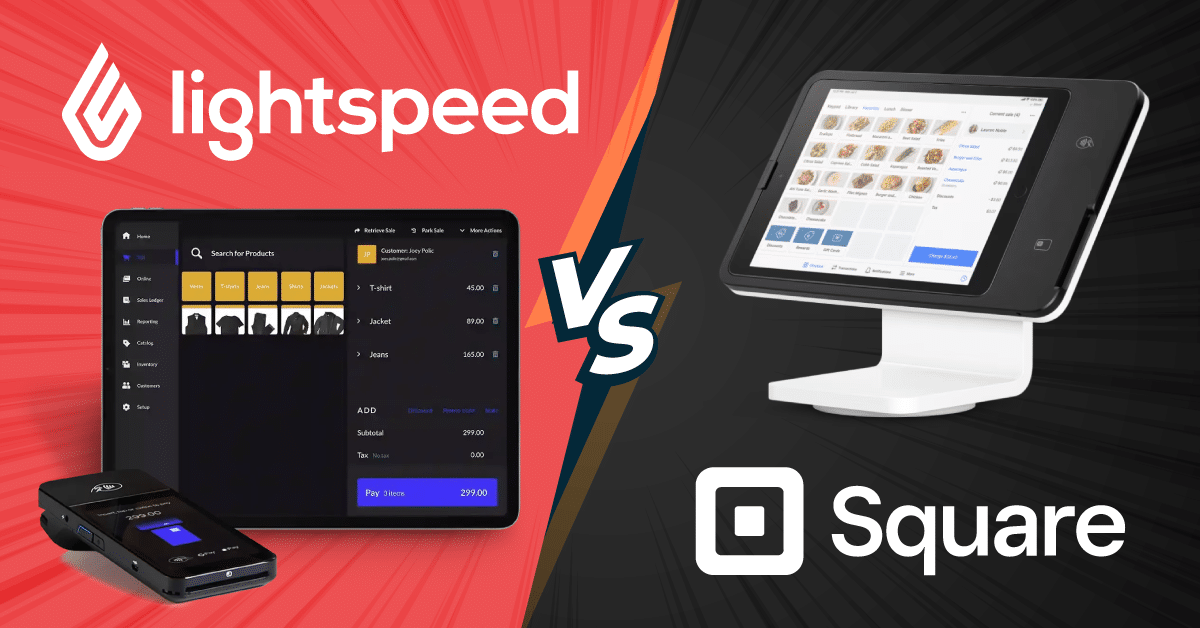
Lightspeed and Square are two of the most popular POS systems available today. Both handle transactions, inventory, and reporting well, but they serve different types of businesses.
Lightspeed leans toward feature-rich tools for retail and hospitality, while Square keeps things simple and affordable for smaller operations.
Below, we break down pricing, features, integrations, and support so you can decide which option best fits your business.
Key Takeaways:
- Lightspeed is better suited for retail and hospitality businesses that need advanced inventory management, detailed analytics, and industry-specific tools.
- Square is a strong pick for small and midsize businesses because of its simple setup, affordable pricing, and easy-to-use interface.
- The right choice between the two depends on your industry, your growth plans, and which features matter most to your day-to-day operations.
Product Overview
Lightspeed vs Square: A side-by-side comparison of pricing, payment processing, key features, hardware, and support for two of the most popular POS systems. Lightspeed targets established multi-location retailers and restaurants, while Square is built for startups and small businesses seeking simplicity.
| Compare | Lightspeed Retail · Restaurant · Golf |
Square Retail · Restaurant · Appointments |
|---|---|---|
| Pricing | ||
| Starting price | $89/moNo free plan | $0/moPermanent free plan |
| Retail plans | $89 · $149 · $289Basic · Core · Plus | $0 · $49 · $149Free · Plus · Premium |
| Restaurant plans | $69 · $189 · $399Starter · Essential · Premium | $0 · $49 · $149Free · Plus · Premium |
| Free trial / Contract | 14-day trial · No lock-in | Free plan (permanent) · No contract |
| Payment Processing | ||
| In-person / Online | 2.6% + $0.10 · 2.9% + $0.30 | 2.6% + $0.10 · 2.9% + $0.30 |
| Keyed-in rate | 2.9% + $0.30 | 3.5% + $0.15Higher risk rate |
| 3rd-party processors | Allowed (extra fee) | Not allowed — Square only |
| Key Features | ||
| Inventory | Advanced8M+ catalog, multi-loc, forecasting | Basic – ModerateItem library, alerts, variants |
| Reporting | Robust — custom reports | Standard (advanced on Premium) |
| eCommerce | Via Shopify / WooCommerce | Built-in Square Online |
| Loyalty & CRM | Included on Core+ plans | Paid add-on from $45/mo |
| Multi-location | Native & centralized | Available, less robust |
| Integrations | 250+ (API access on Plus) | Square App Marketplace |
| Hardware | ||
| Reader / Stand | iPad stand from $89 · reader from $49 | Free magstripe · chip reader $59 |
| Terminal / Register | Terminal $329 · w/ printer $399 | Terminal $299 · Register $799 |
| Support & Setup | ||
| Support | 24/7 chat all plans + account manager | 24/7 phone on Premium only |
| Onboarding / Setup | Free 1-on-1 session · Moderate curve | Self-serve · Live in minutes |
| Best suited for | Multi-location retailers & restaurants needing advanced tools | Startups, cafés & pop-ups wanting fast, low-cost setup |
| Bottom Line | Lightspeed POSPowerful for established retailers & restaurants. Deep inventory, 250+ integrations and multi-location tools justify the higher cost. | Square POSBest-in-class simplicity and low cost. Free plan works well; processing lock-in becomes a constraint at higher volumes. |
An Alternative to Lightspeed and Square POS Systems: KORONA POS
Neither Lightspeed nor Square works well for every business. If you’re looking at Square POS alternatives, KORONA POS is one of the strongest options available.
Why KORONA POS stands out:
- Processing-agnostic: works with any payment processor, so you’re never locked in. It also supports dual pricing to help reduce processing costs.
- Built for high-risk retail: liquor stores, smoke shops, tobacco retailers, dispensaries, and cannabis businesses can operate without the risk of getting shut down. KORONA helps match each business with the right processor.
- Retailer and QSR-ready: serves both retail stores and quick-service restaurants. Its inventory management tools are built to handle the complexity of high-SKU or regulated product catalogs.
- Multi-location and franchise support: manage multiple stores or franchise operations from a single back office.
If Lightspeed feels too expensive or Square keeps rejecting your business type, KORONA POS is worth a serious look.
Speak with a product specialist and learn how KORONA POS can power your business.
Lightspeed vs. Square POS: Quick Facts
Lightspeed and Square are two of the most popular POS systems on the market. And both serve certain business types quite well. They facilitate transactions, enable inventory management and sales reporting, and offer various employee management and CRM features for all types of businesses.
Lightspeed offers a more feature-rich solution tailored to the retail and restaurant industries. On the other hand, Square provides a user-friendly interface suitable for small businesses and features like payment processing, inventory tracking, and sales analytics.
While Lightspeed excels in versatility and industry-specific tools, Square stands out for its simplicity and accessibility. Read on as we explore their pricing, integrations, and customer support to help you decide on your next POS solution.
Lightspeed vs. Square: A Detailed Comparison
Lightspeed and Square take different approaches to helping businesses engage with customers and run daily operations. Lightspeed offers deeper tools for retailers and restaurants focused on scaling, while Square keeps things simple for businesses prioritizing an easy in-store experience. The sections below cover what each system actually delivers.
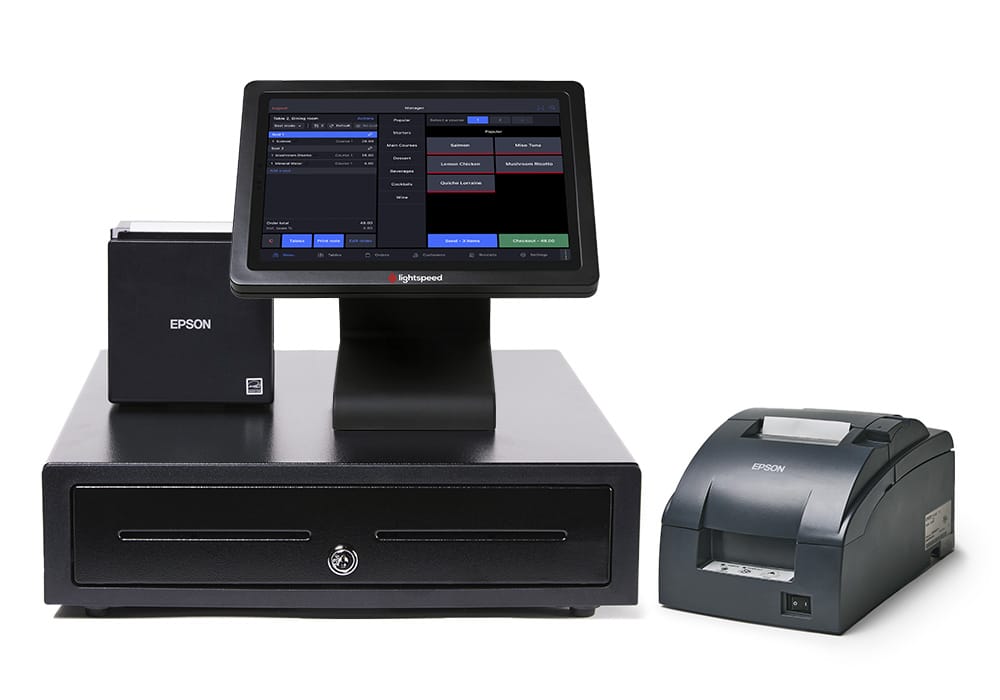
Lightspeed POS: Our Assessment
- Speed Up Sales: Lightspeed POS boasts a user-friendly interface that lets you process transactions quickly and efficiently. Ring up items, apply discounts, and accept payments in seconds, keeping your lines moving.
- Data-Driven Decisions: Generate insightful reports on sales trends, customer behavior, and employee performance. Use this data to make informed decisions for growth and optimize your business strategy.
- Cloud-Based Convenience: Access Lightspeed POS from any device with an internet connection. Manage your business on the go and eliminate the need for expensive, dated, on-premise software with their cloud-based POS.
- Inventory Management Made Easy: Track your stock levels in real-time to prevent costly stockouts and overstocking. Lightspeed automatically generates purchase orders to maintain optimal inventory levels.
- An Array of Verticals: Lightspeed has acquired several companies to help boost its reach among various business verticals. These include Chronogolf for golf course management and Vend for brick-and-mortar retail. Such acquisitions have helped Lightspeed provide a more curated solution for niche businesses.
You can also see our in-depth comparison of Lightspeed vs. Clover if you’re also considering Clover as a POS system.
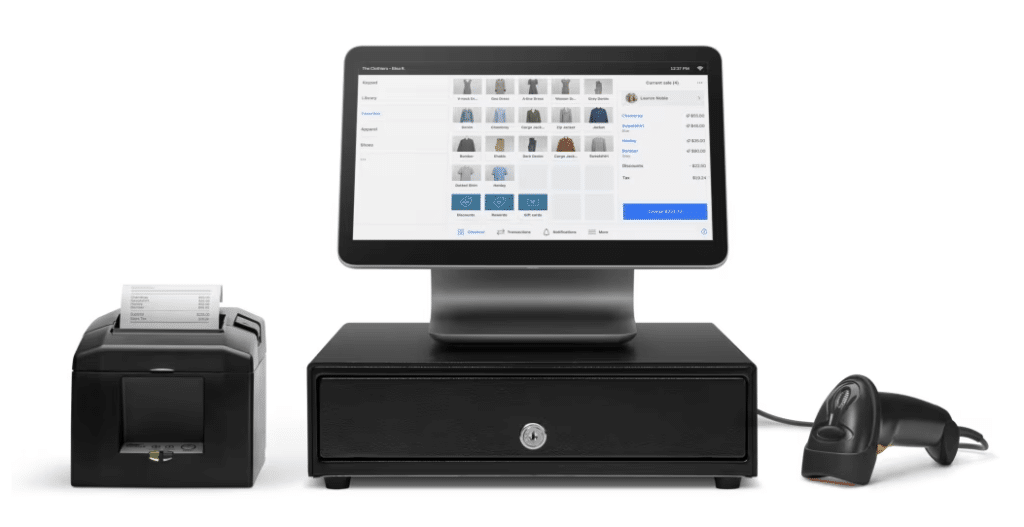
Square POS: Our Assessment
- Simple & Affordable: Square POS is easy to set up and use, perfect for smaller businesses. Free basic plans exist, with paid options offering advanced features at competitive prices.
- Sell Smarter: Square integrates with powerful tools for managing inventory, customer loyalty programs, and marketing campaigns, helping you grow your business.
- Mobile Ready: Run your business from anywhere with Square’s free POS app. Take payments, manage inventory, and track sales on your smartphone or tablet.
- Fast & Secure Payments: Accept all major credit cards, contactless payments, and even send invoices with Square. Their secure system protects your business and customer data.
- Customize Your Solution: While the add-on features will increase Square’s monthly price, the solution offers businesses many options to create customized software that fits their needs.
Lightspeed vs. Square POS: Pricing, Costs, Fees, and Contracts
Pricing and fees are critical considerations for your business when picking a POS system. Calculate all the costs associated with your POS software; this can significantly impact your bottom line.
Lightspeed Pricing
Lightspeed Retail Pricing POS Plans
Lightspeed Retail is designed for apparel, jewelry, sporting goods, toys, vape, multi-store, bike, CBD, electronics, gift stores, and furniture stores. Its pricing structure accommodates businesses of various sizes through its three unique plans:
Basic
$109/mo
For small businesses or startups needing basic retail POS functionalities
Inventory management for tracking products
Basic reporting tools to monitor sales and performance
Free onboarding session to assist in the setup
Access supplier catalogs
Core
$179/mo
For growing retailers with moderate inventory and reporting needs
Advanced reporting and analytics
Mobile scanner app
Lightspeed Live app
Mobile scanner app
Advanced sales, staff, and inventory reports
Accounting, eCommerce, and marketing integrations
Plus
$339/mo
For medium to large retailers requiring advanced inventory and customer management, complex functionality, and multi-location management
Personalized onboarding and training
Integrated forecasting
Raw API access
Lightspeed Restaurant Pricing POS Plans
Lightspeed Restaurant POS caters to hospitality businesses, including cafes, quick-service restaurants, full-service restaurants, hotels, and fine dining establishments. There are four unique plans for restuarants:
Starter
$69/mo
For cafes, bakeries, and other quick-service restaurants that require basic table service
Customizable POS
Menu manager
Floor plans
Multiple order printers
Modifiers
Advanced Insights
Integrated payments
Take out and delivery
Essential
$189/mo
For small cafes and single-location restaurants that need more inventory control
Basic order and table management
Order and pay at table
Lightspeed Live app
Online ordering
Key performance report
Slow and top sellers
Lightspeed Pulse mobile app
Premium
$399/mo
For growing restaurants that need more substantial management capabilities
Multiple revenue center support for hotels
Custom processing rates available
Raw API access
Enterprise
Customized pricing
For high-volume restaurants and multi-location establishments
Multi-location management for seamless operation across sites
Advanced POS analytics and customer insights
Full suite of integrations for payroll, inventory, and customer loyalty
Personalized software and hardware package
Unlimited launch and consultation services
Lightspeed POS Hardware Pricing
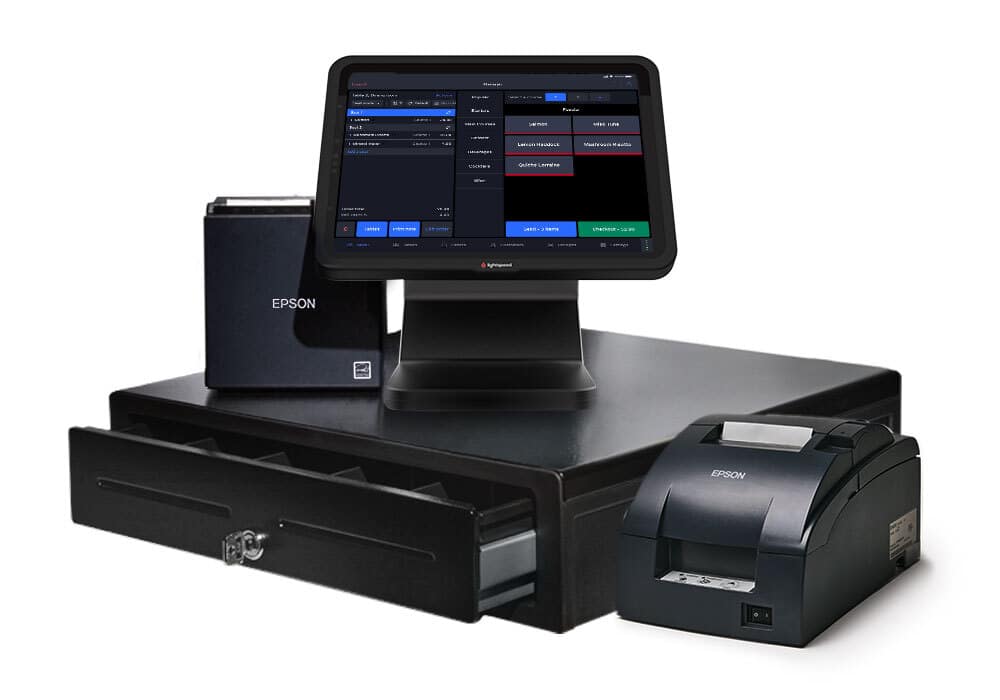
Lightspeed sells a wide range of equipment, including cash drawers, receipt printers, Bluetooth scanners, a Lightspeed iPad stand, and receipt paper.
You’ll notice some overlap across their hardware offerings, so check each item’s operating system and software compatibility before purchasing. The prices of some of Lightspeed POS’s hardware options are listed below:
Lightspeed Stands
The POS hardware stand is a physical device that securely positions a POS, like a tablet or terminal, at a checkout counter. Below are a few of the stands that Lightspeed offers:
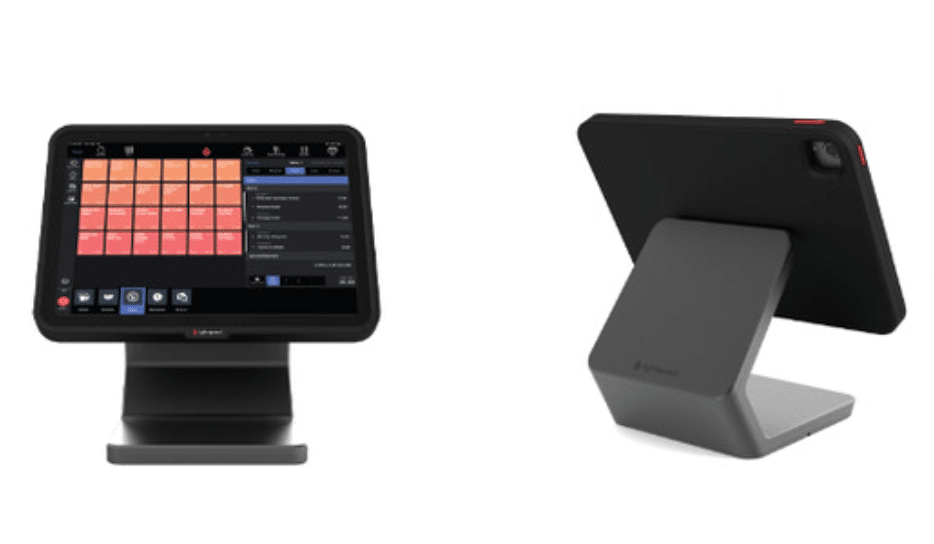
1. Lightspeed Stand for iPad
Lightspeed’s $169 hardware stand features a sleek design with a stable metal base, a magnetic swivel for customer interaction, and compatibility with iPad 10th gen, Air 5th gen, and Pro 11″ 5th/6th gen. It includes a USB-C cable.
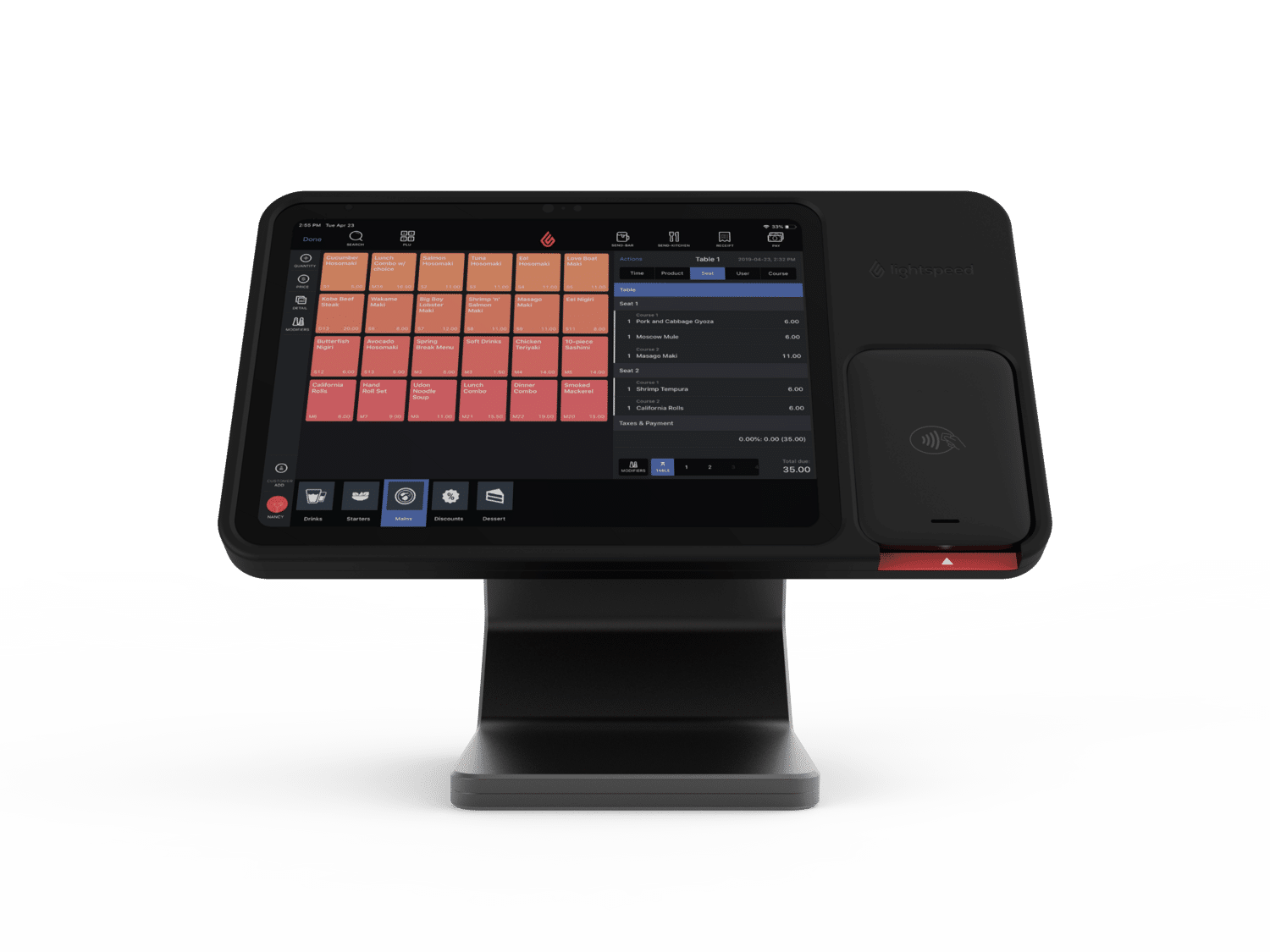
2. Lightspeed Stand with Payments
This $199 iPad stand features a stable base and card reader enclosure, making it ideal for POS setups. It fits the 10.2″ iPad and is compatible with 7th, 8th, and 9th-generation models.
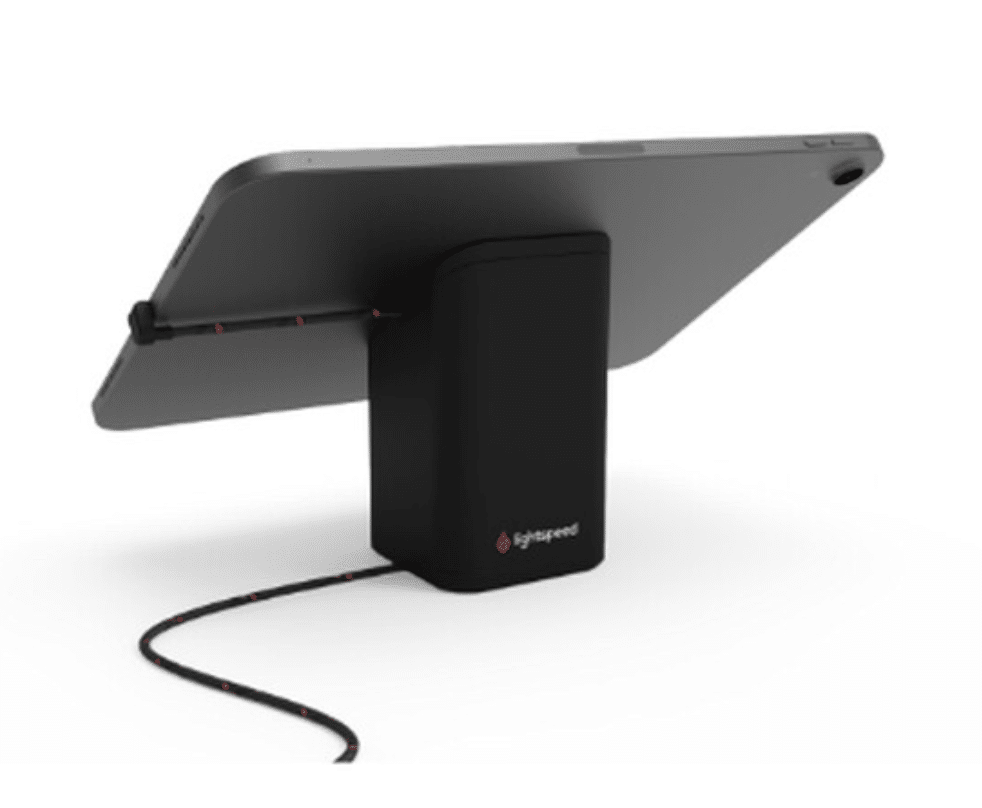
3. Universal Stand for Tablets
The Universal Tablet Stand costs $89 and features a swivel base for customer-facing displays, quick tablet removal for portability, and clear Lightspeed branding. It includes a 180º USB-C cable and supports tablets from 7 to 13 inches.
Lightspeed Terminals
The POS terminal is the hardware that lets merchants process payments. Modern POS terminals range from smartphones with plugged-in card readers to countertop terminals that print receipts, scan bar codes, and more. Here’s what Lightspeed offers:
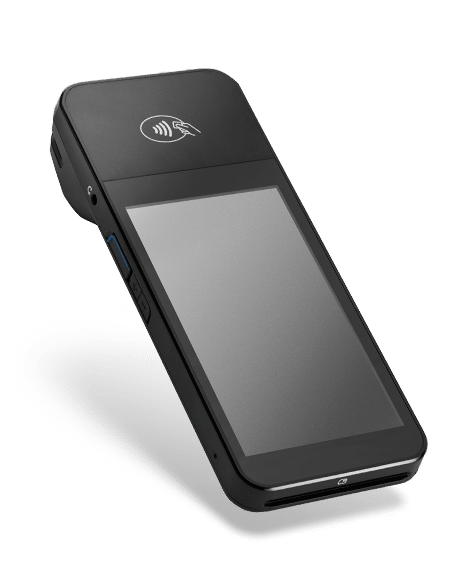
1. Smart Terminal with Printer, Hospitality
A sleek terminal for processing transactions in hospitality settings, with an integrated printer for receipts. This smart terminal with a printer costs $399.
2. Smart Terminal, Retail
This $329.00 countertop reader connects to Lightspeed Payments via the internet. It’s built for a casual retail checkout experience.
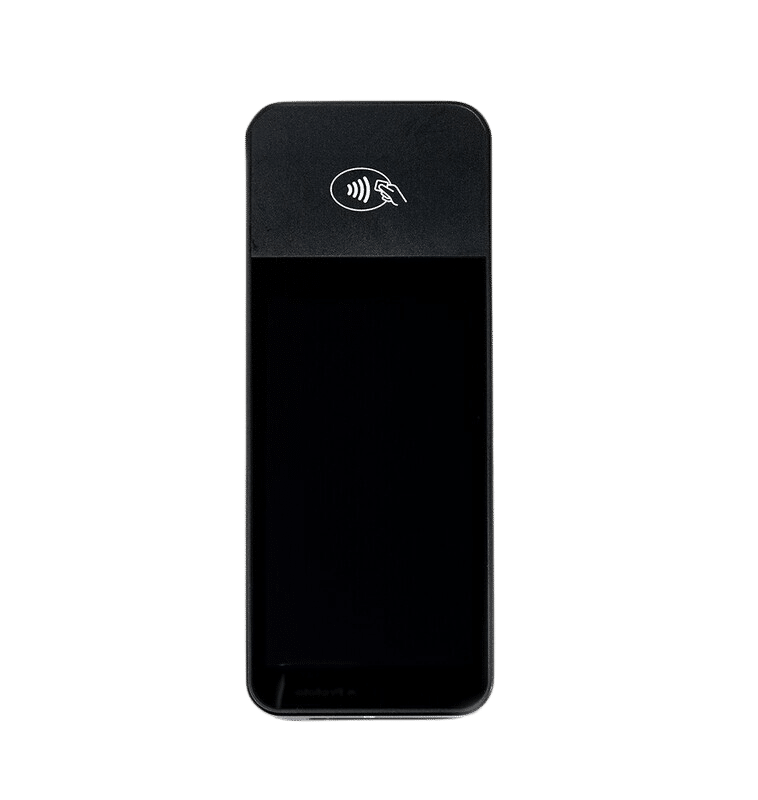
3. Mobile Terminal
This Verifone Mobile Terminal costs $399 and pairs with Lightspeed Hospitality and Golf. It features a quick processor and a touchscreen, making it easy for customers to pay from anywhere.
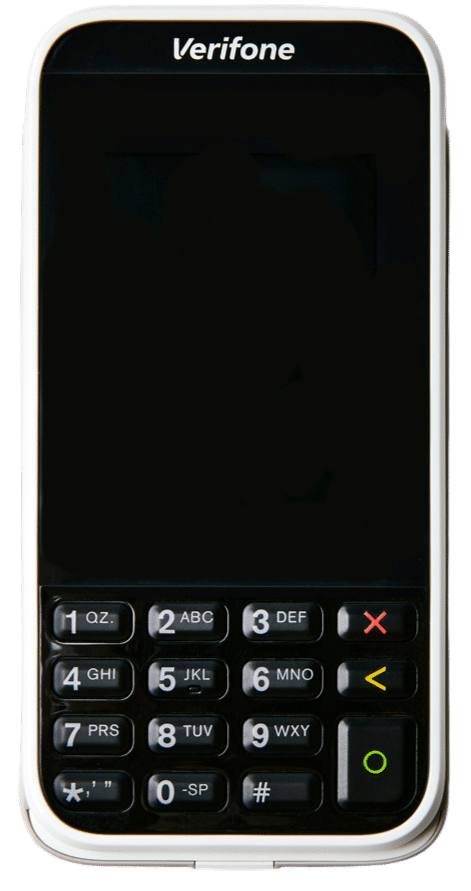
4. Smart Terminal; Hospitality (US)
The AMS1 Smart Terminal is an all-in-one payment terminal that promotes fast and mobile payments. It’s handheld and portable, making it easy for Lightspeed users to take payments on the go.
Lightspeed Barcode Scanners
A barcode scanner is a device — typically handheld — that reads barcodes and sends data to a computer. It’s used alongside a POS system for inventory management and asset tracking. Here are some of Lightspeed’s barcode scanners:
1. Lightspeed Bluetooth Barcode Scanner
The Bluetooth Barcode Scanner costs $399. It pairs seamlessly with Lightspeed Golf and Retail. The device is small, lightweight, and equipped with continuous scanning capabilities.
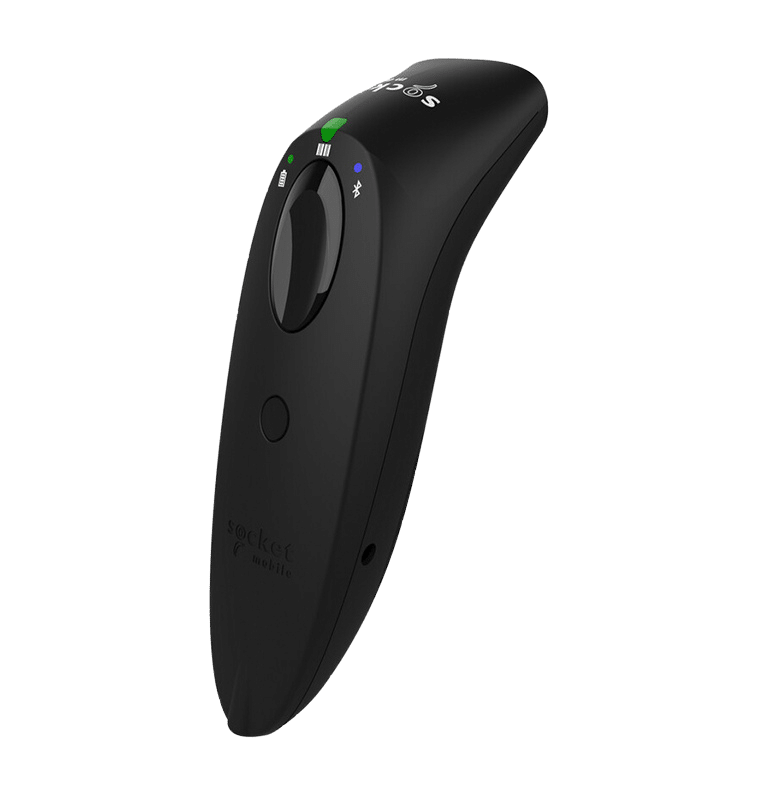
2. USB Barcode Scanner with Stand
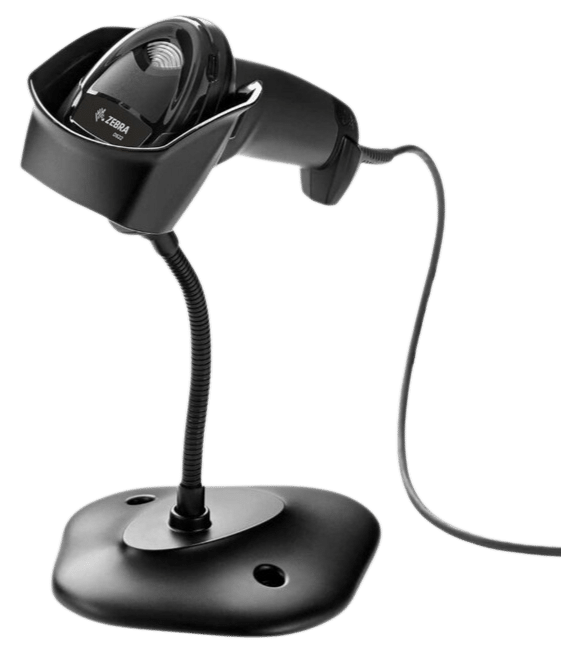
The USB Barcode Scanner with Stand (Zebra DS2208) costs $149. It can scan all barcodes, gift cards, and driver’s licenses. Because of the stand, users can enjoy hands-free scanning capabilities.
Lightspeed Miscellaneous Hardware
There’s a whole array of lesser-known hardware that goes into a POS system. Learn about some of the miscellaneous hardware that Lightspeed offers:
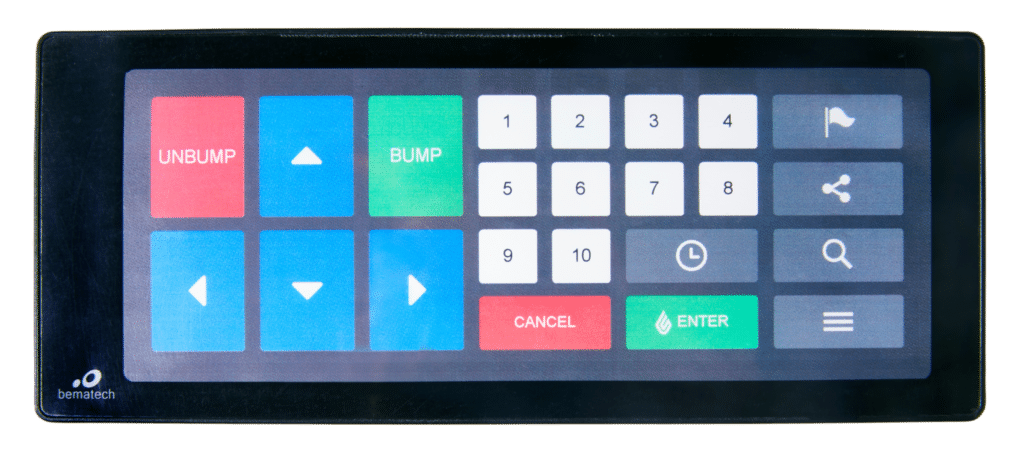
1. Lightspeed Kitchen Bumpbar
This Lightspeed Kitchen Bumpbar costs $199. It is used to control the Lightspeed Kitchen display. The Bumpbar features keys for moving tickets to the next or previous cooking state, ticket number selection, ticket cancellation, and more.
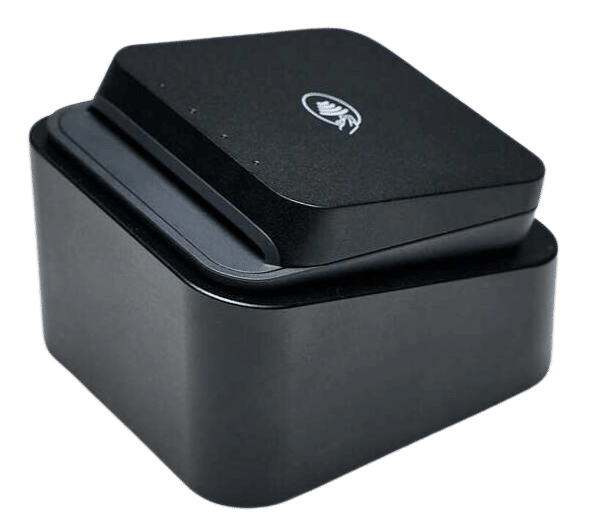
2. Mobile Tap (v2, Hospitality)
The $49 Mobile Tap is a compact Bluetooth card reader for iPad and Lightspeed Payments, supporting swipe, EMV, and tap-to-pay transactions.
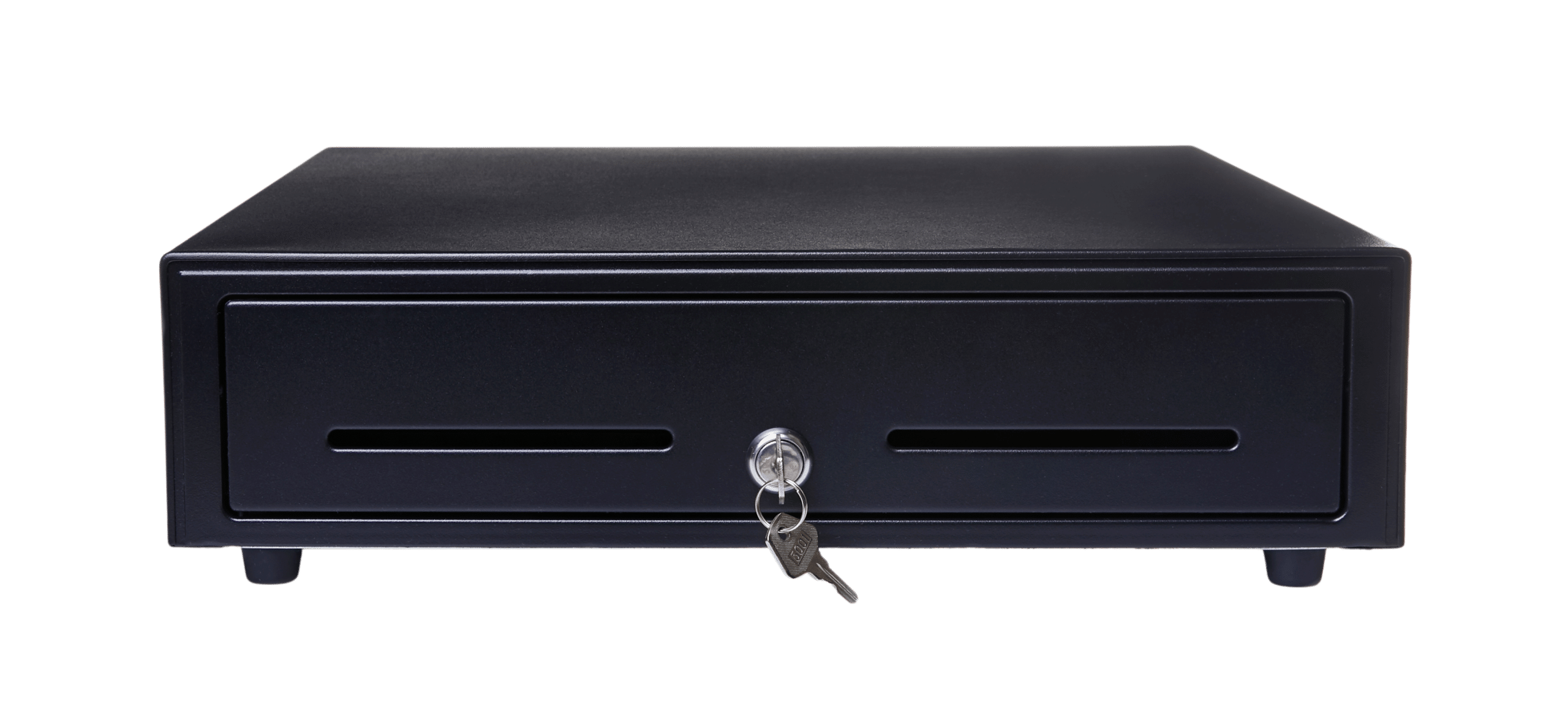
3. Lightspeed 16″ Cash Drawer (APG Minota)
This Lightspeed cash drawer costs $129. It is durable, has ample space for organizing bills and coins, and is compatible with most POS systems.
4. Lightspeed Lite Server
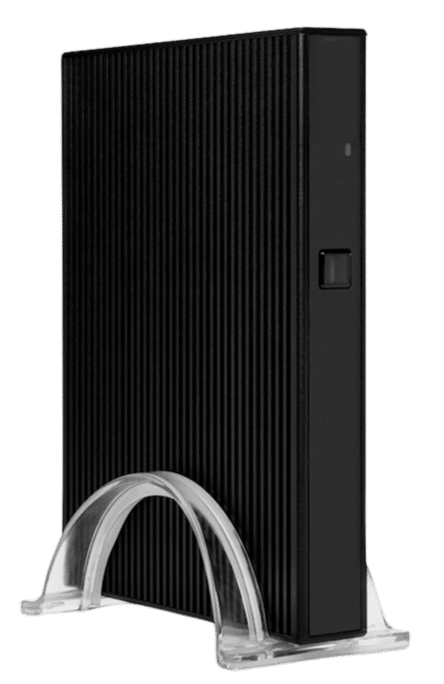
The Lightspeed Lite Server is featured within Lightspeed Lite’s networking hardware, coming in at $429. The Lite server maintains a local database and connectivity, continually backing up user data to Lightspeed servers. During an internet outage, users can continue essential business without disruption.
5. All-In-One Receipt Printer (TM30 Gen 3)
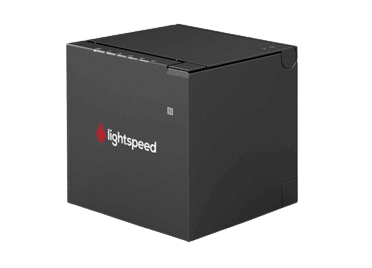
Lightspeed’s All-In-One Receipt Printer is a TM-M3III thermal receipt printer compatible with Lightspeed’s X-Series, R-Series, K-Series, and L-Series products. It offers a range of connectivity options: USB, Ethernet, Dual WiFi, and Bluetooth.
Build Your Own POS Setup
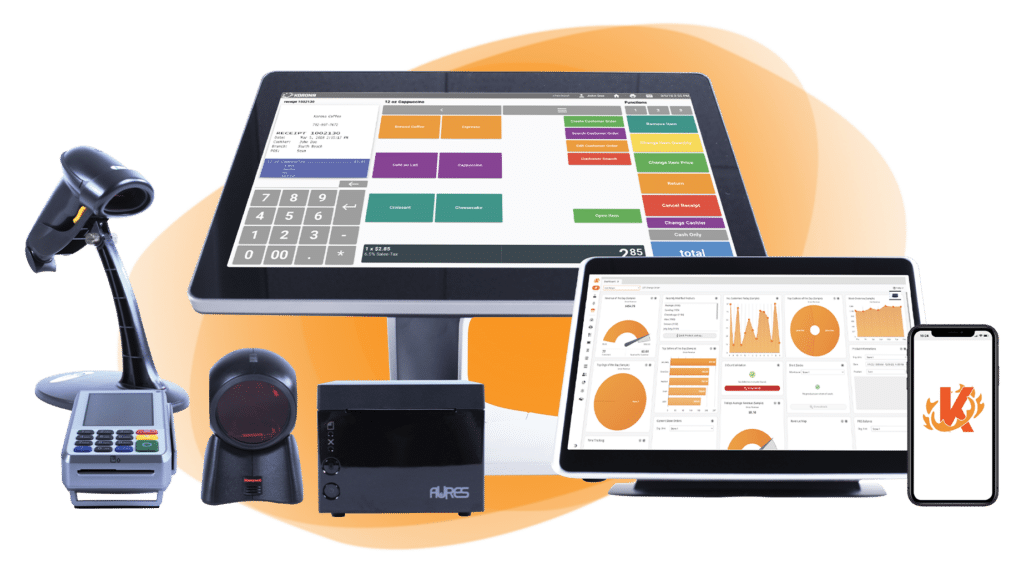
Whether you run a café, retail store, or event booth, we have the point of sale hardware designed for your specific needs. Start building your ideal POS system now.
Lightspeed Payment Processing Fees
Lightspeed’s payment processing fees depend primarily on the region, the business type, and the volume of transactions processed. Generally, for businesses in the United States, Lightspeed Payments charges a flat rate of 2.6% + $0.10 per transaction for card-present transactions and 2.9% + $0.30 for card-not-present transactions, such as online or manually entered payments.
Below is an estimate of monthly transactions based on your monthly transaction volume:
| Transaction Type | Fee |
|---|---|
| Card-present (in-person) | 2.6% + $0.10 per transaction |
| Card-not-present (online or manually entered) | 2.9% + $0.30 per transaction |
| Monthly Transaction Volume (in USD) | Estimated Monthly Transaction Fee (in USD) |
|---|---|
| $5,000 – $34,999 | $200 |
| $35,000 – $99,999 | $400 |
| $100,000 – $124,999 | $560 |
| $125,000 – $149,999 | $680 |
| $150,000 – $174,999 | $810 |
| $200,000 – $249,999 | $1,120 |
| $250,000+ | Contact an Account Manager |
Source: Lightspeed Payment Transactions
Third-Party Processors
Lightspeed POS allows businesses to use third-party payment processors if Lightspeed Payments does not meet their needs.
Choosing a third-party processor will enable businesses to negotiate rates, leverage existing relationships, or integrate specialized payment solutions. However, merchants that opt for a third-party processor will face significantly higher subscription rates and fees from Lightspeed.
Payment processors
giving you trouble?
We won’t. KORONA POS is not a payment processor. That means we’ll always find the best payment provider for your business’s needs.
Square Pricing
Square provides a range of hardware, from basic card readers to full POS systems. Square POS pricing offers optional monthly subscriptions for advanced features, which can increase the cost for businesses requiring these tools.
Square Monthly Subscription Plan
Free Plan
Best for new or very small businesses with lower sales volumes and basic needs. You pay only transaction fees.
POS app and payments
Website builder with SEO tools
Courses
Item library
Plus ($49/month)
Ideal for growing businesses that need essential tools to manage a team, optimize their website, and want the benefit of a slightly lower in-person transaction rate (2.5% ).
Staff management
Expanded site customization
Loyalty rewards program
Premium ($149/month)
The most cost-effective option for high-volume sellers due to the lowest in-person transaction fee (2.4%) and the included features like 24/7 dedicated support and waived gift card load fees, which can add up to significant savings.
Advanced reporting
No gift card load fees
24/7 phone support
Payment Processing Fees
Square’s Point of Sale (POS) system is known for its simple, flat-rate pricing structure. These fees apply to all major credit cards (Visa, Mastercard, American Express, and Discover) at the same rate.
Transaction Type | Standard Rate (US) | Key Information |
In-Person (Tap, Dip, or Swipe) | 2.6% + 10¢ to 15¢ | Applies when the customer's card is physically present and used with a Square Reader, Terminal, or Register. |
Online (eCommerce API, Square Online Store) | 2.9% + $0.30 to 3.3% + 30¢ | A higher rate due to the increased risk associated with card-not-present transactions. |
Manually Keyed-In / Card on File | 3.5% + 15¢ | The highest rate typically applies to payments entered into the Virtual Terminal or saved on file, as they carry the highest fraud risk. |
ACH Bank Transfer (via Invoice) | 1% (Min. $1) | For payments made directly from a customer's bank account. |
Afterpay (Installments) | 6% + $0.30 | Square pays you the full amount upfront, and the customer pays over time. |
PRO TIP
For the most up-to-date details, please visit Square’s pricing page for your country or contact our support team.
Hardware Costs
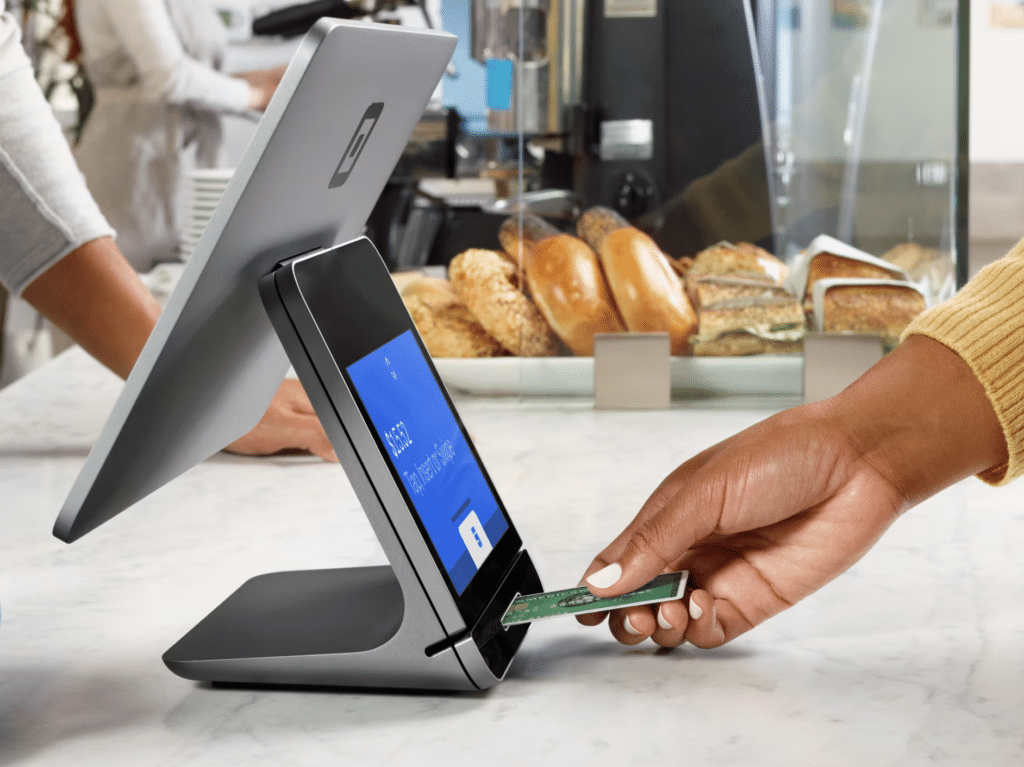
Square offers a range of hardware solutions to suit different business needs:
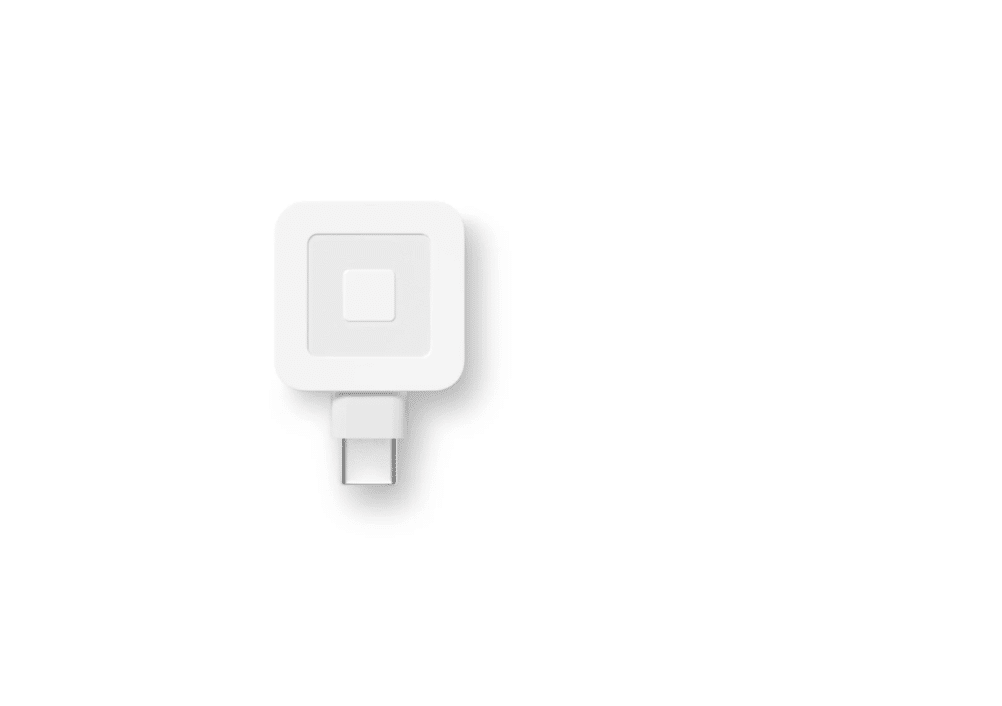
Square Reader for Magstripe: The reader allows you to accept Magstripe card payments using a mobile device. Square offers the first reader for free.
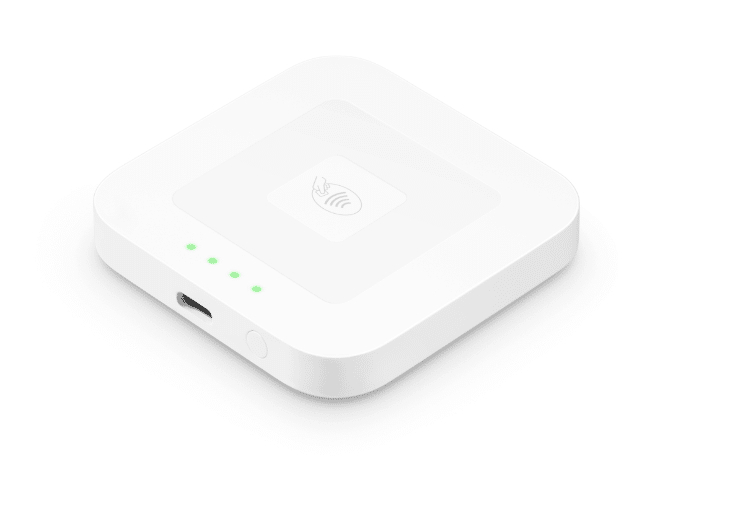
Square Reader for Contactless and Chip (2nd Generation): This reader, available for $59, supports contactless payments and EMV chip cards.
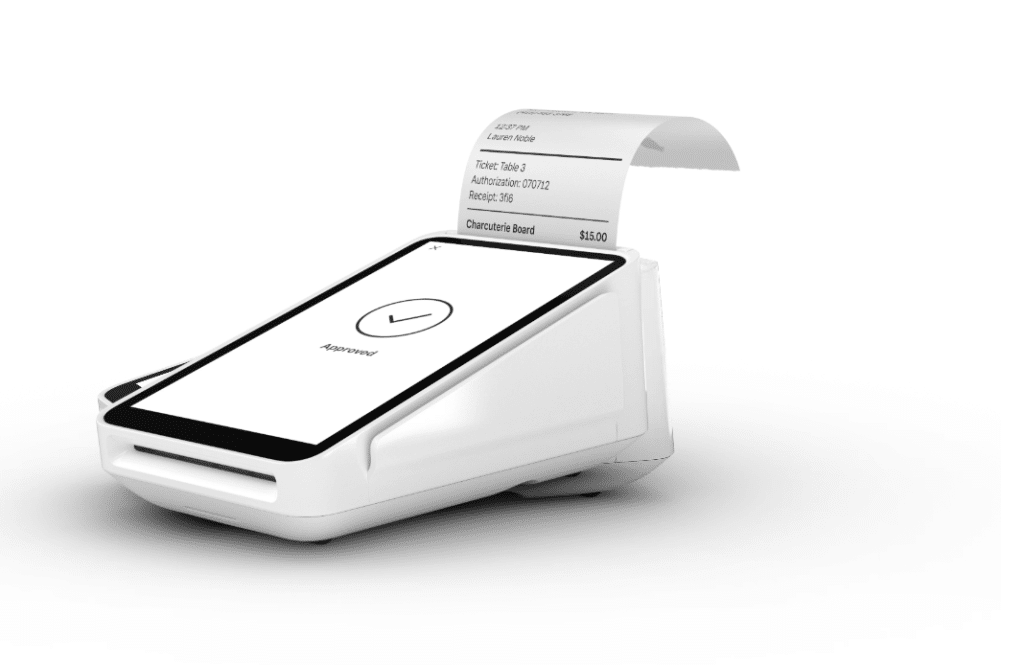
Square Terminal: At $299 or $27/mo over 12 months, this all-in-one device enables you to accept payments, print receipts, and manage transactions without additional hardware.
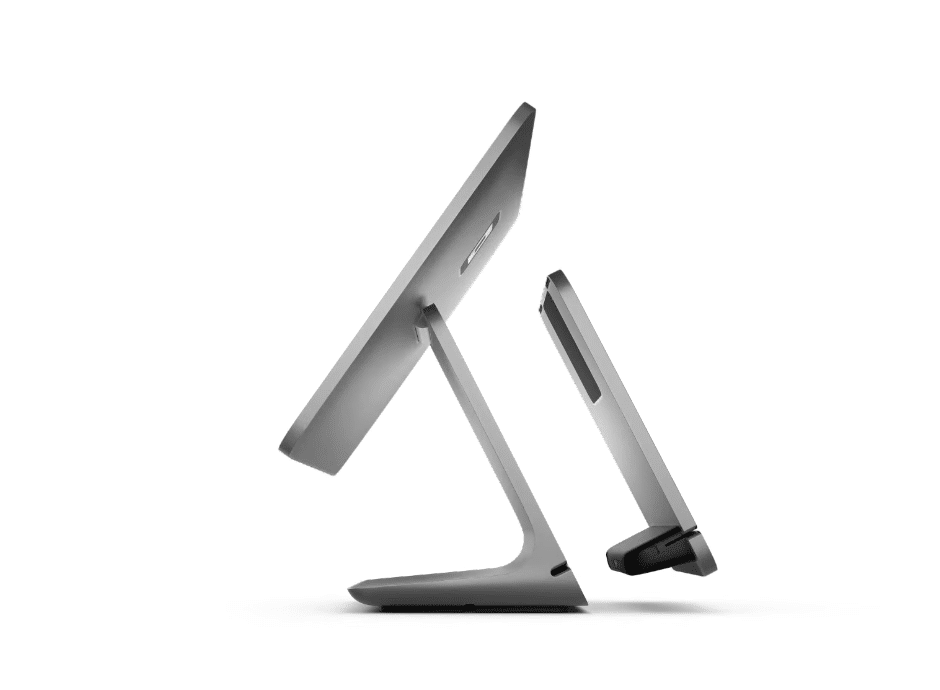
Square Register: Starting at $799 or $39/mo over 24 months, it is a fully integrated POS system that features a customer-facing display and is designed for seamless payment processing.
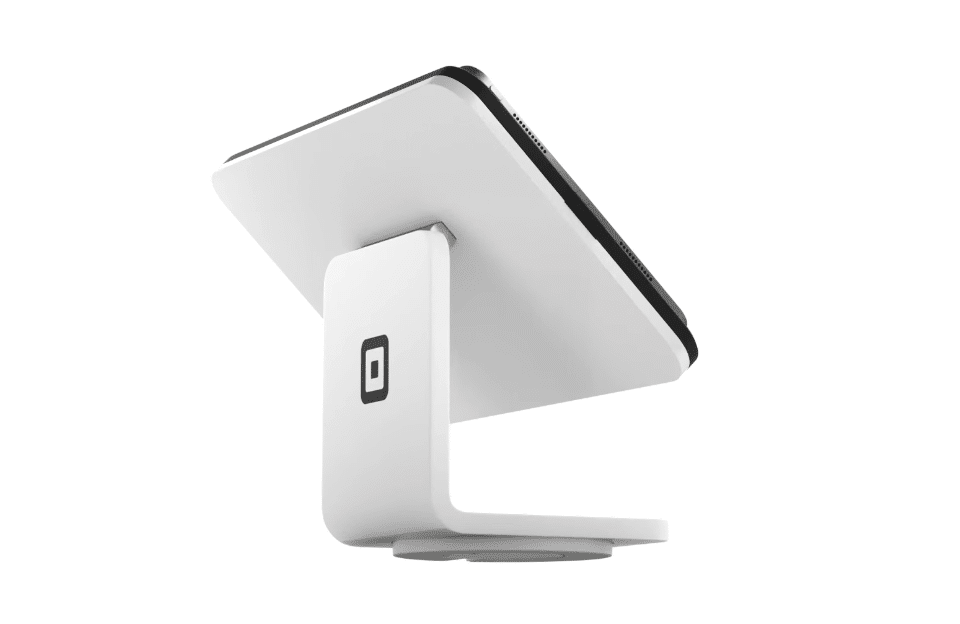
Square Stand: For $149 or $14/mo over 12 months. The Square Stand transforms your iPad into a professional POS system that supports various payment methods.
Additional Fees and Information
- Monthly Fees: Square’s POS software is free to use, but depending on the options and the type of business you run, it can cost between $29 and custom pricing.
- No Long-Term Contracts: Square does not require long-term contracts or charge equipment fees, providing business flexibility.
- Custom Pricing: Square offers custom pricing for businesses that process over $250,000 in card sales annually. Interested companies can contact Square’s sales team for more information.
- Afterpay Fees: Square charges a fee of 6% + $0.30 per transaction for transactions using Afterpay.
Lightspeed vs. Square: Strengths and Weaknesses
Lightspeed Pros and Cons
Pros of Lightspeed POS
- Strong Support
Lightspeed is available 24/7 via phone, chat, and Twitter. Dedicated account managers guide you through setup, training, and any snags you encounter. This comprehensive approach ensures you get the most out of your POS system and checkout flow.
- Inventory Management
Reviewers highlight Lightspeed POS’s strong inventory management. These tools help retailers keep track of their stock levels, automate reordering, and gain valuable insights into sales data. This can help them avoid stockouts and optimize their inventory levels.
- Flexibility and Scalability
Lightspeed POS offers a variety of plans and features, so you can choose a system that fits your business needs and budget. They also offer a wide range of compatible hardware options, so you can customize your setup to suit your store’s layout. This makes Lightspeed POS a good choice for businesses of all sizes, from startups to established chains.
Cons of Lightspeed POS
- eCommerce Needs Improvement
Reviewers on Reddit have mentioned that while Lightspeed is a robust solution for brick-and-mortar vendors, its eCommerce platform is underwhelming. Lightspeed eCommerce gets 3.7 stars on Software Advice. While Lightspeed integrates with WooCommerce and Shopify, customers have also complained about the functionality of those integrations.
- No Free Subscriptions
Lightspeed’s cheapest option is $89 This may not be the best fit for customers looking for a pay-as-you-go solution with zero monthly subscription charges.
- Extra Charge for Third-Party Processing
While Lightspeed allows third-party payment processing, it charges an undisclosed fee. The amount seems to vary depending on the business. Nonetheless, if you plan on keeping your own processing company or going with a third-party solution, get a quote and a guarantee before agreeing to any purchases.
Square Pros and Cons
Pros of Square POS
- Minimal Setup Demand
Square POS is known for its streamlined installation and user-friendly interface. Even if you’re not tech-savvy, you should be able to get up and running quickly with Square.
This is a significant advantage for startup businesses that don’t have much time or resources to invest in learning a complex POS system or those needing to rely on Square’s customer service.
- Cost-Effective
Square POS’s free tier includes all the basic features you need to process payments and track sales. Paid plans offer additional features, but the pricing is generally very reasonable, especially for small businesses.
- Flexible and Mobile
Square POS works on various devices, including smartphones, tablets, and computers, giving you much flexibility in using the system. You can also use Square’s mobile card reader to accept payments on the go, which is excellent for businesses that operate in multiple locations or sell at events.
Cons of Square POS
- No Processing Flexibility
Square POS clients must use built-in payment processing. There’s simply no way around it. This won’t be an issue for many small businesses and will streamline operations. However, some retailers, especially those with high-volume transactions, may find processing fees too expensive and detrimental to their bottom line.
- Marketing Add-Ons Not Included
Loyalty and rewards aren’t included in Square’s packages, nor are email and marketing. These CRM/promotional tools have tier systems with different pricing levels based on email, text, and customer volumes.
Do you have trouble getting your POS customer service on the phone?
KORONA POS offers 24/7 phone, chat, and email support. Call us now at 833.200.0213 to see for yourself.
Who Should Choose Lightspeed?
Lightspeed works best for businesses that need depth and scalability:
- Established retailers with large product catalogs across multiple locations
- Full-service restaurants and hotels that need table management, ordering, and detailed reporting
- Golf courses are looking for an industry-specific management solution
- Growing businesses that plan to expand and need a system built to scale
Who Should Choose Square?
Square is the right fit for businesses that value simplicity and low startup costs:
- New or small retailers that need a straightforward, affordable setup
- Food trucks and quick-service restaurants that want fast, mobile payment processing
- Service-based businesses, such as salons or studios, using Square Appointments
- Pop-ups and market vendors that need a portable, contract-free solution
Lightspeed vs. Square POS Frequently Asked Questions
- Which is better Lightspeed or Square?
Choosing between Lightspeed and Square depends on your business needs. If you require robust industry-specific features and advanced inventory management, Lightspeed may be the better option. However, if you prioritize simplicity, ease of use, and affordability, Square could be the preferred choice, especially for small businesses.
- Does Square work with Lightspeed?
Square and Lightspeed are separate POS systems that do not directly integrate. While they don’t have native integration, some third-party solutions or workarounds might facilitate data transfer or synchronization between the two platforms.
- Why is Lightspeed better than Shopify?
Lightspeed offers more advanced features explicitly tailored for retail and restaurant industries, including robust inventory management and customizable reporting tools. With its industry-specific focus and comprehensive functionality, Lightspeed is often preferred by companies seeking a more tailored solution than Shopify’s broader appeal. Shopify is typically a better fit for eCommerce businesses.
- How much does Lightspeed charge per transaction?
Lightspeed typically charges a flat-rate transaction fee per payment, ranging from 2.6% + 10¢ to 2.9% + 30¢. Lightspeed also offers custom pricing for high-volume businesses or those with specific needs.
Use KORONA POS: The Best Alternative for Growing Retailers
In conclusion, Lightspeed and Square POS systems offer distinct advantages tailored to different business needs. Lightspeed shines with its industry-specific features, advanced inventory management, and comprehensive reporting tools.
On the other hand, Square stands out for its simplicity, user-friendly interface, and affordability, The choice hinges on industry requirements, scalability, and desired functionalities. Whether prioritizing robust features or ease of use, companies can leverage either platform to optimize operations and drive success in today’s competitive landscape.
At the end of the day, speaking with sales representatives, weighing the costs and benefits, and asking other industry leaders about their experience will help you weigh your options on this major business decision.


