


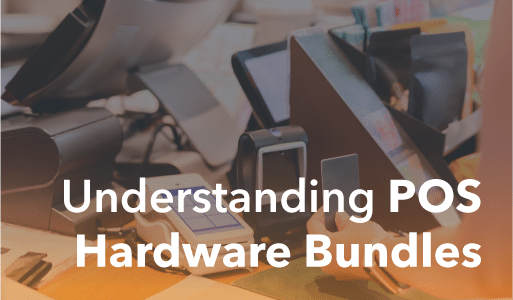
A POS hardware bundle packages the equipment you need to run a checkout into one kit, and it usually costs less than the same devices bought separately. Most retailers and restaurants pick a bundle for a faster, cheaper setup. Below, we break down what goes into a POS hardware bundle, what each component costs, how bundles differ by business type, and how to decide between buying, leasing, or building your own setup.
Key Takeaways:
- A POS hardware bundle groups the core checkout devices into one kit and costs less than buying each piece separately.
- A single-station bundle usually runs $500 to $2,500, with software and processing fees billed separately.
- Buying outright beats leasing for most businesses, since a three-year lease often costs 40% to 80% more.
- The right bundle depends on your business type, so a cafe, liquor store, and grocery each need a different setup.
What Are POS Hardware Bundles?
A POS hardware bundle is a pre-packaged set of the physical devices a business needs to run a checkout. A typical kit includes a POS terminal or touchscreen computer, a barcode scanner, a receipt printer, a cash drawer, and a card reader, all sold together as a single package.
Vendors bundle these components for two reasons: the kit usually costs less than buying each piece separately, and every device is tested to work together and with the POS software, so it runs the moment you plug it in. Instead of researching which scanner pairs with which printer, you get one compatible, ready-to-use setup.
The exact mix varies by business. A boutique might need only a tablet, card reader, and receipt printer, while a busy grocery store adds multiple scanners, customer-facing displays, and self-checkout kiosks. The rest of this guide breaks down each component, what a bundle costs, and how to choose the right one for your store.
POS Hardware Bundle Components
Most bundles are built from the same core set of POS hardware, then customized with add-ons for a specific business. Here is what each component does and what it typically costs on its own. For full-bundle pricing, see the cost section below.
POS Terminal / Touchscreen Computer (Core)

The terminal is the heart of the bundle. It is the touchscreen computer where cashiers ring up sales, look up products, apply discounts, and complete transactions. It runs the POS software and connects every other device in the setup. Terminals come in two broad forms: a tablet (such as an iPad or Android tablet) in a stand, or a purpose-built all-in-one unit designed for commercial use. Tablet setups cost less and feel familiar to staff, while purpose-built terminals are more durable and better suited to high-volume checkouts.
Typical price: $200 to $1,500, depending on whether you use a tablet or an all-in-one unit.
Barcode Scanner
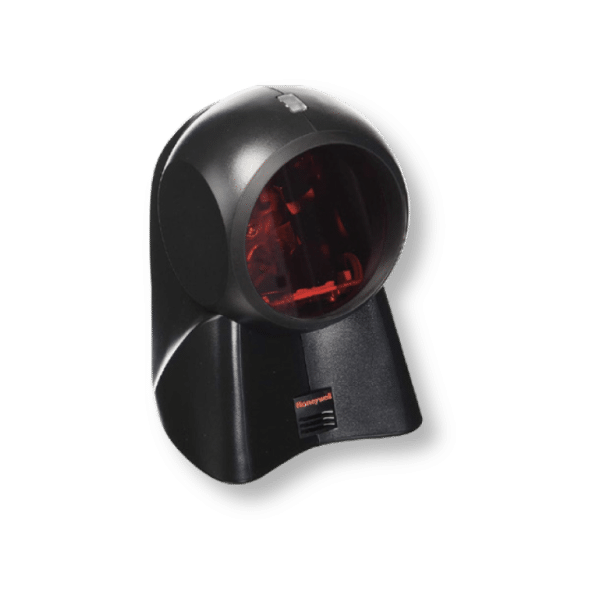
A barcode scanner reads product labels at checkout so cashiers do not have to key in prices by hand, which speeds up lines and cuts errors. Basic 1D laser scanners handle standard retail barcodes, while 2D imagers also read QR codes and phone screens, useful for mobile coupons and loyalty programs. Rugged, cordless models suit warehouses and stores with bulky items.
Typical price: $30 to $300 for most retail scanners, more for rugged or wireless models.
Receipt Printer
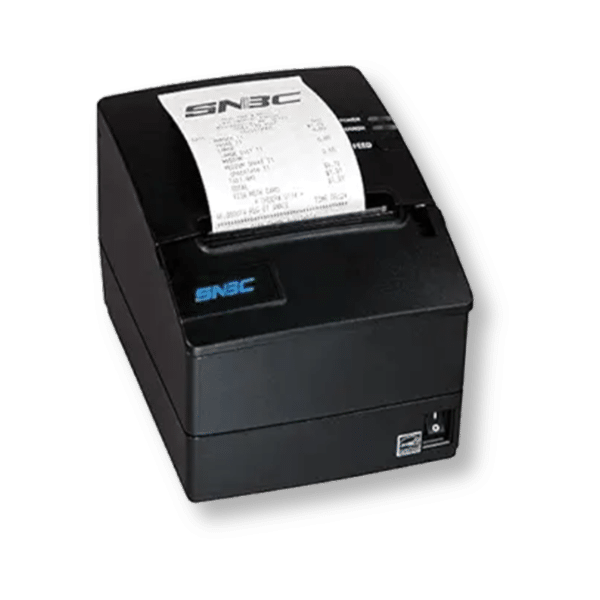
Receipt printers produce paper receipts and, in restaurants, kitchen tickets. Most retailers use thermal printers, which are fast, quiet, and need no ink. Impact printers are slower but hold up better in hot kitchen environments. Many businesses now also offer digital receipts by email or text, but a printer is still standard in most bundles.
Typical price: $80 to $400, depending on speed and connection type.
Cash Drawer / Register
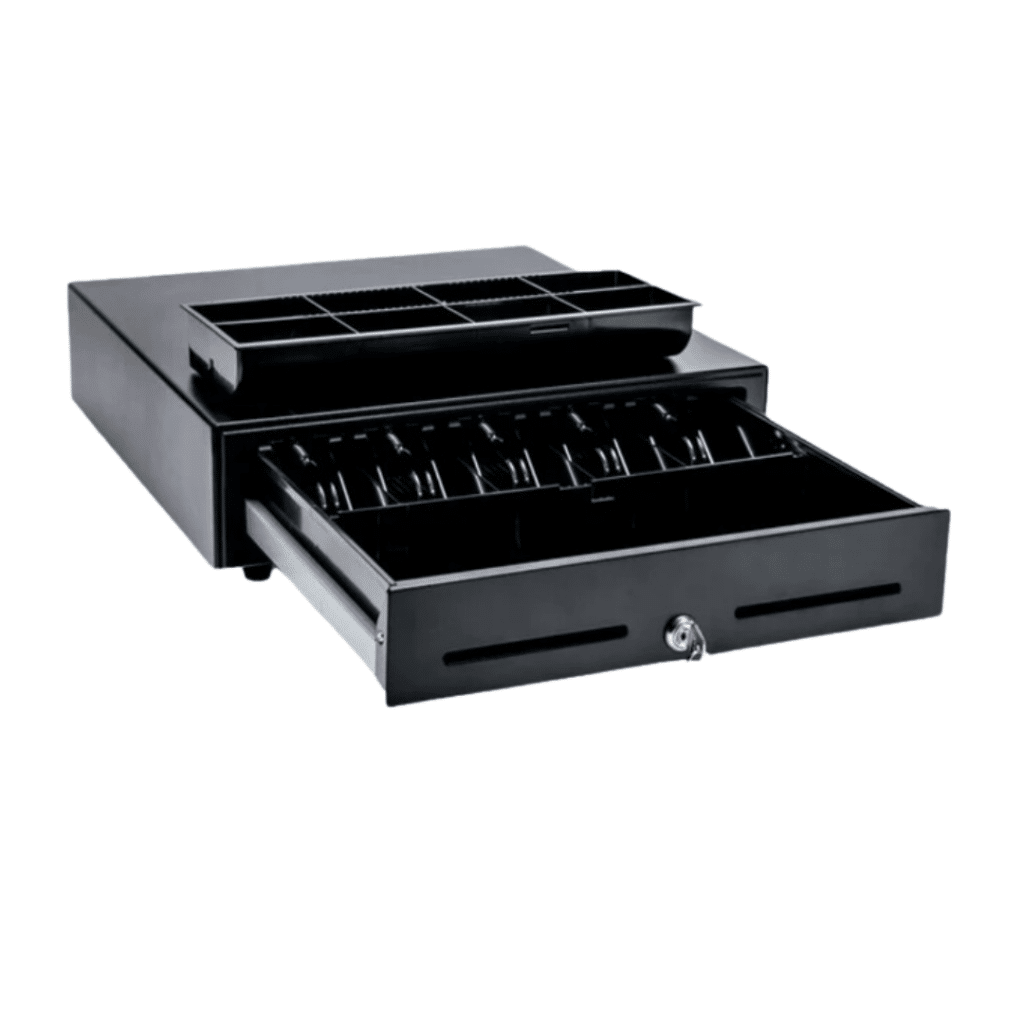
Even as card and mobile payments grow, a meaningful share of shoppers still pay cash for smaller purchases, so most bundles include a cash drawer, the modern counterpart to the traditional cash register. It stores bills and coins securely and usually opens automatically when a cash sale is completed. Look for a sturdy drawer with enough compartments to organize denominations.
Typical price: $40 to $200 for most POS-compatible drawers.
Customer-Facing Display
A customer-facing display is a second screen that shows shoppers their order details, running total, discounts, and prompts to add a tip. It builds trust by letting customers verify what they are being charged, and it is especially common in coffee shops and quick-service settings where tipping is expected. Some all-in-one terminals include this as a built-in second screen.
Typical price: $100 to $400 as a standalone add-on.
Card Reader / Payment Terminal
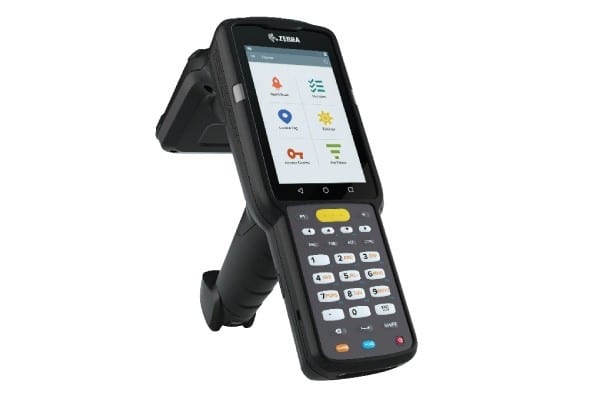
The card reader accepts payments: chip, swipe, tap, and mobile wallets such as Apple Pay and Google Pay. In 2026, more than 65% of in-person card payments in the U.S. are contactless, so make sure any reader is EMV-compliant and NFC-enabled for tap-to-pay. Simple readers connect to a tablet or terminal, while standalone payment terminals handle everything on their own.
Typical price: $0 to $600. Basic readers are often bundled free or discounted with a payment processing agreement, while standalone terminals cost more.
How Much Does a POS Hardware Bundle Cost?
A complete POS hardware bundle for a single checkout station typically costs between $500 and $2,500. Where you land depends on how many devices you include and whether you build around a tablet or a purpose-built all-in-one terminal.
Here is a quick recap of what each component costs on its own:
| Component | Typical price range |
|---|---|
| POS terminal or touchscreen computer | $200 to $1,500 |
| Barcode scanner | $30 to $300 |
| Receipt printer | $80 to $400 |
| Cash drawer | $40 to $200 |
| Customer-facing display | $100 to $400 |
| Card reader or payment terminal | $0 to $600 |
Bought as a bundle, those pieces usually cost less than the sum of their individual prices. Here are three common bundle tiers and what a single station tends to run:
| Bundle tier | What it typically includes | Typical total (per station) |
|---|---|---|
| Starter or mobile | Tablet or compact terminal, card reader, and a compact receipt printer | $300 to $800 |
| Standard retail | Terminal, barcode scanner, receipt printer, cash drawer, and card reader | $800 to $1,800 |
| Advanced or high-volume | Purpose-built terminal, customer-facing display, extra scanner, plus options like self-checkout or a kitchen display | $1,800 to $3,000+ |
Look beyond the sticker price
The upfront bundle cost is only part of the picture. When you budget, account for the ongoing costs too:
- Consumables: receipt paper and labels are small per roll but add up with volume.
- Maintenance and replacement: plan to spend roughly 10% to 15% of your hardware cost per year on upkeep, and expect to replace touchscreen terminals every three to five years.
- Payment processing: card processing fees are charged separately by your payment provider and are not part of the hardware price.
Factoring in these costs gives you a truer total than the bundle price alone, and it makes comparing quotes across vendors far more accurate.
Bundle vs. Buying Individually vs. Leasing
Most businesses face three decisions when buying POS hardware: whether to buy a bundle or piece it together, whether to buy outright or lease, and whether to buy new or refurbished. Here is how to think through each.
Bundle vs. Buying Individually
A bundle groups the devices into one pre-configured kit, and for most businesses that is the better value. It usually costs less than sourcing each piece separately, and because every component is tested to work together and with the software, setup is close to plug-and-play. You avoid the research of matching a scanner to a printer to a terminal, and you sidestep the compatibility headaches that come from mixing gear from different manufacturers.
The trade-off is flexibility. A bundle limits your ability to mix and match specific models. Buying individually makes sense if you have a very specific requirement, such as a particular rugged scanner, or if you already own part of the setup. For most single-location businesses, though, a bundle is the stronger middle ground.
Buying Outright vs. Leasing
Buying outright means you own the hardware and pay the lowest total cost. Leasing lowers your upfront cost to near zero, which helps if cash is tight, but it costs more over time: a typical three-year lease runs 40% to 80% more than buying the same equipment outright, and it can lock you into a long-term agreement with early-termination fees.
For most businesses, buying outright is the better long-term choice. If you do lease, read the terms carefully: the total cost over the full term, whether you own the hardware at the end or have to return it, and any early-termination penalties. Be equally careful with “free hardware” offers, which are often tied to a processing agreement that carries higher transaction rates.
New vs. Refurbished
New hardware gives you the latest models, a full manufacturer warranty, and current software and security support. Refurbished hardware costs less upfront and can be a smart way to equip a secondary station or stretch a tight budget.
If you go refurbished, check the warranty, the return policy, the physical condition, and confirm the device still receives software and security updates. For your primary terminal, where uptime and support matter most, new hardware is usually worth the extra cost.
How Do POS Bundles Differ by Business Type?
Different businesses have different checkout workflows, so the ideal bundle changes with the type of store. The table below shows how bundles commonly differ, followed by a closer look at each.
| Business type | Key hardware needs | Typical bundle cost (per station) |
|---|---|---|
| Quick-service restaurant | POS terminal, self-service kiosks, kitchen display system, customer-facing display | $1,500 to $3,000+ |
| Coffee shop or cafe | Compact POS terminal, customer-facing display for tipping, fast card reader | $800 to $1,500 |
| Small business, boutique, or pop-up | Tablet-based terminal, mobile card reader, wireless receipt printer | $300 to $900 |
| Hardware & furniture store | POS terminal, rugged cordless barcode scanner, mobile checkout | $1,000 to $2,000 |
| Liquor or convenience store | POS terminal, fast 2D scanner, ID and age-verification scanning, cash drawer | $1,000 to $2,000 |
| Grocery | POS terminal per lane, scale-integrated scanners, self-checkout | $1,800 to $3,000+ per lane |
Quick-Service Restaurant
High-volume quick-service restaurants benefit from self-service ordering kiosks and kitchen display systems that route orders straight to the line, cutting wait times and order errors. A customer-facing display speeds payment and tipping. Plan for kitchen display units to add $400 to $800 each.
Coffee Shop / Cafe
Cafes do well with a compact terminal and a customer-facing display so customers can review their order and add a tip before paying. A fast card reader for tap-to-pay keeps the morning rush moving.
Small Business / Boutique / Pop-Up
Boutiques, pop-ups, and food trucks are tight on counter space and often need to be mobile, so a tablet paired with a wireless card reader and a compact receipt printer gives flexibility without a bulky station. This is the most affordable setup and the easiest to expand as the business grows.
Hardware & Furniture Store
Hardware and furniture stores often carry bulky or heavy items, so they benefit from rugged, cordless barcode scanners that let staff scan products in the aisle rather than lifting them onto a counter. Durable, portable gear also holds up better in rougher work environments.
Liquor / Convenience Store
Liquor and convenience stores handle high transaction volumes, so they need a responsive POS terminal, a fast 2D scanner that reads product and loyalty barcodes quickly, and dependable cash handling. ID scanning for age verification helps staff stay compliant on age-restricted sales like alcohol and tobacco.
Grocery
Grocery lanes often pair scanners with legal-for-trade scales for items sold by weight, and larger stores add self-checkout to manage volume. Because grocery runs multiple lanes, keeping hardware consistent across stations makes maintenance and staff training far simpler.
Build Your Bundle
Already know roughly what you need? Use our bundle builder to put together your own setup. Pick the hardware pieces you want from the lineup, share a few quick details, and we will send you a personalized quote so you can lock in the right bundle for your store.
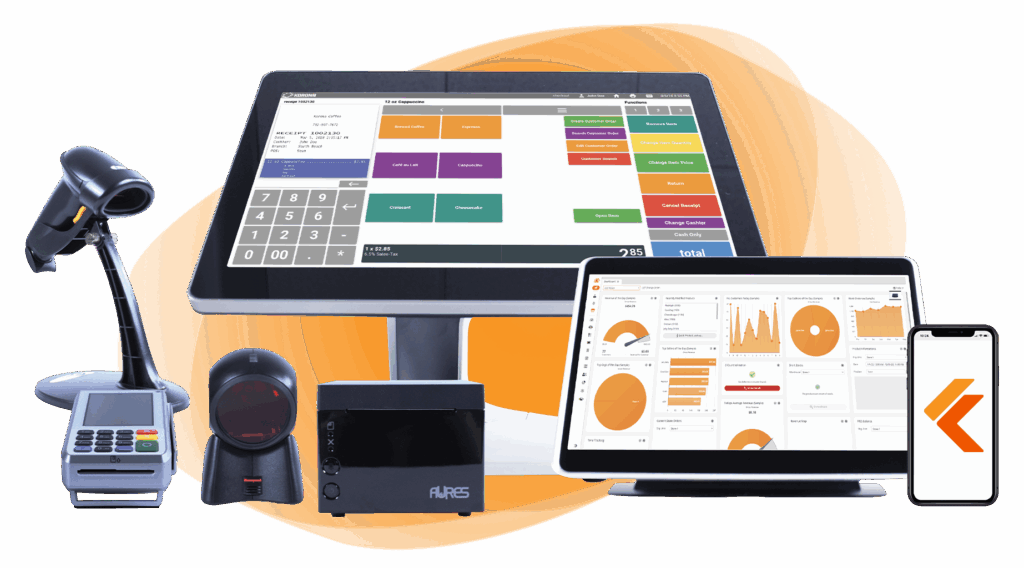
Build Your Own POS
Whether you run a retail store, café, or admissions booth, we have the point of sale hardware designed for your specific needs. Start building your ideal POS system now.
Benefits of POS Hardware Bundles
A well-chosen bundle pays off in a few ways. It costs less than buying components separately, it arrives as one compatible, ready-to-run kit so you start selling sooner, and it can be tailored to your vertical so you are not paying for hardware you will not use. The payoff at the counter is a smoother checkout: faster transactions and features like customer-facing displays that keep lines short and give shoppers confidence in what they are paying.
Don’t Overlook the Software
A bundle is only half of a point of sale system. The software is what turns that hardware into a working business tool: it runs the checkout, tracks inventory, records every sale, and produces the reports you use to make decisions. When you compare bundles, confirm the hardware is fully compatible with the POS software you plan to run, since a mismatch can mean lost features or clunky workarounds.
Software is also a recurring cost, unlike the mostly one-time hardware spend. Most modern POS platforms are sold as a monthly subscription, so factor that into your total cost of ownership alongside the hardware, consumables, and processing fees noted earlier. KORONA POS pairs its hardware with detailed reporting, advanced inventory management, and customer data so your setup does more than just process payments.
Speak with a product specialist and learn how KORONA POS can power your business.
Frequently Asked Questions
What hardware do I need for a POS system?
At a minimum, you need a display or terminal and a card reader. Most setups also add a barcode scanner, receipt printer, and cash drawer, plus add-ons like a customer-facing display or self-checkout kiosk depending on the business.
How much does a POS hardware bundle cost?
A single-station bundle typically runs $500 to $2,500. A starter or mobile setup can start around $300, while an advanced high-volume station with a purpose-built terminal, customer-facing display, and extras can exceed $3,000. Software subscriptions and payment processing fees are billed separately.
Should I buy or lease POS hardware?
For most businesses, buying outright costs less over time. A three-year lease typically runs 40% to 80% more than buying the same equipment, though leasing can help if upfront cash is tight. If you lease, check the total cost, whether you own the hardware at the end of the term, and any early-termination fees.
Is refurbished POS hardware worth it?
Refurbished hardware can be a smart way to save money on a secondary station or a tight budget. Before buying, confirm the warranty, return policy, and physical condition, and make sure the device still receives software and security updates. For your primary terminal, new hardware is usually the safer choice.
Is a POS system hardware or software?
Both. The hardware handles the physical side of a sale, such as displaying information, scanning barcodes, printing receipts, and taking payment, while the software stores product data, processes the transaction, and ties everything together.
Do I need POS hardware?
If you sell in person, yes, at least a basic setup. You could technically run a business with very little equipment, but any real volume of in-person sales calls for at least a display or terminal and a card reader.


