


POS system cost is one of the first questions business owners ask when shopping for a new setup. And for good reason. Between software subscriptions, hardware, and payment processing fees, the total investment can vary quite a bit. A small retailer and a multi-location chain will face very different numbers.
Before you sign anything, it helps to know exactly what you’re paying for. Here’s a clear breakdown of what a POS system costs in 2026.
Key Takeaways:
- POS system costs cover both software and hardware: software subscriptions typically run $50 to $200 per month, while hardware can cost anywhere from $500 to $5,000 upfront.
- Credit card processing fees add to the total cost, usually between 2% and 4% per transaction, so always review these before signing with a provider.
- Some POS providers lock businesses into proprietary payment processors, which limits your ability to shop for better rates or switch providers.
- Watch out for hidden costs like cancellation fees, extra support charges, and long-term contracts that can make a seemingly affordable system much more expensive over time.
How Much Does a Cloud Retail POS System Cost?
There’s no single price tag for a POS system. The total cost varies based on your business type, number of locations, and the features you need. A small gift shop with one register will pay far less than a multi-location retailer with scanners, displays, and kiosks at every store.
Most cloud-based retail POS costs fall into three areas:
- Software subscriptions: $0 to $250+ per month
- Hardware (one-time): $100 to $2,000+ per setup
- Payment processing: 2% to 4% per transaction
To put that in perspective: a single-location boutique might spend $1,200 to $2,700 in the first year, while a multi-store chain can easily reach $10,000 or more.
Some providers offer free plans, but those come with higher processing fees and limited features. We cover the trade-offs later in the article.
Subscription Costs
Cloud-based POS software can cost anywhere from $0 to $250+ per month. Unlike traditional systems that rely on local servers, cloud-based POS solutions store data on remote servers and are accessible from anywhere with an internet connection. Most providers charge monthly or annual fees across different subscription tiers. Lower-priced plans typically offer fewer features and often come with higher transaction fees.
Here’s a general breakdown of what to expect:
- Basic POS software costs anywhere from $0 to $30 per month.
- Advanced or industry-specific software can range from $60 to $150 or more per month, based on the provider and feature set.
- Add-ons like loyalty programs, email marketing tools, or multi-location controls may cost $10 to $50 per month per feature.
Costs also shift by industry. Small retail shops and pop-ups typically pay $0 to $50 per month, while mid-size retailers pay $60 to $150 per month. Quick-service restaurants usually spend $50 to $150 per month, and full-service restaurants often pay $100 to $300 or more because of added needs like kitchen display screens and menu management. Salons and service businesses tend to land between $25 and $100 per month.
Before choosing a plan, make sure the software includes the features your business actually needs, such as inventory management, reporting and analytics, and an eCommerce integration platform.
Hardware Costs
Different businesses need different hardware to run their store. A food truck will need a much simpler setup than a grocery store with multiple checkout lanes. Each POS provider offers hardware at varying prices, and some will let you use equipment you already own.
Here are the most common POS hardware components and what they typically cost:
Touchscreen Terminal or Tablet: $300 – $2,000
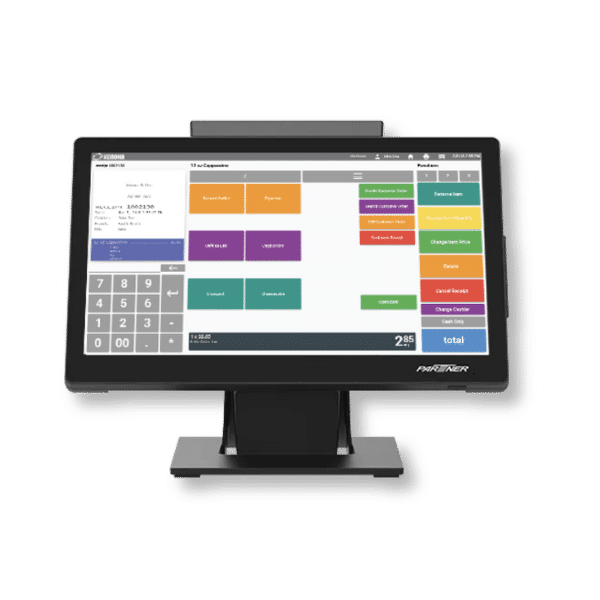
The main device your staff will interact with at checkout. Tablet setups are the more affordable option, while dedicated touchscreen terminals are more durable and built for high-volume use.
Tablet Stand or Mount: $50 – $200
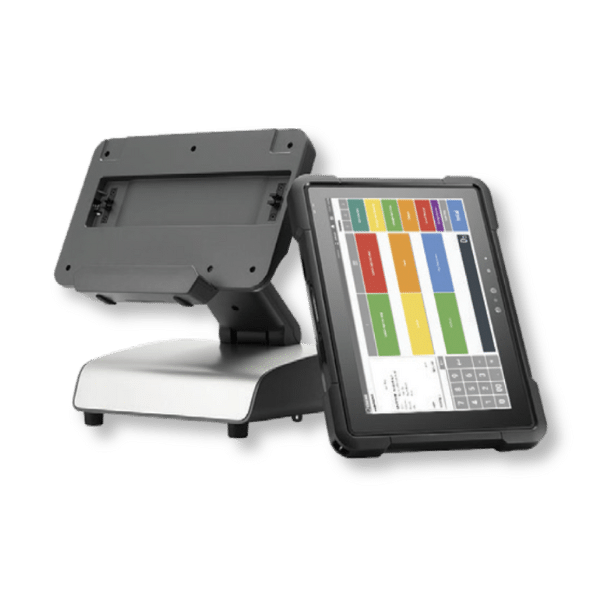
Holds your tablet securely at the counter. Some stands include built-in card readers or cable management features. Look for sturdy options that keep the screen at a comfortable angle for staff.
Card Reader: $20 – $350
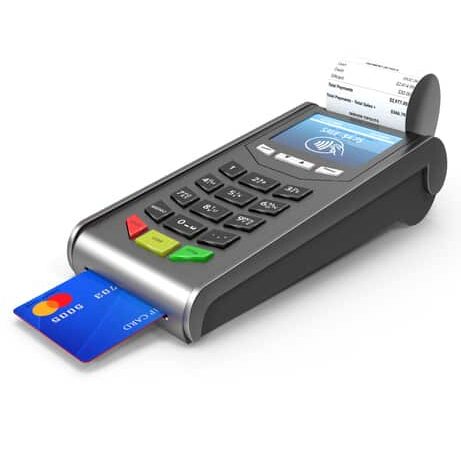
Accepts credit and debit card payments through tap, chip, or swipe. Basic mobile readers start around $20, while countertop models with built-in screens and NFC support cost significantly more.
Cash Drawer: $75 – $550
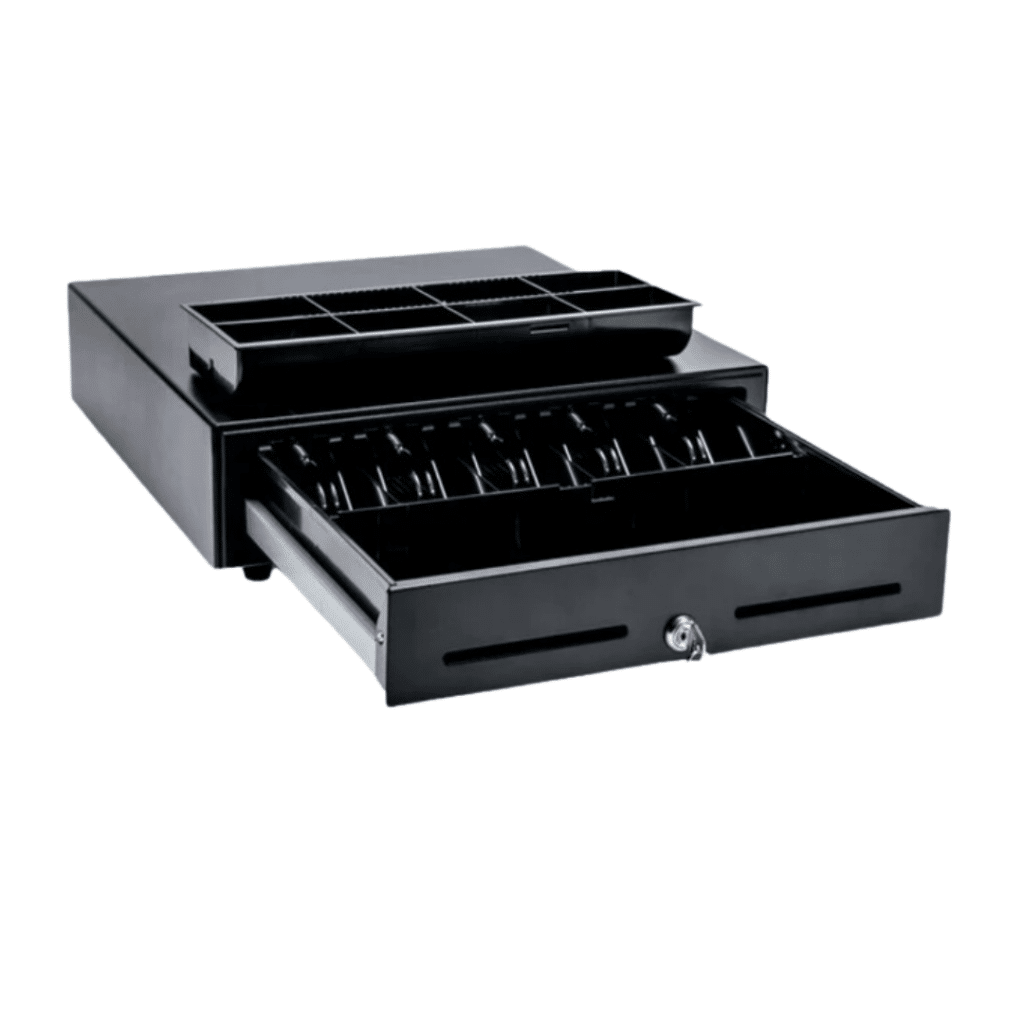
Stores and organizes cash and coins. Most cash drawers connect to a receipt printer and open automatically after each transaction. Larger drawers with more bill slots are better for high-traffic stores.
Receipt Printer: $130 – $550
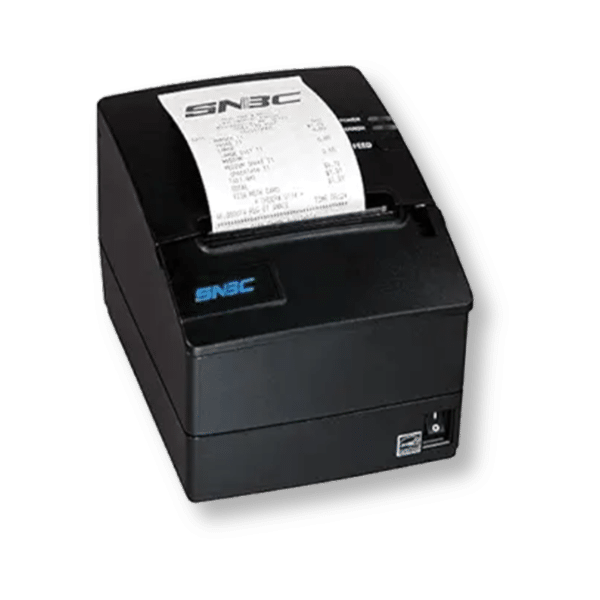
Prints transaction records for customers. Thermal printers are the most common and don’t require ink or toner. Bluetooth and Wi-Fi models cost more than basic wired versions.
Barcode Scanner: $70 – $300
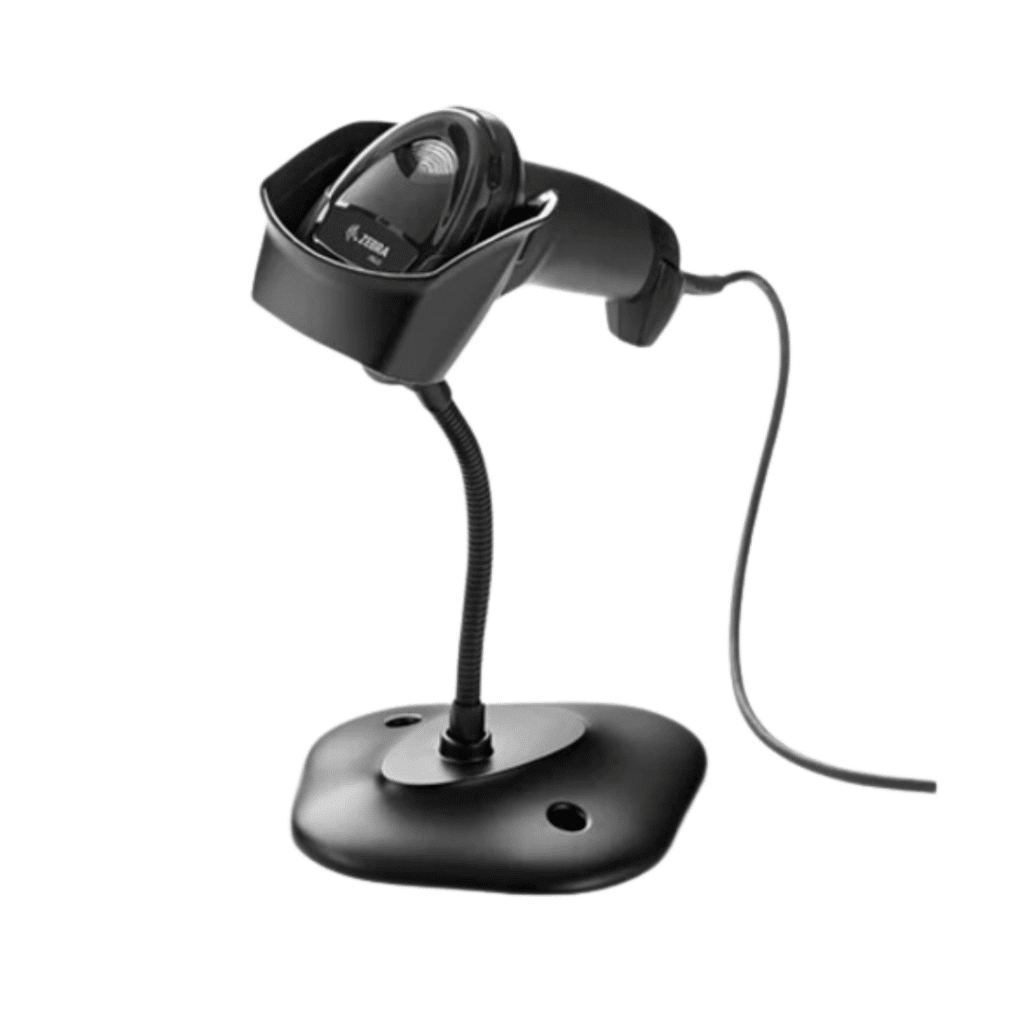
Reads product barcodes to speed up checkout and reduce manual entry errors. Handheld scanners are portable and affordable. Fixed-mount scanners are faster but cost more. Learn more about how barcode scanners work.
Customer-Facing Display: $200 – $600
A small screen that shows customers the transaction total, items scanned, and payment options. These displays help build trust and reduce checkout disputes.
Self-Checkout Kiosk: $1,500 – $5,000+
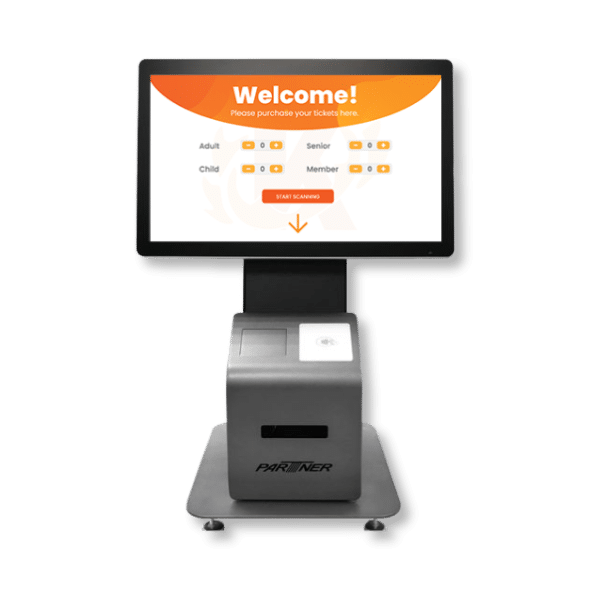
Allows customers to scan items and pay on their own without cashier assistance. These are ideal for stores with high foot traffic that want to reduce wait times and labor costs. Learn more about self-checkout systems.
Many POS providers let you buy, rent, or lease hardware bundles that package several of these components together at a lower price. Bundles are a good way to save if you need a full setup from scratch.
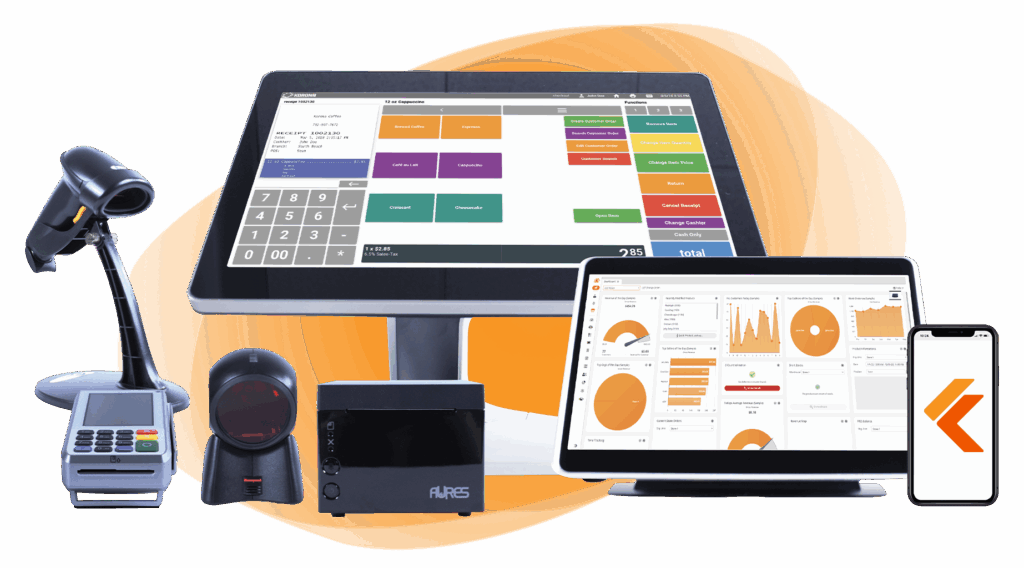
Build Your Own POS
Whether you run a retail store, café, or admissions booth, we have the point of sale hardware designed for your specific needs. Start building your ideal POS system now.
Processing Fees
Payment processing fees typically range from 1.5% to 3.5% per transaction, plus a small flat fee of $0.10 to $0.30. Every business that accepts credit or debit cards will pay these fees on each sale.
Processing fees can vary greatly based on the pricing model your provider uses. The two most common models are flat rate and interchange plus.
Flat-rate processors charge a fixed percentage on every transaction, regardless of the card type. Rates usually fall around 2.6% + $0.10 per sale. The simplicity is appealing, but you often end up overpaying on lower-cost card types like debit.
Interchange plus pricing separates the base fee set by the card network from the processor’s markup. The markup is typically 0.15% to 0.50% + $0.08 to $0.10 per transaction. We recommend interchange plus rates because they are more transparent, predictable, and fair.
The payment method your customer uses also affects the cost. In-person tap or chip payments tend to carry lower fees than online or manually keyed transactions, which are considered higher risk.
Before signing any contract, make sure you understand all the fees involved. Ask about monthly maintenance charges, PCI compliance fees, and penalties for chargebacks or early cancellation.
One way to keep processing costs under control is to choose a processing-agnostic POS solution. With an agnostic system, the POS software is separate from the payment processor. You’re free to shop around for the best rates, switch providers when better options come along, or negotiate custom pricing based on your sales volume. For small businesses, especially, the flexibility to choose a third-party payment processor can lead to significant savings over time.
Additional POS System Costs to Consider
Many retail businesses will require add-ons and specialized tools to maximize efficiency in the POS. Some of these might include:
Multiple Locations
Consider if your business operates across multiple physical locations and requires a multi-location POS system capable of centralizing operations, managing inventory across locations, and providing consolidated reporting.
Average Estimated Cost: $100 – $300 per additional location
Multiple Checkout Lanes
If your business has high foot traffic or multiple checkout lanes, opt for a POS system that supports efficient checkout processes, including split payments, fast transaction processing, and integration with hardware like barcode scanners and receipt printers. KORONA POS‘s self-checkout system is also useful if you want to offer self-checkout in your business.
Average Estimated Cost: $50 – $200 per additional checkout lane
Radio Frequency Identification (RFID)
Businesses dealing with high-volume inventory may benefit from RFID technology for efficient inventory management, accurate stock tracking, and streamlined checkout processes. Ensure your chosen POS system supports RFID integration if this technology aligns with your business needs.
Average Estimated Cost: $500 – $1,500 for RFID integration
eCommerce Integration
For businesses with an online presence, seamless integration between the POS system and eCommerce platform is essential. Look for a POS solution that offers robust eCommerce integration, synchronized inventory management, order processing, and customer data management across online and offline channels.
Average Estimated Cost: $200 – $500 for eCommerce integration
Other Specialized Integrations
Identify any specialized integrations or third-party software solutions crucial to your business operations. This could include accounting software, CRM systems, loyalty programs, or industry-specific tools. Another popular add-on is payroll, which are sometimes native to the POS system but costs a bit more to use.
Average Estimated Cost: $100 – $500 per integration
Payment processors giving you trouble?
We won’t. KORONA POS is not a payment processor. That means we’ll always find the best payment provider for your business’s needs.
How to Bring Down Overall POS System Costs?
While POS is certainly a significant investment, there are some strategies to lower your costs. Here are some you can try:
Negotiate Lower Fees for High-Volume Sellers
- If your business is high-volume, leverage that to negotiate lower processing fees.
- Request custom pricing or volume-based discounts tailored to your business’s transaction volume and payment processing needs.
- Many providers are willing to negotiate fees to secure long-term partnerships with high-volume merchants.
Shop Around for Lower Fees
- Research and compare different POS providers to identify those offering competitive processing fees and pricing structures.
- Look beyond advertised rates and consider transaction-volume discounts, hidden fees, and additional services included in the package.
- Seek quotes from multiple providers and negotiate for lower fees for POS or additional benefits based on your business’s specific needs and bargaining power.
- Explore alternative payment processors and payment gateway providers to find the most cost-effective solution without compromising on service quality or reliability.
Consider Paying Yearly Subscriptions
- Many POS providers offer discounted rates or incentives for businesses opting for annual billing.
- Evaluate whether paying an annual subscription upfront can result in cost savings compared to monthly subscription plans.
- Calculate the total cost of ownership over the course of a year, including any discounts, incentives, or additional benefits associated with annual subscriptions.
- Assess your business’s cash flow and budgeting preferences to determine whether paying a lump sum upfront for an annual subscription aligns with your financial goals and constraints.

Learn more about how credit card processing works and save your business money with this free eGuide.
Avoidable Costs to Look Out For
Not all POS expenses are necessary. Here are four common but avoidable costs: cancellation fees, extra support charges, hidden processing fees, and long-term contracts—that can quietly inflate your budget if you don’t spot them before signing.
Cancellation Fees
Some POS providers may include cancellation fees in their contracts, which are charged if a business terminates its agreement before the contract term expires. Cancellation fees can vary widely, ranging from a flat fee to a percentage of the remaining contract value.
To avoid unexpected costs, carefully review the terms and conditions of their POS contracts, particularly regarding cancellation policies, before signing.
Extra Support Fees
While many POS providers offer basic support services as part of their packages, additional support options may incur extra fees.
These fees could apply to services such as extended support hours, priority access to customer service representatives, or onsite technical assistance.
Have trouble getting your POS customer service on the phone?
KORONA POS offers 24/7 phone, chat, and email support. Call us at 833.200.0213 to see how reliable we are.
Hidden Processing Fees
In addition to transparent transaction fees charged by payment processors, some POS providers may impose hidden processing fees that are not clearly disclosed upfront.
These hidden fees could include markups on interchange rates, non-compliance fees, or incidental charges for services like chargebacks or refunds.
Thoroughly review their POS agreements and seek clarification on any potential hidden fees before signing.
Long-Term Contracts
Many POS providers require businesses to commit to long-term contracts, typically ranging from one to five years.
Long-term contracts can lock businesses into agreements with fixed terms and limited flexibility, making it difficult to switch providers or adjust services as needed.
Before entering into a long-term contract, carefully consider factors such as scalability, performance guarantees, and exit strategies to mitigate the risks associated with commitment.
Example POS Provider Costs
Some examples of processing rates from popular POS companies include:
| POS Provider | Best For | In-Person Rates | Online / Keyed-In Rates | Key Conditions |
|---|---|---|---|---|
 |
Businesses that want full control over their processing costs | Processing agnostic. Merchants choose their own payment processor and negotiate rates directly. | Rates are set by the processor you choose. KORONA POS does not add any markup. |
|
 |
New and low-volume businesses that want simple pricing | Free plan: 2.6% + $0.15 Plus ($49/mo): 2.5% + $0.15 Premium ($149/mo): 2.4% + $0.15 | Free plan: 3.3% + $0.30 Plus / Premium: 2.9% + $0.30 Keyed-in: 3.5% + $0.15 |
|
 |
In-person focused businesses with moderate volume | Basic/Retail plans: 2.6% + $0.10 Restaurant/Higher plans: 2.3% + $0.10 | All plans: 3.5% + $0.10 Applies to online, phone, and keyed-in orders |
|
 |
Established businesses committed to a long-term POS solution | Revel Advantage: 2.49% + $0.15 Flat rate across all card types | Rates for online and keyed-in transactions are not publicly listed. Contact Revel for a quote. |
|
 |
Retailers selling both online and in-store | Basic: 2.6% + $0.10 Shopify: 2.5% + $0.10 Advanced: 2.4% + $0.10 | Basic: 2.9% + $0.30 Shopify: 2.7% + $0.30 Advanced: 2.5% + $0.30 |
|
 |
Established retailers with complex inventory needs | All plans: 2.6% + $0.10 | All plans: 2.9% + $0.30 |
|
Pay for Only What You Use with KORONA POS
KORONA POS does not lock you into a proprietary payment processor. You choose the processor that fits your business, and you can switch anytime. With a flat monthly rate, no contracts, and 24/7 in-house support, you only pay for what you need. Schedule a demo or call us at 833-200-0313 to get started.
POS System Cost FAQs
1. How much are POS transaction fees?
Most POS systems charge between 1.5% and 3.5% per transaction, plus a flat fee of $0.10 to $0.30 per transaction.
2. How much does a POS system cost for a restaurant?
Restaurant POS systems typically cost $50 to $400 per month for software, plus $500 to $2,000 for hardware like tablets and receipt printers. Full-service setups with kitchen display systems can push total upfront costs past $5,000.
3. How much is a POS system for a small business?
Small businesses can expect to pay $0 to $100 per month for POS software. Hardware costs range from $300 to $1,000 for a basic card reader and tablet setup.


