Burger King uses PAR Brink POS as its primary point of sale system across North America. The chain is currently migrating its entire fleet to this cloud-native platform as part of a broader technology overhaul.
Below, we cover how PAR Brink works, what the full tech stack looks like, where it falls short, and why some QSR operators are looking at alternatives like KORONA POS instead.
Key Takeaways:
- Burger King runs on PAR Brink POS, a cloud-native platform built for enterprise QSR operations.
- PAR Brink integrates with Punchh for loyalty, PAR MENU for centralized menu management, and supports kiosks, mobile ordering, and drive-thru tech through a single unified system.
- QSR operators who want similar enterprise features without the costs of a fully custom-built POS should consider a flexible, processor-agnostic alternative.
Which POS System Does Burger King Use?
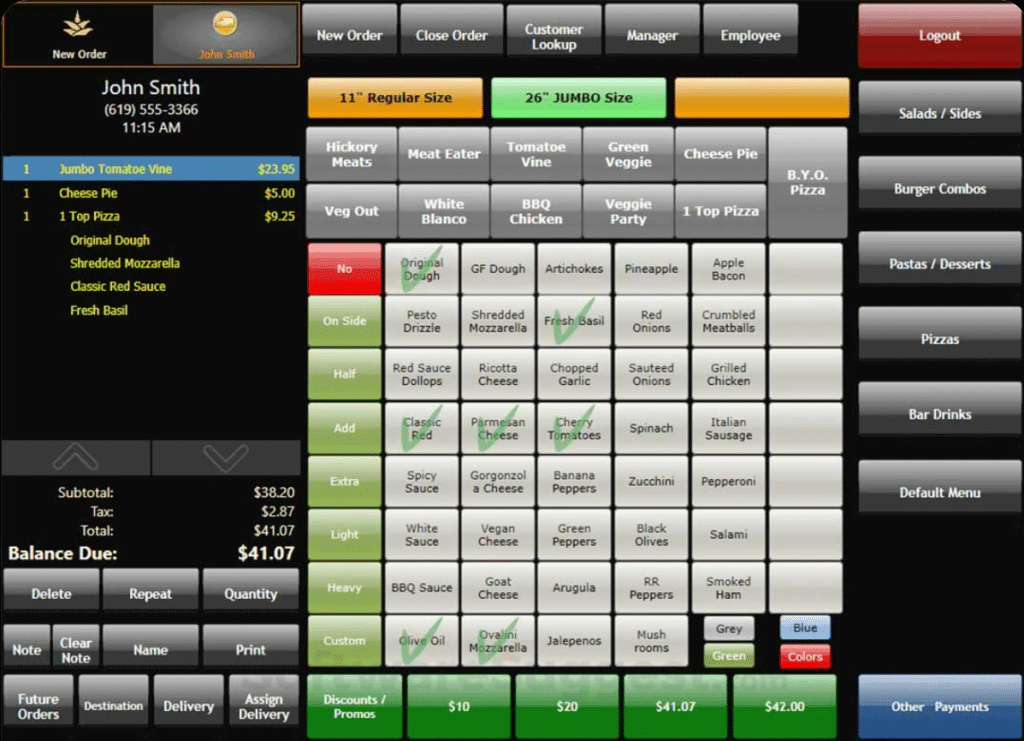
Burger King is currently transitioning its entire North American fleet to a unified, cloud-native technology stack centered on PAR Brink POS.
PAR Technology’s Brink POS is the exclusive software provider for traditional restaurants in North America. It replaces a fragmented mix of legacy systems (like NCR Aloha and SICOM) to unify in-store, drive-thru, and digital ordering.
Knowing what a POS system is helps owners understand why Burger King chose a cloud-native platform. Most franchisees prefer a quick service POS system that integrates directly with mobile apps and kiosks.
Category | Primary Provider (2026) | Purpose |
Main POS Software | PAR Brink POS | Cloud-native system for in-store and drive-thru |
AI Voice Assistant | Patty (OpenAI-powered) | AI in headsets to assist staff and monitor stock |
Omnichannel Sync | PAR MENU Link | Direct integration for UberEats, DoorDash, and App orders |
Back-Office Ops | PAR Data Central | Managing inventory, labor costs, and scheduling |
International/Legacy | Oracle Simphony / SICOM | Used in specific European and older global markets |
Overview of the Burger King POS System
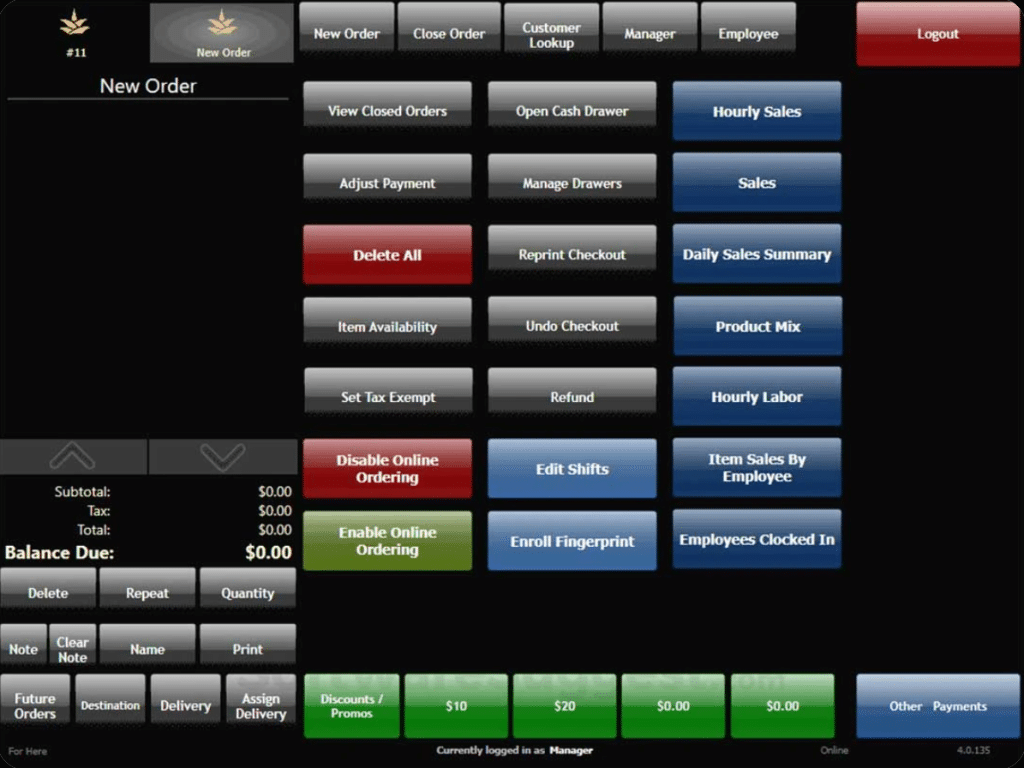
Burger King operates with PAR Brink POS, a cloud-native platform the chain is deploying across all North American locations.
PAR Brink handles order management, kitchen operations, and payment processing through a cloud-based infrastructure that updates automatically without manual intervention. The system runs on tablets and mobile devices rather than fixed terminals.
Since different types of POS systems serve different restaurant needs, Burger King chose PAR Brink for its speed during rushes.
The platform delivers essential POS system features, including menu management, promotions, and drive-thru integration, far beyond what a cash register offers.
Key Features & Benefits of the Burger King POS System
PAR Brink POS brings a lot to the table for a franchise operation running at Burger King’s scale. Here are the features that matter most, and why they’re worth paying attention to when you’re evaluating what to look for in a POS system.
1. Cloud-Based Architecture
Updates, menu changes, and security patches deploy remotely across all locations at once with no on-site technician visits, no version mismatches between stores. Corporate and franchisees stay on the same page without the overhead.
2. Self-Order Kiosk Integration
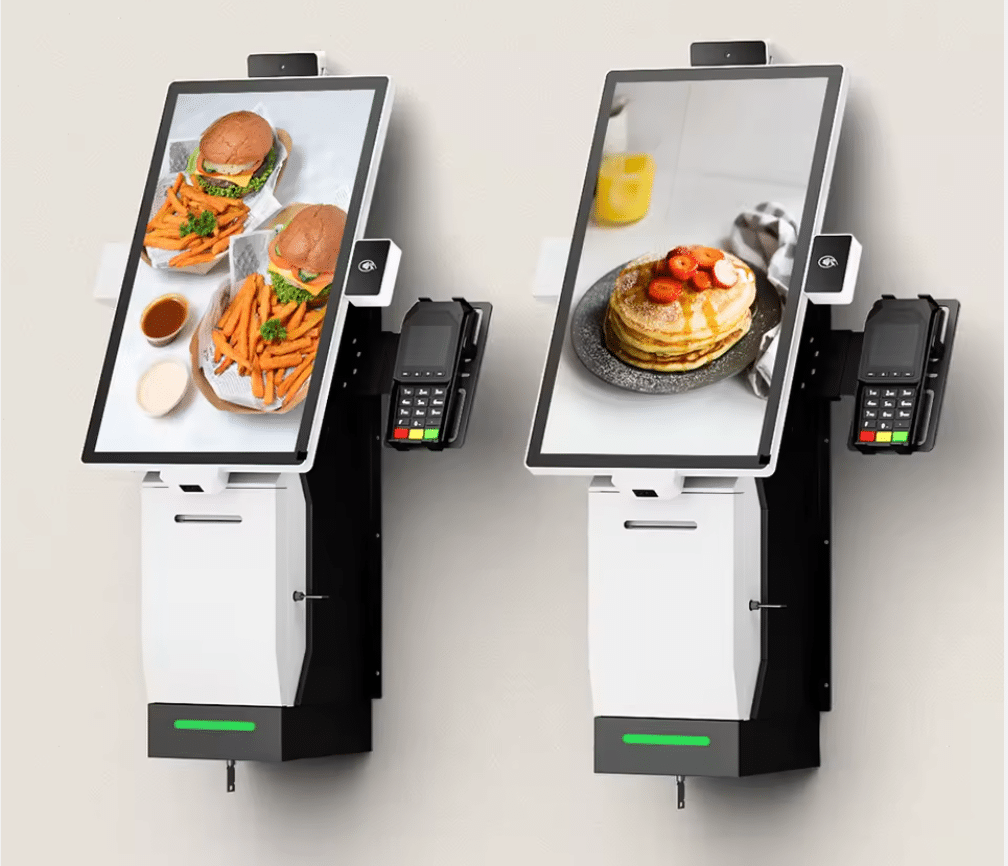
Brink connects directly with self-checkout kiosk hardware, keeping kiosk orders, counter orders, and drive-thru orders flowing through one unified system. Average check sizes go up, and front-of-house labor pressure goes down.
3. Integrated Payment Processing
Brink handles payment processing integration natively, supporting credit, debit, mobile wallets, and loyalty redemptions in a single transaction flow. No toggling between systems, no reconciliation headaches at end of day.
4. Loyalty & CRM Integration via Punchh
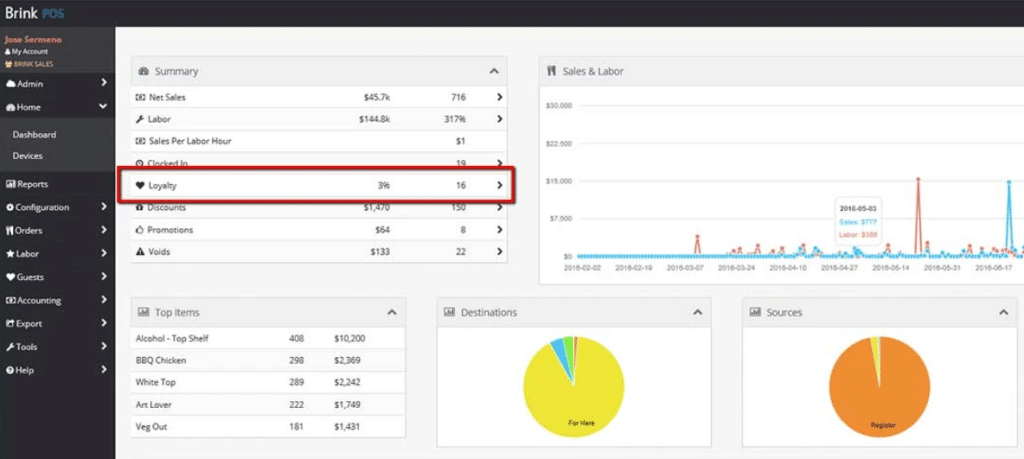
Royal Perks loyalty data flows directly into the POS at checkout. Personalized offers apply automatically based on customer history, no manual lookup required from the cashier or the customer.
5. Centralized Menu Management via PAR MENU
Price changes, limited-time offers, and regional menu variations push from one dashboard to every terminal.
To understand how POS systems differ from basic payment processors, centralized menu control is a clear example of what a full POS platform actually does.
6. Kitchen Display System (KDS) Connectivity
Orders route instantly to kitchen displays without a printed ticket handoff. Speed and accuracy both improve, especially during peak hours when manual ticket management breaks down fastest.
7. Mobile POS Capability
Staff can take orders on handheld devices during drive-thru rushes or peak dining periods. If you’re weighing the difference between fixed and mobile POS setups, Burger King’s hybrid approach shows how both can work together in the same location.
8. Enterprise Reporting & Analytics
Sales data, item performance, and labor metrics are visible at the store level and rolled up at the corporate level. Franchisees get actionable numbers without having to build custom reports from scratch.
Discover Advanced Analytics and Custom Reports
Speak with a product specialist and learn how KORONA POS can work for your business.
Challenges and Limitations of the PAR Brink POS System Burger King Uses
No enterprise POS platform is without its friction points. PAR Brink is purpose-built for large QSR chains, but that focus comes with trade-offs, especially for franchisees navigating the transition from older systems.
1. Complex Initial Setup
Getting a POS system properly configured is never plug-and-play at enterprise scale. For Burger King franchisees migrating from legacy systems, the initial Brink setup involves hardware installation, staff retraining, and menu rebuilds, all of which take time and carry real operational risk during the cutover period.
2. High Cost of Entry
PAR Brink is priced for enterprise operators, not independent restaurants. Franchisees carry the hardware, installation, and licensing costs themselves.
PRO TIP!
For operators running a small number of locations, the upfront investment is significant, and the ROI timeline isn’t always short.
3. Internet Dependency
Offline mode helps, but Brink’s core functionality, loyalty sync, centralized reporting, and menu updates require a stable internet connection. Locations in areas with inconsistent connectivity face more disruption than the system’s marketing materials typically acknowledge.
4. Loyalty System Complexity
Punchh integration adds real CRM power, but managing customer loyalty data across thousands of franchise locations also creates complexity. Data hygiene, duplicate accounts, and offer misattribution are recurring issues operators flag in multi-location deployments.
5. Security Responsibilities
Cloud-based systems move fast, but POS security doesn’t get simpler just because the infrastructure is hosted remotely. Franchisees still need to manage endpoint security, staff access controls, and PCI compliance at the store level. A breach at one location can have chain-wide reputational consequences.
6. System Malfunctions Under Peak Load
High-volume periods, lunch rush, and late-night drive-thru spikes are exactly when POS reliability matters most. Troubleshooting a POS malfunction mid-service is disruptive in any restaurant, but in a drive-thru environment, even a two-minute delay creates a visible queue problem.
7. Not Built for Smaller Operators
PAR Brink’s feature depth is a strength for large franchisees, but operators running one or two locations often find the platform more than they need.
PRO TIP!
If you’re comparing options, a small-business POS system designed for independent operators will typically offer a simpler, more cost-effective path. Brink isn’t designed for that use case.
Alternative to Burger King’s POS System: KORONA POS

For QSR franchisees who want enterprise-grade features without being locked into PAR’s ecosystem, KORONA POS is worth a serious look. It’s built for high-volume, multi-location restaurant operations and brings the flexibility that Brink often lacks.
Key Features
Built for Quick-Service Restaurants: KORONA POS is purpose-built for QSR environments. It handles the pace of a counter-service operation without friction.
Multi-Location and Franchise Management: Managing menus, pricing, and promotions across multiple locations is straightforward with KORONA’s centralized franchise tools. Corporate-level oversight and location-level flexibility coexist in the same platform, giving franchisors the operational visibility typically expected from advanced franchise reporting systems.
Royalty Management: KORONA POS includes built-in royalty management. Franchisors can automate royalty calculations and reporting directly within the system.
Self-Checkout and Kiosk Integration: KORONA supports self-checkout and kiosk setups natively.
Processor-Agnostic with Dual Pricing: Unlike PAR Brink, KORONA POS is payment processor-agnostic. Operators choose their own processor. KORONA POS also offers dual pricing.
Payment processors giving you trouble?
We won’t. KORONA POS is not a payment processor. That means we’ll always find the best payment provider for your business’s needs.
Reporting and Analytics: KORONA’s reporting suite covers sales performance, inventory, staff activity, and customer trends at both the store and franchise level.
Pricing
No contracts. No setup fees. No hidden costs. A flat monthly rate with a 60-day money-back guarantee on software.
KORONA POS Pricing
Core
$59/mo
- Unlimited Users and Sales
- Customizable Dashboard
- Core Checkout Functionality
Retail
$79/mo
- All Core Features
- Inventory Counts
- Stock Management
- Barcode Automations
- Customer Management
Additional Modules
From $10 to $50/mo
- KORONA Plus
- KORONA Invoicing
- KORONA Ticketing
- KORONA Integration
Where KORONA POS Shines
- Processor flexibility: Choose any payment processor and switch providers without replacing your entire system. Dual-pricing capabilities help offset credit card fees.
- Franchise-ready royalty automation: Set automated royalty transfers on your schedule while maintaining consolidated reporting across all locations.
- Cost structure: Monthly subscription pricing works for independent operators and small chains without enterprise-level budgets.
Where KORONA POS Falls Short
- No native Kitchen Display System: You’ll need third-party KDS integration rather than built-in kitchen screens, adding complexity and potential compatibility issues.
- Staff training requirements: Employees need more time to adapt to the interface than with simpler systems. New hires face a steeper learning curve.
- Enterprise limitations: Large chains with hundreds of locations may find the platform less robust than purpose-built enterprise solutions.
Customer reviews
Merchants on G2 and Capterra consistently praise KORONA POS for its ease of use, reliable support, and clean interface. Retailers appreciate how quickly staff can learn the system. A few users note the initial setup takes time, but most agree the long-term value is worth it.
Have trouble getting your POS customer service on the phone?
KORONA POS offers 24/7 phone, chat, and email support. Call us at 833.200.0213 to see how reliable we are.
Who KORONA POS Is Best For
- High-risk and specialty retailers: Liquor stores, vape shops, tobacco, smoke, and CBD retailers often struggle to find a reliable retail payment solution. KORONA handles compliance and high-risk processing without issue. Convenience stores fit right in, too.
- Quick-service restaurants and café operators: Independent coffee shops, bakeries, and fast-casual concepts get a capable QSR-ready POS platform without enterprise-level complexity or pricing. Fast checkout and kiosk support are built in.
- Amusement parks, water parks, and entertainment venues: Venues that manage tickets, concessions, and gift shops across a single property need consolidated reporting. KORONA’s full feature set covers multiple revenue streams from a single backend.
- Multi-location operators and franchisors: Growing chains scaling from two to twenty locations benefit from centralized inventory and automated royalty payments. A dedicated multi-store POS system removes the need for expensive enterprise contracts while keeping headquarters fully informed.
Ready to Improve Your Quick-Service Restaurant Operations? Try KORONA POS Now
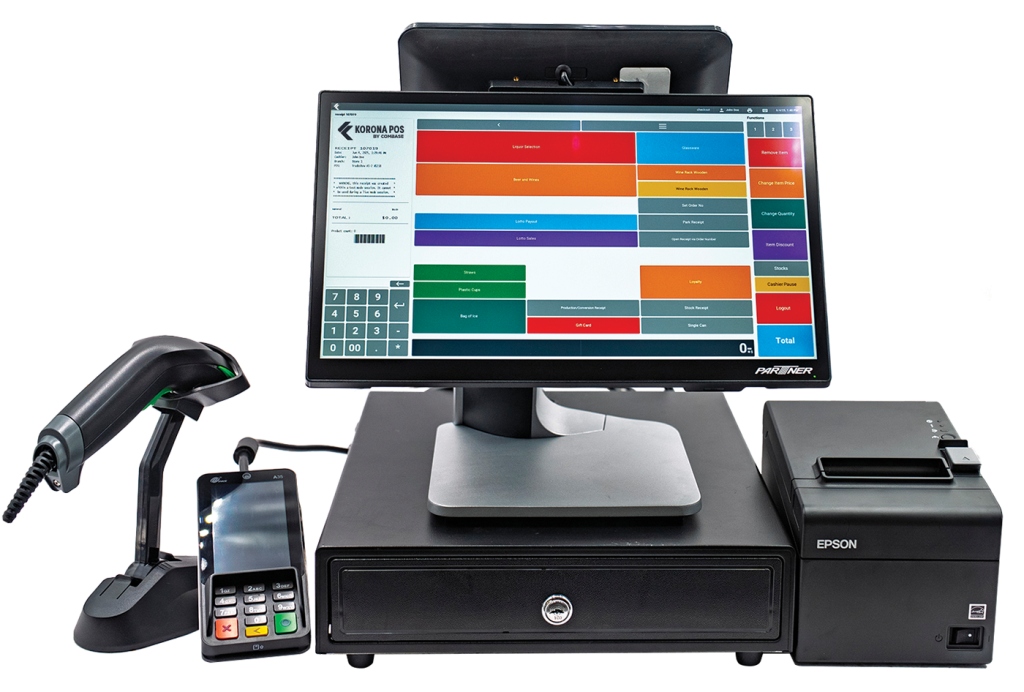
KORONA POS gives QSR operators the tools that actually matter: multi-location management, automated royalty calculations, multiple order printers, item modifiers, graphical table layouts, and clean check-splitting.
KORONA Menu keeps ordering fast and intuitive for staff. Dual pricing and processor-agnostic payment processing put cost control back in your hands across every location you run. Set up a demo with our team today or call us at 833-200-0213.