


Key Takeaways:
- Best all-in-one for independent & multi-store retailers: KORONA POS — choose-your-processor, no contracts, and one of the strongest inventory management systems in its price range, starting at $59/month per terminal.
- Best for eCommerce-first brands: Shopify POS — unbeatable if your revenue is primarily online and you need in-store and digital inventory to stay in sync.
- Best for complex product catalogs: Lightspeed Retail — ideal for apparel, bike shops, or any retailer managing hundreds of variants and purchase orders.
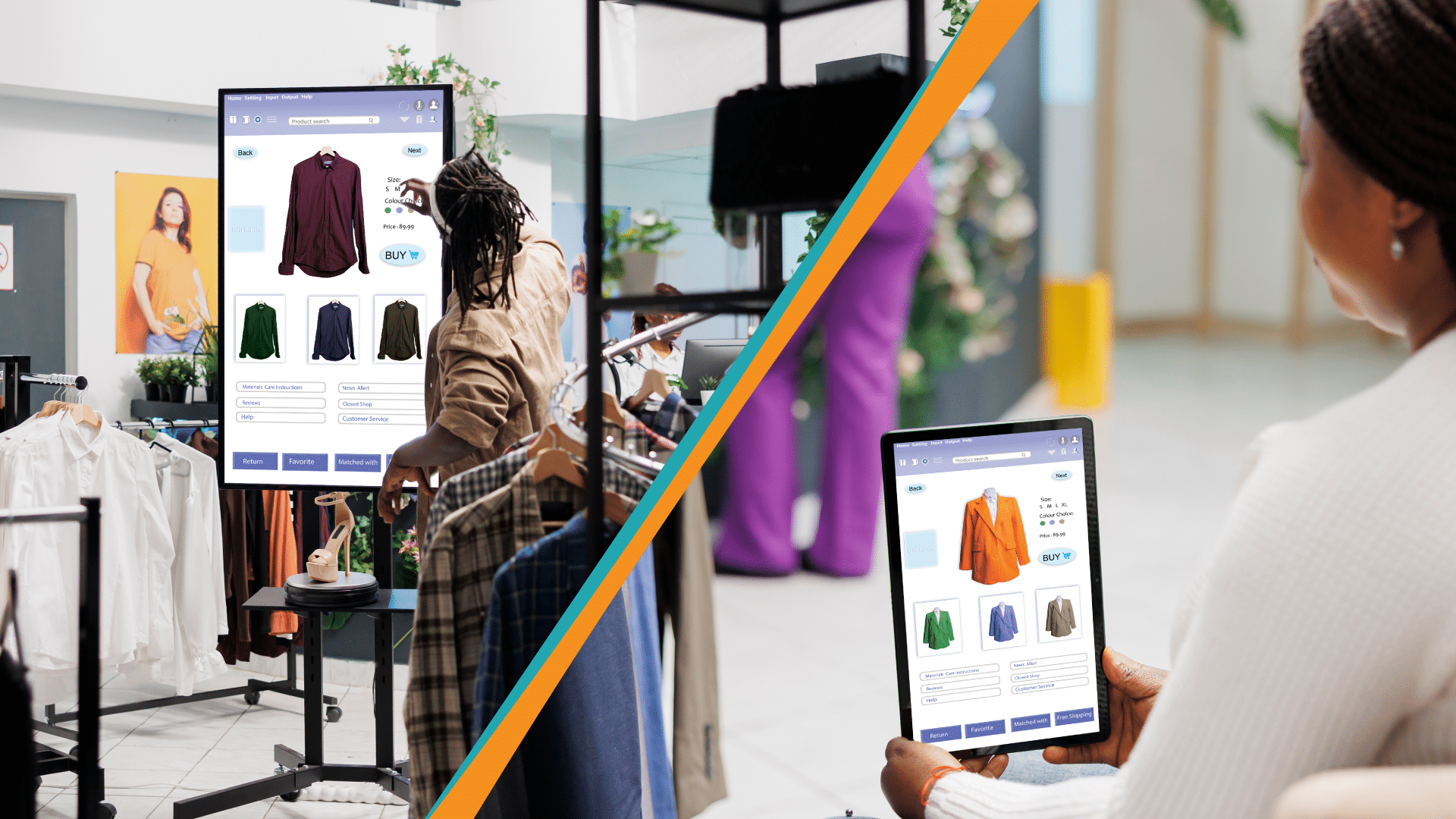
The right retail operations software handles everything from inventory and payments to staff scheduling and customer loyalty, so you can focus on actually running your business.
In this guide, we’ve broken down the top tools across every operational category, so whether you’re managing one location or twenty, you’ll know exactly what to reach for. Let’s get into it.
| Tool | Best For | Standout Feature | Starting Price |
|---|---|---|---|
| KORONA POS Featured | Independent & multi-store retailers | Processor-agnostic payments + inventory | $59/mo/terminal |
| Shopify POS | eCommerce-first brands | Unified online & in-store selling | $29/mo (POS Pro: $89/mo/location) |
| Lightspeed Retail | Complex product catalogs | Matrix inventory management | $89/mo |
| Square for Retail | Small/budget-conscious retailers | Free plan available | Free (paid from $89/mo) |
| Clover | Customizable setups | App marketplace ecosystem | $14.95/mo |
| Revel Systems | iPad-based enterprise retail | Deep reporting & analytics | Custom pricing |
| Cin7 | Omnichannel inventory | Supply chain + POS integration | $349/mo |
KORONA POS: Best for Independent & Multi-Store Retailers
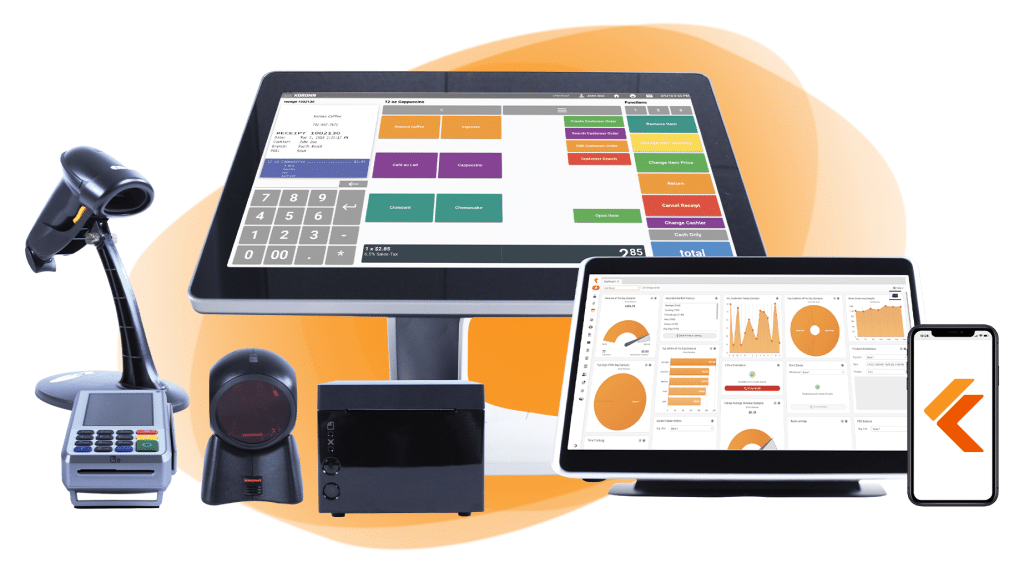
KORONA POS is a cloud-based point-of-sale system built specifically for retailers — from single-location specialty shops to growing multi-store operations. Backed by 24/7 US-based support and a no-contract subscription model, it’s one of the most flexible and retailer-friendly retail management systems on the market.
Key Features
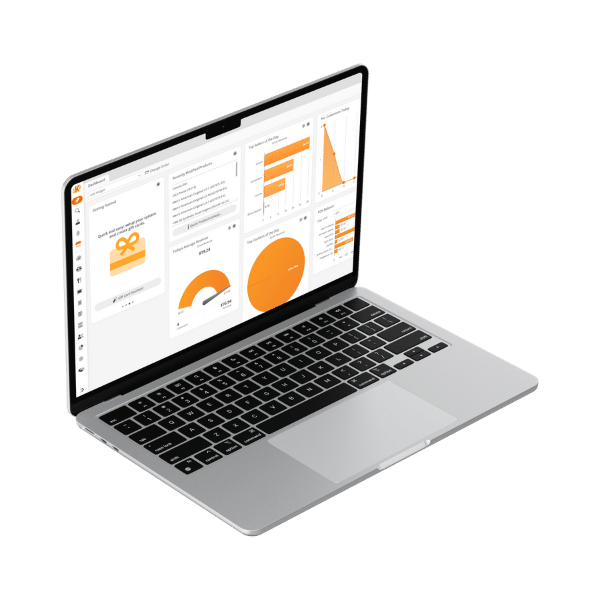
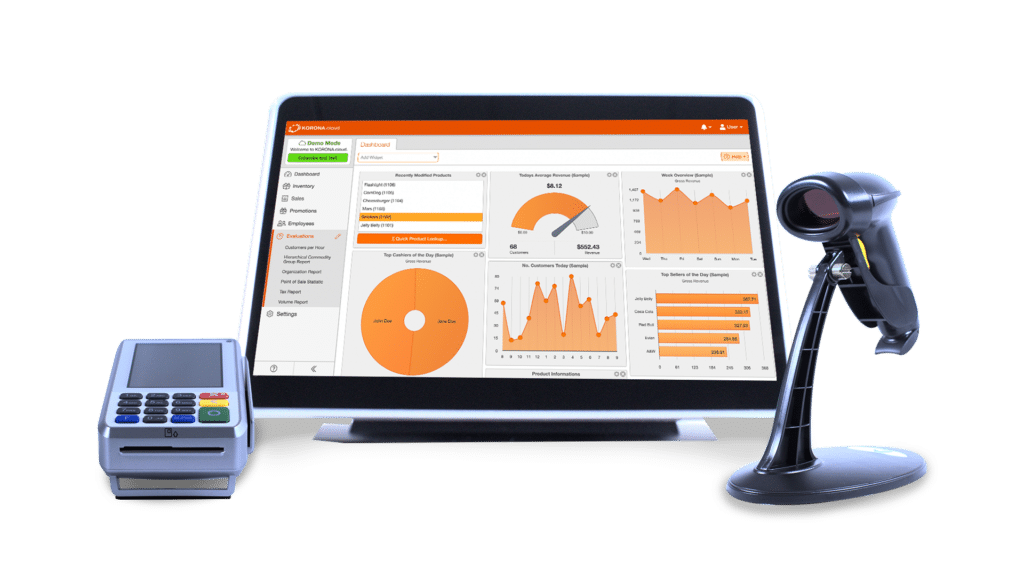
KORONA POS packs a deep feature set into a clean, customizable interface. The back-office portal (KORONA Studio) gives you real-time visibility into sales, inventory, and staff performance from anywhere — on any device.
Standout Feature #1: Real-Time Inventory Management
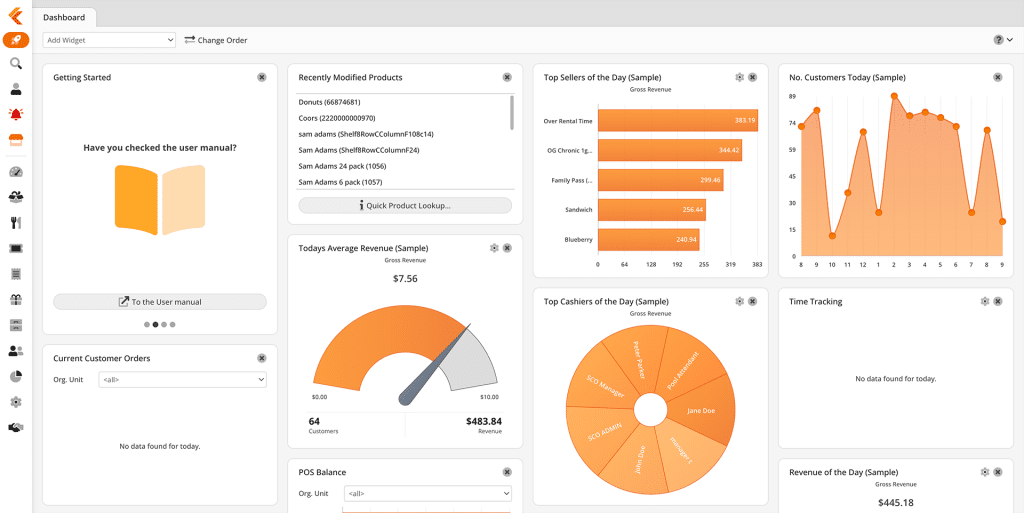
KORONA’s retail inventory management system tracks stock levels across every location in real time, with automated reorder points, vendor management, and ABC inventory grading built in. It’s particularly strong for retailers managing large SKU counts or multiple store locations, where stock visibility can make or break the operation.
Standout Feature #2: Advanced Reporting & Analytics
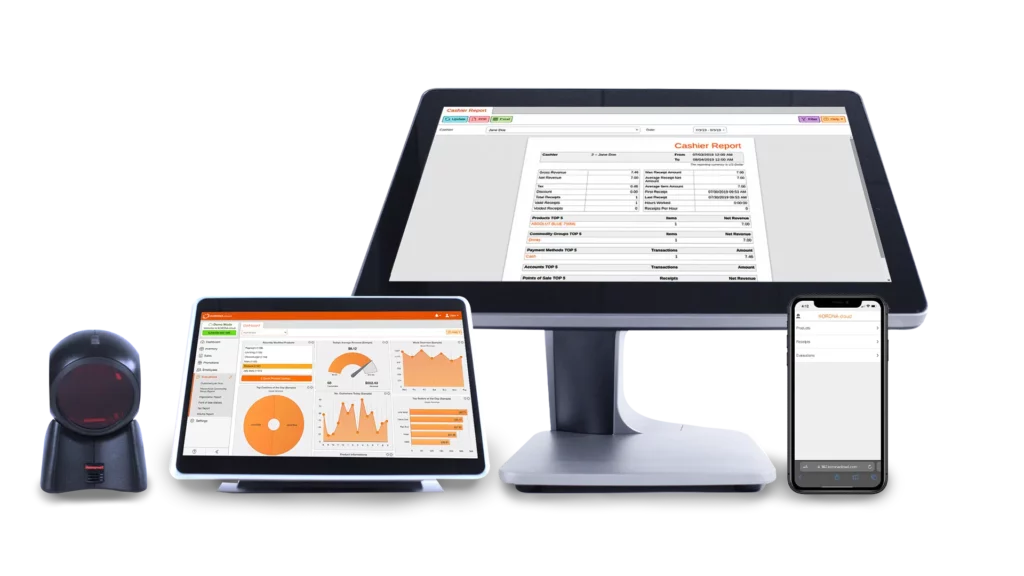
KORONA generates detailed POS reports covering conversion rates, KPIs, foot traffic, product performance, and tax breakdowns — all filterable by date range, location, or product category. Multi-location businesses can benchmark store performance side by side in real time, giving operators the data they need to make smart, fast decisions.
Standout Feature #3: Fully Customizable POS Interface
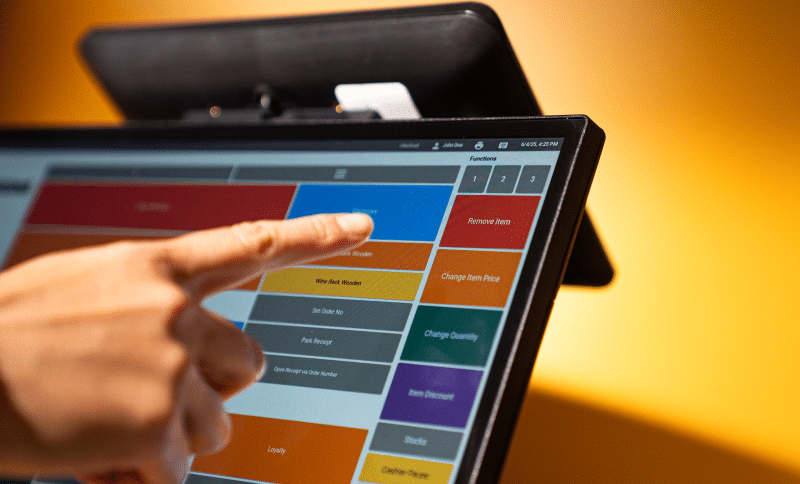
Retailers can rearrange button layouts, add product images, set cashier permissions, and configure customer-facing screen messaging without any technical expertise. This makes it easy to adapt the system to your exact workflow — whether you’re running a convenience store, a jewelry boutique, or a multi-department retail operation.
Pricing
| Plan | Price | Best For |
|---|---|---|
| Core | $59/mo per terminal | Basic POS, sales management, inventory |
| Retail | $69/mo per terminal | Auto reorder, vendor mgmt, ABC grading |
| Plus | $89/mo per terminal | Advanced loyalty, promotions, permissions |
| Add-ons | Custom | Ticketing, franchise, food & beverage |
No contracts, no setup fees, and a 14-day free trial included. All software updates are automatic and included in your subscription.Or delete the list and just add paragraph text.
Where KORONA POS Shines
- Payment processor freedom: Unlike Square or Clover, KORONA never locks you into a single processor — you can shop around for better rates, which adds up significantly at higher transaction volumes.
- Inventory depth: From multi-store inventory management to automated purchase orders and inventory database tools, the inventory suite is one of the strongest in its price tier.
- No contracts, full transparency: Month-to-month subscriptions with 24/7 US-based support included — no surprise fees, no lock-in.
Where KORONA POS Falls Short
- Learning curve for advanced features: The depth of KORONA’s feature set is a strength, but newer users may find the advanced configuration takes time to master — though the support team consistently earns high marks for onboarding help.
- Per-terminal pricing adds up: For businesses with many registers, the per-terminal model can make the monthly cost climb quickly compared to flat-rate alternatives.
Customer Reviews
KORONA POS has completely changed our business for the better. We’ve simplified our inventory and ordering, made the checkout process faster, and saved so much time. The onboarding and support process is incredible.
-Darlene

Who KORONA POS is Best For
- Multi-store retailers: Businesses managing two or more locations that need centralized inventory and reporting.
- Specialty retailers: Liquor stores, convenience stores, vape shops, gift shops, and wineries that need compliance tools and flexible workflows.
- Retailers frustrated with processor lock-in: Anyone tired of paying inflated rates because their POS forces them to use a single payment provider.
Get started with KORONA POS today!
Explore all the features that KORONA POS has to offer with an unlimited trial. There’s no commitment or credit card required.
Inventory management a headache?
KORONA POS makes stock control easy. Automate tasks, generate custom reports, and learn how you can start improving your business.
Shopify POS: Best for Online-First Retailers
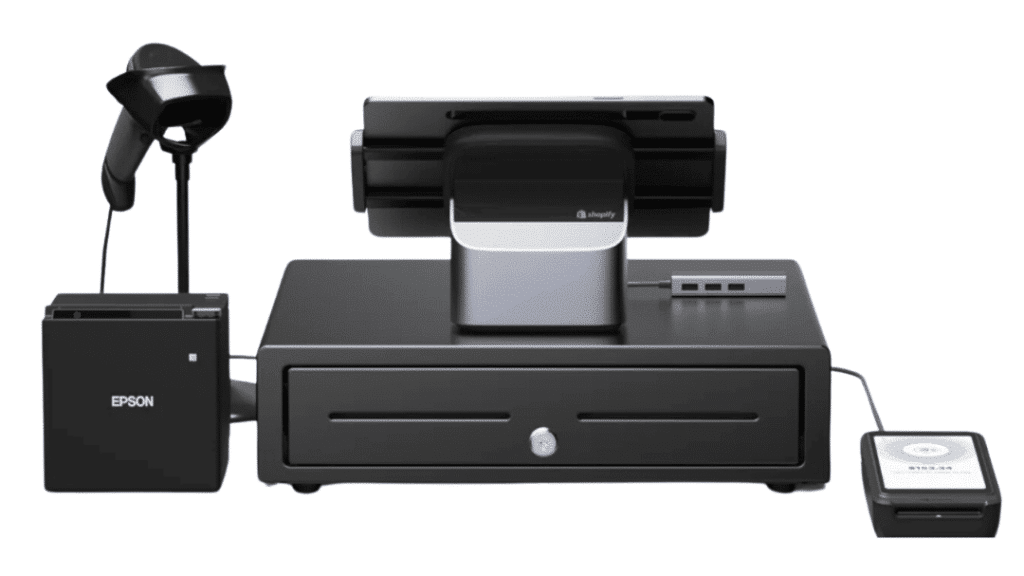
Shopify POS is the go-to choice for retailers whose business lives online first and in-store second. It’s the most seamless bridge between an eCommerce store and a physical register, keeping inventory, customer profiles, and orders perfectly synced across both channels.
Key Features
- Unified online/in-store inventory: Stock levels sync in real time between your Shopify online store and every physical register — no manual reconciliation needed.
- Omnichannel customer profiles: Every purchase, whether online or in-store, is tied to a single customer record, making loyalty and marketing far more effective.
- Extensive app ecosystem: Thousands of third-party integrations for everything from accounting to shipping extend Shopify’s capabilities well beyond its built-in tools.
Pricing
| Plan | Price |
|---|---|
| POS Lite | Included with any Shopify plan (from $29/mo) |
| POS Pro | $89/mo per location |
Where Shopify POS Shines
- eCommerce-first integration: No other platform bridges online and in-store selling as cleanly out of the box.
- Ease of use: Setup is fast, the interface is intuitive, and staff training time is minimal.
Where Shopify POS Falls Short
- POS Pro costs add up per location: For multi-location retailers who don’t heavily use Shopify’s eCommerce platform, the per-location fee makes it less cost-efficient.
- Less powerful standalone POS: Without an active Shopify online store, you’re paying for eCommerce infrastructure you may not need.
Customer Reviews
“The POS Pro plan is worth it if you’re doing meaningful in-store volume, but the costs can stack up quickly across multiple locations.” -G2 Reviewer
Who Shopify POS is Best For
- eCommerce-led retailers who also operate a physical store and need both channels tightly integrated.
- Growing DTC brands expanding into brick-and-mortar for the first time.
Lightspeed Retail: Best for Complex Product Catalogs
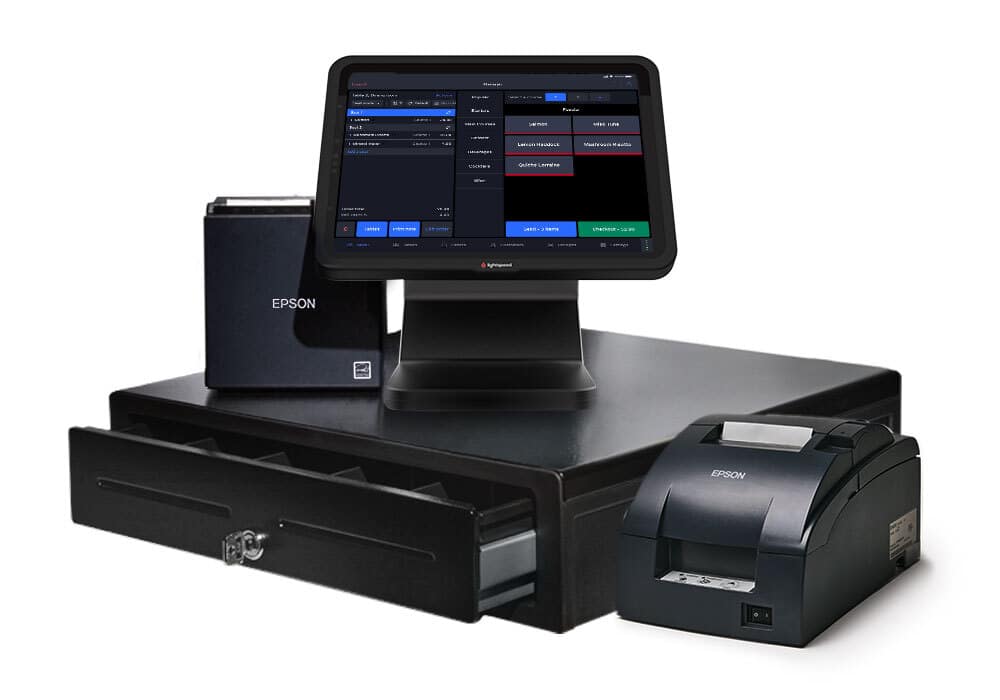
Lightspeed Retail is purpose-built for retailers with complex product catalogs — think hundreds of variants in size, color, and style across multiple locations. It handles everything from purchase order generation to inter-store stock transfers with a level of granular control that most competitors can’t match.
Key Features
- Matrix inventory management: Handles complex product variants (size, color, material) and dense vendor catalogs better than almost any other retail platform.
- 50+ built-in reports: Real-time multi-location reporting, employee performance tracking, and customizable analytics are available on every plan.
- Purchase order automation: Auto-generate POs based on reorder thresholds and sales velocity, keeping shelves stocked without manual intervention.
Pricing
Lightspeed Retail starts at $89/month (Basic plan, billed annually). Note that each plan includes only one POS register — additional registers require a custom quote.
Where Lightspeed Retail Shines
- Complex retail operations: Apparel stores, bike shops, and specialty retailers with hundreds of SKUs and variants will find Lightspeed’s inventory tooling unmatched.
- Reporting depth: The built-in analytics suite is one of the most comprehensive in the mid-market retail space.
Where Lightspeed Retail Falls Short
- Pricing has risen steadily: Several users cite Lightspeed’s ongoing price increases as a key reason for switching — the value-to-cost ratio has declined for some retailers over time.
- Processor lock-in: Lightspeed requires use of Lightspeed Payments in supported markets, limiting your ability to shop for better rates.
Customer Reviews
“The price increases over the years have been hard to justify, especially when you’re locked into their payment processor.” -G2 Reviewer
Who Lightspeed Retail is Best For
- Apparel and specialty retailers managing large, variant-heavy product catalogs.
- Multi-location retailers that need deep reporting and inter-store stock management.
We write about Lightspeed pretty often, too. Check out our post on KORONA vs. Lightspeed, Shopify vs. Lightspeed, and Lightspeed POS Pricing.
Square for Retail: Best for Beginning Retailers
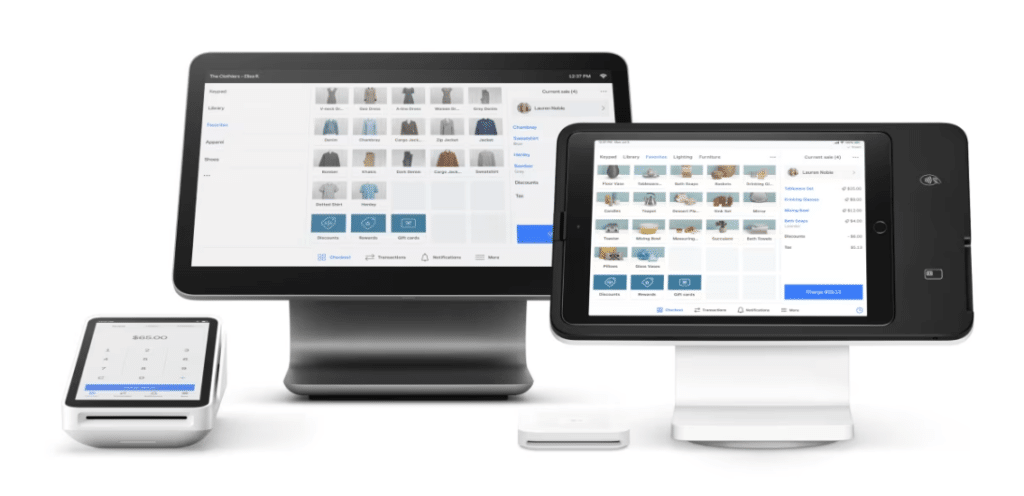
Square for Retail is the most accessible entry point into serious retail operations software. It’s completely cloud-based, works on an iPad, and offers a genuinely useful free plan — making it the top pick for small retailers who want reliable tools without committing to a monthly fee upfront.
Key Features
- Free plan that actually works: Unlike most “free” tiers, Square’s base plan includes real inventory tracking, low-stock alerts, a built-in online store, and basic sales reporting — enough to run a small retail operation from day one.
- Mobile-first selling: Square’s Tap to Pay feature lets you accept contactless payments from just a smartphone, no extra hardware needed — ideal for pop-ups, markets, and on-the-go selling.
Pricing
| Plan | Price | Best For |
|---|---|---|
| Free No monthly fee | $0/mo + processing fees | Single-location sellers, startups |
| Plus | $89/mo per location | Advanced inventory, multi-location, vendor management |
| Premium | Custom pricing | Large retailers needing full analytics |
Where Square Shines
- Zero barrier to entry: The free plan is genuinely functional — not a stripped-down teaser — making it the easiest way for small retailers to get professional-grade tools with no upfront commitment.
- Ease of use: Setup takes minutes, the interface is intuitive for staff at any experience level, and mobile selling requires no extra hardware.
Where Square Falls Short
- Ceiling for growing retailers: Businesses scaling quickly may hit the limits of Square’s inventory and reporting tools, especially those managing complex multi-location operations — where a platform like KORONA POS offers significantly more depth.
- Processing rates add up: At 2.6% + $0.10 per in-person transaction on the free plan, Square’s flat-rate fees become expensive for higher-volume stores compared to processor-agnostic alternatives.
Customer Reviews
“It’s a great product to start with, but when I processed a larger transaction, Square placed a 90-day hold on my funds with no way to expedite — a real problem for a small business’s cash flow.” -G2 Reviewer
Who Square is Best For
- Budget-conscious small retailers: Single-location shops, pop-ups, and market sellers who need a functional POS with no monthly fee to start.
- First-time POS users: Retailers new to point-of-sale software who want fast setup, an intuitive interface, and zero financial risk.
Clover POS: Best for Restaurants
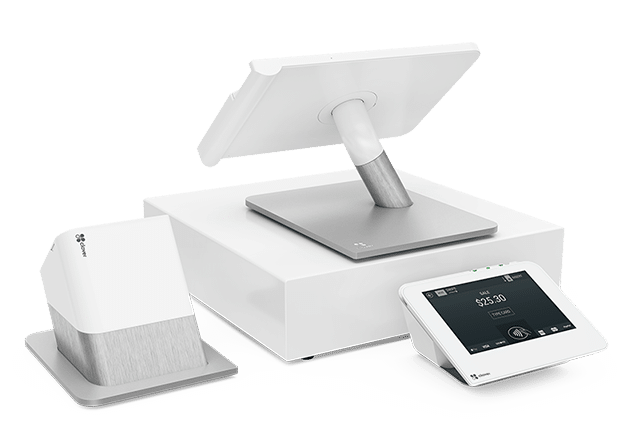
Clover is a highly customizable POS hardware and software ecosystem built around an App Market that lets retailers bolt on exactly the features they need. It’s a strong fit for businesses that want a tailored setup and are comfortable working with a reseller or payment provider to configure their system.
Key Features
- App Market customization: Hundreds of third-party apps let retailers build a setup tailored to their exact operation — from payroll and loyalty to delivery integrations and advanced inventory tools.
- Premium proprietary hardware: Clover’s white-and-silver terminals (Go, Flex, Mini, Station Solo/Duo) are among the most durable and well-designed in the industry, built for high-traffic retail environments.
- Offline payment processing: Clover accepts card payments without an internet connection and syncs all transactions automatically when connectivity is restored — a key edge over many cloud-only rivals.
Pricing
| Plan (Retail) | Price | Best For |
|---|---|---|
| Starter | $14.95/mo | Basic payments, taxes, simple reporting |
| Essentials | $29.95/mo per device | Inventory management, order management |
| Growth | $84.95/mo per device | Full retail toolkit, advanced analytics |
Where Clover Shines
- Modular customization: The App Market lets you pay only for the features you actually need, making it a genuinely flexible option for niche retail operations.
- All-in-one bundling: Hardware, software, and payment processing come packaged together — ideal for operators who want a single vendor rather than sourcing components separately.
Where Clover Falls Short
- Fiserv processor lock-in: Buying through Clover directly ties you to Fiserv for payment processing — you lose the ability to shop for better rates, which is a real long-term cost at higher volumes. This is where a processor-agnostic system like KORONA POS has a clear advantage.
- 36-month contracts: Most hardware bundle plans require a 3-year commitment, with early termination fees that can exceed $500 — a serious consideration before signing up.
- Proprietary hardware only: Clover software won’t run on iPads or third-party terminals, so any hardware you already own becomes unusable if you switch to Clover.
Customer Reviews
“Signing up was a mistake and getting out has been a nightmare. The contract terms are brutal — do your homework before committing.” -G2 Reviewer
Who Clover is Best For
- Established brick-and-mortar retailers: Businesses with steady transaction volume that want premium hardware and a customizable software setup — and can commit to a multi-year plan.
- Retailers in low-connectivity environments: Clover’s offline payment capability is a genuine differentiator for stores where internet reliability is inconsistent.
Revel Systems: Best for Kitchen Display Needs
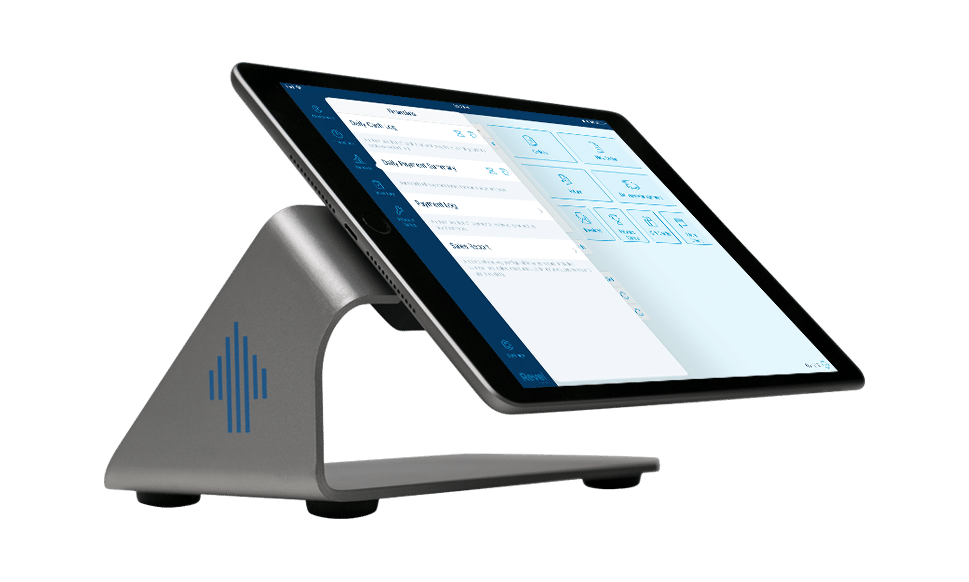
Revel Systems is an iPad-based, cloud-hosted POS platform aimed at established retailers that need enterprise-level reporting and multi-location management without a legacy on-premise system.
It’s particularly strong for businesses that need deep analytics, kitchen display integrations (for retail-adjacent food businesses), and robust employee management. Revel uses custom pricing, so it’s best suited for businesses with the budget and scale to justify a more tailored implementation.
Cin7: Best for High SKU Counts
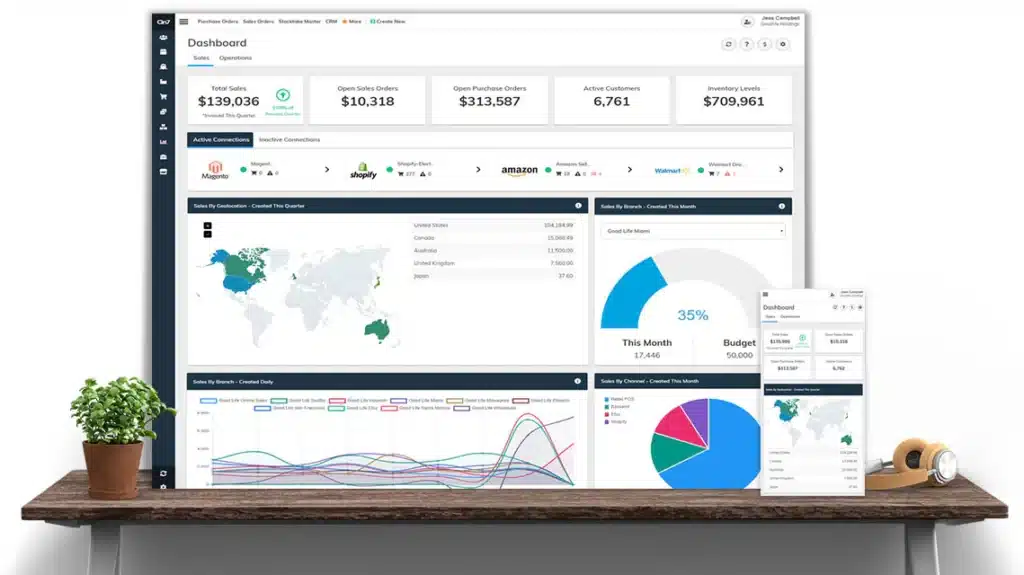
Cin7 is an inventory-first platform that connects your POS, eCommerce channels, warehouses, and supply chain into one unified system. It’s purpose-built for retailers with high SKU counts or complex fulfillment operations — think businesses selling across Shopify, Amazon, and a physical storefront simultaneously.
Plans start at $349/month, positioning it as an enterprise-tier option best suited for established omnichannel operations.
Choosing the Right Retail Operations Software for Your Business
With so many options available, the right choice comes down to your specific operation — store count, inventory complexity, budget, and how much you rely on eCommerce. Here are the key features to evaluate before you commit.
Inventory Management Capability
Your software needs to handle your inventory — not just count it. Look for real-time stock tracking, automated reorder points, and multi-location sync if you operate more than one store.
PRO TIP!
KORONA POS includes all of this from the Retail plan ($69/month), with ABC inventory grading and vendor management built in — making it one of the most capable inventory systems in its price range.
Payment Processing Flexibility
If keeping processing fees low is a priority — and for most retailers, it should be — choose a processor-agnostic platform. KORONA POS works with virtually any payment processor via PAX or Dejavoo terminals, giving you the freedom to negotiate rates as your volume grows.
Multi-Store & Scalability Support
If you’re operating multiple locations — or planning to — you need software that manages inventory, reporting, and staff across all of them from a single dashboard. KORONA’s multi-store POS system lets you compare store performance in real time, transfer stock between locations, and set location-specific permissions without juggling separate systems
Reporting & Analytics Depth
Look for platforms that go beyond basic sales summaries and offer product performance analysis, conversion rates, and KPI tracking. KORONA’s POS reporting and analytics dashboard gives you filterable reports by product, location, time period, and employee — all available in real time from any device.
Discover Advanced Analytics and Custom Reports
Speak with a product specialist and learn how KORONA POS can work for your business.
Loss Prevention & Security
KORONA includes dedicated retail loss prevention tools and role-based permissions, giving managers visibility into every transaction without standing over every register. Its POS security features are particularly well-suited for high-shrink environments like convenience stores and liquor retail.
Customer Loyalty & CRM
Repeat customers spend more and cost less to retain than acquiring new ones — your software should make loyalty programs easy to run and easy to measure. KORONA’s built-in loyalty program tools and CRM features let you create point-based or tiered loyalty programs directly through the POS, with customer profiles automatically built from transaction history.
Speak with a product specialist to learn exactly what you need and how we can help.
See Why Retail Teams Choose KORONA POS for Operations
KORONA POS was built specifically for retailers — with the inventory depth, reporting power, and payment flexibility that growing stores actually need. Whether you’re running one location or expanding to many, it’s a retail POS system designed to scale with you without locking you in.
If you’re ready to stop overpaying your payment processor and start making smarter decisions with your data, Korona POS is worth a serious look. Start your free 14-day trial today — no credit card, no contract, no catch.


