In the following guide, you’ll discover eight critical operations tasks, learn how to customize your checklist for your specific needs, and explore best practices that improve efficiency.
An everyday retail store’s daily checklist keeps your team focused on essential tasks that drive sales and protect your business.
Whether you manage one location or multiple stores, a structured daily routine makes all the difference. Read on to learn more.
Key Takeaways:
- Security checks protect your investment. Start every day by inspecting doors, windows, and inventory to catch problems before they escalate.
- Clean stores drive more sales. Customers spend more time and money in organized, spotless retail environments where products are easy to find.
- Your POS system powers everything. Boot it up early to enable employee clock-ins, cash float setup, and smooth transaction processing throughout the day.
- Closing routines save morning headaches. A thorough end-of-day process ensures the next shift starts with a clean, stocked, and secure store.
- Customize checklists to fit your needs. Tailor tasks based on your store size, traffic patterns, and product categories instead of following generic templates.
What Is a Retail Store Daily Operations Checklist?
A Retail Store Daily Operations Checklist is a structured task list that keeps your store running smoothly each day.
It covers essential activities like opening and closing procedures, inventory checks, cleaning schedules, cash handling, and customer service standards.
Store managers and staff use it to ensure nothing gets overlooked during shifts. The checklist maintains consistency, prevents errors, and helps team members stay accountable for their daily responsibilities.
Why Retail Stores Need a Daily Operations Checklist?
Running a retail store involves countless moving parts. A daily operations checklist keeps everything organized and ensures your team doesn’t miss critical tasks.
Key Benefits:
- Consistency across shifts: Every team member follows the same standards, regardless of who’s working
- Reduced errors: Important tasks like cash counts and inventory checks get completed correctly
- Better customer experience: Clean stores, stocked shelves, and prepared staff create positive shopping environments
- Accountability: Clear task assignments show who’s responsible for what
- Time savings: Staff know exactly what needs to be done without constant reminders or supervision
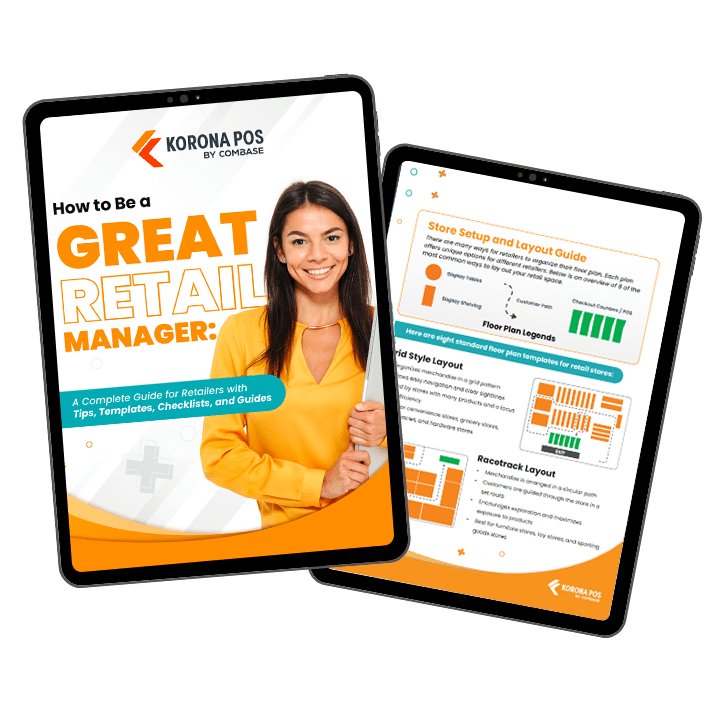
Free printable templates and checklists to help you manage retail operations with ease
Top 8 Items to Include in Your Retail Daily Operations Checklist
A well-structured daily operations checklist keeps your retail store running smoothly from open to close. Here are the essential tasks every retail manager should prioritize.
Quick Reference Table
Task | Key Actions | Priority |
Security Check | Inspect doors, windows, security system | High |
Clean & Organize | Sweep, dust, clean restrooms | High |
Stock & Display | Face products, check pricing, restock shelves | High |
POS Setup | Boot system, set cash floats, verify operations | High |
Team Briefing | Review goals, discuss promotions, share updates | Medium |
Inventory Count | Count assigned sections, scan products | Medium |
Automation | Leverage tech for scheduling, inventory, reports | Medium |
Closing Duties | Clean, restock, secure premises, run reports | High |
1. Do a Basic Security Check
Start every shift by walking through your security protocol to protect your assets and ensure a safe environment.
- Inspect all entry points to confirm doors remained locked overnight
- Examine windows for signs of tampering or forced entry
- Verify your security system is operational and disarm it properly
- Scan for missing merchandise or disturbed product placement
- Keep doors locked until official opening time
PRO TIP
Building strong retail data security habits protects both your inventory and customer information. Regular security checks also help identify vulnerabilities in your POS security setup before they become serious problems.
2. Spruce Up Your Retail Space
Customers notice cleanliness the moment they walk through your door. A pristine environment sets the tone for their entire shopping experience.
- Clean all windows and glass surfaces until streak-free
- Sweep and mop floors throughout the entire store
- Dust shelves, counters, and display fixtures
- Straighten changing rooms, fix messy displays, and organize racks
- Stock restrooms with soap, paper towels, and toilet paper
PRO TIP
A well-maintained retail environment directly impacts customer perception and sales. Shoppers spend more time in clean, organized spaces.
3. Set Up Displays and Shelves
Organized shelves and eye-catching displays make products easy to find and encourage impulse purchases.
- Arrange promotional and window displays to look fresh and inviting
- Verify all pricing signs match your POS system to avoid checkout confusion
- Face products so labels are clearly visible to shoppers
- Restock shelves to eliminate empty gaps
- Double-check that sale prices are accurate
PRO TIP
Smart retail merchandising turns browsers into buyers. Consider using electronic shelf labels to maintain pricing accuracy and reduce manual updates.
4. Get Your Retail POS System Up and Running
Your point of sale system is the backbone of daily operations. Power it up early to ensure everything runs smoothly.
- Boot up the system first thing to allow time for updates
- Verify all software features are functioning properly
- Set up cash floats in each register drawer
- Enable employees to clock in and access their profiles
- Complete any scheduled tasks like payroll processing
Happy reading
Learning how to set up a POS system correctly saves hours of troubleshooting. You can also use your POS for marketing by reviewing customer data and planning targeted promotions.
5. Run a Pre-Opening Daily Briefing
Quick team huddles align everyone on goals and boost morale without taking up too much time.
- Review daily and weekly sales targets
- Announce new promotions or discount codes
- Brief staff on recently arrived products and their features
- Address any customer service issues from previous days
- Recognize top performers and acknowledge great work
Keep briefings short and positive. Five to ten minutes is enough to energize your team and ensure everyone knows their priorities for the day.
6. Set Up a Perpetual Inventory Count
Consistent inventory counts prevent stockouts and overstock, which hurt your bottom line.
- Assign specific store sections or product categories to each day
- Use handheld scanners or manual counts based on your system
- Record counts directly into your POS or inventory software
- Flag discrepancies for immediate investigation
- Rotate through all inventory areas weekly
Understanding the difference between periodic vs perpetual inventory systems helps you choose the right approach. Maintaining an accurate inventory management database reduces shrinkage and improves ordering decisions.
7. Use Technology and Automation
Modern retail tools eliminate repetitive tasks and free up your team to focus on customer service. Automation isn’t about replacing your staff—it’s about making their jobs easier and more productive.
- Schedule employee shifts automatically based on traffic patterns and historical sales data
- Set up automated reorder points for fast-moving products to prevent stockouts
- Generate end-of-day reports that compile sales, inventory changes, and labor costs without manual data entry
- Use integrated systems that sync inventory across multiple sales channels
- Implement customer relationship management tools that track purchase history and preferences
HAPPY READING
Automated inventory management limits human error and provides accurate stock levels across all locations. Exploring the best small business automation tools can transform how you run daily operations and give you more time for strategic planning.
Inventory management a headache?
KORONA POS makes stock control easy. Automate tasks, generate custom reports, and learn how you can start improving your business.
8. Perform Closing Duties as Part of Your Retail Store Daily Checklist, Too
A thorough closing routine sets up tomorrow’s team for success and protects your business overnight.
- Deep clean all areas, especially food preparation or consumption zones
- Restock depleted sections and place orders for needed inventory
- Lock all doors and windows, testing each one
- Run end-of-day sales reports and reconcile cash drawers
- Verify security cameras are recording and check for blind spots
- Power down computers and POS terminals to preserve hardware
- Activate night lighting and arm security systems
Consistent closing procedures ensure nothing gets overlooked. Every task completed tonight means one less problem tomorrow morning.
How to Customize Your Daily Checklist for Operations?
Every retail store has unique needs based on size, product type, and customer flow. Tailoring your checklist ensures it actually gets used rather than collecting dust.
- Prioritize by store traffic patterns: Schedule heavy cleaning during slow hours and save quick tasks for peak times when you need all hands on deck
- Match tasks to employee strengths: Assign inventory counts to detail-oriented staff and customer-facing duties to your people persons
- Adjust for seasonal demands: Add gift-wrapping stations during holidays or extra fitting room checks during back-to-school rushes
- Track what improves results: If fixing window displays helps increase retail conversion rates, make it a daily priority instead of weekly
- Keep it flexible: Review your checklist monthly and remove tasks that don’t add value anymore
Who Manages Daily Checklists at a Retail Store?
Checklist management typically falls to store managers and shift leads. Clear ownership ensures tasks get completed consistently and accountability remains strong.
- Store managers oversee the entire checklist and verify all tasks are done before leaving each day
- Shift supervisors monitor progress during their hours and handle any issues that arise with specific tasks
- Department leads own their area’s responsibilities, from stocking to cleaning their assigned sections
- Opening and closing teams split duties based on their shift, with designated leads signing off on completion
- All staff members contribute to checklist execution when proper retail personnel management practices are in place
Everyone plays a role, but managers own the process and ensure nothing slips through the cracks.
Examples of Retail Store Daily Checklists
Different retail formats require different priorities. Here are sample checklists tailored to specific store types and timeframes.
Liquor store daily checklist:
- Verify ID scanner functions properly
- Check cooler temperatures and restock cold beverages
- Face premium bottles and dust top-shelf spirits
- Organize beer cave and rotate stock by date
- Wipe down tasting bar and sanitize glassware
- Verify security cameras cover register and entrance
Smoke shop daily checklist:
- Clean display cases and remove fingerprints from glass
- Restock lighters, papers, and high-turnover accessories
- Check humidity levels in cigar humidor
- Verify age-restricted products are behind counter
- Update inventory on CBD and vape products
- Test security locks on premium product cases
Beyond daily tasks, retailers build weekly and monthly checklists to handle deeper maintenance and strategic planning. Here are practical examples to adapt for your store.
Weekly Checklist:
- Deep clean storage areas and backroom spaces
- Review inventory levels and place bulk orders
- Update promotional signage and rotate window displays
- Check equipment maintenance (vacuums, ladders, shopping carts)
- Analyze sales reports to identify trends
- Schedule next week’s staff shifts
- Inspect fire extinguishers and emergency exits
Monthly Checklist:
- Conduct full inventory audit across all departments
- Review and update employee schedules for next month
- Test all security cameras and alarm systems
- Update product pricing based on cost changes
- Train staff on new products or procedures
- Analyze monthly sales data and adjust goals
Best Practices to Follow for Efficient Retail Operations
Follow these proven practices to boost efficiency and profitability.
Train Your Team Consistently
Invest in ongoing employee training beyond initial onboarding. Well-trained staff handle customer questions confidently, operate equipment properly, and maintain standards without constant supervision. Regular training sessions keep everyone sharp and aligned with your expectations.
Standardize Your Processes
Document every routine task so anyone can complete it correctly. Standardized procedures reduce errors, speed up new-hire training, and ensure consistency across shifts. Whether you’re starting a retail business or expanding, clear processes are essential.
Monitor Key Performance Metrics
Track sales per square foot, conversion rates, average transaction value, and inventory turnover weekly. Numbers reveal what’s working and what needs adjustment. Data-driven decisions beat guesswork every time when optimizing store performance.
Discover Advanced Analytics and Custom Reports
Speak with a product specialist and learn how KORONA POS can work for your business.
Scale Systems as You Grow
Choose technology and processes that expand with your business. What works for one location might break at three or five stores. Plan ahead and build infrastructure that supports growth, especially if you’re building a successful multi-store retail business.
Invest in the Right Technology
Choose tools that solve actual problems rather than adding complexity. Integrated POS systems, inventory scanners, and scheduling software save hours of manual work and reduce human error.
Speak with a product specialist and learn how KORONA POS can power your business.
Manage Your Retail Operations Efficiently with KORONA POS’s All-in-One POS System
KORONA POS simplifies operations for liquor stores, smoke shops, convenience stores, cannabis retailers, QSRs like bakeries and coffee shops, specialty retailers, admissions operations, and franchisees with multi-location features. Our retail inventory management software tracks stock automatically across all locations, while built-in retail loss prevention tools protect your profits from shrinkage.
Build customer loyalty with integrated CRM and loyalty programs that reward repeat shoppers. We’re processing agnostic and offer dual pricing options through our flexible merchant services, so you keep more of what you earn. Plus, our industry-leading POS customer support team is always ready to help.
Ready to simplify your daily operations? Book a personalized live demo or call us at 833-200-0213 to see how KORONA POS transforms your retail business.