


Key Takeaways:
- Hire well and train every store the same way: Reliable employees and strong managers are your foundation.
- Write down your procedures: Documented steps keep every location running the same way.
- Use connected software: One system for sales, inventory, and staff saves time and shows you the full picture.
- Track a few numbers and talk on a schedule: Compare stores on the same metrics and keep managers in regular contact.
Running more than one store takes more than opening a second door. You need clear systems, reliable people, and tools that show you what is happening at every location.
This guide covers the steps that make multi-store operations easier to control, and the order to tackle them in.
How to Manage Multiple Stores Successfully (Step-by-Step Framework)
Success comes from getting the basics right at every location. The table below shows each area, what to do, and what you get from it.
Multi-store management at a glance
| Area | What to do | What you get |
|---|---|---|
| Hiring and training | Use one job description, one interview rubric, and one onboarding checklist for every store. | Reliable staff who perform the same way at every location. |
| Standard procedures | Write down cash handling, customer service, merchandising, and safety steps. | Fewer errors and the same experience in every store. |
| Inventory | Share stock visibility, set reorder rules once, and count a little at a time. | Fewer stockouts and less overstock. |
| Branding | Keep one style guide, one layout logic, and one set of pricing and loyalty rules. | Customers recognize your brand at any location. |
| Communication | Set a schedule for manager calls, daily updates, and in-person meetings. | Everyone hears the same message at the same time. |
| Technology | Connect your POS, inventory, accounting, and scheduling tools. | Less manual work and one view of the whole business. |
| Security | Combine cameras, POS fraud alerts, limited permissions, and two-person cash counts. | Protected cash, stock, and customer data. |
| Performance tracking | Track sales, inventory, labor, customer, and profit numbers by store, and add secret shoppers. | You know which stores need help and which to learn from. |
Where to Start
Start with hiring and written procedures, because everything else depends on them. Then add branding standards and a communication schedule, followed by software, security, and performance tracking.
Hire and Train People You Can Rely On
One weak hire can hurt your brand and your numbers, and that risk grows with every store. Use one job description, one interview rubric, and the same questions at every location. Ask about attendance and reasons for leaving past jobs, check references, and use a short skills test for cash handling or customer service.
Give every new hire the same onboarding checklist and a mentor for the first week. Train your managers to interview, since they make most of your hiring decisions. Keep notes from each interview so you can improve the process over time.
Write Procedures So Every Store Runs the Same Way
Standard operating procedures (SOPs) make a second or third location feel like the first. Write them for cash handling, refunds, customer service, dress code, opening and closing, and emergencies. Cover how staff handle difficult customers and shoplifters, too.
PRO TIP!
Add a short guide to merchandising: how displays are arranged, how often they change, and which products get premium placement. Familiar layouts help customers and let staff move between stores easily.
Keep Your Brand and Customer Experience Consistent
Customers should get the same experience at every location. Create a style guide for your logo, colors, fonts, and tone of voice, and use the same store layout logic and return policy everywhere. Make sure loyalty points earned in one store can be spent in another.
Check consistency with regular store visits and one audit checklist. Keep local touches, such as seasonal products that suit each climate, while the core brand stays the same.
Manage Inventory Across Locations
Inventory gets harder with every store you add. A connected system turns that into an advantage because you can see all your stock in one place.
Share stock visibility and transfers
When one store has 30 units and another has none, a connected POS lets you move stock instead of reordering. Marcus saw this with his two vape shops: his slower store held a month of a fast-selling item while the other sold out each weekend. Automated transfer suggestions fix that kind of imbalance before customers notice.
Set reorder rules once
Create reorder rules once and apply them to every store. If a product sells about 10 units a week, the system can suggest reordering before stock falls below that level. Pooling orders across stores also gives you more leverage with suppliers.
Count a little at a time
Skip the single stressful inventory day. Assign small sections to different stores on different days so you catch problems early without closing. Track every adjustment back to a user so you can spot patterns in errors and losses.
Use data to find dead stock and plan ahead
Reports by location show what sells in each market, which items have not moved in months, and where to adjust prices or promotions. Use that history to plan seasonal stock and to set opening inventory for new stores. Clean data matters here, so see our guide to an inventory management database. If you also sell online, a multichannel inventory management plan keeps your counts accurate across channels.
Choose Software That Connects Your Stores
Software is what keeps multiple stores in sync. Pick tools that share data automatically so you enter information once. Our guide to the best retail management software covers what to look for in a POS.
Software that helps you run multiple stores
| Tool | What it does across stores | What to look for |
|---|---|---|
| POS and inventory | Tracks sales and stock for every location in real time. | Transfers between stores, shared reorder rules, and reports by location. |
| eCommerce | Feeds one inventory count to your website and your stores. | Online ordering with in-store pickup and matching prices. |
| CRM and marketing | Builds one profile per customer across all stores. | Loyalty points that work at every location and segments by store. |
| Scheduling and payroll | Handles shifts, time tracking, and pay for all locations. | Mobile access for staff and labor law tracking. |
| Reporting | Turns store data into dashboards by location, product, and employee. | Custom reports you can pull without exporting to a spreadsheet. |
| Payments | Processes cards and mobile payments in every store. | Your choice of processor, clear fees, and PCI compliance. |
| Accounting and integrations | Sends sales data to your books automatically. | Ready-made connections and an open API. |
Cloud tools let you check any store from anywhere, and many integrate with one another, so ask vendors about integrations before you buy. KORONA POS integrates with BottleCapps, TimeForge, bLoyal, and QuickBooks, among others. See the full list on our partners and integrations page.
Communicate With Every Location on a Set Schedule
Without regular contact, stores drift apart and small problems grow. Match each type of message to the right channel, and keep urgent news immediate and routine news on schedule.
A simple communication schedule for multiple locations
| Channel | How often | Best used for |
|---|---|---|
| Manager call | Weekly | Sales, staffing, inventory issues, and customer feedback. |
| Team app or group chat | Daily | Schedule changes, promotions, and product arrivals. |
| Written update | Monthly | Company news, store wins, and policy changes. |
| In-person meeting | Quarterly | Performance review, recognition, and plans for the next quarter. |
| Shared knowledge base | Always available | Procedures, policies, training videos, and answers to common questions. |
Make communication two-way. Ask managers what they need, use anonymous surveys for honest feedback, and set response-time expectations so nothing gets missed.
Protect Your Stores and Your Data
Cameras, access controls, and POS alerts work best together. Place cameras at checkout, storage areas, and entrances, and use remote viewing so you can check any store. Turn on POS fraud flags for unusual voids and discounts, and compare sales to inventory counts to find gaps. See our retail loss prevention page and our guide on how to manage a retail store.
Give each employee only the permissions they need, and review access whenever roles change. Require two people for cash counts and reconcile daily. Use strong passwords, install updates promptly, back up your data, and keep store systems off public Wi-Fi.
Track the Numbers That Matter by Location
You cannot manage what you do not measure. Pick a small set of numbers and compare every store against the same targets. High sales alone do not mean a store is profitable, so look at several measures together.
Numbers to track for every store
| Area | What to track | What it tells you |
|---|---|---|
| Sales | Total sales, sales per square foot, and growth against targets. | Which stores are ahead or behind. |
| Inventory | Turnover, stockout rate, and shrinkage. | Where cash is tied up and where stock is going missing. |
| Labor | Labor cost as a percent of sales and sales per labor hour. | Whether staffing fits your traffic. |
| Customers | Customer count, average transaction value, and repeat rate. | Whether a store is growing its audience or losing it. |
| Profit | Gross margin, net profit, and cost of goods sold as a percent of sales. | Which stores make money, not just sales. |
To grow what works, learn how to grow a retail business and how to handle inventory management challenges. Track cost of goods sold as a percentage of sales with our COGS calculator.
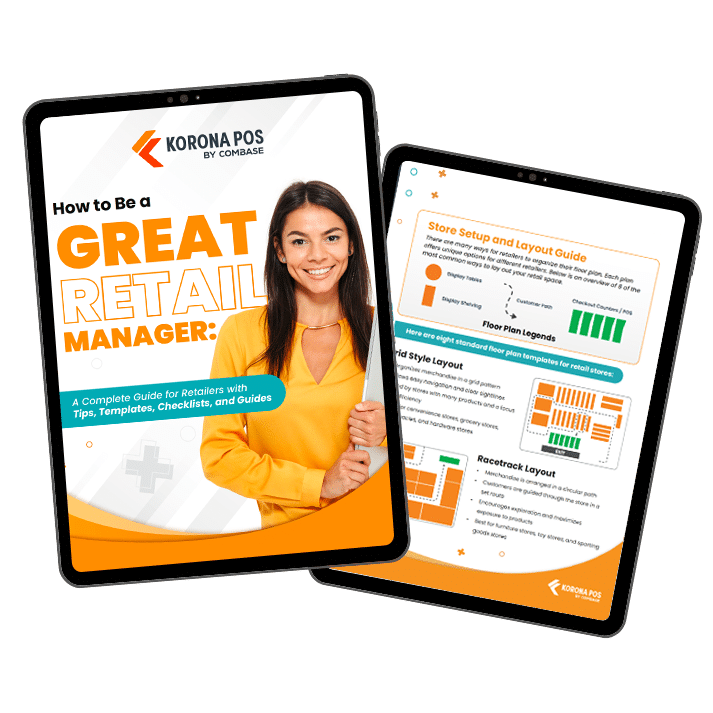
Free printable templates and checklists to help you manage retail operations with ease
Get an Outside View With Secret Shoppers
Daily involvement hides blind spots. A secret shopper tests whether staff follow your policies and shows you the gap between what you think is happening and what customers see.
Ask for a detailed report on service, cleanliness, and checkout at each store. Compare the results across locations and use them to target training.
Manage Every Store From One Dashboard With KORONA POS
KORONA POS is built for multi-location retail. Track inventory, sales, and staff across all your stores from one dashboard, with automated reporting and the freedom to choose your payment processor. Employee management tools cover scheduling, payroll, and time tracking.
For franchises, royalty payments can be set up at the point of sale and sent automatically on a set schedule. Book a live demo or call to see how it works for your business.
Speak with a product specialist and learn how KORONA POS can power your business.
FAQs
When should I hire a district or regional manager?
Hire one when you can no longer visit or call each store on a regular schedule, or when problems wait on you to solve them. A district manager checks in with store managers, runs audits, and handles issues so you can focus on growth. Define what they own, such as hiring approvals or store audits, before you start.
How do I handle taxes and licenses across multiple locations?
Rules vary by state, county, and city, so each store may have its own sales tax rate and permits. Licenses for products like alcohol, tobacco, and cannabis are often tied to a single location, so a new store usually needs its own. Ask your accountant or a local attorney to check each location before you open.
How do I roll out new POS software across several stores?
Start with one store, work out any problems, then add the others in phases. Train staff before launch, and have support available during the first weeks. A phased rollout keeps your other stores running normally while you learn what works.