


Picking the best coffee shop POS system is harder than it looks, and if you’re still in the planning stage, our guide on how to open a coffee shop walks through every step before you even get to choosing software.
The market is crowded, the pricing is often buried, and the wrong choice can cost you more than just money. Below, we break down the top POS systems for coffee shops in 2026, each matched to the type of business it best suits.
Whether you run a single counter or multiple locations, you will find a clear comparison of features, pricing, and honest drawbacks to help you choose the right fit.
Key Takeaways:
- No single POS system works for every coffee shop; a lot depends on your volume, your menu, and the operational habits that go into running a successful coffee shop day to day.
- Square suits new or small cafés, Toast fits high-volume shops with food menus, and systems like KORONA or Lightspeed serve multi-location or retail-heavy operations better.
- Modifier depth and offline mode are non-negotiable for coffee shops. Coffee is one of the most modifier-heavy categories in food service, and a system that drops out when Wi-Fi goes down can cripple a morning rush.
- Only a few options, like KORONA POS and Clover, let you freely shop around for better processing rates.
Before diving into each system, if you’re unsure what to look for in a POS system, we’ve broken that down separately so you can come back to this comparison with a clearer checklist.
1. Square for Restaurants: Best Overall for Small/New Coffee
At-a-Glance Verdict
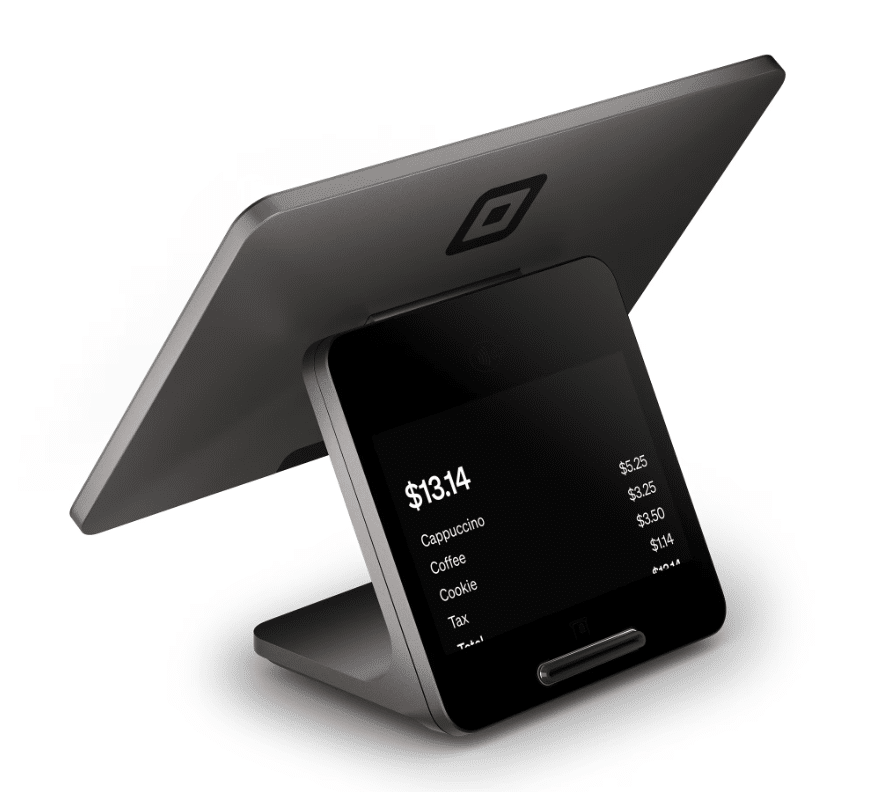
Square is the fastest, cheapest way for a new café to start taking card payments, though shops crossing roughly $30k–$50k a month in card volume will outgrow its flat-rate processing. It’s also one of the most affordable POS options across the market.
What is Square Best for?
- New cafés that need to open this week with zero contract risk.
- Single-location, drink-first shops doing under $300k a year.
- Owners who want a free plan that genuinely runs the business.
- Cafés already using Square Payroll, Marketing, or Banking that want one connected stack.
4 Standout Square POS Features for Coffee Shops
Square offers a wide feature set, but only a handful really matter for a café. These four are the ones worth paying attention to. It offers essential POS system features that matter specifically for coffee shops: modifier depth, offline mode, inventory tracking, loyalty, and reporting.
Genuinely free tier
The Free plan includes the menu builder, offline mode, and a branded online ordering page at $0 monthly, where most competitors charge extra for online ordering alone.
Offline mode for the morning rush
Square keeps accepting card payments for up to 24 hours if Wi-Fi drops, then syncs the moment you reconnect, which matters when the espresso line is twelve deep.
Modifier flow built for drinks
Square offers nested modifiers to handle milk, temperature, and add-ons in three taps so a barista can ring “decaf oat latte, extra hot, half-syrup” without slowing the line.
Square Kiosk for line-busting
The self-service iPad kiosk drove a 30% lift in order volume across Square sellers post-rollout, based on Square’s October 2024 internal study.
Square POS Pricing
Square’s 2026 pricing is organized into three streamlined tiers: Free, Plus, and Premium. We’ve done a deeper breakdown of Square’s pricing structure elsewhere if you want to go beyond what’s in the table below.
1. POS Software Plans
| Plan | Best For | Standout Feature | Starting Price |
|---|---|---|---|
| Square Free | Startups and new small businesses | Essential POS features, basic inventory, and a free online ordering site | $0/moProcessing fees only |
| Square Plus | Growing restaurants and retail businesses | Industry-specific tools like table management or purchase orders, plus lower processing rates | $49/moPer location |
| Square Premium | High-volume operations needing premium support | Lowest in-person rates plus 24/7 priority phone support | $149/moPer location |
2. Payment Processing Rates
| Payment Method | Free Plan | Plus Plan | Premium Plan |
|---|---|---|---|
| In-PersonTap, Dip, or Swipe | 2.6% + $0.15 | 2.5% + $0.15 | 2.4% + $0.15 |
| OnlineStore & Invoices | 3.3% + $0.30 | 2.9% + $0.30 | 2.9% + $0.30 |
| Keyed-InManual Entry | 3.5% + $0.15 | 3.5% + $0.15 | 3.5% + $0.15 |
Note: Custom rates are available for businesses processing over $250,000 annually.
3. Potential Add-On Fees
| Add-On | Free Plan | Plus Plan | Premium Plan |
|---|---|---|---|
| Square KDS appKitchen display per device | —Not included | $30/device/mo | $20/device/mo |
| Square Kiosk appSelf-order kiosk per device | —Not included | $50/device/mo | $30/device/mo |
Where Square POS Falls Short
- Processing fees stop being competitive once monthly card volume passes roughly $30k–$50k. To understand the total cost of a POS system beyond just the software fee. It’s worth running the full numbers before you commit.
- Account holds and fraud freezes appear repeatedly in Capterra and Reddit complaints. Cash flow can stop for several days while Square reviews the account.
- Phone support on the Free plan ends after 90 days. After that, the queues are long unless you upgrade.
- KDS, Kiosk, Loyalty, and Payroll are all paid add-ons. The “free” label fades once you bolt on the tools a real café needs.
Real Square POS Operators Sentiment
“I run a Coffee trailer and Square has been an important part of my business and I would definitely recommend using this system for anyone else starting a small business. It is very easy to use and Square informs me of all my daily transactions and payments and I have never had any problems with this system”
“square shut down my account on 4 feb 2026 and told me my funds would be released after 60 days. That time is now up, and I still haven’t received a single cent. I’ve contacted support many times and only get generic, copy paste replies with no real timeline or explanation. This is my money. Money I earned. And square is just sitting on it with no clear answers and no urgency. If you are a small business owner or freelancer thinking about using square, please be careful. Their promises mean nothing..”
2. Toast POS: Best for High-Volume Cafés Serving Food
At-a-Glance Verdict
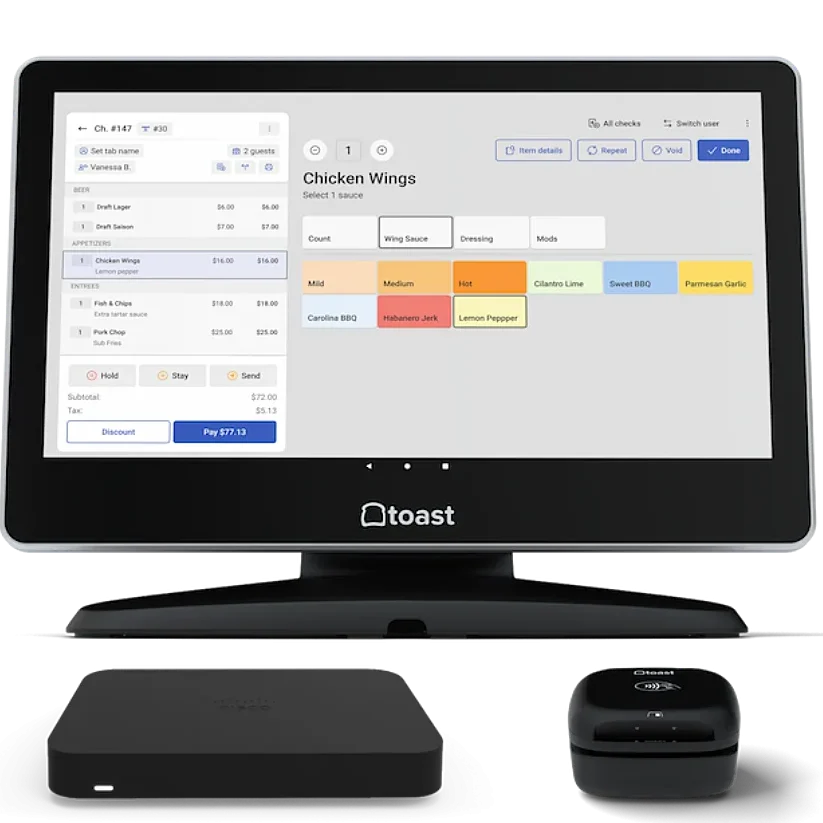
Toast is the strongest restaurant-grade POS for cafés that also serve hot food, run high volume, or plan to scale. If your café is closer to a fast-casual or QSR, our guide to quick-service restaurant POS systems may be an even better reference point. But the 2-year contract and proprietary hardware make it a heavy commitment for shops still finding their footing.
What is Toast Best for?
- Cafés serving food alongside drinks that need a real kitchen display system.
- Multi-location chains that need menu syncing and per-location reporting.
- High-volume shops where 24/7 phone support is non-negotiable.
- Owners who want spill-resistant, kitchen-grade hardware over consumer tablets.
4 Standout Features for Coffee Shops
Toast loads its product pages with features, but four of them stand out as genuinely useful behind a coffee counter.
Restaurant-grade hardware
Toast terminals are spill-resistant and built to handle steam, splashes, and heat, which matters when an espresso machine is two feet from the screen.
Toast mobile order & pay
Regulars can order a second coffee from their seat without standing in line again, freeing the counter for new customers during a rush.
Order-ready boards
The guest-facing screen shows order status in real time, so baristas stop calling out names, and the pickup counter stays calm.
Restaurant retail
Unlike most café POS tools, Toast manages whole-bean bags, merch, and barcoded inventory in the same account as drinks, making it useful for roaster-cafés selling retail alongside service.
Toast POS Pricing
Toast lists three software plans on its pricing page: Starter Kit (free hardware, no monthly fee, higher card processing), Point of Sale ($69/month, you buy hardware, lower processing), and Build Your Own (custom pricing for the full platform).
Software Plans
| Plan | Monthly Fee | What’s Included | Best Fit For a Café |
|---|---|---|---|
| Starter Kit 1–2 terminals, 1 location | $0/mo Free hardware kit | Cloud POS, hardware configuration including 1 terminal, additional add-ons available | A brand-new café wanting zero upfront cost |
| Point of Sale Choose your own hardware | $69/mo Per terminal, hardware bought separately | Cloud POS, custom hardware configuration, flat-rate processing, additional add-ons available | MOST POPULAR Most cafés land here — established café with moderate volume |
| Build Your Own Full platform, à la carte | Custom Quoted by sales | Adds inventory, payroll, tips manager, scheduling, employee benefits, loyalty, gift cards, and marketing | Multi-location or high-volume coffee bar wanting one platform for everything |
Special bundle: Point of Sale + Toast Payroll starts at $69/mo + $9 per employee/month for new restaurants.
Card Processing Rates
Toast’s payment processing fees vary by plan and aren’t published as a single fixed rate card. Toast quotes individual restaurants, but here’s the most current public information for 2026.
| Transaction Type | Typical Rate |
|---|---|
| In-Person Point of Sale plan | 2.49% + $0.15 |
| In-Person Starter Kit (Pay-as-you-Go) | 3.09% + $0.15 |
| Online Card-not-present | 3.50% + $0.15 |
| Keyed-In Manual entry | ~3.50%+ |
Note: Toast Payments is required — you cannot bring your own processor. Custom rates are negotiable on Build Your Own and for restaurants doing $250k+/year.
Where Toast POS Falls Short
- Locked into Toast’s own payment processing. No third-party processors allowed, ever.
- 2-year contract with early termination fees that can run over $1,000 if you close early.
- Proprietary hardware. Cancel the contract, and the terminals become paperweights.
- Real monthly cost lands at $150–$300 once you add KDS, online ordering, and loyalty.
- Toast can raise processing rates mid-contract with 30 days written notice.
Real Toast POS Operator Sentiment
“It’s been great so far. we have used for 3 months and have no issues. any problems with hardware or software they are extremely helpful and has made the set up streamlined as it can be”
“I wish I could say Toast is everything it’s advertised to be. But these last few months there’s not been a day that’s gone by that I haven’t considered sending everything back, scrapping the whole dang system, and demanded a refund. I’ve also seriously considered legal action because our issues are so compounded, it’s comical. But on a serious note, I told someone the other day I was on the verge of “Going Toastal”
3. Lightspeed Restaurant: Best for Multi-Location & Data-Driven Owners
At-a-glance verdict
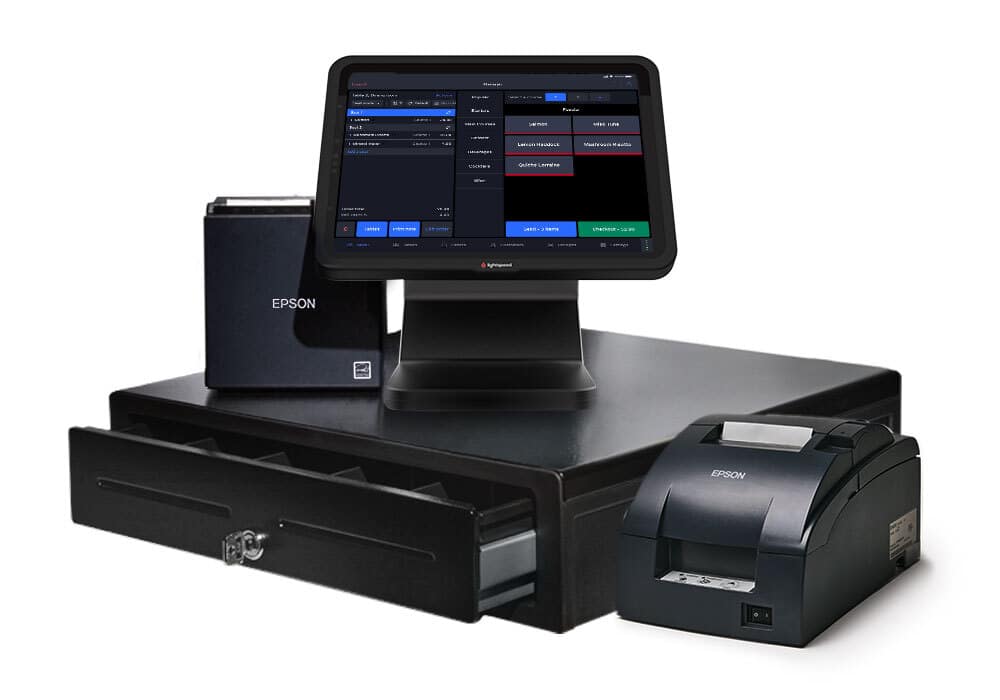
Lightspeed is the strongest pick for café chains and roaster-cafés that need ingredient-level inventory and deep reporting across sites, but it’s overkill and overpriced for a single-location drink shop.
What is Lightspeed best for?
- Multi-location café chains that need menu and inventory syncing across sites.
- Roaster-cafés selling whole beans, merch, and drinks under one platform.
- Owners who run their business on data and want detailed sales analytics.
- Shops already on iPad hardware that want a polished, restaurant-grade POS.
4 Standout Features for Coffee Shops
Lightspeed leans heavily on back-office depth, and four of its tools translate directly into faster, smarter café service.
Order anywhere
Customers scan a QR code to order online for pickup, delivery, or in-store, and Lightspeed keeps the full commission instead of handing 30% to a third-party app.
Kitchen display system
Drink and food orders fire from the counter straight to a barista or kitchen screen, replacing paper tickets that pile up during a rush.
Ingredient-level inventory
Lightspeed tracks stock down to the milk, syrup, and bean level, so a 16oz oat latte deducts the right amount from each ingredient automatically. For café chains dealing with this at scale, managing inventory across multiple locations requires a specific set of software features that Lightspeed was purpose-built for.
Multi-location management
Lightspeed offers menu changes, retail analytics and sales data, pricing updates, and inventory transfers that sync across every location from a single back office, ready the moment you open a second shop.
Lightspeed Restaurant Pricing
Software Plans
| Plan | Monthly Fee | What’s Included | Best Fit For a Café |
|---|---|---|---|
| Starter 1 register, 1 location | $69/mo Per location, hardware bought separately | Cloud iPad POS, menu manager, floor plans, online ordering, contactless ordering, order & pay at table, takeout/delivery, Lightspeed AI, and integrated payments at the default rate | A single-location café wanting a feature-rich entry plan |
| Essential Multi-location ready | $189/mo Per location | Everything in Starter, plus multi-location management, advanced inventory, Lightspeed Tasks, custom (negotiated) processing rates, and Pro Services access | MOST POPULAR Growing cafés — best for tight inventory needs or 2+ locations |
| Premium Full platform | $399/mo Per location | Everything in Essential, plus raw API access, multiple revenue center support, and deeper Pro Services consultation | Multi-location coffee bar wanting custom integrations and analytics |
| Enterprise Custom à la carte | Custom Quoted by sales | Personalized software/hardware package, unlimited launch & consultation services, dedicated support team, and customer success manager | Large café chains or franchises wanting a tailored deployment |
Add-ons (any plan): Kitchen Display System at $30/screen/month, Lightspeed Reservations, Reservations integrations, Delivery integrations, Gift cards, and Accounting sync. Additional registers run $59/register/month per 2026 reporting (U.S. News, Feb 2026).
Card Processing Rates
Lightspeed doesn’t display restaurant processing rates on its current pricing page — only labeling them “Default” on Starter and “Custom” on Essential/Premium. The figures below are the standard Lightspeed Payments rates confirmed across multiple 2026 reviews (POS USA, UpMenu, Business.com, Sonary, NerdWallet).
| Transaction Type | Typical Rate |
|---|---|
| In-Person Starter plan (default rate) | 2.6% + $0.10 |
| In-Person Essential / Premium | Custom (negotiated) |
| Online Card-not-present | 2.6% + $0.30 |
| Keyed-In Manual entry | 2.6% + $0.30 |
Note: Lightspeed Payments is heavily incentivized — using a third-party processor reportedly triggers a $400/month penalty fee per late-2025/2026 industry reporting. Restaurants processing $50K+/month in card volume can request custom rates. A 14-day free trial is available; plans typically require a 1-year contract, and early termination fees can be steep.
Where Lightspeed Restaurant Falls Short
- iPad-only. No Android support, and you have to buy your own iPad.
- Pricing climbs fast. Most multi-location shops land on Essential at $189/mo per location.
- Multi-location pricing is not published publicly, making total cost hard to predict.
- Real hardware spend is $800–$1,500 per register before processing fees.
- Support quality is inconsistent across reviews. Some operators get fast help, others wait days.
Real Lightspeed POS Operator Sentiment
“We’re a fast-growing company working on tight timelines with little margin for error. I oversee all IT projects, and Lightspeed, especially our representative Seif Malla, has made a meaningful difference. Seif is consistently responsive, knowledgeable, and proactive. Whether it’s a new update or a quick request for information, he follows through fast and reliably.”
“We have been a lightspeed customer for 10 years but due to there new policy of forcing customer to use there payments system which has completely uncompetitive pricing (almost triple my existing supplier) and with our contract expiring we have moved to another company and informed our rep we would not be renewing. Looked at the bank today to find they had taken another years subscription and are now refusing to refund our money so now will have to raise a fraud charge back with my bank. Save yourself time and stress there are better and cheaper products out there.”
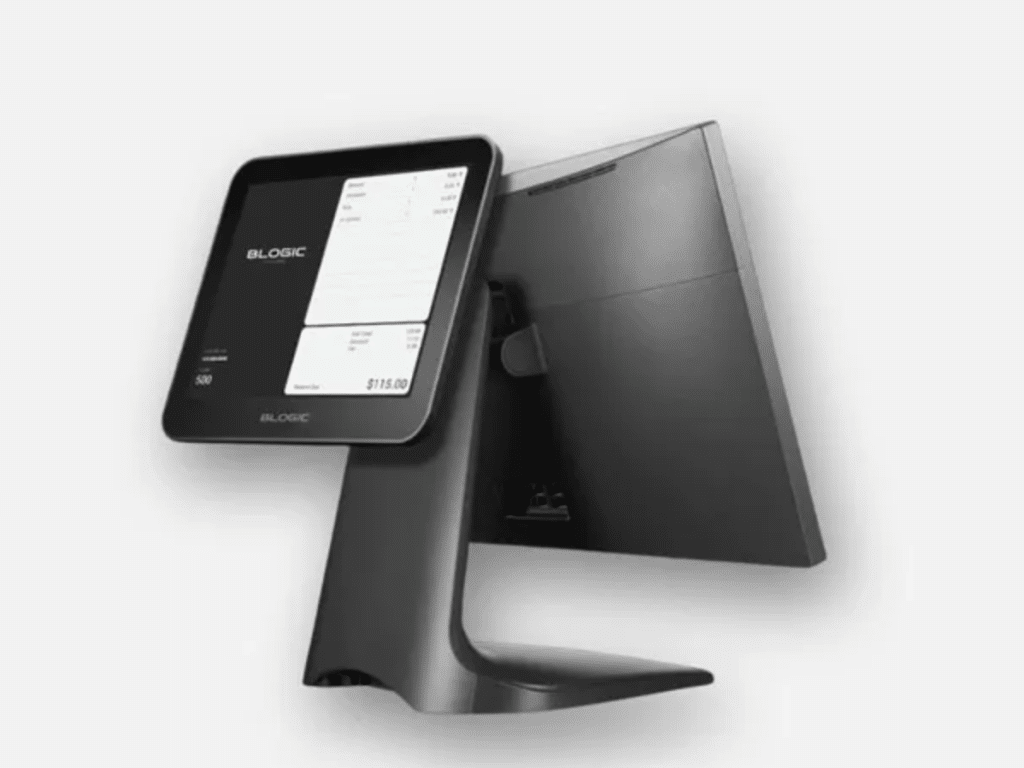
4. Blogic POS: Best for 0% Processing Fees & Hybrid Café-Retail Operations
At-a-Glance Verdict
Blogic is the strongest pick for café owners who want to eliminate processing fees while running both drink service and retail sales under one roof. The hybrid offline mode and sub-3-minute support response times make it a serious contender for busy counters, though limited public review volume makes long-term reliability harder to verify than with more established names.
What is Blogic Best for?
- Cafés that sell whole beans, packaged goods, or merch alongside drinks and want unified checkout.
- Owners tired of processing fees eating into margins who want a 0% fee model from day one.
- Counter-service and full-service hybrid shops that need both handheld ordering and a kitchen display.
- Multi-location operators who want centralized sales analytics without paying enterprise-tier prices.
4 Standout Blogic Features for Coffee Shops
0% credit card processing
Blogic’s model eliminates processing fees, so a café doing $40k a month in card sales keeps money that Square, Toast, or Lightspeed would absorb through flat-rate or integrated processing. No surcharges, no hidden fees passed quietly through the statement.
Local-first architecture that keeps the counter running
Blogic’s cafe POS runs on local hardware as its primary path, so order taking and card processing continue straight through an internet outage instead of dropping into a limited backup mode. That’s the architectural difference from cloud-native systems that treat offline as a temporary fallback. Sales reconcile to the cloud automatically once the connection returns.
Ingredient-level inventory with time-of-day consumption insights
Stock tracks down to syrups, beans, and pastry units, with low-stock alerts before items run out mid-shift. Consumption reporting breaks down by time of day, so managers can see exactly when oat milk or vanilla syrup drains fastest and order accordingly.
Unified café and retail checkout
Whole beans, packaged goods, and merchandise scan by barcode and track by SKU in the same checkout session as drinks. Reports separate café revenue from retail automatically and apply the correct tax to each, which saves significant reconciliation time for roaster-cafés or shops with a retail shelf.
Blogic POS Pricing
Blogic does not publish specific monthly software fees on its pricing page. All plans are quoted through a demo or direct sales contact.
The headline offer is 0% credit card processing fees, with no hidden surcharges. Hardware, including terminals, handhelds, and kitchen displays, is matched to each café’s specific layout through a consultation rather than listed at a fixed price.
Setup is described as hours rather than days using café-specific templates.
| Item | What Blogic publishes |
|---|---|
| Monthly software fee | Not listed, quoted via demo |
| Processing fees | 0% (no credit card processing fees) |
| Hardware | Quoted to fit your specific layout |
| Contract terms | Not published |
| Support | 24/7, calls answered in under 3 minutes on average |
Where Blogic POS Falls Short
- Pricing is fully opaque. No monthly fee, hardware cost, or contract length is published publicly, so the total cost requires a sales call to determine.
- No detail is published on contract length or early termination terms, which matters if your shop’s volume changes.
- Integration ecosystem breadth with third-party apps is not documented publicly, making it harder to assess compatibility with existing tools like QuickBooks or delivery platforms before signing.
Real Blogic POS Operator Sentiment
“Blogic Systems has truly set the standard for customer service in the POS industry. Their team is responsive, knowledgeable and genuinely committed to helping customers succeed. They are by far the best POS company I have worked with.”
“Transitioning from our old POS system to Blogic has been a breeze. We love how user-friendly and customizable it is!”
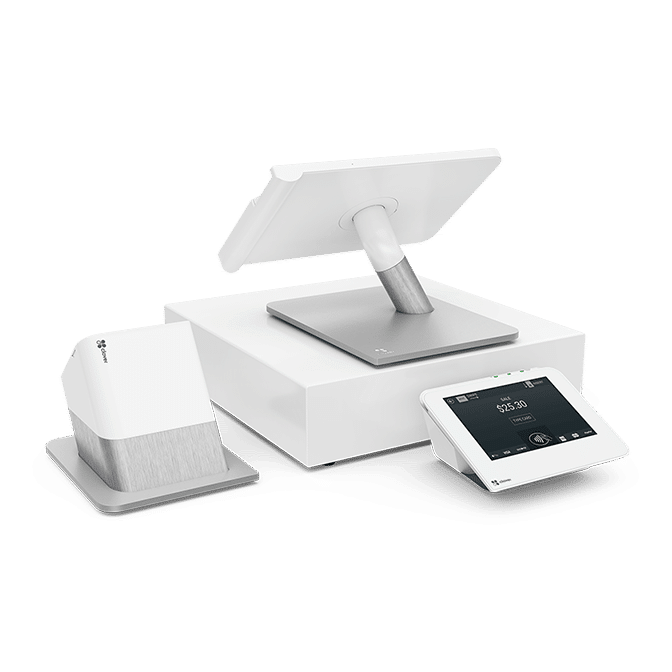
5. Clover POS: Best for Customization & Processor Flexibility
At-a-Glance Verdict
Clover is the most customizable café POS thanks to its app market and the freedom to choose your own payment processor, but the reseller maze and aggressive lease contracts can quietly inflate the real cost.
What is Clover Best for?
- Single-location coffee shops that want sleek, plug-and-play hardware.
- Owners who want to shop around for a payment processor instead of being locked in.
- Cafés that need specific add-ons like loyalty, scheduling, or accounting via apps.
- Shops mixing food, drinks, and retail items under one roof.
4 Standout Features for Coffee Shops
Clover’s app-driven setup means flexibility, but four core features are what cafés actually rely on day to day.
Adaptable hardware lineup
Clover offers handhelds (Flex), countertop terminals (Mini, Station Solo, Station Duo), and a mobile reader (Go), so the setup fits a 200-square-foot drink bar or a full sit-down café.
Kitchen display system
Orders fire from the counter to a kitchen or barista screen in real time, replacing illegible writing on cups and keeping the line moving during a rush.
Inventory app with modifiers
Clover’s Inventory tool lets you build menu items with milk, syrup, and size variants, and you can disable items on the in-store and online menus the moment something runs out.
Clover app market
The marketplace adds order-ahead apps, payroll tools, scheduling, and loyalty programs without forcing you to buy them as part of the base plan.
Clover POS Pricing
Clover publishes two restaurant pricing pages that are relevant to coffee shops. The Quick-service page applies to most cafés that take orders at the counter, while the Full-service page applies to cafés that offer table service. Each page lists three plans called Starter, Standard, and Advanced. All three plans run on the same software tier, Restaurant Growth, but differ in price and included hardware. Hardware is financed over 36 months and bundled into the monthly fee. An upfront purchase option is also available, which lowers the recurring monthly cost.
Quick-Service Plans
| Plan | Price | Hardware Included | Best For |
|---|---|---|---|
| Starter | $135/mo for 36 months or $849 + $89.95/mo | Mini 8″ touchscreen POS with built-in receipt printer | A small café running a single compact device |
| Standard | $185/mo for 36 months or $1,899 + $89.95/mo | Station Duo (14″ merchant-facing POS with 8″ customer screen) | A café needing a fuller counter setup with customer-facing display |
| Advanced | $245/mo for 36 months or $2,648 + $109.90/mo | Station Duo plus Flex handheld | Cafés with mobile ordering, curbside, or higher complexity |
Full-Service Plans
| Plan | Price | Hardware Included | Best For |
|---|---|---|---|
| Starter | $179/mo for 36 months or $1,799 + $89.95/mo | Station Solo (14″ merchant-facing POS) | Orders and payments at a front-of-house wait station |
| Standard | $239/mo for 36 months or $2,548 + $109.90/mo | Station Solo plus Flex handheld | Tableside ordering and payments at the server station |
| Advanced | $354/mo for 36 months or $4,447 + $129.85/mo | Station Solo, Flex, plus Station Duo | Front and back of house with complex management needs |
Card Processing
| Transaction Type | Rate |
|---|---|
| Card Tapped, Swiped, or Inserted In-person payment | 2.3% + $0.10 |
| Card Information Typed In Manual entry | 3.5% + $0.10 |
Cash Flow Services
| Service | Cost |
|---|---|
| Rapid Deposit Funds within minutes of a credit card sale | 1.75% fee |
| Clover Capital Cash advance against future sales | Paid through sales made by card |
Optional Add-Ons
| Add-On | Cost |
|---|---|
| Payroll Integrations | Optional add-on (price by quote) |
| Cash Drawer For Quick-Service Standard or Advanced | Optional add-on |
| Swivel Stand for Mini For Quick-Service Starter | Optional add-on |
| Kitchen Printer | Optional add-on |
Where Clover POS Falls Short
- Pricing varies wildly depending on which reseller you sign with. The same hardware can cost double through a bank versus a direct processor.
- Long contracts. Hardware leases often run 36 to 48 months and are nearly impossible to cancel if your shop closes.
- Hidden fees stack up. PCI fees, statement fees, and platform access fees commonly add $100–$200 per month per location.
- The online processing rate (3.5% + $0.10) is well above competitors, which sit closer to 2.9%.
- Cancellation is notoriously slow. Trustpilot reviews repeatedly describe two to three months of back-and-forth with support to close an account.
Real Clover POS Operator Sentiment
“I like that they offer a desktop feature. We need a platform that’s accessible for different employees, and the desktop option makes that easy. It allows multiple employees to run cards using their own username and password. The reports are also a strong point: they show our sales in real time and let us review sales across different time periods. Customer support has been helpful, the price is competitive, and the integration process was seamless when we moved over from our old processor.”
“The add-ons typically cost money, such as more quality reporting, a round-up feature, and other things. And yet, not all of these add-ons end up working for every system, so you have to pay for it and check it out for a month before you know if its helpful and worth the cost. Clover’s fee structure is misleading, as you end up being charged different rates for each credit card company, and some super high rates really affect a tourism business like ours.”
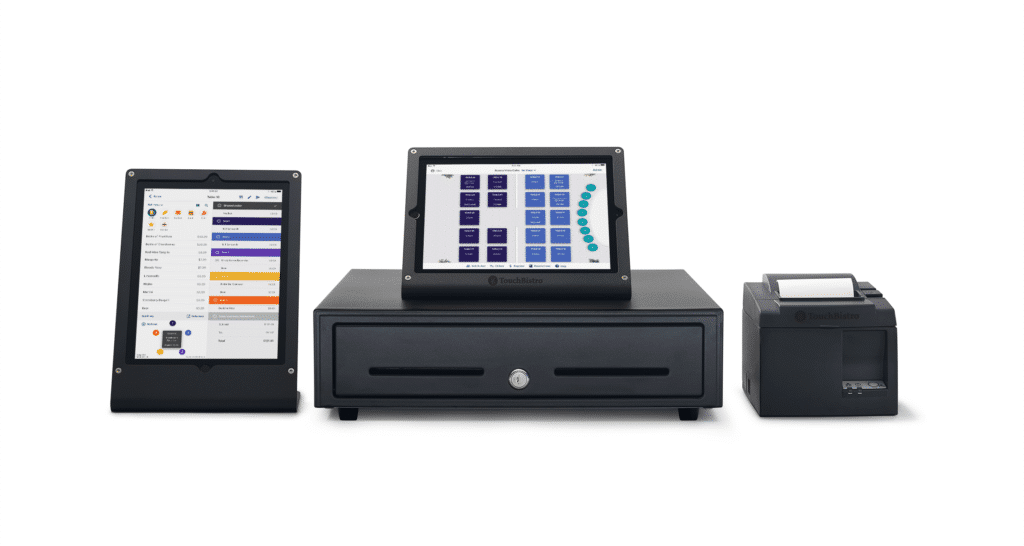
6. TouchBistro: Best iPad-Native System for Service Speed
At-a-Glance Verdict
TouchBistro is the most polished iPad-based POS for cafés that lean toward full-service or have a serious food program, but the annual contract, mandatory TouchBistro Payments, and add-on costs make it a heavier commitment than counter-only shops usually need.
What is TouchBistro best for?
- Cafés with a meaningful food menu, table service, or a hybrid café-restaurant setup.
- Owners who want hybrid local/cloud architecture so the POS keeps working when Wi-Fi drops.
- Single and multi-location café operators on iPad hardware they already own.
- Shops that want to run loyalty, reservations, and online ordering inside one platform.
4 Standout Features for Coffee Shops
Out of TouchBistro’s full feature stack, four stand out for coffee shop operators in particular.
Hybrid offline mode
TouchBistro keeps full POS functionality during internet outages, including taking orders, sending tickets to the KDS, and processing payments, then syncs everything once the connection comes back.
Drag-And-Drop Menu and Modifier Management
Baristas can update items, add new drinks, or mark something out of stock from the iPad without restarting the system, useful when you switch a syrup or run out of oat milk mid-shift.
Tableside ordering on iPad
Staff take orders and process payments anywhere in the café using a handheld iPad, freeing the counter and speeding up turnover for shops with seating.
Built-in loyalty and online ordering
TouchBistro runs its own commission-free online ordering and a points-based loyalty program through one platform, so you avoid handing 25–30% per order to third-party apps.
TouchBistro Pricing
TouchBistro publishes only two prices on its pricing page: a starting POS rate and a limited-time bundle. Every other module, online ordering, loyalty, gift cards, reservations, KDS, inventory, labor, marketing, and so on, is listed as “Get a Quote” with no public price. The system is iPad-based, and annual contracts are standard.
Software Plans
| Plan | Price | What’s Included |
|---|---|---|
| TouchBistro POS Per terminal | From $69/mo Hardware & extra fees may apply | Menu management, floor plan & table management, reporting & analytics, staff management, tableside ordering, and integrations |
| Essentials Bundle Limited-time offer | From $119/mo $0 upfront hardware | LIMITED-TIME POS license(s), required hardware, and integrated payment processing |
Modules Priced by Quote Only
| Category | Modules |
|---|---|
| Front of House | Payments, Customer Facing Display |
| Back of House | Inventory Management, Labor Management, Kitchen Display System, Profit Management |
| Guest Engagement | Online Ordering, Reservations, Loyalty, Marketing, Gift Cards |
Note: Each of these shows a “Get a Quote” button on TouchBistro’s site — no public list price.
Card Processing
| Item | What TouchBistro Publishes |
|---|---|
| Pricing Model | Cost-plus (transparent, per their FAQ) |
| Specific Rates | Not published — quoted per restaurant |
| Processor Options | TouchBistro Payments, or integrated partners |
Where TouchBistro Falls Short
- Annual contract that auto-renews. No month-to-month flexibility, and early termination is difficult.
- TouchBistro Payments (powered by Chase) is mandatory for new customers. You can’t bring your own processor.
- Pricing is quote-based once you add modules, making total monthly cost hard to predict before signing.
- Loyalty starts at $99/mo on top of the base license, and online ordering, reservations, and KDS are each separate fees.
- Inventory management is more limited than Lightspeed’s for shops needing deep ingredient-level tracking.
Real TouchBistro POS Operator Sentiment
“Just switched over to TouchBistro at the end of 2025. The reporting and live operational updates are nice. The back end is pretty extensive so it takes time to navigate where everything is. However you can really get a good birds eye view of your business when you dive in. Inventory and labor management is good. Those were some of the top reasons why we switched from Square. The systems are fairly easy to use. Inventory management is great. Once you are able to figure it out, it really makes a difference in cogs.”
“I signed a contract with TouchBistro trusting they’d let me use my old hardware. After signing, they demanded new hardware. Service never started, and when I asked to cancel (before being charged), I was told someone would contact me – crickets. Multiple calls and emails to customer rep went unanswered. Today, they charged me AGAIN. Shady business, won’t recommend”
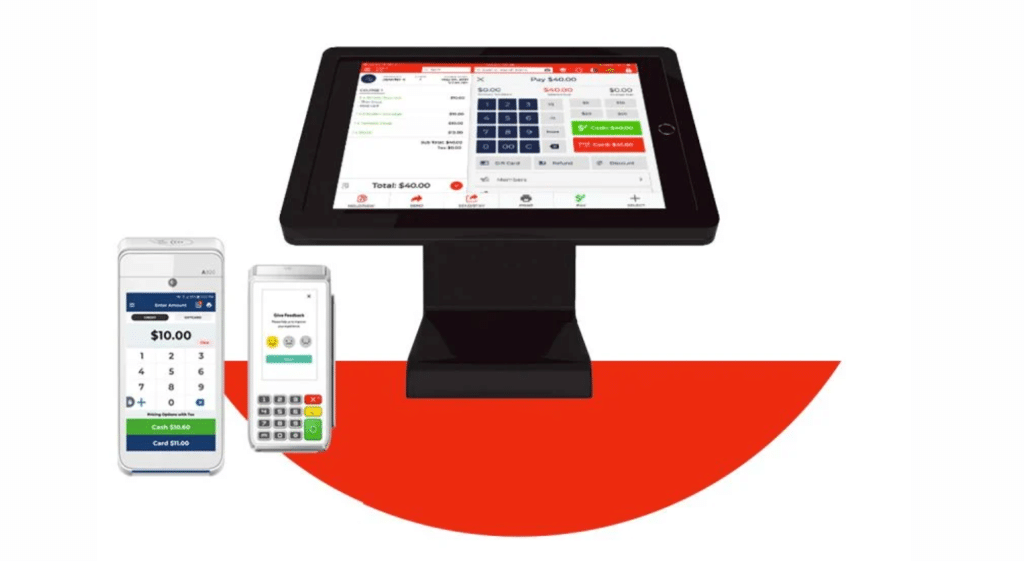
7. Quantic POS: Best Processor-Agnostic Cloud Option
At-a-Glance Verdict
Quantic is the most flexible cloud-based POS for cafés that want enterprise-level features without contract lock-in or processor restrictions, but a small user base and limited public reviews mean you’re betting on a less battle-tested system.
What is Quantic Best for?
- Cafés that want to choose their own payment processor and switch later if needed.
- Owners running a mix of iOS and Android tablet POS devices, not just iPads.
- Shops that want KDS, kiosks, and dual pricing built in without paying enterprise rates.
- Operators who refuse binding contracts and want month-to-month flexibility.
4 Standout Features for Coffee Shops
Quantic positions itself as a flexible cloud system, and four of its tools genuinely earn that label for café operators.
Processor-agnostic setup
Unlike Toast or TouchBistro, Quantic does not lock you into a single payment processor, so you can shop rates and switch providers without replacing the POS.
Dual pricing program
Quantic shows two prices upfront on the menu, one for cash and one for card, so the credit card processing fee is passed transparently to the customer instead of eating into the café’s margin.
Modifiers and combos with remote menu sync
Baristas can add substitutions or special requests in seconds, and managers update menus, prices, and item availability remotely from the Quantic Portal with changes syncing instantly to every device.
Cross-platform device support
Quantic runs on both iOS (iPad) and Android, so you can mix tablets, handhelds, and kiosks instead of being forced onto Apple-only hardware.
Quantic POS Pricing
Quantic POS does not publish any pricing on its website. There’s no Pricing page in the navigation, and none of the product pages: Restaurant POS, Retail POS, Quantic Lite, Smart Terminal, or any add-on — list a starting rate, monthly fee, or processing rate. The only way to get a number is to submit a demo request and go through a sales call.
Where Quantic Falls Short
- Public review volume is thin. Capterra shows only 1 review and Trustpilot shows 1 review, making sentiment harder to verify than larger competitors.
- Pricing is opaque. Every quote is tailored, so you can’t compare costs without booking a sales call.
- SelectHub user reviews flag time zone errors and operational glitches that can disrupt reporting accuracy.
- Customer support response times have been called out as slow, especially outside business hours.
- Smaller third-party integration ecosystem than Toast, Square, or Clover.
Real Quantic Operator Sentiment
“Eric Shackleton is my knight in shining armour! He made the whole process of moving over to this machine so easy and has handled any issues I’ve had. Something was recently removed from the terminal due to an update this weekend and first thing Monday morning Eric got it reinstated for me. He goes out of his way to help me.”
“The system will randomly change time zones and skip ahead two hours (even after turning that function off and to manually setting the time), we can’t enter tips if there are two types of payments on a tab (like cash/credit split), we have troubles splitting up a tab if we want to move individual items even after following the tutorial, etc. It’s been so bad, we’ve had to document missing tips in excel spreadsheets to send to the company almost every single night since we got the machines. ”
8. SkyTab (Absorbing Revel): Best for Drive-Thrus & Established Franchises
At-a-Glance Verdict
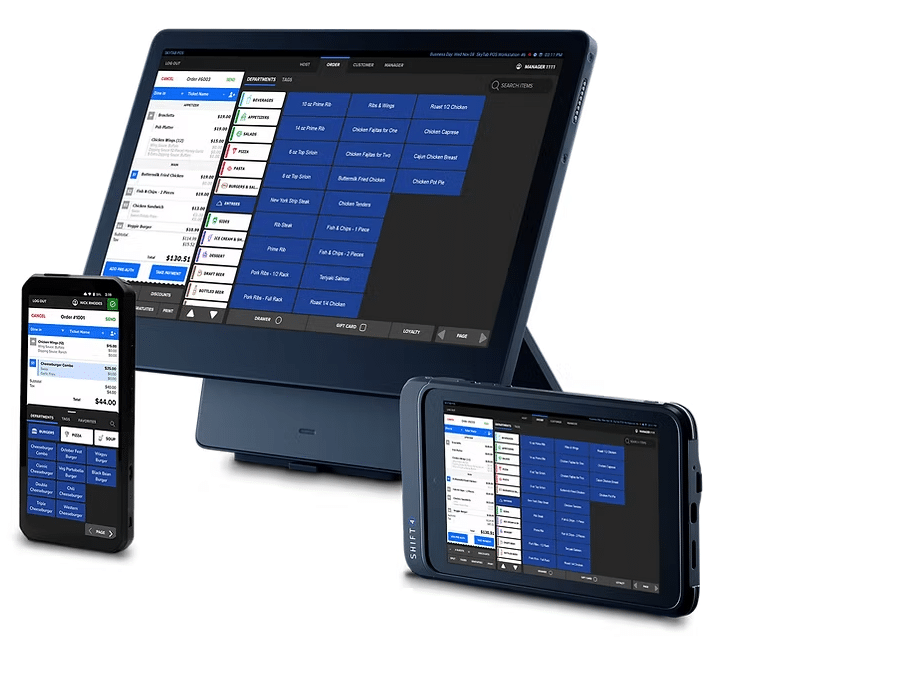
SkyTab is the most cost-aggressive entry point in the market thanks to free hardware and a $29.99/month software fee, but the mandatory 3-year processing contract with Shift4 is a heavy commitment that’s notoriously hard to exit.
QUICK NOTE
Note on naming: Shift4 acquired Revel Systems in June 2024 and is now migrating Revel customers onto the SkyTab platform. SkyTab itself is rebranding as Shift4 Dine in May 2026, but the product, pricing, and hardware remain the same.
What is SkyTab Best for?
- Higher-volume cafés and drive-thrus that process $30k+ per month in card sales.
- Multi-location operators and franchise groups looking for free hardware to scale.
- Coffee shops that want a counter-service bundle including a customer-facing display.
- Owners comfortable with a 3-year processing agreement in exchange for a low upfront cost.
4 Standout Features for Coffee Shops
SkyTab packages a lot into the base bundle. These four matter most for a café floor.
Free hardware bundle with customer-facing display
Counter-service shops get a workstation, cash drawer, receipt printer, and a customer-facing screen at $0 upfront, which prompts tips and shows order totals at checkout.
Lifetime hardware warranty
If the workstation, drawer, or printer ever breaks, Shift4 replaces it at no charge for as long as you stay on the contract.
Build Your Own POS
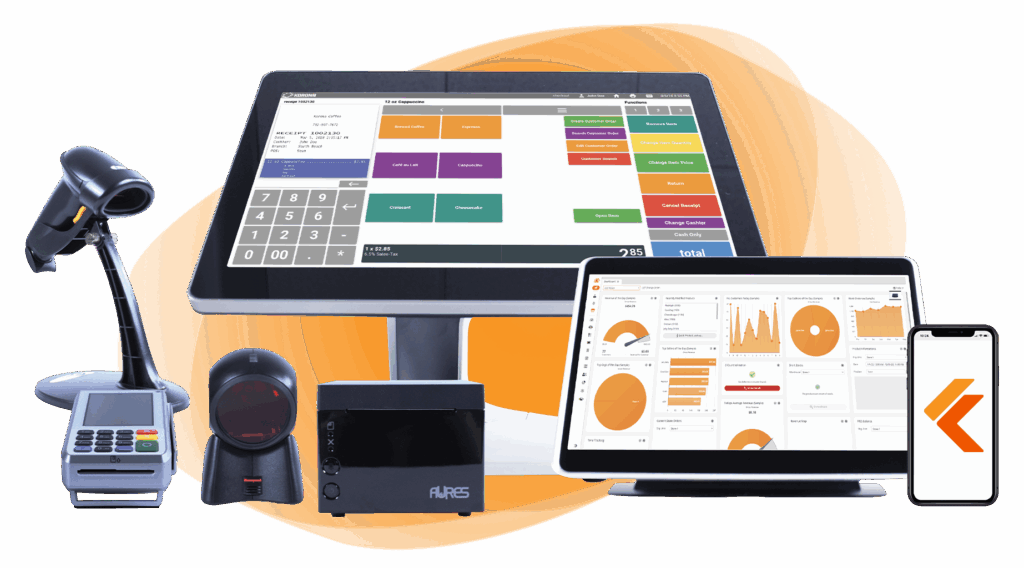
Whether you run a retail store, café, or admissions booth, we have the point of sale hardware designed for your specific needs. Start building your ideal POS system now.
Built-in online ordering with no commission
SkyTab Online routes orders from your branded site straight to the POS and kitchen printer, so you avoid handing 25–30% per ticket to third-party delivery apps.
Lighthouse back-office analytics
A dedicated reporting dashboard with sales, labor, and inventory data, accessible remotely on the InCharge mobile app for iOS and Android.
SkyTab POS Pricing
SkyTab, owned by payments processor Shift4, takes an aggressive, low-cost pricing approach. The published headline is $29.99/month for the all-in-one POS software, with several features bundled in for free that competitors typically charge extra for, including marketing, loyalty, reservations, online ordering, and a website builder. Hardware prices aren’t listed individually, but new customers are promoted a “$0 to get started” offer, and all hardware comes with a lifetime warranty. Card processing rates aren’t published; SkyTab promotes a “competitive” rate or its Advantage Program, which passes processing fees to customers via a surcharge.
Software Plan
| Plan | Price | What’s Included |
|---|---|---|
| SkyTab POS All-in-one platform | $29.99/mo New customers only | POS software, Marketing & Loyalty, Reservations & Waitlist, Contactless (QR) ordering, Website Builder, Online Ordering, Mobile Ordering & Payments, 24/7 customer support, and onsite installation |
Note: The “Get Started for $0” promotion implies no upfront hardware cost for new customers, but specific terms aren’t published.
Hardware
| Item | Price Published? |
|---|---|
| SkyTab POS Workstation | Not listed — quoted via “Build Your System” |
| SkyTab Air Handheld | Not listed — quoted via “Build Your System” |
| SkyTab Glass Tableside tablet | Not listed — quoted via “Build Your System” |
| Customer-Facing Display | Not listed — quoted via “Build Your System” |
Note: All hardware comes with a lifetime warranty.
Card Processing
| Item | What SkyTab Publishes |
|---|---|
| Pricing Model | “Competitive rates” — no specific percentage published |
| Advantage Program | Optional surcharge/cash-discount program that offsets processing fees by passing them to the customer |
| Required Processor | Shift4 (SkyTab’s parent company) |
Where SkyTab falls short
- Mandatory Shift4 payment processing. You cannot bring your own processor, ever.
- 3-year merchant services agreement with auto-renewal. Cancellation requires written notice 30 days before the renewal date or you’re locked in for another year.
- Inactive terminal fees can run ~$200/terminal/month if you stop using a device but the account is still open.
- Add-ons stack quickly. KDS, mobile handhelds, and Lighthouse can push monthly software costs from $30 to $125+ per location before processing.
- The “free hardware” is recouped through processing fees, so low-volume cafés often pay more long-term than they would buying hardware outright.
Real SkyTab Operator Sentiment
“Eric Shackleton is my knight in shining armour! He made the whole process of moving over to this machine so easy and has handled any issues I’ve had. Something was recently removed from the terminal due to an update this weekend and first thing Monday morning Eric got it reinstated for me. He goes out of his way to help me.”
“When I first contacted the salesman, I was very clear about needing a POS solution for both my coffee shop (with a large, complex menu) and my tattoo shop. After initial discussions, the delivery date was set for March 13th, but it kept getting pushed—first to the 19th, then the 21st, and finally April 3rd. I ended up having to configure it myself, only to find out it was absolutely unsuitable for what we needed. I called the salesman again, and he kept promising calls and emails that never came. When I tried escalating it, I was transferred between multiple people, each saying they couldn’t help or that it wasn’t possible.”
9. SpotOn Restaurant: Best for High-Touch Customer Support
At-a-Glance Verdict
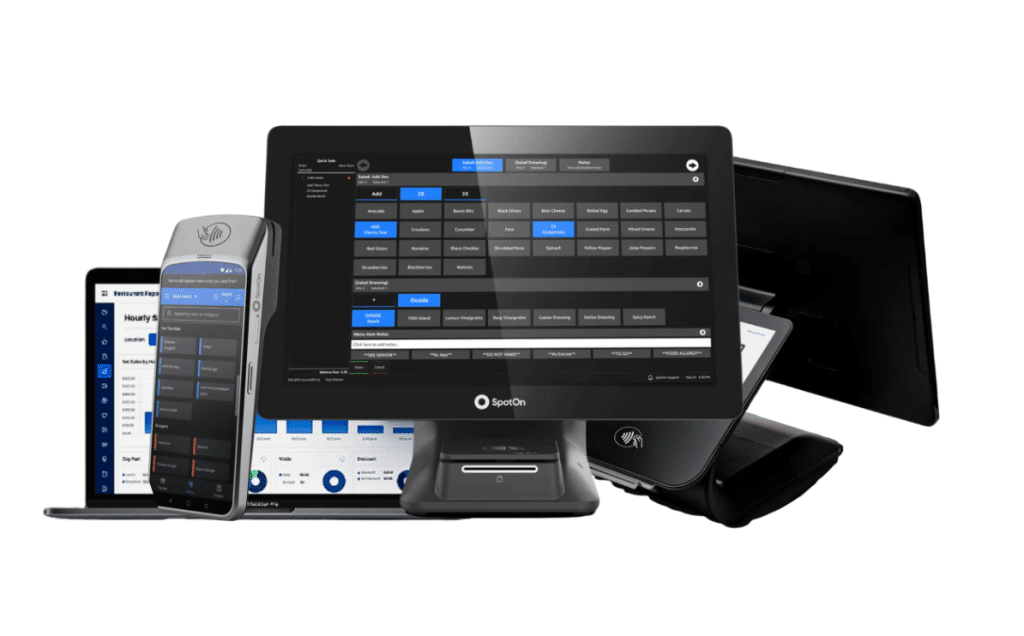
SpotOn is the best café POS for owners who want a real human on the other end of the phone, with a purpose-built counter-service product (Restaurant Express) and built-in loyalty and marketing tools, but you’re locked into SpotOn hardware and processing with no third-party flexibility.
What is SpotOn Best for?
- Single-location coffee shops, bakeries, juice bars, and other counter-service concepts.
- Cafés focused on building repeat customers through loyalty and email/SMS marketing.
- Owners who value 24/7 support and a dedicated representative over a call-center queue.
- Shops that want hardware financing instead of a free-with-contract model.
4 Standout Features for Coffee Shops
SpotOn built Restaurant Express specifically for counter-service operators, and four of its tools matter most behind a coffee bar.
Restaurant Express built for cafés
SpotOn designed Restaurant Express around counter-service shops, not full-service restaurants. The layout is simple enough that a new barista learns it in minutes, and it handles fast queues without the table management bloat other systems carry.
Built-in loyalty and marketing
SpotOn includes points-based rewards, automated email and SMS campaigns, and review management inside the POS itself. No third-party app, no separate subscription, and every customer interaction feeds back into the same dashboard.
Teamwork scheduling module
SpotOn’s Teamwork module gives managers a drag-and-drop interface to build and publish staff schedules, then integrates directly with over 20 payroll providers. Helpful for cafés running seasonal hires, part-time baristas, or high turnover.
Handheld POS for line-busting
The 6.5″ SpotOn Handheld lets a barista walk the line during a morning rush, take orders before customers reach the counter, and process curbside hand-offs without tying up the main station.
SpotOn Pricing
SpotOn publishes four restaurant plans on its pricing page, ranging from a $0/month entry point to fully custom multi-location quotes. The two main trade-offs are between paying upfront vs. through processing fees, and between a flat monthly software fee vs. a volume-based bundle. Hardware is proprietary, processing is locked to SpotOn, and 24/7 support, training, and software updates are included on every plan.
Software Plans
| Plan | Monthly Fee | What’s Included |
|---|---|---|
| Quick Start Zero upfront cost | $0/mo Processing minimums apply | POS essentials. Hardware, software, and implementation costs are absorbed into a higher processing rate. |
| POS Essentials Best value, month-to-month | $55/station/mo Per station | BEST VALUE Ordering, payments, table layouts, menu management, and reporting. Hardware sold separately (financing available). |
| Core Bundle Special offer | $50/mo + 20bps 0.20% of monthly volume, capped at $200 | SpotOn Profit Assist (AI P&L analysis), SpotOn Order (commission-free online ordering), GoTo Place guest app, Marketing Assist, and software integrations. |
| Build Your Own Multi-unit or complex operations | Custom Quoted by sales | POS Essentials plus a pick-list: automated cost analysis, online ordering, KDS, kiosk, marketing & loyalty, reservations & waitlist, scheduling, tip management, gift cards, website, and integrations. |
Hardware & Infrastructure
| Item | What SpotOn Publishes |
|---|---|
| POS Hardware | Proprietary — bring-your-own iPads/tablets are not allowed |
| Hardware Financing | Available (flat-fee capital loans also offered) |
| Backup 4G Router | Recommended in most configurations; cost not published |
Card Processing
| Plan | Card-Present Rate |
|---|---|
| Quick Start | 2.79% + $0.20 |
| POS Essentials | 2.45% + $0.15 |
| Core Bundle | Custom |
| Build Your Own | Custom |
Note: SpotOn provides integrated payments. No third-party processors are allowed.
Where SpotOn falls short
- Mandatory SpotOn payment processing. You cannot bring your own processor.
- Proprietary hardware. The system only runs on SpotOn-branded stations, counters, and handhelds.
- Inventory management is basic. Cafés that need ingredient-level tracking will outgrow it quickly.
- Website and menu changes go through a SpotOn team, and reviewers report weeks-long turnaround times for small edits.
- Phone support is responsive during business hours, but reviewers note 24/7 access varies by issue type.
Real SpotOn POS Operator Sentiment
“We recently switched from Square to SpotOn POS, and overall, our experience has been very positive, especially when it comes to customer service. The system is still being customized to fit our needs, but we’ve seen steady improvement over time. As adjustments are made, it continues to work better for our operation.”
“This Company is Disgusting. False promises, constantly cancelling my on line door dash orders, turning off my online ordering with their broken “goto app”. No one and I mean NO ONE knows what their doing in any department. Hand off after hand off, if you want head aches purchase SPOT ON because they are anything but spot on… Toast smokes their ass and if I were a bigger business and could afford it I would go back to Toast… this company is absolutely 💯 % SHIT, having to call in weekly because it keeps having problems… I should have gone with Clover instead”
10. KORONA POS: Best for Cafés with Significant Retail (Beans, Merch)
At-a-Glance Verdict
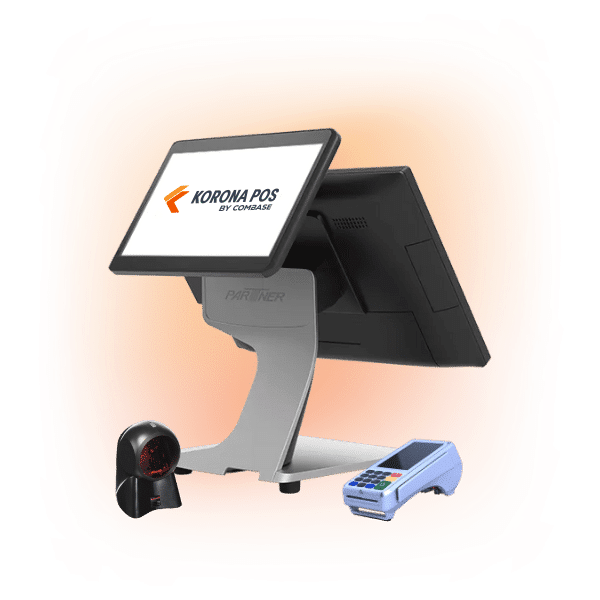
KORONA is the strongest hybrid POS for cafés that sell whole bean bags, merch, or branded retail alongside drinks, with deep inventory tools and full processor freedom. KORONA operates on perpetual inventory tracking. But the German-built interface feels less polished than Square’s or Lightspeed’s, and it has a steeper learning curve.
What is KORONA best for?
- Coffee shops that sell whole-bean retail, branded mugs, or merch alongside their service.
- Roaster-cafés and bakery-coffee hybrids that need real retail-grade inventory.
- Owners who want to choose their own payment processor and negotiate rates freely.
- Multi-location operators who want centralized reporting without iPad-only hardware.
4 Standout Features for Coffee Shops
KORONA leans retail-first and four of its tools translate directly into real value for café operators selling more than just drinks.
Hybrid inventory for drinks and retail
KORONA’s inventory module tracks stock levels in real time and auto-generates purchase orders when levels drop. For café owners who sell packaged beans, merchandise, or bottled goods alongside drinks, retail inventory management differs significantly from ingredient tracking. KORONA handles both.
Processor-agnostic payments
KORONA works with almost any payment processor through PAX or Dejavoo terminals. You shop rates, negotiate freely, and switch providers later without replacing the POS. It also offers a dual-pricing feature.
Payment processors giving you trouble?
We won’t. KORONA POS is not a payment processor. That means we’ll always find the best payment provider for your business’s needs.
Dual cash drawer support
With KORONA POS, two staff members can run separate tills on the same station during breaks and shift changes, keeping cash balances clean during a fast morning rush.
Customizable interface and button layouts
Managers can rearrange buttons, fonts, and screen layouts to match the actual workflow, useful when a café needs a quick-pick row for the top 10 drinks plus separate categories for retail SKUs.
KORONA POS Pricing
KORONA POS offers three core plans: Core ($59/mo), Retail ($79/mo), and Plus ($99/mo). Each building on the previous, plus a set of optional modules priced per terminal, gate, franchise, or token. Their biggest structural advantage: KORONA is processor-agnostic. You can choose your own credit card processor instead of being locked into a vendor’s integrated payments. Subscriptions are month-to-month with no forced contracts, setup fees, or hidden costs.
Software Plans
| Plan | Monthly Fee | What’s Included |
|---|---|---|
| KORONA POS Core Standard checkout | $59/mo | 24/7 support, unlimited users and sales, customizable dashboard, core checkout, product database, KPI reports, eCommerce capabilities, manager functions, promotions & discounts, gift cards, and API access |
| KORONA POS Retail Inventory & automation | $79/mo | Everything in Core, plus inventory counts, stock management, barcode automations, supplier integrations, price/shelf labels, customer management, real-time tracking, item combinations, and order automation |
| KORONA POS Plus Advanced reporting | $99/mo | Everything in Core and Retail, plus advanced stock management, individual store prices, assortment cleanup, key performance reports, slow/top sellers, organization indicators, custom ABC analysis, movement reports, financial accounting export, and order-level optimization |
Optional Add-On Modules
| Module | Price | Use Case |
|---|---|---|
| KORONA Food | +$10/moPer terminal | Cafés, bakeries, wineries, and QSRs needing table service |
| KORONA Invoicing | +$10/moPer terminal | Sending invoices to customers and suppliers |
| KORONA Ticketing | +$50/moPer gate | Amusement parks, museums, and admission-based businesses |
| KORONA Franchise | +$30/moPer franchise | Franchise communication and operations |
| KORONA Integration | +$45/moPer token | Custom API integrations |
Card Processing
| Item | What KORONA Publishes |
|---|---|
| Pricing Model | Processor-agnostic — choose your own credit card processor |
| Required Processor | None |
| Rate Calculator | Available on KORONA’s site to compare processors |
Contract & Guarantees
| Item | Detail |
|---|---|
| Contract | No forced contracts — month-to-month, with discounted annual plans available |
| Free Trial | Unlimited |
| Setup Fees | None |
| Hidden Fees | None |
| Hardware Money-Back Guarantee | 30 days |
| Software Money-Back Guarantee | 60 days |
Where KORONA POS falls short
- Reviewers consistently note that the UI feels less polished than that of iPad-based competitors.
- The software was originally built in Germany, and reviewers report needing several days to become comfortable with it.
- No iPad support for the full POS. Only the KORONA Menu waiter app runs on iOS.
- Some advanced features (online ordering, loyalty, and reservations) require add-on purchases or third-party integrations.
- Not recommended for full-service restaurants. Best fit is quick-service and retail-heavy cafés.
Real KORONA POS Operator Sentiment
“KORONA POS is the latest version that has demonstrated resilience in enhancing effective sales and management of revenue. It is easy to use after integration with sales system and can easily be customized to suit organization pricing and commodity management policies. The customer support team is phone call away when their assistance is required.”
“While the system is highly functional, the initial setup can be a bit complex for users without prior POS experience. Additionally, some advanced customization options require technical assistance, which might slow down implementation for certain businesses. However, once configured, the system runs smoothly.”
Have trouble getting your POS customer service on the phone?
KORONA POS offers 24/7 phone, chat, and email support. Call us at 833.200.0213 to see how reliable we are.
11. Lavu POS: Best Mobile-First iPad System for Complex Modifiers
At-a-Glance Verdict
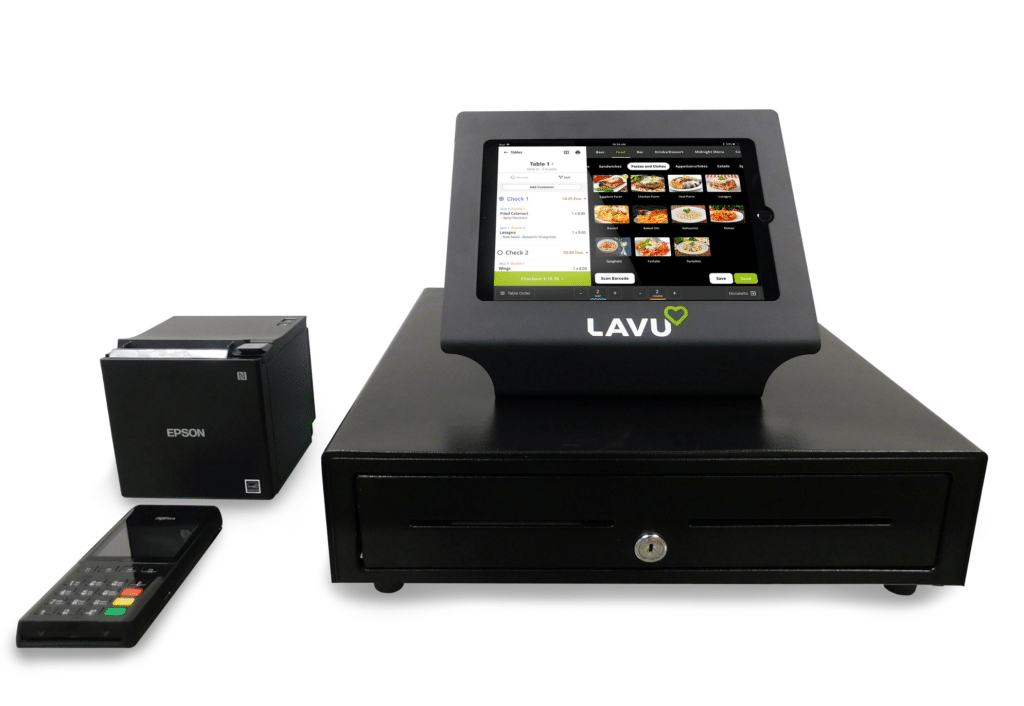
Lavu is the deepest iPad-native POS for cafés that need to handle complex drink orders fast, with strong modifier flow and recipe-level inventory, but contract terms can be aggressive, and customer support is frequently flagged as inconsistent in reviews.
What is Lavu best for?
- Cafés serving complex specialty drinks where modifier speed matters.
- Shops that already run on iPads and want a hospitality-first interface.
- Owners who need recipe-level inventory tied to milk, syrup, and bean usage.
- Single-location to mid-size cafés that want to keep hardware costs flexible.
4 Standout Features for Coffee Shops
Lavu was designed specifically for food and drink businesses, and four of its tools matter most behind a coffee bar.
Modifier system built for specialty drinks
Lavu’s modifier flow is optimized for orders like “extra hot, soy, two pumps vanilla, no foam latte” without slowing the line. Modifier groups, required and optional flags, and quick-pick layouts cut order entry time during the 7–9 a.m. peak.
Recipe-level inventory tracking
Lavu deducts the exact amounts of milk, syrup, and espresso used for each drink, with automated low-stock alerts for ingredients and par-level reordering. Selling a 16oz oat latte pulls 12oz of oat milk and 2 shots from inventory automatically.
Tip pooling and management
Lavu POS offers detailed tip reporting by payment type, along with a robust tip-pool setup aligned with shop policy. Useful for cafés with 6 to 12 baristas, where tip splits can get contentious.
Marty AI analytics layer
Marty watches sales, shifts, hours, and item performance in the POS and recommends actions: which drinks to push, when to staff up, and where labor cost is leaking. Works only when paired with Lavu POS.
Lavu POS Pricing
Lavu POS does not publish any pricing on its website. There is no Pricing page in the navigation, and none of the product pages list a starting rate, monthly fee, or processing rate. The only paths to a number are “Get a Demo,” “Book a Demo,” or “Call Now,” all of which route to a sales call. To get any concrete pricing, you have to contact their sales team directly.
Where Lavu POS Falls Short
- 24/7 customer support is widely flagged as inconsistent. Multiple Software Advice reviewers report office-hours-only access despite the marketing claim, with overseas call centers handling overflow.
- Hidden line items on invoices. Reviewers describe “Lavu Legacy Hosting” charges billed annually despite invoice text reading “every 36 months,” plus opaque surcharge fees added without notice.
- Aggressive 3-year contracts with steep early termination fees. POSUSA documented one case where the operator was threatened with $15,000 in termination fees after never receiving equipment.
- Stock management feature is rated as not intuitive, with several long-term users reporting they have it but can’t actually use it.
- Split-bill flow involves multiple steps and is more complex than competitors like TouchBistro or Square.
Real Lavu POS Operator Sentiment
“Pilli was very helpful. He got everything corrected that I was having issues with. He is very professional & has great customer service. Wonderful doing business with you. Thank you!”
“My customers keep saying that there credit cards are being charged on days they have not came into the store. My system is always having errors. My printer doesn’t print half the time. Customer service take a long to to resolve issues. I keep asking for them to let me out of this contract because I’m not happy here”
Coffee-Shop-Specific Features That Actually Matter
Choosing a POS for a coffee shop is not the same as choosing one for a restaurant. The category has its own logic: high volume, low ticket size, modifier-heavy drinks, and customers who come back daily. Generic feature lists miss that. What follows focuses on the capabilities that actually affect speed, accuracy, and revenue in a coffee environment specifically.
1. Split Payment Handling
Groups come into coffee shops more often than people assume, and they rarely want to split evenly. A barista who has to void and re-ring a transaction because the system can’t split by item loses two minutes at peak hour. Clean split payment handling, by item or by custom amount, keeps the line moving and avoids the awkward pause while someone figures out Venmo.
2. Offline Mode Reliability
Internet drops happen, and a coffee shop that can’t take payments goes from profitable to paralyzed in minutes. Offline mode needs to do more than just accept cards. It should hold orders, sync loyalty redemptions when the connection returns, and not lose transaction history. Systems that only partially function offline create gaps that are painful to reconcile at end of day.
3. End-of-Day Reporting by Daypart
A coffee shop’s revenue is heavily front-loaded. Morning rush numbers look nothing like afternoon numbers, and treating the whole day as one block hides useful patterns. Daypart reporting shows when your peak actually starts, how long it lasts, and where drop-offs happen. That data informs staffing decisions better than a single daily total ever could.
4. Modifier Depth
Coffee is probably the most modifier-heavy category in food service. A single latte can have six or more variables: milk type, temperature, syrup flavor, pump count, shot strength, and foam level. Systems that handle these natively, without extra taps or workarounds, reduce transaction time. Shallow modifier trees push baristas into the notes field, and that slows the bar down at peak hours.
3. Bar Display Routing
Not every coffee shop needs a full kitchen display, but those that separate bar drinks from food items genuinely benefit. A bar-specific screen shows only drinks, ordered by complexity or ticket time, so baristas don’t have to read through sandwich orders to find their next pull. The best systems let you set priority rules. Espresso drinks before batch brew refills, for example.
4. Milk and Syrup Inventory by Unit
Most inventory systems track in dollars or broad categories. Coffee shops need tracking by pump or by ounce. When a bottle of vanilla syrup yields roughly 25 pumps, and an oat milk carton covers about six lattes, the math becomes useful at the bar level. Systems that track at that granularity help with waste control and catch when a modifier is being applied inconsistently.
5. Loyalty by Visit, Not by Spend
Coffee loyalty works differently from restaurant loyalty. A customer who buys a $4 drip coffee five days a week is more valuable than someone who spends $20 once. Points-per-dollar systems underreward your most frequent visitors. Visit-based or stamp-style programs better fit the coffee model. The best systems let you set separate rewards for frequency, streak behavior, and product-specific purchases.
6. Employee Scheduling Integration
Labor is one of the highest costs in a coffee shop. When the POS connects to a scheduling tool, managers can compare scheduled hours against actual clock-in data in one place. It also makes it easier to spot when someone clocked in early or stayed late. Shops that track this properly tend to run tighter labor costs without having to manually cross-reference two separate systems.
7. Refund and Return Flow
A customer who paid for an oat milk latte and got whole milk deserves a fast resolution. Refund flows that require manager approval, multiple confirmation screens, or a receipt to proceed create friction that embarrasses the shop in front of a line of waiting customers. A clean refund process tied directly to the original transaction, accessible at the register level, keeps those moments quiet and quick.
8. Mobile Order Queue Management
Mobile ordering can work against coffee shops when there’s no queue control. A rush of 15 pre-orders hitting the bar simultaneously destroys ticket times. Good mobile integrations let you throttle incoming orders by time slot, set bar capacity limits, and provide customers with accurate ready times rather than fixed estimates. Without queue throttling, mobile ordering often worsens the in-store experience for everyone.
9. Multi-Location Menu Syncing
Coffee shop groups that run more than one location need menu changes to push across all sites at once. Updating prices or adding seasonal drink locations by location wastes time and creates inconsistencies. A centralized menu management system lets you make one change and choose which locations it applies to, keeping everything aligned without requiring each manager to log in separately.
Inventory management a headache?
KORONA POS makes stock control easy. Automate tasks, generate custom reports, and learn how you can start improving your business.
10. Cash Drawer Management
Cash still exists in coffee shops, especially during morning rush when customers want exact change. A proper cash management system tracks opening float, records every cash transaction, and flags discrepancies at close. Without it, end-of-day cash counts become guesswork. Shops that skip this feature often discover shrinkage slowly, long after the pattern has already cost them money.
11. Customer-Facing Display
A screen turned toward the customer that shows the order as it is being rung up catches mistakes before they reach the bar. It also shows the running total, which reduces checkout surprises. For shops with upsell prompts or loyalty point balances, the customer-facing display is where that information lands naturally without the barista having to narrate it.
How we ranked these POS systems
Our ranking pulls from three sources, weighted equally, so no single voice skews the list. First, we read through verified user reviews on Software Advice, Trustpilot, G2, Capterra, and unfiltered threads on Reddit and Quora, where café owners speak more openly than in vendor case studies. Second, we spoke directly with a handful of independent coffee shop owners who have run their counters on different POS systems, some still active, some who switched after a bad fit. Third, we tested the public demo flows ourselves where vendors offered them.
FAQ
1. How much does a coffee shop POS system cost per month?
Anywhere from $0 (Square free tier) to $400+ for advanced systems. Most small cafés fall between $50 and $150 per month, excluding hardware.
2. What’s the cheapest POS system for a small café?
Square for Restaurants has a free plan. Toast and Lightspeed start around $69/month. Cheapest upfront does not always mean cheapest long-term.
3. Do I need a POS system or can I just use Square card reader?
A reader handles payments. A POS handles orders, inventory, staff, and reporting. For anything busier than a market stall, a POS wins.
4. Can a POS system work without internet?
Most modern systems have an offline mode. They process payments locally and sync when reconnected. Confirm what specifically works offline before committing to any system.
5. How long does it take to set up a coffee shop POS?
Basic setup takes one to three days. Full setup with menu build, staff training, and hardware configuration typically runs a week.
6. Which POS has the lowest credit card processing fees?
KORONA POS and Lightspeed let you use third-party processors. Square, Toast, and most POS providers lock you in. Negotiating rates matters more as your volume grows.
7. Can I switch POS systems mid-contract?
Yes, but expect an early termination fee, sometimes $300 to $500. Always read the contract length and exit clauses before signing anything.
8. What POS do Starbucks and Blue Bottle use?
Starbucks runs a proprietary system. Blue Bottle has used Square. Neither choice is practical guidance for an independent shop owner.
9. Is a tablet POS strong enough for a busy café?
Yes, if the software is built for volume. The tablet is rarely the bottleneck. Poor software and slow internet cause more problems than hardware does.
10. Do POS systems integrate with QuickBooks/Xero?
Most major systems do, either natively or through a connector like Dext. Confirm the integration syncs in real time, not just at the end of the day.


