Museum ticketing systems have come a long way from simple box office software. Today, the best platforms handle admissions, memberships, donor management, group sales, and retail from a single dashboard.
We reviewed six of the top options in 2026 to help museum operators find the right fit for their size, budget, and operational needs.
Key Takeaways:
- No single platform fits every museum: enterprise solutions like Tessitura suit large institutions with complex donor programs. KORONA POS is the better fit for museums that need ticketing and retail under a single flat-rate system.
- The best museum ticketing software goes beyond admissions: timed entry, group sales, upselling, donor prompts, and membership conversion are the features that separate a good system from a great one.
- Pricing models vary widely: some platforms charge per ticket or require six-figure implementation budgets, while others like KORONA POS offer a predictable flat monthly rate with no hidden fees.
Best Museum Ticketing Systems: At a Glance
1. KORONA POS: Best for Museums Needing Ticketing, Inventory Management, and Gift Shop Compatibility Under One Flat-Rate System
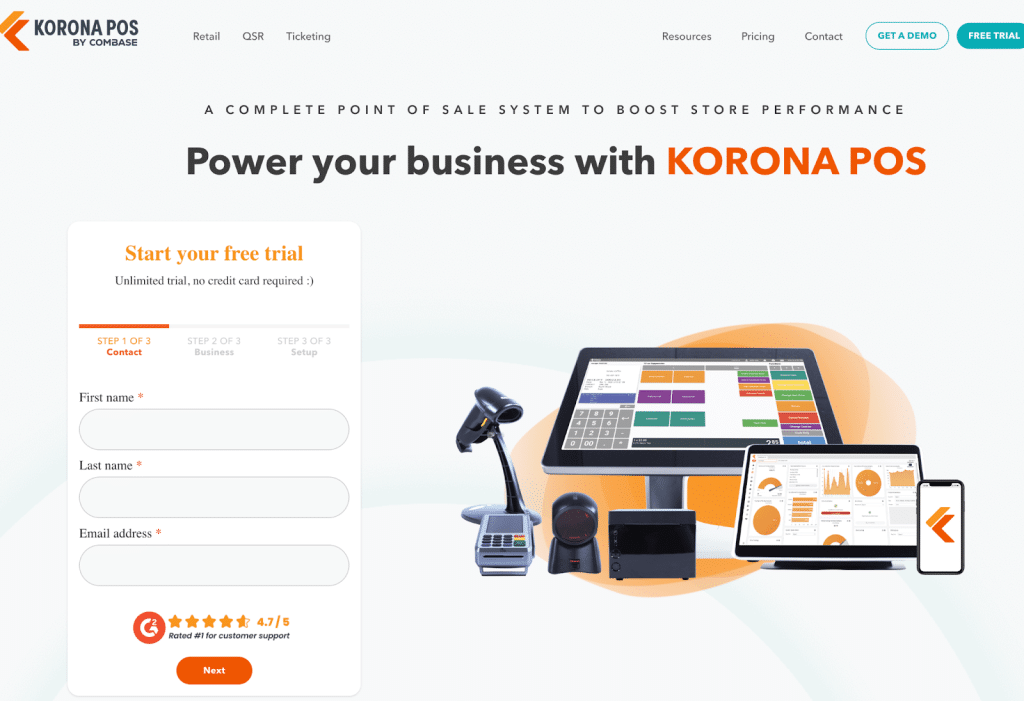
KORONA POS is a cloud-based point of sale system built for retail, ticketing, and attraction businesses. For museums specifically, it stands out because it handles every area of the operation from one platform: admissions, gift shops, food kiosks, memberships, and self-checkout kiosks.
Unlike most museum-focused platforms built purely around ticketing, KORONA POS brings enterprise-grade inventory management and retail tools into a single system, so staff never need to jump between software.
It also runs on a flat monthly subscription with no per-ticket fees, no contracts, and no processor lock-in, which makes it notably cost-effective for high-volume institutions.
Key Features
KORONA POS gives museums a strong feature set spanning ticketing, admissions, and retail. Below are three of the most relevant capabilities for museum operations. Museums looking for a broader overview can start with this guide to the best museum POS systems.
Timed Entry and Advanced Admission Ticketing
KORONA POS supports timed-entry ticketing directly from the terminal, with group rates, annual passes, membership cards, and multiple entry points, including turnstiles.
Museums can set capacity limits by date or time slot, print customized tickets for specific exhibits, and sell tickets online, over the phone, or at the box office.
High-volume venues have reported checkout speeds up to twice as fast as with previous systems, keeping lines short during peak hours.
Unified Multi-Area Management
One of KORONA POS’s key strengths for museums is that gift shops, QSR counters, food kiosks, and ticketing areas all run under the same software. Inventory, sales data, and staff permissions are centralized in one cloud dashboard called KORONA Studio.
If you want to understand what white-label POS options look like in the broader market, KORONA’s flexibility extends to custom configurations for different venue types within a single account.
Loyalty Programs and Membership Management
KORONA POS includes a built-in loyalty program that museums can use to offer tiered memberships, annual passes, and recurring promotions. Staff can set different loyalty levels, link discounts to member profiles, and track renewal history, all from the POS.
For museums that want to integrate an existing loyalty platform, KORONA also supports third-party programs like bLoyal alongside its native tools. Pairing flexible payment processing with membership perks makes for a smoother checkout experience for repeat visitors.
Other notable features include:
- Self-checkout kiosks for ticket purchases and gift shop sales
- Online ticketing with eCommerce integration
- Real-time cloud reporting and KPI dashboards
- Automated low-stock alerts and purchase order generation
- Donor management integration via DonorPerfect
- Staff scheduling with a real-time docent calendar
- Turnstile and gate hardware integration
- ABC inventory grading and product analysis
For museums comparing online ticketing solutions more broadly, KORONA POS is worth evaluating early in the process, given its flat-rate model.
Where KORONA POS Shines
KORONA POS excels when a museum needs to manage more than just admissions. Its strength is unifying ticketing, retail, food service, and memberships under one system. The flat monthly pricing with no per-ticket charges is also an advantage for high-traffic institutions.
Customer support, available 24/7 via phone, email, and chat with US-based staff, is consistently one of the most praised aspects across third-party review platforms.
Where KORONA POS Falls Short
KORONA POS does not include a native collections management module, so museums with complex artifact cataloging needs will need a separate solution.
The interface also has a dated look compared to newer competitors, and some users note a learning curve at the start, particularly around terminology inherited from the system’s German-origin software.
Per-terminal pricing can also add up for larger institutions with many registers. Small business operators can explore whether KORONA POS fits their scale before committing to a plan.
Customer Reviews
KORONA POS holds a 4.7/5 on Capterra (60+ reviews) and a 4.8/5 on G2.
Jason M., Operations Manager, Museums and Institutions (Capterra):
“We switched over from an older POS to KORONA almost 5 years ago. The system is great, fast, efficient, customizable, and has great reporting tools. KORONA revolutionized how we did business in our museum gift shop. The retail and inventory systems are top-notch.”
Have trouble getting your POS customer service on the phone?
KORONA POS offers 24/7 phone, chat, and email support. Call us at 833.200.0213 to see how reliable we are.
Who KORONA POS Is Best For
- Mid-size museums with gift shops: Teams that need ticketing and retail inventory under one system
- High-traffic attractions: Venues that process large visitor volumes and need fast checkout with kiosk support
- Budget-conscious nonprofits: Organizations that want predictable flat-rate pricing with no per-ticket fees
- Multi-area venues: Museums running food kiosks, QSRs, and retail concurrently
Pricing
| Plan | Price (per terminal/month) | Key Inclusions |
| Core | $59 | Sales management, basic reporting, customer profiles |
| Retail | $79 | Advanced inventory, supplier management, real-time tracking |
| Ticketing Add-on | +$50/gate | Ticket printing, turnstile integration, membership management |
| Food Add-on | +$10 | QSR and food kiosk features |
All plans include unlimited users, 24/7 US-based support, free setup and training, and automatic software updates. No contracts and no cancellation fees. A free trial is available with no credit card required.
All plans include unlimited users, 24/7 US-based support, free setup and training, and automatic software updates. No contracts and no cancellation fees. A free trial is available with no credit card required.
Speak with a product specialist and learn how KORONA POS can power your business.
2. Tessitura: Best for Large Cultural Institutions Needing Unified CRM, Ticketing, Fundraising, and Membership Management
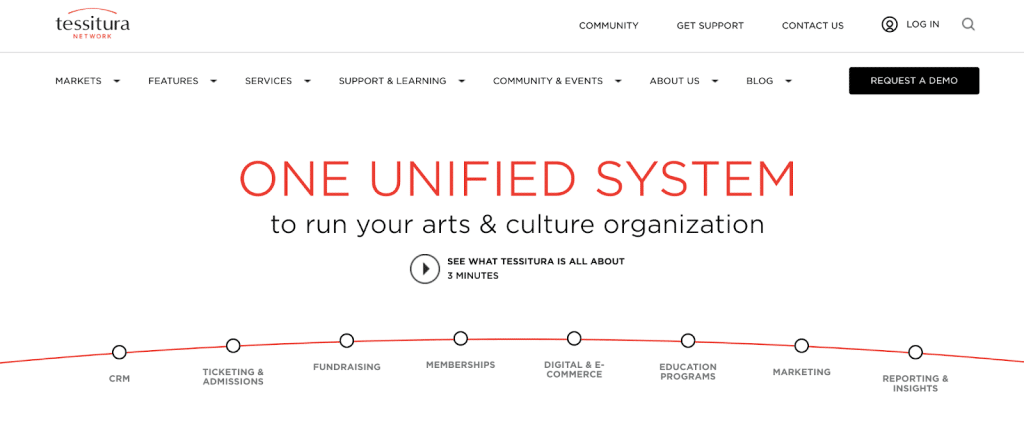
Tessitura is a nonprofit technology platform built exclusively for arts and cultural organizations, used by over 800 institutions across 10 countries.
What sets it apart for museums is the fully unified database: ticketing, donor management, memberships, marketing, and education programs all share one constituent record.
Key Features
Below are three standout capabilities that make it particularly strong for cultural institutions.
Unified CRM and Patron Profiles
Every visitor interaction, whether a ticket purchase, donation, membership renewal, or class registration, is captured in a single patron record. Staff across departments share the same data, which makes personalized outreach and stewardship far easier.
Ticketing and Admissions Flexibility
Tessitura handles general admission, timed entry, reserved seating, capacity-controlled events, and subscription packages through a single interface. Museums can configure dynamic pricing, manage exchanges and waitlists, and deliver mobile tickets. It supports contactless ticket scanning and access control hardware for faster entry at the door.
Fundraising and Membership Tools
Tessitura manages the full donor lifecycle, from one-time online gifts to major pledges and planned giving. Membership renewals, digital member cards, and auto-renewal workflows are all built in. Because fundraising sits on the same platform as ticketing, museums can identify ticket buyers with donor potential and act on that data without exporting any data.
Other notable features include:
- Drag-and-drop analytics and customizable reporting dashboards
- Targeted multichannel marketing campaigns driven by patron behavior data
- Education program management for classes and group bookings
- Retail point of sale integration
- Open API for custom website and third-party integrations
- 24/7 support backed by a global user community
Where Tessitura Shines
Tessitura is the strongest option when a museum needs ticketing, fundraising, and CRM to work as one system rather than three separate tools. The unified database eliminates duplicate records and data reconciliation across teams.
Where Tessitura Falls Short
Tessitura is not built for small or mid-size museums. Startup costs are high, and the platform has a steep learning curve that demands dedicated training and often specialist support. Some museum users note the interface still reflects its performing arts origins, with general admissions workflows feeling less polished than the core ticketing features.
Customer Reviews
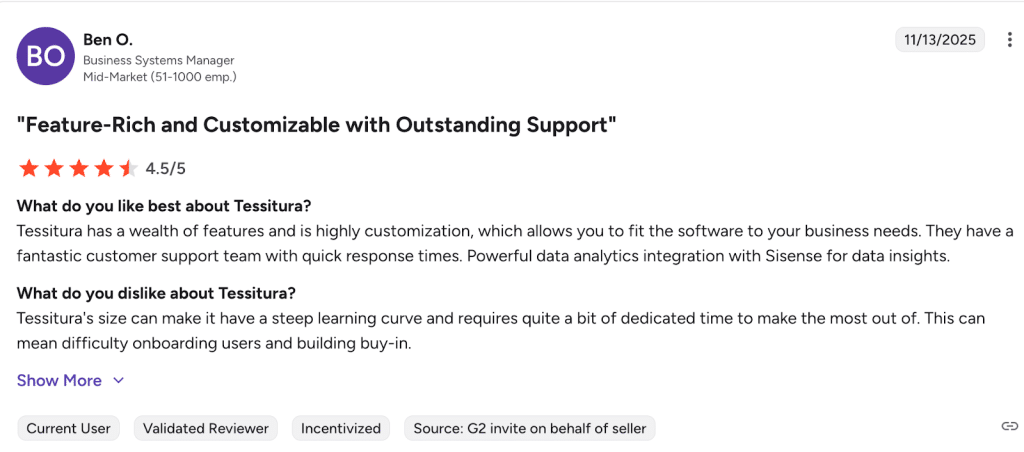
Tessitura holds a 3.8/5 on G2 and receives strong marks for its feature depth and support quality.
Business Systems Manager (G2):
Who Tessitura Is Best For
- Large museums and cultural institutions: Organizations with dedicated tech and operations teams that need enterprise-level depth
- Nonprofits with active donor programs: Museums where fundraising is as important as admissions revenue
- Multi-department teams: Institutions where marketing, box office, and development need to share one patron database
- High-traffic venues: Museums with complex timed-entry, capacity management, and subscription ticketing needs
Pricing
Tessitura does not publish pricing publicly. Costs are quote-based and tied to the organization’s annual revenue and the modules selected.
3. Gateway Ticketing Systems (Galaxy): Best for High-Volume Attractions and Multi-Channel Ticket Distribution
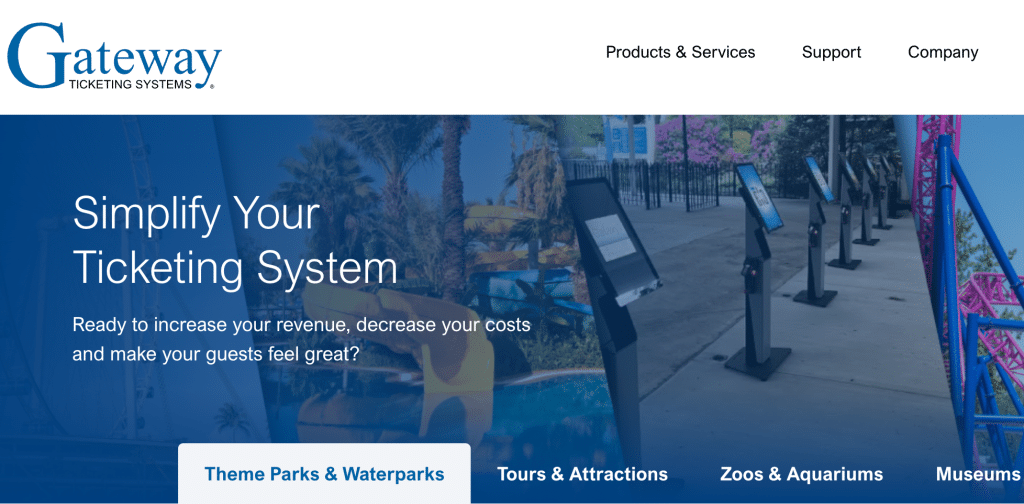
Gateway’s latest ticketing software platform, Galaxy 8, is built for zoos, aquariums, museums, and theme parks that manage high visitor volumes across multiple sales channels.
Here’s what sets it apart: the depth of hardware integration, including turnstiles, kiosks, handheld scanners, and access control, all connect into one unified system. For museums that run retail, food service, group sales, and memberships alongside admissions, Galaxy serves as a single operational backbone rather than a collection of separate tools.
Key Features
Below are three features that stand out for museum operations specifically. Museums evaluating multi-channel ticketing should also explore how to sell tickets online and the different types of POS systems available before making a final decision.
Dynamic Pricing and Capacity Management
Galaxy’s dynamic pricing engine automatically adjusts ticket prices based on demand, time slot, and capacity thresholds. Museums can set pricing rules for peak and off-peak periods without manual intervention. For more on the mechanics of timed ticketing, it helps to understand the different entry models before configuring your setup.
Galaxy Connect: Third-Party Distribution
Galaxy Connect is a cloud-based distribution layer that links museums directly to online travel agencies and third-party resellers. Instead of issuing vouchers for reseller redemptions, guests can receive live tickets with direct-to-gate admission.
For museums that depend on tourism traffic, Galaxy Connect significantly broadens the sales footprint without adding back-office complexity.
Unified POS Across All Revenue Areas
Galaxy brings ticketing, food and beverage, retail, and memberships onto a single platform, so every transaction across the museum feeds into a single reporting layer. Staff manage group sales, advance bookings, and walk-up admissions from a single interface.
For museums reviewing POS alternatives with barcode-scanning support, Gateway’s hardware flexibility is worth considering.
Other notable features include:
- Online and mobile ticketing with a web store
- Self-service kiosks with printing and payment
- CRM with guest demographic capture and marketing tools
- Group sales with advance booking and invoicing
- Membership and season pass management
- Reporting Plus for real-time operational dashboards
- Access control with contactless scanning hardware
Where Gateway Ticketing Systems Shines
Gateway is at its best when a museum needs a single platform to coordinate high volumes across many touchpoints: box office, kiosks, online, group sales, food service, and retail. The Galaxy Connect distribution layer is a genuine differentiator for venues that rely on OTA and reseller channels.
Where Gateway Ticketing Systems Falls Short
The platform has a steep learning curve. Several users note that navigating between functions requires too many steps, and some workflows feel unintuitive for front-line staff. The interface, while functional, has not kept pace with newer competitors aesthetically.
Museums at smaller scale or with simpler needs may find the system more powerful than necessary, and the configuration process is substantial.
Customer Reviews
Yewande O, HR officer, Accounting
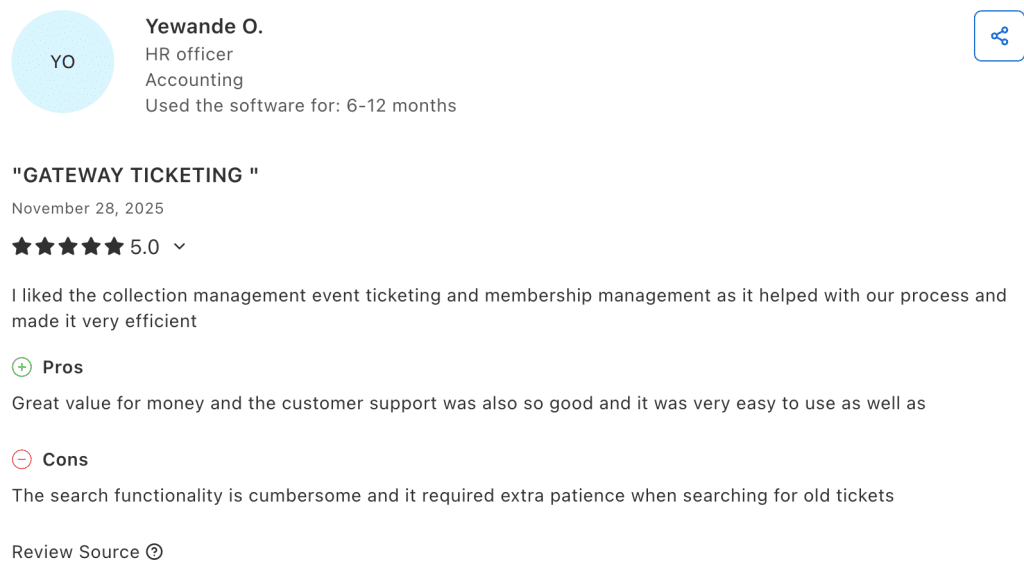
“I liked the collection management event ticketing and membership management as it helped with our process and made it very efficient”
Who Gateway Ticketing Systems Is Best For
- Large museums and cultural attractions: Institutions with high daily visitor volumes that need hardware, ticketing, and retail fully integrated
- Tourism-dependent venues: Museums that sell heavily through OTAs and third-party resellers and need live ticket distribution
- Multi-area operations: Organizations running food service, retail, and group bookings alongside admissions
- Multi-site venues: Operators managing multi-location or networked attraction properties under one platform
Pricing
Gateway Ticketing Systems does not publish pricing publicly. Costs are quote-based and scale with venue size, modules, and hardware requirements.
4. Blackbaud Altru: Best for Nonprofit Museums Integrating Ticketing, Donor Management, and Fundraising
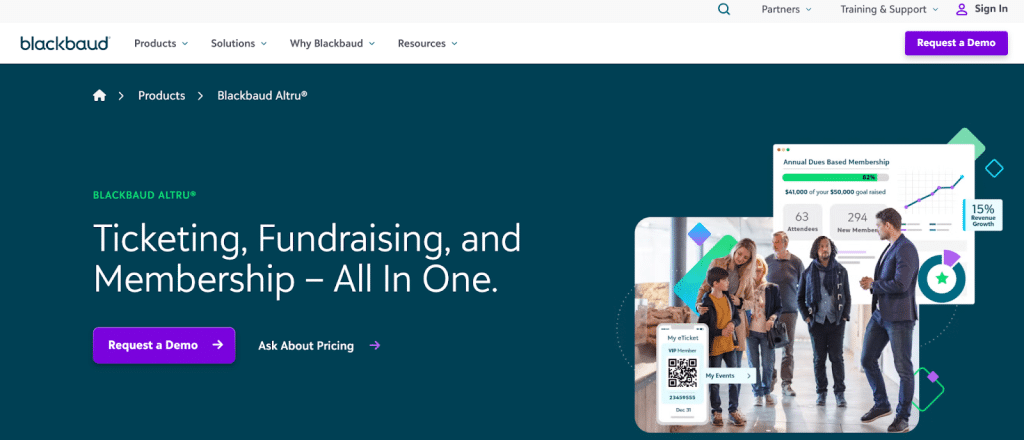
Blackbaud Altru is a cloud-based platform designed specifically for general-admission nonprofits: museums, zoos, aquariums, science centers, and botanical gardens. Its defining advantage is the direct integration of ticketing with donor and membership records.
Altru is a product of Blackbaud, one of the largest technology providers in the global nonprofit sector.
Key Features
Altru gives museum teams a broad toolkit for managing admissions, programs, memberships, and fundraising from one place. Below are three of its most valuable capabilities for museum operations.
360-Degree Constituent View
Every visitor interaction feeds into a single constituent record, whether the person is a one-time ticket buyer, a member, or a major donor. Staff can see attendance history, membership status, giving history, and communication preferences in one place.
Ticketing and Timed Admissions
Altru handles general admission, timed entry, and event ticketing. Museums can sell online, at the box office, and through self-service kiosks, with digital membership cards and QR code entry supported. The system also tracks capacity by time slot, supporting crowd management for special exhibitions and peak periods.
Fundraising and Membership Conversion
Museums can track where visitors sit in the donor pipeline, automate membership renewal outreach, and run targeted campaigns based on attendance history. The platform supports branded microsites and a donor portal, so supporters have a consistent online experience.
Other notable features include:
- Program and event management with registration and waivers
- Merchandise tracking and POS
- Branded event calendar microsites
- Digital wallet membership cards
- Marketing tools for targeted email campaigns
- Attendance and donation reporting dashboards
- Access control hardware integration for kiosks and turnstiles
Where Blackbaud Altru Shines
Altru is the best option for nonprofits that need to share a database for fundraising and ticketing. The ability to identify ticket buyers with donor potential, track renewals, and automate membership conversion is built in rather than bolted on.
For museums where development staff and visitor services work closely together, the shared constituent record eliminates significant administrative overhead.
Where Blackbaud Altru Falls Short
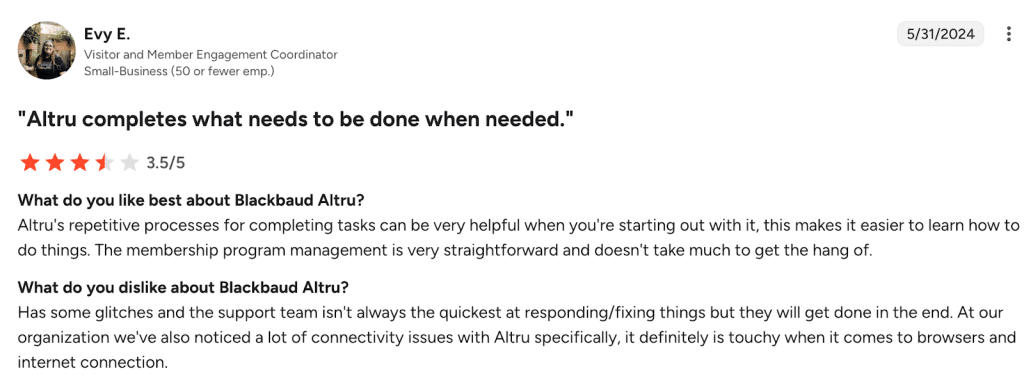
The interface is not particularly intuitive, and new users frequently describe a steep learning curve. Several reviewers note that performing simple tasks can require many clicks or workarounds.
Altru also does not offer a public API, which limits integration options for museums with custom websites or third-party tool requirements. Pricing is not published and tends to be significant for smaller institutions.
Customer Reviews
Evy E., Visitor and Member Engagement Coordinator, G2
Who Blackbaud Altru Is Best For
- Nonprofit museums with active donor programs: Institutions where ticketing and fundraising must share one database
- Mid-to-large cultural organizations: Venues with enough budget and staff to manage the platform’s configuration and training requirements
- Museums converting visitors to members: Organizations focused on moving ticket buyers up into membership and giving programs
- Zoos, aquariums, and science centers: High-admission general entry venues with layered membership and donation programs
Pricing
Blackbaud Altru does not publish pricing publicly. Costs are quote-based and structured as an annual subscription.
5. Fever: Best for museums growing attendance through dynamic pricing and online marketplace exposure.
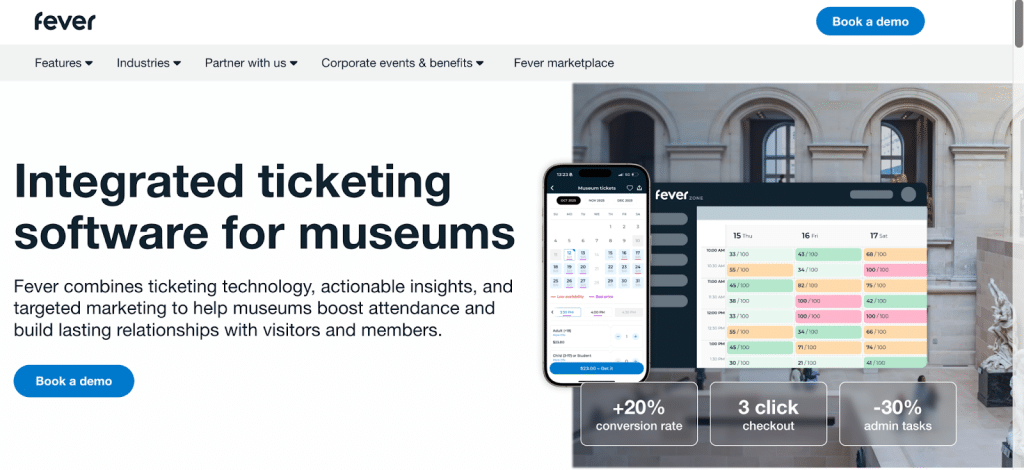
Fever is a global event ticketing and marketing platform operating in over 500 cities across 30+ countries.
For museums, its main advantage is the combination of a ticketing system with a built-in audience discovery engine. Rather than relying solely on direct sales, Fever helps museums gain visibility across the Fever marketplace, which reaches over 300 million monthly interactions.
Key Features
Fever’s museum solution combines ticketing operations with a marketing engine and audience network that most standalone ticketing platforms do not offer. Below are three standout capabilities.
Dynamic Pricing Engine
Fever’s pricing engine adjusts ticket prices automatically based on occupancy, demand, lead time, and day or time slot. Museums can configure rules to maximize revenue during peak periods and drive attendance during slow ones, without manual price changes. For museums unfamiliar with the mechanics of timed ticketing and slot-based entry, Fever’s setup guides the configuration process.
Global Marketplace and Marketing Network
Fever’s marketplace exposes museum listings to millions of experience-seekers who use the Fever app and website to discover cultural events. Museums also get access to Fever’s Secret Media Network for promotional coverage and performance-based paid marketing campaigns.
Unified Online and Onsite Management
Fever handles both online sales through its marketplace and white-label sites, and onsite sales through a box office POS and self-service kiosks. Group bookings, B2B portals for schools and tour operators, QR code entry, and donation collection in the checkout flow are all supported. CRM integrations with Salesforce, HubSpot, and Microsoft Dynamics allow museums to sync visitor data with existing tools.
Other notable features include:
- Bundled and multi-site passes
- Annual membership management
- OTA distribution through third-party partners
- Custom-branded ticketing pages
- Abandoned cart and post-visit automated email flows
- Reporting API for BI tool integration
- 24/7 multilingual visitor support
Where Fever Shines
Fever is most valuable for museums that want to grow their audience beyond direct booking channels. The combination of ticketing infrastructure, dynamic pricing, and a built-in discovery platform is unusual in the museum software category.
Where Fever Falls Short
Fever is primarily optimized for experience-driven, urban venues. Museums with complex donor management needs or deep CRM requirements may find the platform lacking compared to Tessitura or Altru. Some end-user reviews note frustration with the requirement to use the Fever consumer app to access tickets, which creates friction for less digitally engaged visitors.
Customer Reviews
The National Museum of Royal Navy, Sharna Bennett, CRM & Web Lead (Fever)
“What sets Fever apart is how they genuinely challenge our thinking (in a good, data-driven way!) and the digital journeys offered are above what else we saw through the tender. We’ve slashed the path-to-purchase from seven clicks right down to just three—a key move we know will boost conversions. They’ve built some fantastic, custom solutions for us, like a smooth one-stop-shop, Gift Aid flow and integration, Tesco Clubcard integration, and some very bespoke reporting.”
Who Fever Is Best For
- Urban museums and immersive exhibitions: Venues competing for leisure and tourism visitors in major cities
- Museums growing new audiences: Institutions that want marketing distribution alongside ticketing infrastructure
- High-traffic, timed-entry venues: Museums with complex occupancy management and dynamic pricing needs
- International attractions: Organizations operating in multiple cities or countries that need a platform with global reach
Pricing
Fever does not publish pricing publicly. Terms are structured as a partnership agreement and vary by venue size, sales volume, and services selected.
6. Centaman: Best for Mid-Size Museums Needing Ticketing, Food and Beverage, Retail POS, and RFID Entry in one Platform
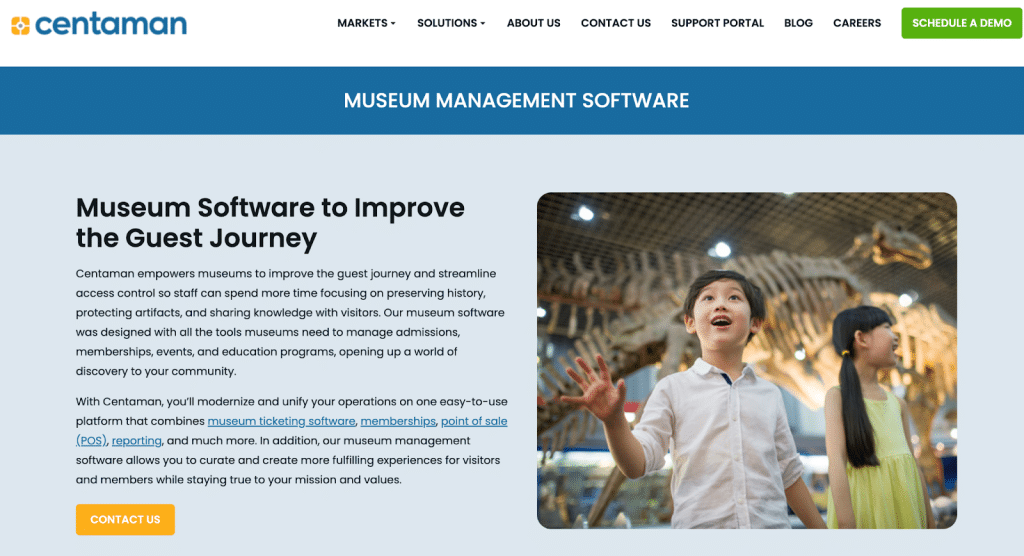
Centaman has served the attractions industry for over 30 years, providing software specifically designed for museums, zoos, aquariums, and similar venues. The platform covers ticketing, admissions, membership, food and beverage, retail POS, and access control in one unified system.
What distinguishes Centaman for museums is its RFID-enabled entry, which supports wristbands and contactless scanning. It is part of Jonas Software, which backs the platform with enterprise-level infrastructure and development resources.
Key Features
Centaman’s feature set is built around the physical and transactional experience of visiting an attraction. Below are three capabilities particularly relevant to museums.
Museums with inventory-heavy retail operations may also benefit from understanding thrift store and attraction inventory management approaches to benchmark against what Centaman offers natively.
RFID-Enabled Access Control and Timed Entry
Centaman supports RFID wristbands, mobile tickets, and barcode scanning across turnstiles and handheld devices. For venues with multiple zones or timed exhibitions, the RFID layer provides both operational efficiency and a frictionless visitor experience at the gate.
Integrated Food, Beverage, and Retail POS
Centaman unifies the museum’s gift shop, café, and quick-service food stands onto a single POS platform. Mobile ordering, table service, kitchen display systems, and retail stock management are all handled natively. For museums assessing multi-location POS capabilities, Centaman’s unified approach is worth checking out.
Membership Management and CRM
Centaman’s membership tools cover renewals, digital member cards, member-only pricing, and automated email marketing based on visit history and interests.
The built-in CRM tracks every constituent interaction, from ticket purchases to retail spend, so staff can personalize outreach across the full visitor lifecycle. Donation campaigns with automatic pop-up prompts at checkout are also supported online and on-site.
Other notable features include:
- Online store and kiosk ticketing with a consistent interface across channels
- Group sales with invoicing, waivers, and custom event details
- Education program management and class scheduling
- Dynamic pricing integration via open API
- Business intelligence and custom reporting dashboards
- Venue management for special events
- Mobile ordering and self-service kiosk support
Where Centaman Shines
Centaman true differentiator is the deep hardware-to-data integration. While most platforms stop at online ticketing, Centaman connects the entire physical footprint. It natively links turnstiles, RFID wristbands, and self-service kiosks directly to its membership and POS modules in real-time.
Where Centaman Falls Short
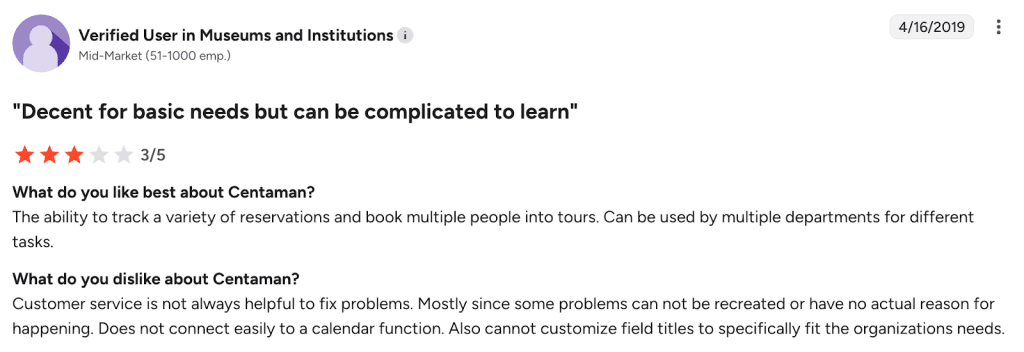
Centaman’s outdated interface creates a steep learning curve and a clunky guest booking experience. It requires excessive manual workarounds for scheduling and lacks flexibility in custom reporting. Organizations often face high costs and slow timelines for modern updates. Independent user reviews on public platforms are sparse, and some of the available feedback is dated.
Customer Reviews
Verified User in Museums and Institutions, G2
Who Centaman Is Best For
- Mid-to-large museums with complex on-site operations: Venues running food service, retail, and admissions that need one consolidated system
- Attractions with RFID entry requirements: Museums using wristbands or multi-zone access control
- Membership-driven venues: Organizations where annual passes and member loyalty programs are central to the revenue model
- Established cultural attractions: Zoos, aquariums, and science centers with operating budgets well above entry-level thresholds
Pricing
Centaman does not publicly disclose pricing. A demo is required to receive a quote.
How to Choose the Right Museum Ticketing Software
The right platform depends on far more than selling tickets at the door. Here are the most important museum-specific features to evaluate:
Timed Entry and Per-Slot Capacity Control
Museums with traveling exhibitions or peak weekends need per-slot capacity limits, not just a daily headcount. The system must stop selling a slot automatically once it fills and offer alternative times. KORONA POS supports timed ticketing with customizable slot sizes and automatic cutoffs.
Special Exhibition and Multi-Exhibit Ticketing
Temporary exhibitions need their own ticket types, pricing rules, and capacity limits, separate from general admission. Look for a platform that lets you create distinct ticket products per exhibit and bundle them or sell them standalone.
KORONA POS allows unlimited ticket categories and pricing tiers with member discounts applied automatically.
Group Sales and School Field Trip Management
School groups need bulk pricing, advance invoicing, headcount adjustments, and specific arrival windows. A system without structured group tools forces coordinators to manage bookings manually.
KORONA POS handles group rates and custom price categories natively, and its multi-location architecture means group check-ins flow through the same system as walk-up admissions.
Upselling and Add-On Integration at Checkout
Audio guides, café vouchers, guided tour upgrades, and membership offers should appear at the moment of purchase, not after.
KORONA POS supports built-in upsell prompts and bundled configurations. Its retail POS capabilities ensure gift shop and admissions revenue flow through one unified system.
Membership Conversion and Renewal Automation
Turning a ticket buyer into a member requires the offer to appear during checkout, not buried in a separate process. The system should also trigger renewal reminders before memberships lapse.
KORONA POS includes a built-in loyalty and CRM module that tracks visit history and applies member discounts automatically across all areas.
Donor Management and In-Checkout Donation Prompts
Nonprofit museums need donation prompts built into the ticket purchase flow, not running as a separate campaign.
KORONA POS integrates with DonorPerfect, so donation history sits alongside admissions and retail data in one place. For museums reviewing platform costs, comparing POS fee structures side-by-side is a useful first step.
Staff Scheduling and Docent Calendar
Tour group sizes and staffed exhibit rooms must reflect actual expected attendance. A ticketing platform that ignores staffing creates coverage gaps on busy days.
KORONA POS includes a docent calendar linking tour assignments to ticket data. Paired with POS reporting and analytics, managers can spot understaffed time slots before they become a problem.
Discover Advanced Analytics and Custom Reports
Speak with a product specialist and learn how KORONA POS can work for your business.
Manage Admissions, Tickets, and Gift Shop in One Platform With KORONA POS
Any museum that runs a gift shop alongside admissions has the most to gain from KORONA POS. Rather than juggling separate systems for ticketing, retail, and food service, everything runs on a single cloud-based platform with consolidated reporting across all revenue areas.
Multichannel inventory management keeps gift shop stock accurate, whether sales happen at the counter, online, or through a kiosk. KORONA POS offers flexible payment processing that supports all major card types, contactless payments, and mobile wallets, with no processor lock-in. Membership discounts apply automatically at every POS location, so staff never need to override prices manually.
Pricing is a flat monthly rate per terminal with no per-ticket fees, no contracts, and 24/7 US-based support included. Schedule a free demo with KORONA POS and see how it fits your museum’s specific setup.