


Key Takeaways:
- Clover transaction fees are 2.3%-2.6% + $0.10 for card-present and 3.5% + $0.10 for keyed-in transactions.
- Hidden costs like app add-ons, extra devices, and early termination fees can significantly impact total expenses.
- KORONA POS is an alternative with potentially more flexible pricing and processing options.
This blog post overviews Clover POS pricing, features, and potential hidden costs in 2026.
It breaks down various subscription plans tailored for different business types, details transaction fees, and highlights key features available across Starter, Standard, and Advanced tiers.
Additionally, it discusses the pros and cons of Clover POS and who it best suits. It also presents KORONA POS as a viable alternative with pricing features and customization options.
How much does Clover POS cost?
Clover POS offers tailored subscription plans across six business categories:
- Full-Service Dining
- Quick-Service Dining
- Retail Shops
- Professional Services
- Personal Services
- Home & Field Services
Each category provides Starter, Standard, and Advanced tiers with varying features and pricing.
Business Type | Starter | Standard | Advanced |
Full-Service Dining | $1,799+$89.95/mo | $2,548+$109.90/mo | $4,447+ $129.85/mo |
Quick-Service | $849+ $89.95/mo | $1,899+ $89.95 | $2,648+$109.90/mo |
Retail | $349/mo | $1,899+$84.95/mo | $2,648+$104.90/mo |
Professional Services | $0+ $29.95/mo | $749+$84.95/mo | $1,799+$84.95/mo |
Personal Services | $349/mo | $849+$84.95/mo | $1,899+ $84.95/mo |
Home & Field Services | $0+ $29.95/mo | $199+ $29.95/mo | $749+ $84.95/mo |
Key Features by Tier:
- Starter: Basic POS functionality, sales tracking, and payment processing.
- Standard: Enhanced features like inventory management, customer engagement tools, and reporting.
- Advanced: Advanced solutions, including advanced analytics, loyalty programs, and full-scale inventory systems.
Payment Processing Fees:
- Card-Present Transactions: Starting at 2.3% + $0.10 per transaction for restaurants and 2.6% + $0.10 per transaction for retail
- Keyed-In Transactions: Starting at 3.5% + $0.10 per transaction
KORONA POS: An Alternative
Clover has a known problem: it drops high-risk merchants. Smoke shops, tobacco retailers, liquor stores, and cannabis dispensaries often find their accounts terminated without much warning. KORONA POS was built with exactly those businesses in mind, alongside convenience stores and QSRs that need a reliable, full-featured system without the gatekeeping.
The bigger differentiator is payment processing. KORONA POS is completely processor-agnostic. You bring your own processor or pick one that works for your business type. Clover locks you into First Data/Fiserv, period. That alone is a dealbreaker for many merchants.
Support is the other gap. KORONA customers can call and speak with a real person. Based on what merchants say in reviews, that kind of direct, human support is a major reason they switch. Clover’s support experience is notoriously inconsistent. If you want to see the full picture of what KORONA’s features actually cover, it goes well beyond basic checkout.
KORONA POS Pricing at a Glance
No contracts. No setup fees. No hidden costs. A flat monthly rate with a 60-day money-back guarantee on software, something Clover doesn’t offer.
Plan | Monthly Cost | What's Included |
KORONA Core | $59/month | Checkout, promotions, gift cards, KPI reports, API access, unlimited users |
KORONA Retail | $79/month | All Core features + inventory management, barcode automation, supplier integration, order automation |
KORONA Food | $10/month per terminal | Table/server management, modifiers, order printers, check-splitting |
KORONA Plus | $20/month per terminal | Advanced analytics, ABC analysis, store ranking, financial data export |
KORONA Invoicing | $10/month per terminal | Quotes, rentals, delivery notes, invoices |
KORONA Ticketing | $50/month per gate | Ticket printing, entry gates, event integration |
KORONA Franchise | $30/month per franchise | Multi-location management, royalty systems, centralized inventory |
Payment processors
giving you trouble?
We won’t. KORONA POS is not a payment processor. That means we’ll always find the best payment provider for your business’s needs.
Clover POS Pricing Plans: A Breakdown
Software Plans and Pricing by Industry
Retail Pricing
Monthly Cost
$349/mo or bundled at $16/mo for 36 months with hardware. Starting at 2.6% + $0.10 for in-person transactions, 3.5% + $0.10 for keyed-in transactions; Compact terminal system with 3.6″ screen
Best For
Small retail shops with minimal inventory needs
Key Features
• Basic payment acceptance
• Sales tracking
• Limited access to App Market
Monthly Cost
$1,899 + $84.95/mo or $180/mo bundled with hardware for 36 months;
Best For
Growing restaurants that need more substantial management capabilities
Key Features
• Enhanced inventory management, Station Duo – 14″ merchant-facing POS with 8″ customer screen
• item or order-level discounts
• real-time sales tracking
Monthly Cost
$2,648 + $104.90/mo or $240/mo bundled with hardware for 36 months; Starting at 2.5% + $0.10 for in-person transactions; 3.5% + $0.10 for keyed-in transactions
Best For
Large retail with complex inventory and reporting needs
Key Features
• Advanced reporting
•Weight scale integration
• Station Duo +; 14″ and 8″ countertop displays
• Unlimited launch and consultation services
Full-Service Dining
Monthly Cost
$1,799 + $89.95 or $179/month for 36 months with hardware. Starting at 2.6% + $0.10 for in-person transactions; 3.5% + $0.10 for keyed-in transactions; Compact terminal system with 3.6″ screen
Best For
Small retail shops with minimal inventory needs
Key Features
• Online ordering
• Order management
• Limited access to App Market
Monthly Cost
$2,548 + $109.90/mo or $239/month for 36 months with hardware; Station Duo – 14″ merchant-facing POS with 8″ customer screen
Best For
Growing restaurants that need more substantial management capabilities
Key Features
• Flex – Handheld POS with an 8-hour battery life and built-in receipt printer
• Table mapping, bill splitting, pick-up, and delivery order types
• Employee management
Monthly Cost
$4,447 + $129.85/mo or $354/month for 36 months with hardware; Starting at 2.5% + $0.10 for in-person transactions; 3.5% + $0.10 for keyed-in transactions
Best For
Large or multi-location restaurants
Key Features
•multi-location support
•Advanced POS analytics
•custom integrations
Quick-Service Dining
Monthly Cost
$849+ $89.95/mo or bundled at $135/month for 36 months with hardware; Starting at 2.3% + $0.10 for in-person transactions; 3.5% + $0.10 for keyed-in transactions;
Best For
Cafes, food trucks, or bakeries
Key Features
• Quick order processing
• Online ordering
• Basic inventory
Monthly Cost
$1,899 + $89.95/mo or $185/month for 36 months with hardware; Starting at 2.3% + $0.10 for in-person transactions; 3.5% + $0.10 for keyed-in transactions
Best For
Growing quick-service businesses
Key Features
• Order modifiers
• Employee scheduling
• Customer loyalty
Monthly Cost
$2,648 + $109.90/mo or $245/month for 36 months with hardware; Starting at 2.3% + $0.10 for in-person transactions; 3.5% + $0.10 for keyed-in transactions
Best For
High-volume quick-service restaurants
Key Features
• Kitchen printer integration
• Advanced POS analytics and customer insights
•Weight scale integration
Professional Services
Monthly Cost
$0+ $29.95/mo; Starting at 2.3% + $0.10 for in-person transactions; 3.5% + $0.10 for keyed-in transactions;
Best For
Freelancers or mobile businesses with minimal hardware needs
Key Features
• Virtual terminal
• Optional Clover Go ($49) or use the existing device with the Clover app
• Basic reporting
Monthly Cost
$749+ $84.95/mo or bundled at $125/month for 36 months with hardware; Starting at 2.3% + $0.10 for in-person transactions; 3.5% + $0.10 for keyed-in transactions
Best For
Salons, gyms, or contractors needing scheduling tools
Key Features
• Appointment scheduling
• inventory tracking
• Clover Mini
Monthly Cost
$1,799 + $84.95/mo or $174/month for 36 months with hardware; 3.5% + $0.10 for keyed-in transactions;
Best For
Larger service businesses with complex operations
Key Features
• Station Duo
• Advanced client management
• Multi-device support
Home/Field Services
Monthly Cost
$0+ $29.95/mo, 3.5% + $0.10 for keyed-in transactions
Best For
Freelancers or mobile businesses with minimal hardware needs
Key Features
• Virtual terminal
• Optional Clover Go ($49) or use the existing device with the Clover app
• Basic reporting
Monthly Cost
$199+ $29.95/mo; Starting at 2.6% + $0.10 for in-person transactions; 3.5% + $0.10 for keyed-in transactions
Best For
Salons, gyms, or contractors needing scheduling tools
Key Features
• Appointment scheduling
• Go-Phone paired mobile card reader
• App Market Access
Monthly Cost
$749+ $84.95/mo or $125/month for 36 months with hardware; Starting at 2.5% + $0.10 for in-person transactions; 3.5% + $0.10 for keyed-in transactions.
Best For
Larger service businesses with complex operations
Key Features
• Advanced client management
•Flex – Handheld POS
• Multi-device support
Personal Services
Monthly Cost
$349 or $16/mo for 36 months; 2.6% + $0.10 for in-person transactions; 3.5% + $0.10 for keyed-in transactions
Best For
Freelancers or mobile businesses with minimal hardware needs
Key Features
• Virtual terminal
• Optional Clover Go ($49) or use the existing device with the Clover app
• PayPal and Venmo
Monthly Cost
$849+ $84.95/mo or bundled at $130/month for 36 months with hardware; 2.5% + $0.10 for in-person transactions; 3.5% + $0.10 for keyed-in transactions
Best For
Salons, gyms, or contractors needing scheduling tools
Key Features
• Appointment scheduling
• App Market access
• Clover Mini
Monthly Cost
$1,899 + $84.95/mo or $180/month for 36 months with hardware; 2.5% + $0.10 for in-person transactions; 3.5% + $0.10 for keyed-in transactions
Best For
Larger service businesses with complex operations
Key Features
• Station Duo
•Advanced client management
• multi-device support
Hardware Costs
Clover’s proprietary hardware is required for in-person payments. It’s considered one You can pay upfront or opt for a payment plan (typically 36 months). Key options of Clover’s hardware include:
Clover Go: $199 (mobile card reader for swipe, dip, tap)
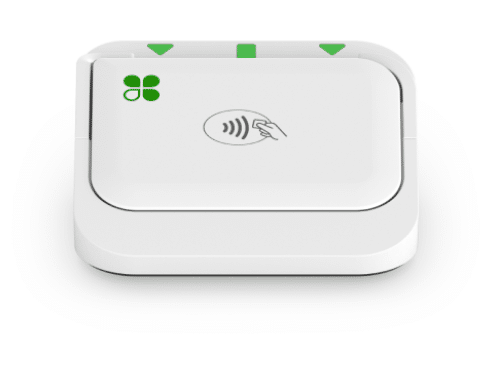
Clover Flex: $749 or $40/mo (handheld POS with receipt printer, scanner)
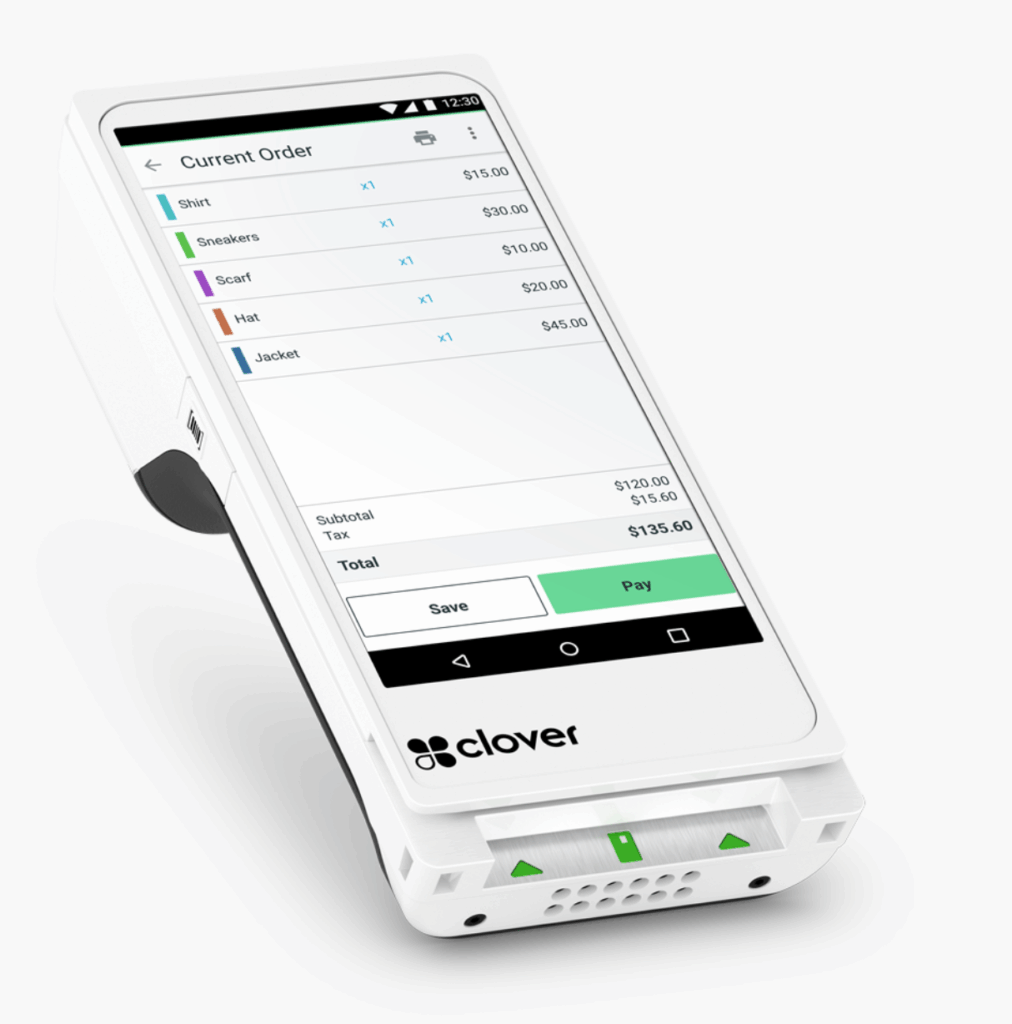
Clover Mini: $849 or $45/mo (compact countertop POS with an 8-inch touchscreen)
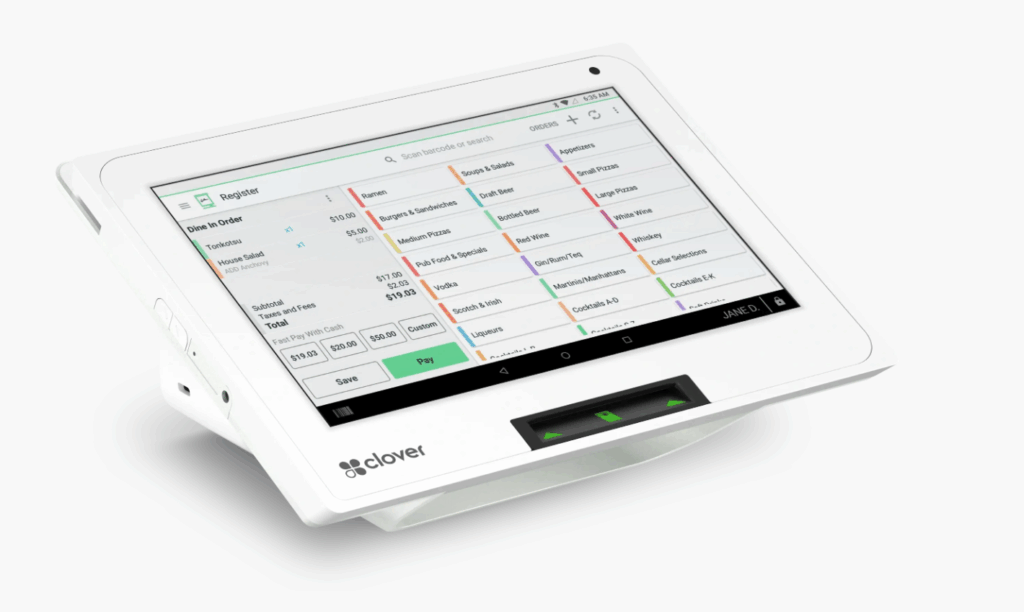
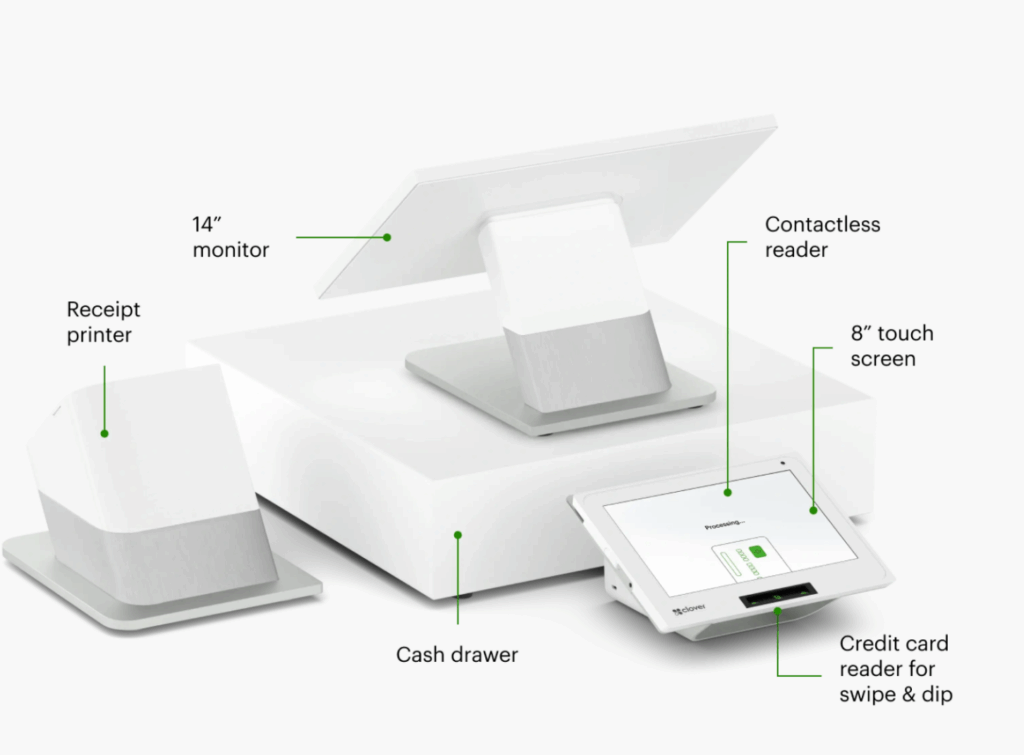
Clover Station Solo: $1,799 or $174/mo (14-inch touchscreen, cash drawer, printer)
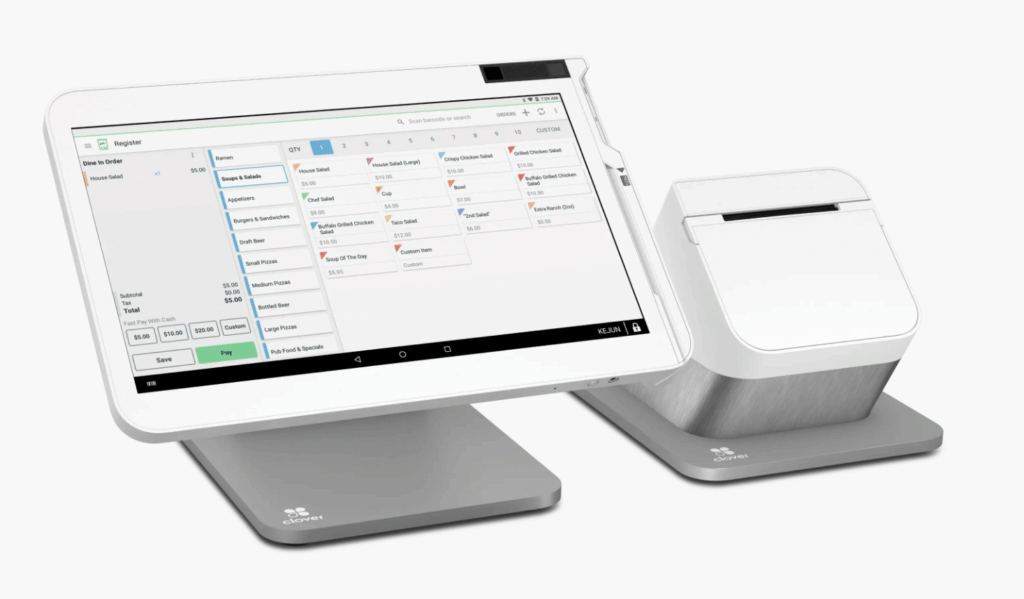
Clover Station Duo: $1,899 or $180/mo (adds 8-inch customer-facing screen)
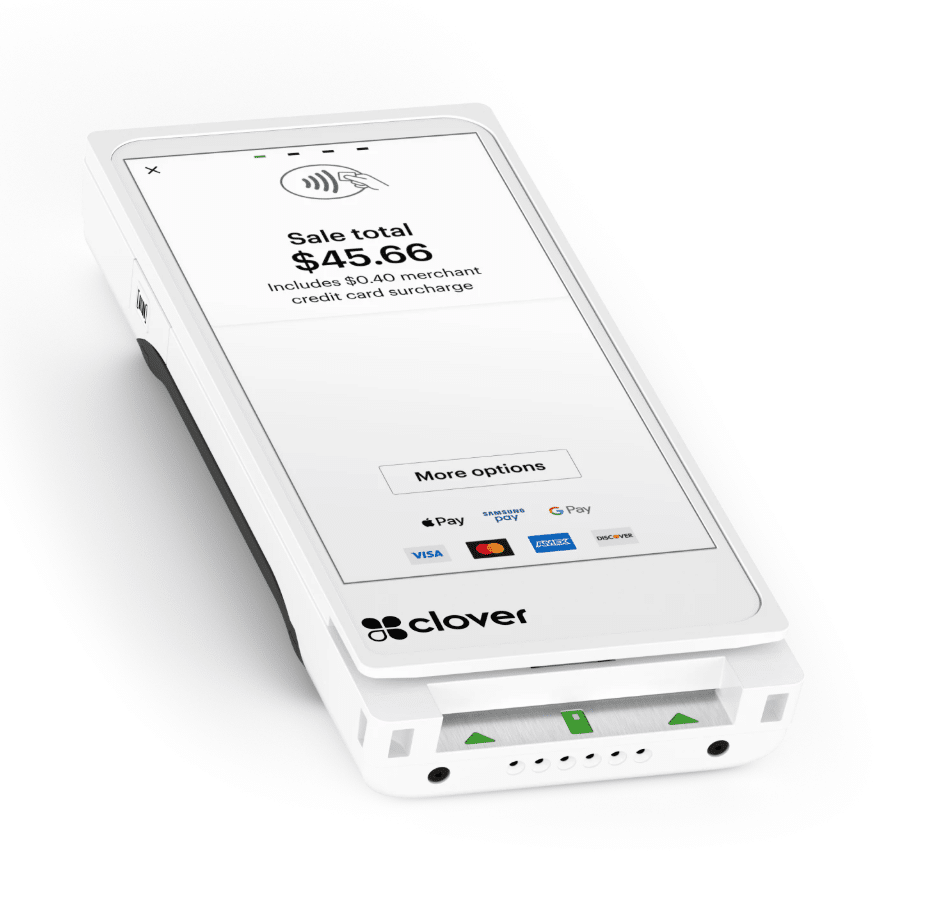
Clover Flex Pocket: $699 or $35/mo (handheld POS device made of durable plastic and a touchscreen interface)
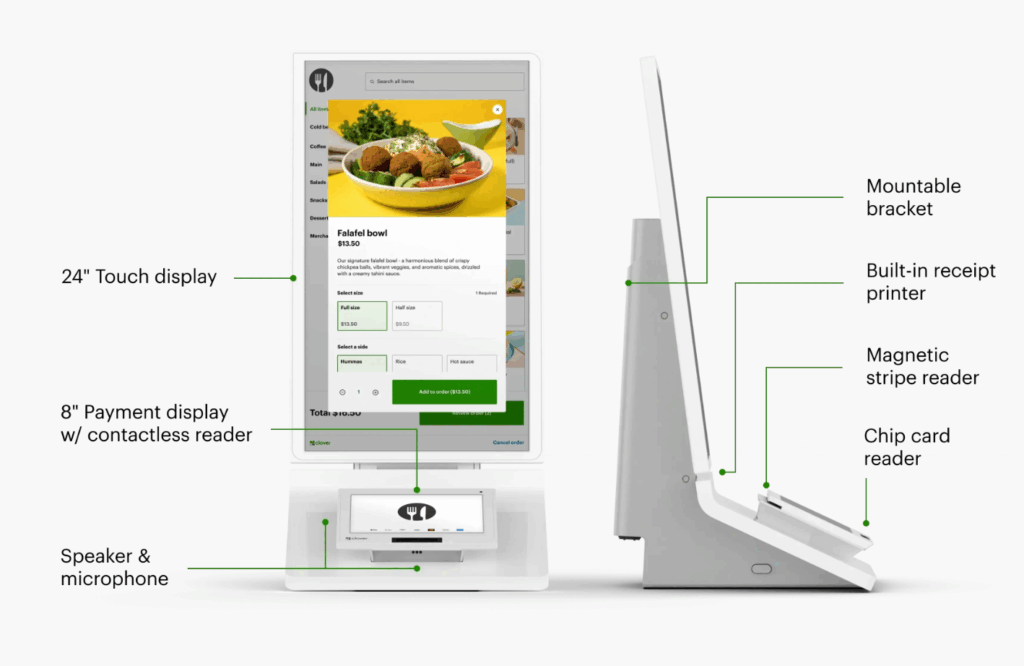
Clover Kiosk: $3,499 + $34.95/mo per device (24″ touchscreen with anti-glare glass, built-in printer)
Clover Kitchen Display System: Available in 14″ and 24.” KDS 24” is $899 + $25/mo per device; KDS 14” is $799 + $25/mo per device
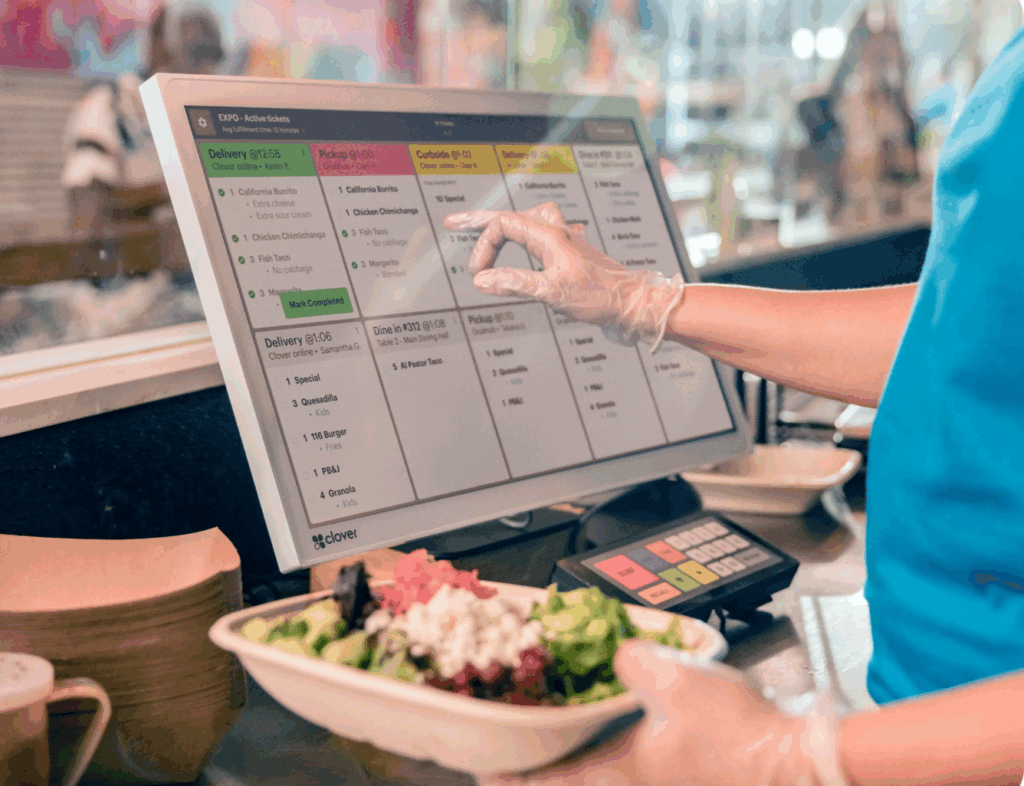
Add-Ons
- Scales, barcode scanners, kitchen printers, or PIN pads cost $100–$500 each
- Additional devices incur a $14.95/mon software fee per device
Transaction Fees
- In-Person: Starting at 2.3%–2.6% + $0.10, depending on the plan
- Keyed-In/Online: 3.5% + $0.10 across all plans
- Rapid Deposit: An additional 1.75% of the transaction for instant fund access (optional)
Additional Costs
- App Market Add-Ons: Many apps (e.g., QuickBooks integration) have separate fees, ranging from free to $20+/month.
- Contracts: Most plans require a 36-month commitment. Early termination fees apply, calculated based on the remaining contract value.
Key Considerations
- No Free Plan: Unlike Square, Clover doesn’t offer a free tier for full POS features, though the $14.95 virtual terminal plan is low-cost for basic needs.
- Proprietary Hardware: You must use Clover’s hardware, which increases upfront costs compared to systems like Square or Shopify or KORONA POS.
- Industry-Specific Features: Plans are tailored (e.g., table mapping for restaurants, appointment scheduling for services), so choose based on your business type.
- Third-Party Vendors: Buying from resellers may lower hardware costs but involve higher processing fees or more extended contracts. Clover is almost exclusively sold through third-party vendors, so always compare terms and get different quotes.
- Transparency: Clover’s website discloses pricing upfront, but total costs depend on hardware, add-ons, and transaction volume.
- Free trial: A 90-day free trial is available.
- Contract: Clover requires a 3-year agreement.Activation Requirements: Submit at least $25 in sales within 30 days of account approval; Process $10,000 or more in card transactions within the first four billing cycles.
Clover POS Hidden Costs and Fees
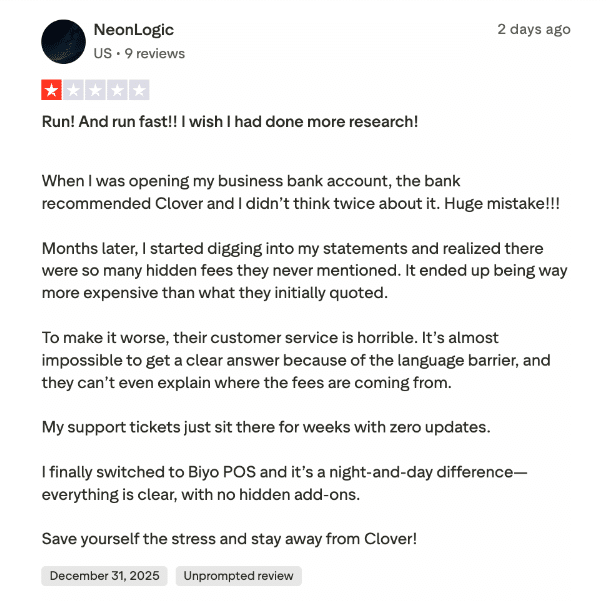
Source: Trustpilot
Clover looks affordable on paper. The reality merchants discover after signing up is quite different.
The Hardware Trap
Clover hardware runs $500–$1,800+ per device, and that’s if you buy outright. Resellers often push leasing options at $29–$99/month, but those leases are frequently non-cancellable. Merchants who get stuck in a lease end up paying far more than the outright purchase price, with no way out.
NSF Penalty Trap
Clover turns minor charges into major penalties. Merchants report $0.75 fees ballooning to $175 NSF (Non-Sufficient Funds) charges when cards decline. The platform extracts hundreds—sometimes thousands through these hidden penalty structures while offering dismissive support that blames merchants for financial controls.
The Reseller Problem
Clover is sold through hundreds of independent resellers, banks, agents, and third-party providers, all of whom set their own terms. You’re not always buying from Clover directly, and that distinction matters enormously.
App Store Costs Nobody Warns You About
The Clover app marketplace is how the system handles most advanced features. App prices range from free to over $99/month. Loyalty programs, inventory tools, and employee scheduling are each separate line items.
Early Termination Fees
Steep cancellation fees are among the most common complaints, with merchants describing being transferred repeatedly without resolution when trying to cancel.
Fund holds
Clover freezes merchant funds without warning or timeline. One business had $205,838 held for weeks, with no updates, despite providing all the requested documentation within 45 minutes. Support agents offer no answers, supervisors provide no resolution, and callbacks never happen.
bottom line
Clover’s advertised price is never your actual price. Early termination fees, sometimes $ 500 or more, apply to 36-month contracts.
Using a Clover Fee Calculator can help businesses quickly understand total fees and avoid surprises.
Clover POS Cost Calculator
Upfront Hardware Cost: $0.00
Monthly Subscription Cost: $0.00
Estimated Monthly Transaction Fees: $0.00
Total First-Month Cost: $0.00
Total Cost Over 36 Months: $0.00
These “stealth” costs, app fees, extra devices, or contract issues can surprise unprepared users, especially small retailers or restaurants.

Source: Trustpilot
- Some resellers bundle Clover with long-term merchant contracts via Fiserv, locking merchants into unfavorable terms.
- Pricing varies depending on the reseller, making it hard to estimate total costs without a detailed quote.

Learn more about how credit card processing works and save your business money with this free eGuide.
Clover POS Pros & Cons
Clover is a solid fit for simple, low-maintenance businesses that value convenience and simplicity over flexibility and scalability.
The bundled setup helps owners avoid setup headaches, but the tradeoff is being locked into higher costs and limited control.
Businesses that expect to grow or want more advanced features may outgrow it quickly. Below, we’ll dive into the pros and cons of Clover POS, with specific details to show why each matters for potential users.
Pros

1. All-in-One Hardware and Software
Clover devices come preloaded with their software. There’s no need to piece together hardware and software from separate vendors. Everything works out of the box with minimal setup.
2. Simple Interface
Clover’s interface is easy to navigate for both staff and owners. Employees can be trained quickly. Menu editing, item adding, and refunding are all straightforward.
3. Modern Hardware Design
Clover’s devices (especially the Flex, Mini, and Station Duo) look clean and professional. They take up little space and offer customer-facing displays that improve the checkout experience. You can also opt for a self-checkout pos system if you own a high-volume inventory business.
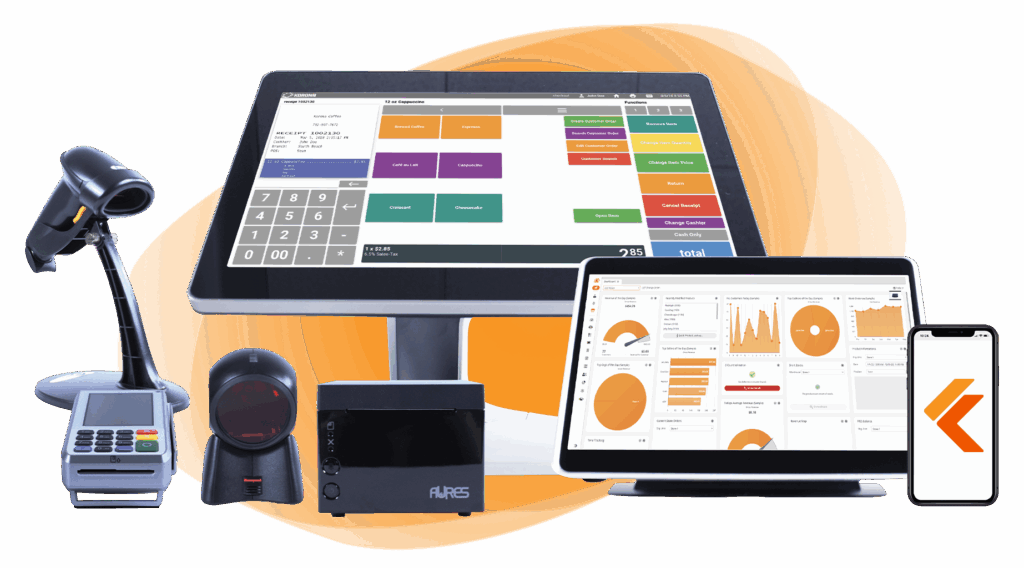
Build Your Own POS
Whether you run a retail store, café, or admissions booth, we have the point of sale hardware designed for your specific needs. Start building your ideal POS system now.
4. Integrated Payments (Fiserv)
Because Clover is tied to Fiserv, payment processing is already built in. No need to coordinate with a third-party gateway or install additional apps.
5. App Market for Add-ons
Clover offers a marketplace with apps that can extend functionality, like time clock apps, QuickBooks integration, inventory tools, or online ordering. Most are simple plug-ins that don’t require development work.
Cons

Source: Trustpilot
1. Costly Processing Fees
You can’t shop for better processing rates once you’re on Clover. You’re locked into the processor that sold you the system, usually Fiserv or a Fiserv reseller. If you want to change processors, you must replace the entire system. That’s why a POS system that lets you choose from the cheapest credit card processing is essential.
2. Limited Customization
You can’t deeply customize the interface, receipt formatting, or inventory processes beyond what Clover allows. This becomes a problem for businesses that need specific features like advanced modifiers, routing logic, or unique reporting formats.
3. App Store Costs Add Up
Many useful features are not built-in and require paid third-party apps. For example, advanced inventory, staff scheduling, or accounting integrations often cost extra monthly fees.
4. Not Built for Complex Restaurants or Large Retail
Clover can’t handle full-service dining with multi-course ordering, table mapping, coursing, and kitchen coordination at a high level.
Same with advanced retail features like matrix inventory, warehouse tracking, or vendor POs. It starts to break down under more demanding operational needs.
5. Limited Offline Functionality
Clover depends heavily on an internet connection. Some versions have limited offline capabilities if the connection goes down, but payment processing and reporting can be disrupted.
6. No True Ownership of the System
Even if you buy the hardware outright, you’re still tied to the software subscription and Clover’s rules. You can’t take the device and switch to another POS system. This limits portability and flexibility.
Who Is Clover POS Best For?
Clover fits retail, quick-service, full-service, professional, and pop-up businesses that value mobility, clear reporting, and integrations. Each persona gets tools tailored to their pace and scale, but the system’s cost and complexity don’t make sense for everyone.
1. Small Retail Businesses (e.g., Boutique Clothing Stores, Gift Shops)
Small retail shops with physical storefronts, like a local boutique or a specialty gift store, find Clover valuable because of its compact hardware and intuitive software.
It also integrates with eCommerce platforms like Shopify so that a gift shop can sync online and in-store sales. The catch? Retail owners who don’t need advanced analytics might find cheaper alternatives like Square sufficient.
2. Quick-Service Restaurants (e.g., Food Trucks, Coffee Shops)
Clover’s mobility and speed benefit food trucks, single-location coffee shops, and small delis. For a coffee shop handling 200 daily transactions, Clover’s tip management and employee tracking clarify who’s earning what.
However, high-volume spots might need more capable plans for multiple devices and additional features.
3. Full-Service Restaurants (e.g., Casual Dining, Bars)
Casual dining restaurants or bars with table service lean on Clover for its robust order management.
It also connects with delivery platforms like DoorDash, streamlining takeout. Smaller restaurants with minimal table service might not need these additional features.
4. Professional Service Providers (e.g., Salons, Repair Shops)
Salon owners, auto repair shops, and freelancers like photographers use Clover for its invoicing and scheduling tools.
Clover tracks payments, sends digital receipts, and stores client notes. Clover handles estimates and partial payments for a repair shop, which is useful when a job takes days.
5. Pop-Up or Seasonal Vendors (e.g., Farmers’ Market Stalls, Festival Booths)
Vendors at farmers’ markets or holiday fairs thrive with Clover’s portability. The Clover Go processes card and contactless payments on the spot, critical for a produce stall that handles 100 sales in a morning.
However, permanent stores or high-tech businesses might find Clover’s pop-up setup too basic.
Why Not Everyone?
It’s not ideal for large retail chains like supermarkets that need enterprise-grade systems, high-volume discount stores like dollar shops where fees hurt low margins, luxury retailers like jewelers that require more customization CRM, regulated niches like vape, CBD, and liquor that need compliance tools and processing flexibility, or micro-retailers like Etsy sellers who benefit from cheaper alternatives like Square.
Speak with a product specialist and learn how KORONA POS can power your business.
Clover POS Customer Reviews
Positive Reviews

Source: Capterra
1. User-Friendly Interface
Many users highlight Clover’s intuitive design, making it easy for staff to learn and operate. Features like product images and a clear layout provide a straightforward user experience.
2. Efficient Setup and Operation
Clover is often praised for its quick setup process, allowing businesses to start accepting payments promptly.
3. Modern Hardware Design
Users appreciate the sleek and compact design of Clover devices, such as the Flex and Mini, for their professional appearance and space-saving benefits. However, a lot of users express having with troubleshooting Clover POS.
Negative Reviews

Source: Capterra
1. Customer Service Challenges
Many users report difficulties with Clover’s customer support, citing unresponsive service, lack of follow-up, and difficulty resolving billing disputes.
2. System Reliability Concerns
Some users experience troubleshooting issues with Clover POS and technical glitches, including system freezes, unreliable inventory syncing, and even occasional Clover POS outages, which can disrupt business operations.
3. Contractual and Billing Issues
There are reports of unexpected fees, difficulties canceling services, and delays in obtaining refunds, leading to frustration among users.
Alternative To Clover POS: KORONA POS
KORONA POS is as an alternative to Clover POS. Given that Clover is noted for potential hidden costs, limited customization, and being locked into Fiserv processing, KORONA POS may offer advantages in pricing transparency, greater flexibility, and possibly more open payment processing options.
Key Features of KORONA POS
KORONA POS delivers practical advantages that help your frontline team work faster and smarter while avoiding the hidden costs and restrictions that plague Clover users.
1. Choose Your Own Processor
KORONA POS breaks free from processor lock-in. Your retail POS system works with any payment provider you select, so you control rates and avoid surprise fee increases.
Find out how much you’re spending.
2. Accept High-Risk Industries
Smoke shops, vape retailers, liquor stores, and CBD businesses face constant account shutdowns with Clover. KORONA POS accepts these industries without threatening closures or sudden fund holds.
3. Reach Real Support Staff
Call KORONA and reach knowledgeable support staff who solve problems. No automated loops, no “powerless agents,” no promised callbacks that never happen. When your retail inventory management software encounters an issue mid-shift, employees get immediate assistance.
Have trouble getting your POS customer service on the phone?
KORONA POS offers 24/7 phone, chat, and email support. Call us at 833.200.0213 to see how reliable we are.
4. Control Advanced Inventory
Track stock across multiple locations with precision tools built for complex retail operations. KORONA’s inventory management handles barcode automation, supplier integration, and real-time stock counts. Staff can transfer products between stores, set reorder points.
Inventory management a headache?
KORONA POS makes stock control easy. Automate tasks, generate custom reports, and learn how you can start improving your business.
5. Build Customer Loyalty
Customer relationship management and loyalty programs come standard in KORONA POS without charging $20-$50 monthly per app. Employees can enroll customers, track purchase history, and apply rewards at checkout. Clover forces you to buy separate loyalty apps, which inflate monthly costs and create training headaches for your team.
6. Flexible Customization
KORONA POS offers greater customization options than Clover. This is particularly relevant for businesses with complex requirements, like larger inventory catalogs and more in-depth reporting needs that Clover cannot accommodate.
KORONA POS vs Clover POS: Pricing Comparison
Feature | KORONA POS | Clover POS |
Base Software Pricing | Core Plan: $59/month per terminal | Starts at $14.95/month (software only, no hardware) |
Advanced Plans | KORONA POS Retail: $79/month per terminal; Add-on: From $10/month to 50 per terminal | Varies by industry |
Enterprise Plan | Custom pricing for multi-store and franchise setups | Not suitable for enterprise businesses |
Free Trial | Unlimited free trial | Yes, 90-day free trial |
Hardware Costs | Hardware sold separately; compatible with most devices | Required; ranges from $200 to $4,000 depending on the model |
Monthly Bundles (Hardware + Software) | Bundles starting at $1599 + $59/mo | Bundles range from $1,899 + $84.95/mo to $4,447 + $129.85/mo depending on the package |
Transaction Fees | Choose your processor | 2.3%–2.6% + $0.10 per card-present transaction and and 3.5% + $0.10 for keyed-in transactions |
Add-On Modules | Optional modules: Food (+$10/month), Ticketing (+$50/month), among others | App Market add-ons available; prices vary |
Does Clover POS pricing fit your budget?
Unlike Clover, which locks merchants into specific processing contracts (often with higher or opaque fees), KORONA POS offers payment processor flexibility. Retailers can shop around for the best transaction rates.
NOTE
KORONA POS is praised for its high-quality, U.S.-based customer support, offering faster, more reliable help without the long wait times or inconsistent responses that some Clover users report.
Beyond cost and service, KORONA stands out by catering to businesses with more complex operational needs. It provides robust tools for advanced inventory management, customizable loyalty programs, and features built for multi-location businesses, ticketing, and event sales.
KORONA POS offers a more adaptable and transparent solution for retailers looking to grow or streamline their operations. Click below to schedule a demo with KORONA POS or start a free trial.


