

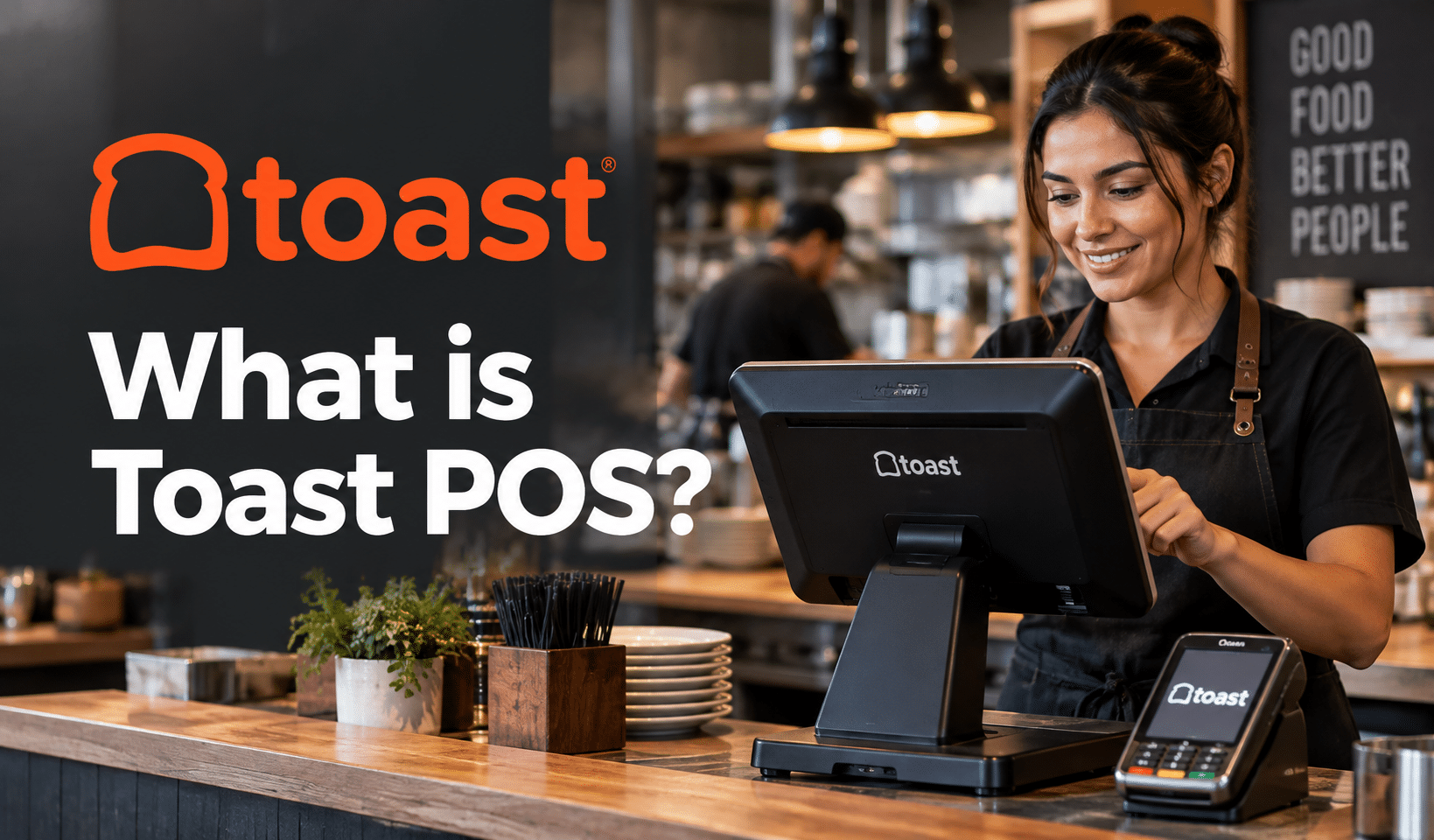
What is Toast POS? It is a restaurant point of sale system that runs in the cloud. Toast handles orders, payments, kitchen tickets, online ordering, and payroll on its own hardware.
Below, you will see what Toast includes, what it costs over a full contract, and which hardware you need. We also cover extra fees, user reviews, retail use, and which businesses Toast fits best.
Key Takeaways:
- Toast is a cloud-based POS aimed at restaurants, with ordering, kitchen display, payments, and staff tools tied to Toast-made devices.
- The $0 Starter Kit skips the equipment bill but carries steeper card fees. The $69 Point of Sale plan swaps an upfront device purchase and a monthly fee for lower rates.
- Card processing must run through Toast Payments. The agreement fixes an initial term (reviewers cite two to three years), auto-renews, and penalizes early exits, so have each term spelled out in your contract.
- Processing fees, add-ons, and onboarding drive the actual monthly bill, and Toast’s published plan pricing leaves out processing percentages and most add-on prices.
- Toast fits full-service, multi-location, and high-volume restaurants best. Smaller cafés, quick-service shops, and retail-heavy businesses should price alternatives.
What is Toast POS?
Toast POS is a cloud-based point-of-sale and restaurant management platform built for food service. It combines order entry, payments, kitchen display, online ordering, payroll, and reporting on proprietary Toast terminals.
Toast was incorporated in 2011, took the Toast name in 2012, is based in Boston, and trades on the NYSE as TOST. The company reported approximately 180,000 locations in its second-quarter 2026 results, up 22% from a year earlier.
What Toast POS Includes
- Point of sale: order entry, check splitting, tipping, and multiple payment types
- Hardware: Toast Flex countertop terminals, Toast Go handhelds, Toast Tap card readers, kitchen displays, and kiosks
- Payments: card processing through Toast Payments
- Digital ordering: online ordering, delivery-app integrations, and the Toast Local discovery app
- Team tools: payroll, scheduling, and tip management
- Marketing and loyalty: email and SMS campaigns, loyalty programs, and gift cards
- Financing: Toast Capital loans from $1,000 to $300,000 per location for eligible businesses, issued by WebBank
Who Toast POS is Built For
Toast was designed for restaurants first. Its service models include full service, quick service, and fast casual, and its concepts range from bars and food trucks to cafés, bakeries, and enterprise chains.
Independent reviewers point to full-service groups, multi-unit operators, and high-volume kitchens as the best match. Toast also sells a retail POS for convenience, grocery, and bottle-shop retailers, covered in the retail section below.
Toast POS Key Features
Toast POS covers five feature groups: ordering and payments, kitchen operations, reporting, team management, and guest engagement. Some features come with the base software, and others are paid add-ons, so each group below flags what costs extra.
Order & Payment Tools
- Tableside ordering and payment on Toast Go handhelds
- Toast Mobile Order & Pay, which lets guests order and pay from a QR code at the table
- Online ordering and DoorDash, Uber Eats, and Grubhub integrations (add-on, or included in higher Starter Kit tiers)
- Split checks, tipping, and guest-facing displays for order review and payment
Kitchen & Back-of-House Tools
- A kitchen display system that routes tickets to stations, with coursing and prep timing
- Menu management with detailed modifiers
- Recipe and plate costing, inventory counts, par levels, and invoice automation through the xtraCHEF add-on
Reporting & Analytics
- Live sales and labor reporting, plus the Toast Now mobile app for hourly sales and labor figures
- Benchmarking, which compares your menu pricing and performance with nearby restaurants
- Centralized multi-location reporting through the multi-location management add-on
Employee & Labor Management
- Scheduling, payroll, time tracking, tip distribution, and staff messaging (payroll and scheduling are add-ons)
- Job-based permissions that control what each employee can approve
- Labor cost reporting tied to POS sales data
Customer Engagement
- Loyalty programs, email and SMS marketing, and a Guest CRM that builds profiles from ordering, reservation, and loyalty activity
- Physical and digital gift cards
- Toast Tables for reservations and waitlists
AI & Reporting Tools
Toast has added AI to its platform. Toast IQ is an assistant that answers questions about sales, menu performance, and guest data, then recommends actions.
Toast IQ Grow pairs an AI marketing agent with loyalty, email, SMS, and gift cards, and Toast IQ Team bundles labor management with an AI agent and human support. Ask Toast which tools each plan includes and what they cost.
Toast POS Pricing & Plans
Toast POS software begins at $0 a month on the Starter Kit and $69 a month on the Point of Sale plan, with Build Your Own priced by quote.
Toast’s plan pricing states those entry prices but omits processing percentages and certain device prices, which leaves the final bill to your written quote.
Run your own numbers with the Toast POS Cost Calculator, which turns your card sales, ticket size, and hardware picks into a monthly cost and a 24 and 36 month total.
Toast Total Cost Calculator
Pick a plan, enter your card sales, choose your hardware, and see your monthly cost, your effective rate, and your total over the agreement. Last verified October 19, 2026.
Card payments only. Leave out cash.
Average card sale before tax and tips.
Add the devices you plan to buy. Prices tagged Reported come from NerdWallet. Toast publishes no device prices, so enter the amount from your quote where a price box is empty.
Toast publishes neither. Enter the monthly amounts from your quote.
Processors usually charge the percentage on the full amount, including tax and tips. Add yours for a truer number.
Toast does not publish these. Enter the amount from your quote.
Starting price from Toast’s pricing page.
Reported by NerdWallet.
Reported by NerdWallet.
Plan prices come from Toast’s pricing page (updated August 20, 2026). Processing rates and hardware prices tagged Reported come from NerdWallet (review updated August 6, 2026), because Toast does not publish them. Published prices apply to new customers and single locations, and Build Your Own is quoted individually. The calculator gives an estimate only, and your written Toast quote controls.
Toast Software Plans at a Glance
| Plan | Starting price | Best fit | Cost consideration |
|---|---|---|---|
| Starter Kit | $0 per month | New, single-location restaurants needing one or two terminals | One terminal included at no upfront charge; card fees run higher |
| Point of Sale | $69 per month | Restaurants wanting core POS features and a custom hardware setup, especially with more than two terminals or high transaction volume | Hardware and add-ons are priced separately, and each added device carries its own charges |
| Build Your Own | Custom pricing | Restaurants needing a broader mix of operational, guest, payroll, or management tools | Final price depends on the products selected |
| New Restaurant Basics (POS & Payroll Bundle) | From $110 per month | New restaurants adding payroll | Toast has also advertised promotional offers at $69 per month plus $9 per employee, so confirm which applies |
| Retail Point of Sale Starter | From $90 per month | Small retailers, including convenience, grocery, and bottle-shop concepts | Software subscription with your pick of supported hardware; processing rates and equipment prices go unpublished |
Entry prices apply to eligible new customers with one location and cover the first terminal’s software subscription. Extra devices, installation, and processing terms move the final quote.
Pay-As-You-Go vs. Traditional Pricing
Pay-As-You-Go trades upfront hardware costs for higher processing rates. Traditional pricing buys hardware upfront and adds a monthly software fee in exchange for lower rates.
NerdWallet’s Toast review lists these transaction rates, since Toast’s plan pricing does not state percentages:
- Pay-As-You-Go: 3.09% to 3.69% + $0.15 per transaction
- Hardware bought upfront, card present: 2.49% + $0.15
- Hardware bought upfront, card not present: 3.50% + $0.15
Toast also offers Toast Easy Pay, which Toast describes as a commercial lease that spreads qualifying hardware costs across 180 days through a share of daily card sales. Toast’s Merchant Agreement adds that Pay-As-You-Go subscriptions may carry an inactivity fee when card processing falls below required minimums. Have each rate and fee written into your proposal.
Starter Kit Plans (Basic, Core, Growth)
The Starter Kit suits small and new restaurants. It includes a one-terminal hardware configuration, with a second terminal available at extra cost, and comes in three tiers:
- Basic: the core POS software and starter hardware
- Core: adds online ordering with DoorDash, Uber Eats, and Grubhub integrations
- Growth: adds gift cards, loyalty, SMS and email marketing, websites, and catering and events tools
Deliverect’s Toast guide puts Pay-As-You-Go rates at 3.09% for Basic, 3.39% for Core, and 3.69% for Growth.
Point of Sale Plan
The Point of Sale plan runs $69 a month and covers Toast’s core POS software. Equipment is chosen and bought separately, and NerdWallet quotes a card-present rate of 2.49% + $0.15 for buyers who pay for hardware upfront.
The $69 includes the first terminal, while each additional device adds charges. Toast aims the plan at restaurants that want core functionality with a custom device setup, especially those needing more than two terminals or handling high transaction volume.
Build Your Own Plan
Build Your Own is quote-based. Toast prices it around the products you select, such as online ordering, marketing, payroll, and management tools. Large and multi-location restaurants typically receive custom pricing based on:
- Number of locations
- Number and type of devices
- Transaction volume
- Integrations
- Management tools
Toast Retail
Toast Retail software starts at $90 per month on the Point of Sale Starter plan, while larger or more complex retail operations get a Build Your Own quote.
Toast announced its retail push for convenience stores, bottle shops, and grocers in January 2025. Retail card rates and retail equipment prices go unpublished, so get both from a written quote.
Toast POS Hardware
Toast sells proprietary Android-based hardware as starter kits and as individual devices. NerdWallet cites $149 for a Toast Tap card reader, $599 for a Toast Go 3 handheld, and $1,113 to $1,454 across the three starter kits. A few devices carry no published price, so ask for an itemized quote.
| Hardware kit | What’s included | Pay as you go | Traditional |
|---|---|---|---|
| Countertop Starter Kit | Toast Flex terminal, Toast Tap, router, POS software, self-service installation support | $0 upfront, $0 per month | $1,203 upfront, $69 per month |
| Wi-Fi Handheld Kit | Toast Go 3 (Wi-Fi), wireless access point, router, POS software, self-service installation support | $0 upfront, $0 per month | $1,113 upfront, $69 per month |
| Cellular Handheld Kit | Toast Go 3 (cellular and Wi-Fi), cellular subscription, POS software, self-service installation support | $0 upfront, $20 per month | $749 upfront, $89 per month |
| Guest Self-Service Kit | 22″ kiosk, Toast Tap, router, POS software, self-service installation support | $0 upfront, $0 per month | $1,454 upfront, $99 per month |
The Restaurant HQ and NerdWallet supplied the kit prices, and Pay-As-You-Go kits come with the elevated processing rates covered earlier.
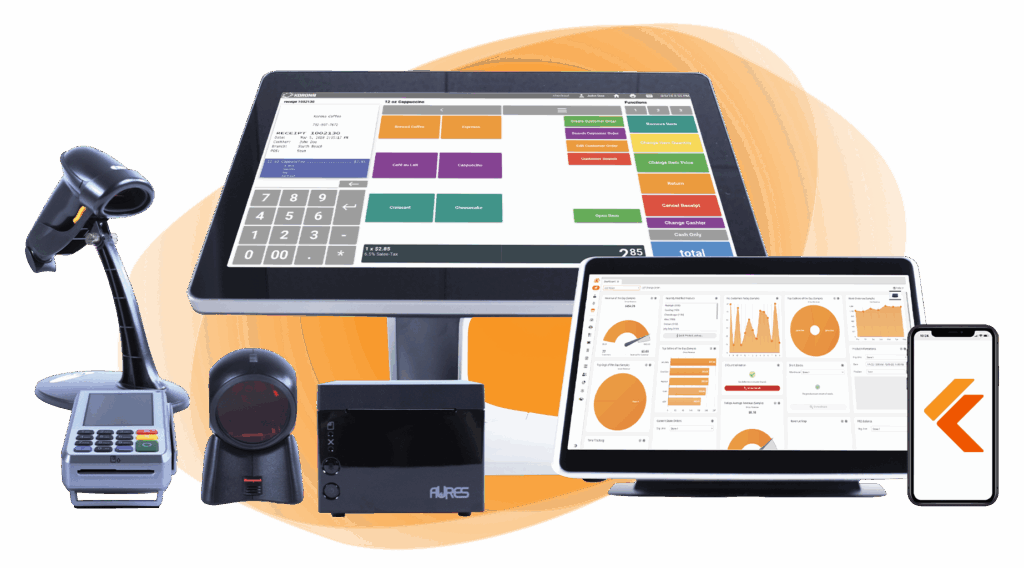
Build Your Own POS
Whether you run a retail store, café, or admissions booth, we have the point of sale hardware designed for your specific needs. Start building your ideal POS system now.
Toast Hardware Types
- Toast Flex: countertop terminals for order entry, payments, and management
- Toast Go: handhelds for tableside, patio, and line-busting service
- Toast Tap: card readers for swipe, dip, and tap payments
- Kitchen display screens: touchscreens that replace paper tickets
- Guest displays: customer-facing screens for order review, tipping, and payment
- Kiosks: self-ordering stations for quick-service concepts
- Printers and accessories: receipt and kitchen printers, cash drawers, and routers
Toast lists no prices for kitchen displays, guest displays, or printers, so those come by quote.
Ways to Pay For Toast Hardware
Toast offers three routes: pay upfront, spread qualifying costs over 180 days with Toast Easy Pay, or pick an eligible Starter Kit that needs no money down for devices.
Starter Kits include self-service installation support, and professional installation or other services can cost extra.
Proprietary Hardware
According to Toast’s Merchant Agreement, its services run only on approved Toast hardware, so terminals and tablets you own today will not carry over.
Title to shipped equipment passes to you at shipment, and Toast says Pay-As-You-Go Starter Kit hardware is not a lease, yet each device needs an active software subscription to operate. Budget for replacements, extra terminals, and accessories.
Add-Ons, Fees, & Contract Terms
Add-ons, onboarding fees, and a multi-year commitment lift Toast’s total cost far above the $0 or $69 entry price. The agreement carries exit penalties, reviewers describe multi-year terms, and NerdWallet points to onboarding charges missing from Toast’s main pricing page.
Toast Add-Ons & What They Cost
The Restaurant HQ names these add-ons:
- Online ordering and delivery integrations
- SMS and email marketing
- Toast Tables
- Tip management
- Payroll and scheduling
- xtraCHEF inventory and cost analytics
- Catering and events
- Multi-location management
- Branded websites and mobile apps
Toast leaves most add-on prices unlisted and points to a customer quote as the most reliable route to current costs.
The New Restaurant Basics bundle, which pairs POS and payroll for new restaurants, comes in at $110 per month on Toast’s site, and NerdWallet found that xtraCHEF, needed for accounting integration, runs above $100 a month. Online ordering subscriptions are quote-based.
Hidden Costs to Budget For
The Restaurant HQ flags these charges beyond the plan price:
- Additional terminals and handhelds
- Kitchen displays and printers
- Installation and implementation
- Replacement hardware and accessories
- Online-ordering transaction costs
- Third-party delivery commissions
- Add-on subscriptions
- Early exit fees
Contract Length & Early Termination
The initial term is set in your order form under Toast’s Merchant Agreement. NerdWallet puts contracts at two to three years, and The Restaurant HQ cites two.
After that term the agreement renews on its own for one-year periods unless you give 30 days’ written notice, and leaving early triggers an early termination fee equal to the remaining software fees, or $150 per remaining month on a Pay-As-You-Go subscription. Get the exact length, the exit fee, and the renewal terms spelled out before you sign.
Onboarding & Installation Fees
NerdWallet reports $1,000 per day for on-site setup and $800 per day for remote installation. Self-install comes with the Starter Kit, so the bill depends on which services you pick.
The Toast Payments Requirement
Toast POS routes all card processing through Toast Payments, which rules out connecting a different processor. NerdWallet and The Restaurant HQ both document the requirement, and Toast calls itself a payment facilitator that partners with processors, not a processor itself. Processing percentages differ by plan, transaction type, and negotiated terms, so the rate is the figure to pin down first.
PRO TIP!
If you want freedom to pick a payment processor, compare a processor-agnostic option such as KORONA POS before signing a Toast contract.
Promotional Pricing & Price Locks
NerdWallet advises documenting the whole package, including how long each promotion lasts. A price locked for the account’s lifetime and one that lapses after year one lead to widely different totals. The agreement itself freezes software fees through the initial term and retires special terms and promotions once a renewal term begins.
Two-Year Cost Reality Check
Across 24 months, Toast’s traditional pricing becomes cheaper than Pay-As-You-Go once monthly card sales pass around $19,850 at the lowest reported rates. Under that level, the $0 plan wins on cost. At the 3.69% Growth-tier rate, the crossover falls to close to $9,930.
The scenarios below rely on NerdWallet’s reported rates, because Toast’s published plans leave processing percentages unstated, plus the $1,203 Countertop Starter Kit price.
Assumptions:
- Pay-As-You-Go: $0 software fee, 3.09% + $0.15 per card transaction, no upfront hardware cost
- Traditional: $69 monthly software fee, 2.49% + $0.15 per card transaction, $1,203 hardware paid once
- Card sales only, over 24 months, with no add-ons, installation fees, or price changes
| Scenario | Monthly card sales | Card transactions | Pay as you go, 24 months | Traditional, 24 months | Difference |
|---|---|---|---|---|---|
| Small café, $12 average ticket | $15,000 | 1,250 | $15,624 | $16,323 | Pay as you go saves $699 |
| Counter-service restaurant, $20 average ticket | $40,000 | 2,000 | $36,864 | $33,963 | Traditional saves $2,901 |
| Full-service restaurant, $45 average ticket | $90,000 | 2,000 | $73,944 | $63,843 | Traditional saves $10,101 |
How to Read The Numbers
Each monthly figure combines a percentage of card sales with $0.15 per transaction, and traditional pricing adds $69. The break-even formula is:
Break-even monthly card sales = (plan fee + hardware cost ÷ months) ÷ rate gap
Over a 24-month term that works out to ($69 + $50.13) ÷ 0.60% = roughly $19,854 a month. Stretch the term to 36 months and the break-even slips to about $17,069.
What The Estimate Leaves Out
- Add-ons including online ordering, payroll, and xtraCHEF
- Onboarding and installation fees
- Sales tax and tips, which processors normally fold into the amount charged to the card
- Online and keyed-in transactions, which NerdWallet places at 3.50% + $0.15 on traditional pricing
- Extra terminals, replacement hardware, and rate changes during the term
Plug your own sales volume, average ticket, and equipment into the calculator above to swap these assumptions for actual figures, then set the result beside a broader POS pricing comparison to see how Toast stacks up.
Questions to Ask Toast Before Signing
8 Questions to Get Answered on Paper
- 1 What are my exact rates for in-person, online, keyed-in, and refunded transactions?
- 2 How long is the contract, and what is the early termination fee?
- 3 What do onboarding and installation cost, and what do they include?
- 4 Which add-ons do I need, and what does each cost per month?
- 5 How long does each promotional price last?
- 6 What does replacement hardware cost, and can the devices be used if I leave Toast?
- 7 How soon do card payments reach my bank account?
- 8 Can my processing rates change during the contract? The Merchant Agreement lets Toast adjust card processing rates on 30 days’ written notice, and it raised credit card processing fees in 2024 for some merchants. Find out what happens if you decline a change.Ask for this answer in writing before you sign.
Get every answer confirmed in writing at the demo. Verbal commitments do not appear in your Merchant Agreement.
Take this list to your Toast demo and have each answer confirmed on paper:
- What are my exact rates for in-person, online, keyed-in, and refunded transactions?
- How long is the contract, and what is the early termination fee?
- What do onboarding and installation cost, and what do they include?
- Which add-ons do I need, and what does each cost per month?
- How long does each promotional price last?
- What does replacement hardware cost, and can the devices be used if I leave Toast?
- How soon do card payments reach my bank account?
- Can my processing rates change during the contract? The Merchant Agreement lets Toast adjust card processing rates on 30 days’ written notice, and it raised credit card processing fees in 2024 for some merchants. Find out what happens if you decline a change.
What Users Say About Toast POS
Toast earns 4.2 out of 5 on G2 (roughly 370 reviews) and 4.1 on Capterra (over 550 reviews). Reviewers applaud its restaurant-specific design and ease of use, while the recurring complaints center on cost, contract terms, and support.
Ratings & Sentiment
Capterra’s sentiment summary across 554 reviews shows 79% positive, 8% neutral, and 13% negative. Support trails the product: Capterra scores features at 4.1 and customer service at 3.7 out of 5, and 78% of the 46 reviews that mention phone support are negative.
Trustpilot posts a lower score of approximately 3 out of 5 across some 1,400 reviews. Its summary highlights order accuracy and delivery problems, a pattern that points to diners, not restaurant operators, as many of the reviewers. Operator-focused sites such as G2 describe the software itself more directly.
What Operators Like
- Restaurant-specific workflows that staff learn quickly
- Kitchen display screens that hold up in busy kitchens
- Reporting that is easy to navigate
- A wide choice of ordering and payment hardware
- Direct delivery-app integrations
- Customization of menus and workflows
Common Complaints
- Mandatory use of Toast Payments
- Pricing complexity and add-on costs
- Multi-year contracts with exit fees
- High hardware and transaction costs, a point TechRadar raised for smaller restaurants in its 2025 review
- Software glitches and slow phone support, per Capterra’s summary
Onboarding & Setup
Toast Starter Kits bundle self-install support, and other setup services can carry fees. The Restaurant HQ outlines live setup help, live training sessions, and on-demand courses through Toast Classroom, and observes that managers face the steepest learning curve thanks to reporting, payroll, and inventory tools. Schedule menu setup, staff training, and a go-live date before your current system shuts off.
Customer Support
Toast says its support team, Toast Care, answers by phone or web messaging around the clock, 24/7/365, on all software subscriptions. NerdWallet’s review shows 24/7 chat and phone support from 7 a.m. to 12 a.m. ET daily, so verify phone hours before signing.
Toast Central, Toast Classroom, and Toast Community add self-service help, and reviewers say complicated issues take longer to resolve than routine questions. The 24/7/365 promise is also among the claims in the FTC’s complaint, which Toast denies.
Who Toast POS Fits Best
Restaurants with table service, several locations, or heavy rush-hour volume get the most from Toast. Compact cafés, quick-service counters, and businesses that mainly sell merchandise tend to find lower-cost or more flexible options.
Best Fit
- Full-service restaurants: table management, coursing, split checks, and kitchen routing suit table service
- Multi-location groups: centralized reporting with location-level controls
- High-volume operations: rugged hardware, handhelds, and kitchen displays hold up under rush periods
- Growing restaurants: add-ons let a restaurant expand its toolset over time
Weaker Fit
- Small cafés and counter-service shops: NerdWallet favors cheaper options such as Square
- Simple setups: The Restaurant HQ notes Toast may offer more than a small café needs
- Owners who want processor choice: Toast Payments is mandatory
- Owners who want month-to-month terms: reviewers report multi-year commitments
Toast For Retail & Hybrid Businesses
Yes, Toast can handle retail. Toast Retail software opens at $90 a month, and a hybrid POS lets restaurants and cafés ring up food and retail items in one transaction.
Toast’s hybrid POS page spells out barcode-based SKU creation, barcode printing, bulk editing tools, real-time price and cost updates, and shipping options for online orders in beta.
Toast’s retail inventory tools add mobile barcode scanning and AI invoice scanning, and Toast supports barcode scanners and scales.
Among its retail concepts Toast names convenience stores, bottle shops, grocery stores, butcher shops, apparel, and restaurant-retail hybrids.
Retail pricing as published applies to first-time customers operating one site, and processing rates and equipment prices stay unpublished. Regulated retailers such as bottle shops, along with any business outside those concepts, should verify fit, compliance needs, and pricing during a demo.
Toast POS Alternatives
Capterra’s popular Toast comparisons include Square, Clover, Lightspeed Restaurant, and SpotOn.
- Square: has a free plan, and NerdWallet gives in-person processing as 2.6% + $0.15. The same review recommends it for coffee shops and comparable counter-service businesses.
- Clover: NerdWallet observes that Clover can be bought through multiple processing companies, which opens the door to other rates and calls for a close look at its fee structure.
- Lightspeed Restaurant: The Restaurant HQ highlights its depth of reporting.
- SpotOn: The Restaurant HQ suggests it for multi-location restaurants.
Line each option up against the same hardware, features, and contract length. A system that looks cheaper on a pricing page can cost more once processing and add-ons are counted. Retail-first and specialty businesses face a narrower field of strong choices, and that is where KORONA POS comes in.
Toast vs. KORONA POS
Toast is the stronger fit for full-service restaurants. KORONA POS suits stores that put retail first, plus specialty merchants, that want control over their payment processor and a month-to-month plan.
| Feature |
KORONA POS

|
Toast POS

|
|---|---|---|
| Best for | Retail-first businesses, small cafés, and wineries | Table-service, multi-unit, and high-volume restaurants, plus food and beverage retail |
| Pricing structure | Per-terminal plans at $59, $79, and $99 a month (Core, Retail, and Plus), plus optional modules | $0 or $69 software fee, plus processing, hardware, and add-ons; Build Your Own by quote |
| Payment processor | Open: bring a current processor or pick a new one | Toast Payments required |
| Hardware | Bring your own or use KORONA-compatible devices | Toast’s own approved hardware |
| Contract | Month to month, with discounted annual plans | Initial term set in the order form (reported two to three years), auto-renewing, with early termination fees |
| Industries supported | Liquor stores, convenience stores, smoke and vape shops, CBD retailers, wineries, small cafés | Restaurants across all service models, plus convenience, grocery, bottle shop, and hybrid retail |
| Inventory tools | Retail-grade inventory management | Restaurant inventory through the xtraCHEF add-on; retail inventory tools in Toast Retail |
KORONA POS: Toast Alternative For Retail & Specialty Shops
KORONA POS is a processor-agnostic POS built for retail-first shops and specialty merchants. You can stay with your current payment processor or pick another, and KORONA never takes a percentage of your sales.
KORONA POS serves:
- Liquor stores
- Convenience stores
- Smoke and vape shops
- CBD retailers
- Wineries
- Small cafés
KORONA POS plans cost $59, $79, or $99 per terminal per month on a month-to-month basis, with discounted annual plans available. KORONA does not serve full-service restaurants, kiosk or drive-thru coffee businesses, or full cafés with food.
Speak with a product specialist and learn how KORONA POS can power your business.
Frequently Asked Questions
What is Toast POS Used For?
Owners rely on Toast POS to ring up orders, collect payments, route tickets to the kitchen, manage online orders, schedule and pay staff, and watch sales. A retail edition serves grocers, corner stores, and bottle shops. The software works on Toast-made devices, and card transactions flow through Toast Payments.
Does Toast POS Require Toast Payments?
Yes. Card processing on Toast must go through Toast Payments, so a processor you already use cannot be connected. Independent reviews from NerdWallet and The Restaurant HQ confirm the rule. Because percentages are absent from Toast’s plan listings, get your rates on paper before signing, covering web and manually entered payments too.
Can Toast POS Handle Retail?
Yes. Toast Retail costs $90 a month at the entry level and pairs with scanners and scales while handling SKU management and live inventory counts. A hybrid setup allows restaurants and cafés to put food and merchandise on the same check. Toast aims its retail effort at food and beverage stores, so check fit for other categories.
Does Toast POS Work Offline?
Partly. Toast devices enter Offline Mode when the connection drops, and staff can keep taking orders and card payments when background card processing is enabled. Payments process once service returns, and some can be declined afterward. Gift cards, loyalty redemptions, and online ordering do not work offline.
How Much Does Toast POS Really Cost?
The Starter Kit carries a $0 software fee and Point of Sale costs $69 a month, yet processing charges tend to dwarf that subscription. According to NerdWallet, buyers pay 2.49% + $0.15 when they pay for equipment at purchase and 3.09% to 3.69% + $0.15 under Pay-As-You-Go. Devices, add-ons, and setup fees push the total higher.
How Long is Toast’s Contract?
Your order form fixes the length, and guides describe terms of 24 to 36 months. Once that period ends, one-year renewals begin automatically unless you notify Toast in writing 30 days ahead. Walking away early means paying out the rest of your software subscription, or $150 for each month left on a Pay-As-You-Go plan, so read the paperwork closely.
Does Toast Count as a Fintech Company?
Toast describes itself as a technology platform for restaurants and retail businesses that combines software, payments, and financial technology solutions. Its earnings reports separate a financial technology line from subscription revenue, and its lineup includes Toast Capital loans and Toast Checking alongside the POS software.
Should a Small Café Use Toast POS?
That hinges on sales volume and which tools you need. NerdWallet points cafés and quick-serve counters toward Square or other cheaper systems, and The Restaurant HQ cautions that a tiny café may not use everything Toast offers. Price Toast against two competitors across the full contract, processing included, before choosing.