


Android tablet POS systems have replaced bulky cash registers for thousands of retailers, restaurants, and service businesses. But not all platforms offer the same features, pricing, or hardware flexibility.
Below, we break down seven of the best Android tablet POS systems on the market, compare their pricing and standout features, and cover exactly what to look for before you commit to one.
Key Takeaways:
- Android tablet POS systems let you avoid expensive proprietary hardware. Platforms like KORONA POS run on standard Android tablets you can buy anywhere.
- Not every Android POS app gives you processor freedom. Square and Toast force you to use their built-in payment processing.
- The best Android tablet POS for your business depends on your industry, not the price tag.
7 Best Android Tablet POS Systems in 2026: At a Glance
| Name | Best For | Standout Feature | Starting Price |
|---|---|---|---|
| KORONA POS | High-risk retail and ticketing businesses | Payment processor freedom — choose or switch providers without changing your POS | $59/moPer terminal · No contract |
| Square POS | Small businesses and startups | Free POS app with no monthly fees — start selling with zero upfront cost | $0/moProcessing fees only |
| Loyverse POS | Cafés and small retailers on a tight budget | Free core POS with built-in loyalty program, KDS, and offline mode | FreePaid add-ons from $5/mo |
| Clover POS | Brick-and-mortar businesses wanting polished hardware | Purpose-built Android hardware lineup with industry-specific plans | $16/moRetail Starter · 36-month commitment |
| Toast POS | Restaurants on Android | Restaurant-grade spill-resistant hardware with built-in KDS and online ordering | $0/moStarter Kit · Higher processing fees |
| Shopify POS | Online retailers expanding to in-person sales | Unified online and in-store inventory with omnichannel selling | $39/moBasic eCommerce plan required |
| AccuPOS | Businesses needing tight accounting integration | Gold-level certified integration with both QuickBooks and Sage | $84/moFirst terminal · Support extra |
Want processor freedom, no contracts, and 24/7 U.S.-based support on every plan? KORONA POS gives you all three, plus advanced inventory tools built for specialty retailers and ticketing venues. Click below to book a demo with us.
Speak with a product specialist and learn how KORONA POS can power your business.
We compare the top seven Android POS systems, detailing their best features, pricing, and who they are best suited for.
1. Square POS: Best for Small Businesses and Startups
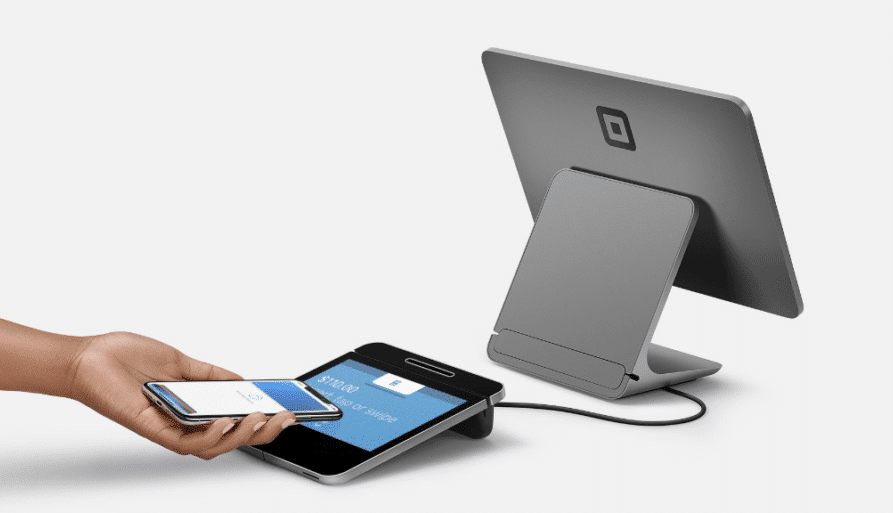
Square POS is a free-to-start point of sale system that turns any Android phone or tablet into a payment terminal. Among the many types of POS systems available today, Square removes the financial barriers that keep many small businesses from adopting one, with no monthly fees on its base plan and a free card reader for new accounts.
Key Features
Square covers the essentials for small businesses looking to get up and running quickly.
Free POS App with No Monthly Fees
Square’s core POS app is completely free to download and use. You pay only per-transaction processing fees. The app supports product catalogs, basic inventory tracking, digital receipts, and simple sales reporting straight out of the box.
Tap to Pay on Android
Square supports Tap to Pay on Android devices. Customers can tap their card or mobile wallet directly on your phone or tablet.
Built-In Online Store
Every Square account includes a free online store with the ability to manage pickup, local delivery, and shipping.
Staff and Team Management
Paid plans unlock time tracking, shift scheduling, tip pooling, and role-based permissions. Managers can review timecards and labor costs directly from the POS dashboard.
Ecosystem of Add-On Services
Square offers payroll, email marketing, loyalty programs, and invoicing as optional services. Each integrates directly with the POS, so data flows between tools without manual entry.
Where Square POS Shines
- Zero upfront investment: The free plan, free card reader, and free online store let brand-new businesses start selling the same day they sign up.
- Familiar, intuitive interface: Square’s clean design requires minimal training. Most staff can learn the system in under an hour.
- No long-term contracts: All plans are month-to-month, and you can cancel at any time without penalties.
Where Square POS Falls Short
- Locked into Square’s payment processing: You cannot bring your own merchant account or negotiate custom rates unless you process over $250,000 per year.
- Account stability concerns for high-risk businesses: Square may hold funds or freeze accounts that process large, unusual, or high-risk transactions. Businesses in high-risk categories may want to explore Square POS alternatives with more flexible processing options.
Customer Reviews
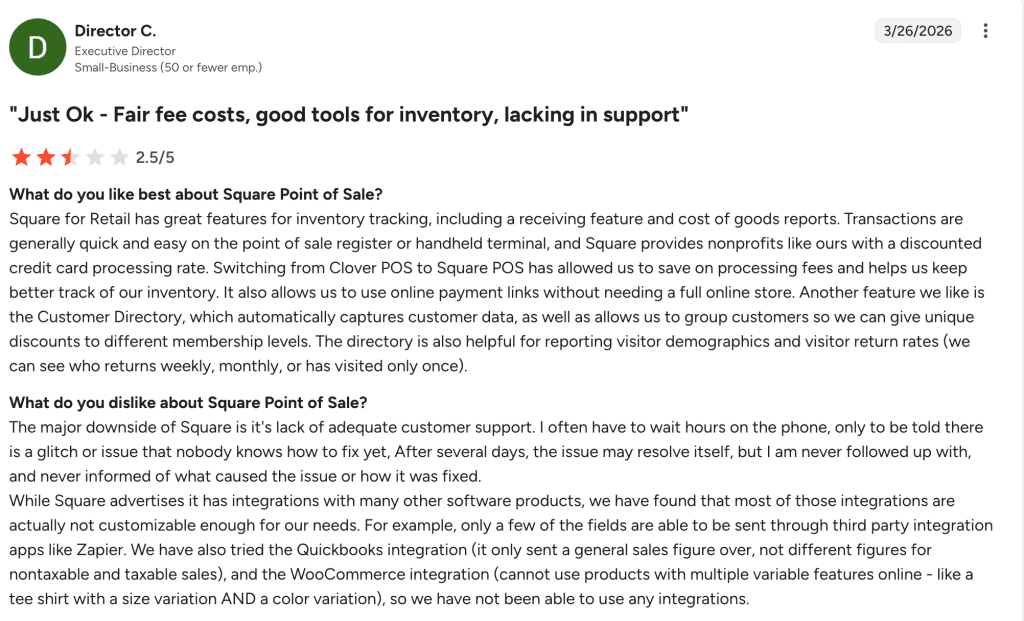
Square POS scores 4.6 out of 5 on Capterra, based on over 3,000 reviews, and 4.6 out of 5 on G2, based on over 1,000 reviews.
Source: Square G2
Who Square POS Is Best For
- New and micro businesses: Startups, solo entrepreneurs, and side hustlers who need to accept payments with minimal investment.
- Food trucks, pop-ups, and market vendors: Mobile businesses benefit from the free app, Tap to Pay on Android, and no monthly fees.
- Service-based businesses: Hair stylists, personal trainers, and freelancers can use appointments, invoicing, and the free online booking tools.
Pricing
All plans are month-to-month with no contracts. Processing fees shown are for in-person card-present transactions. Online transactions are charged at higher rates. You cannot use a third-party processor unless you process over $250,000/year.
2. Loyverse POS: Best Free Option for Cafés and Small Retailers
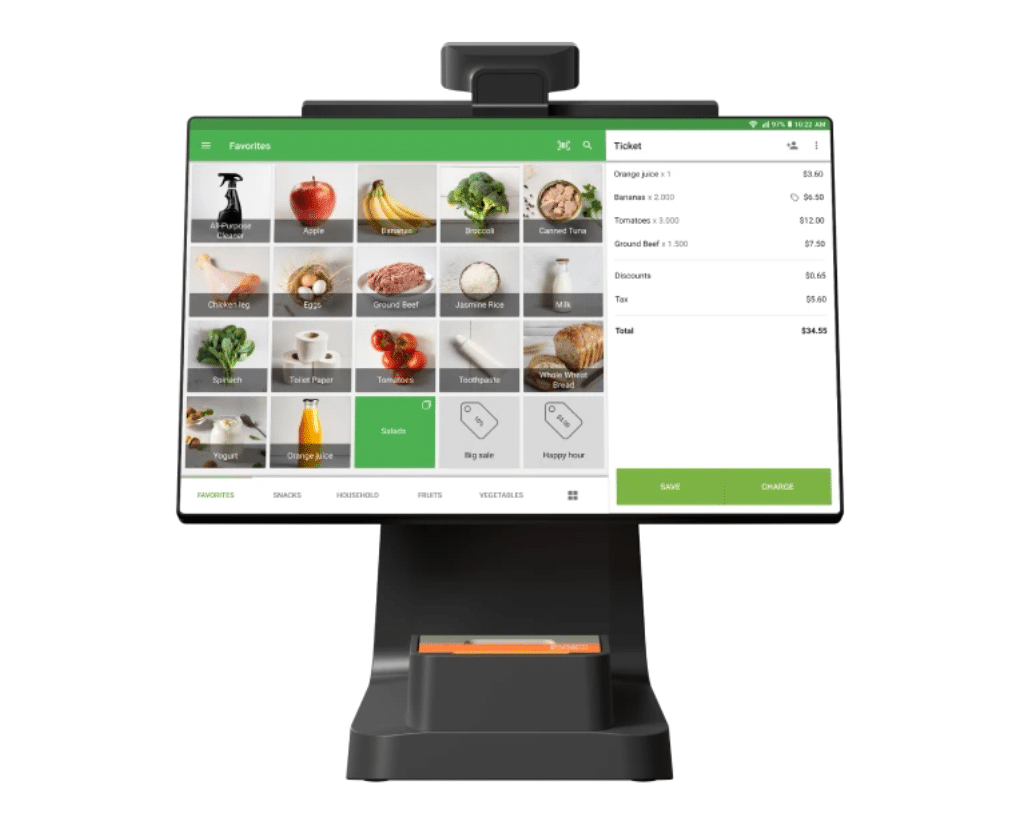
Loyverse POS is a genuinely free Android POS app designed for small cafés, retail shops, food trucks, and market stalls. The core software covers sales processing, basic inventory management, sales analytics, and a built-in customer loyalty program at no cost.
Key Features
Loyverse focuses on giving micro and small businesses professional POS tools without an upfront investment.
Free Core POS with Loyalty Built In
The free plan includes order management, receipt printing (paper or email), discount tools, and a built-in loyalty points program. Customers can join through the Loyalty Ocean companion app, leave private feedback, and receive direct promotions from the business.
Offline Sales Mode
The Loyverse POS app continues processing sales even without an internet connection. Transactions are stored locally on the Android device and sync automatically once connectivity returns.
Kitchen Display System Included Free
Loyverse includes a free KDS app. Orders placed at the register appear on a kitchen screen, streamlining communication between front-of-house and kitchen staff.
Flexible Payment Processor Choice
Loyverse integrates with Worldpay, SumUp, PayPal, Zettle, and other providers. You are not locked into a single processor, which gives businesses the freedom to choose the best rates for their market.
Multi-Store Management
A single Loyverse account can manage multiple store locations. Inventory, employee data, and sales reports are accessible from a single centralized back-office dashboard.
Where Loyverse POS Shines
- Zero-cost core features: The free plan is not a crippled trial. Businesses can run day-to-day operations indefinitely without paying a subscription.
- Quick and lightweight setup: Most businesses report getting up and running on an Android tablet in under an hour.
- Strong community and language support: The app is available in 30+ languages and is used across 170+ countries.
Where Loyverse POS Falls Short
- Add-on costs for advanced features: Employee management ($5/month per store) and advanced inventory ($25/month per store) are paid upgrades. For multi-store operations, these costs add up.
- Limited integrations and no eCommerce store: Loyverse lacks a built-in online store and has fewer third-party integrations than Square or Shopify. Businesses that sell both online and in-person may find the platform limiting.
Customer Reviews
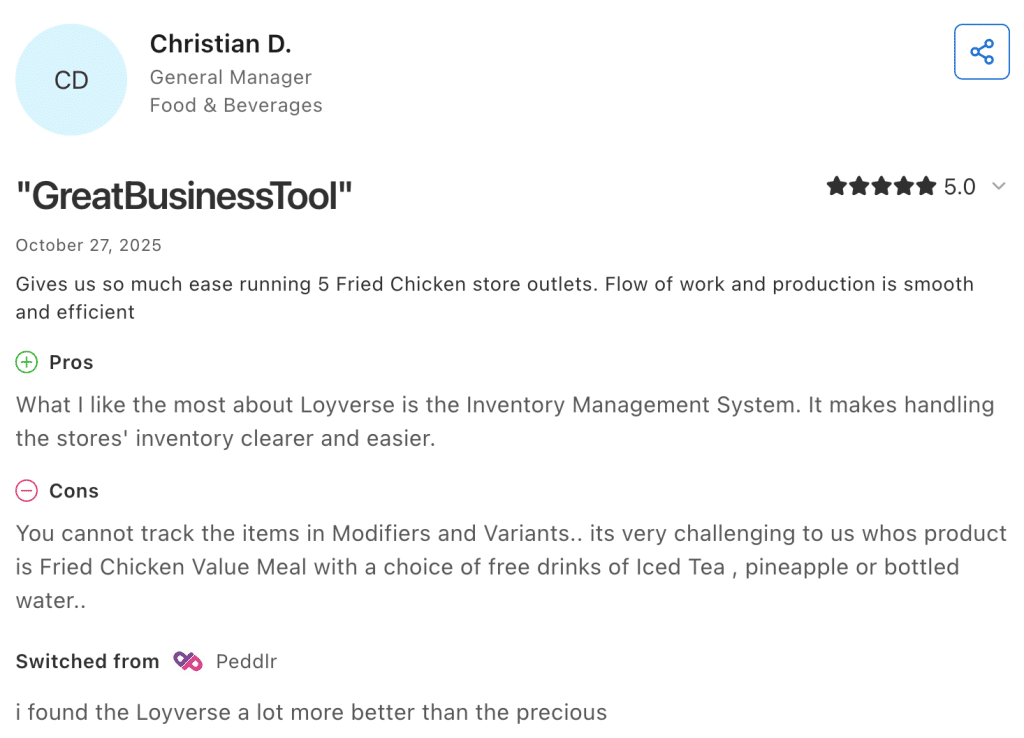
Loyverse POS has a 4.8 out of 5 rating on Capterra, based on 450+ reviews, and a 4.8 out of 5 rating on G2. A food and beverage business owner wrote on Capterra: “It makes handling the stores’ inventory clearer and easier.
A retail manager shared on G2: “What I like most about the software is that I can manage my products and catalog them easily. The interface to process sales is very friendly and attractive.”
Who Loyverse POS Is Best For
- Cafés, coffee shops, and bakeries: The free KDS, loyalty program, and modifier support handle everyday food service workflows.
- Small retail shops on a tight budget: Boutiques, gift shops, thrift stores, and market vendors can manage inventory and process sales at no cost.
- Pop-up shops and food trucks: Offline mode, phone compatibility, and zero subscription fees make Loyverse ideal for mobile businesses.
Hardware is bring-your-own. Loyverse works on any Android phone or tablet and supports common receipt printers, barcode scanners, and cash drawers.
Pricing
Loyverse’s core POS app is completely free with no subscription required. Paid add-ons are priced per store or per employee. Hardware is bring-your-own — the app runs on any Android phone or tablet and supports common receipt printers, barcode scanners, and cash drawers.
3. Clover POS: Best for Brick-and-Mortar Businesses Wanting Polished Hardware
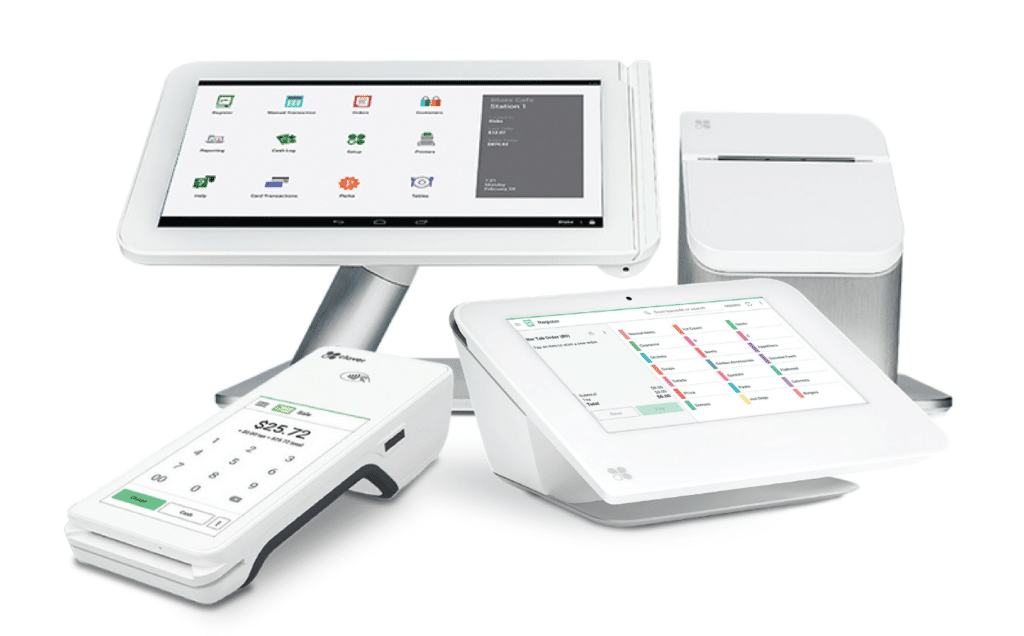
Clover POS is a hardware-first point of sale platform owned by Fiserv that bundles sleek, purpose-built Android terminals with cloud-based software and integrated payment processing.
Key Features
Clover pairs proprietary hardware with versatile software across retail, restaurant, and service industries.
Purpose-Built Android Hardware Lineup
Clover offers five dedicated devices running its own Android-based operating system: Clover Go, Clover Flex, Clover Mini, Clover Station Solo, and Clover Station Duo. Each device is built for durability and accepts EMV chip, contactless, and NFC payments out of the box.
App Market with 300+ Integrations
Clover’s App Market offers integrations for accounting (QuickBooks, Xero), payroll (Gusto, Homebase), loyalty, online ordering, and more.
Offline Payment Processing
When internet connectivity drops, Clover automatically queues transactions and processes them once service returns.
Third-Party Processor Compatibility
While Clover is owned by Fiserv, the hardware can work with independent payment processors. Businesses can purchase Clover devices through third-party resellers and potentially secure better processing rates than Clover’s standard pricing.

Learn more about how credit card processing works and save your business money with this free eGuide.
Industry-Specific Plans
Clover structures its software plans by business type: retail, quick-service dining, full-service restaurants, personal services, professional services, and home and field services. Each category has Starter, Standard, and Advanced tiers tailored to specific operational needs.
Where Clover POS Shines
- Professional, durable hardware: Clover’s devices look sharp on any counter and are built to handle busy retail and restaurant environments.
- Flexible buying options: You can purchase hardware outright or finance over 36 months, and choose between Clover’s own processing or a third-party provider.
- Broad industry coverage: From salons to restaurants to field services, Clover offers dedicated plan structures for a wide range of business types.
Where Clover POS Falls Short
- Proprietary hardware only: You cannot run Clover software on your own Android tablet. If you leave Clover, the hardware becomes unusable. Businesses seeking greater hardware flexibility may want to consider Clover POS alternatives that run on standard Android devices.
- Complex pricing and potential for long-term contracts: Most plans involve 36-month commitments, and pricing varies significantly based on whether you buy from Clover directly or through a reseller. Total costs can be difficult to predict.
Customer Reviews
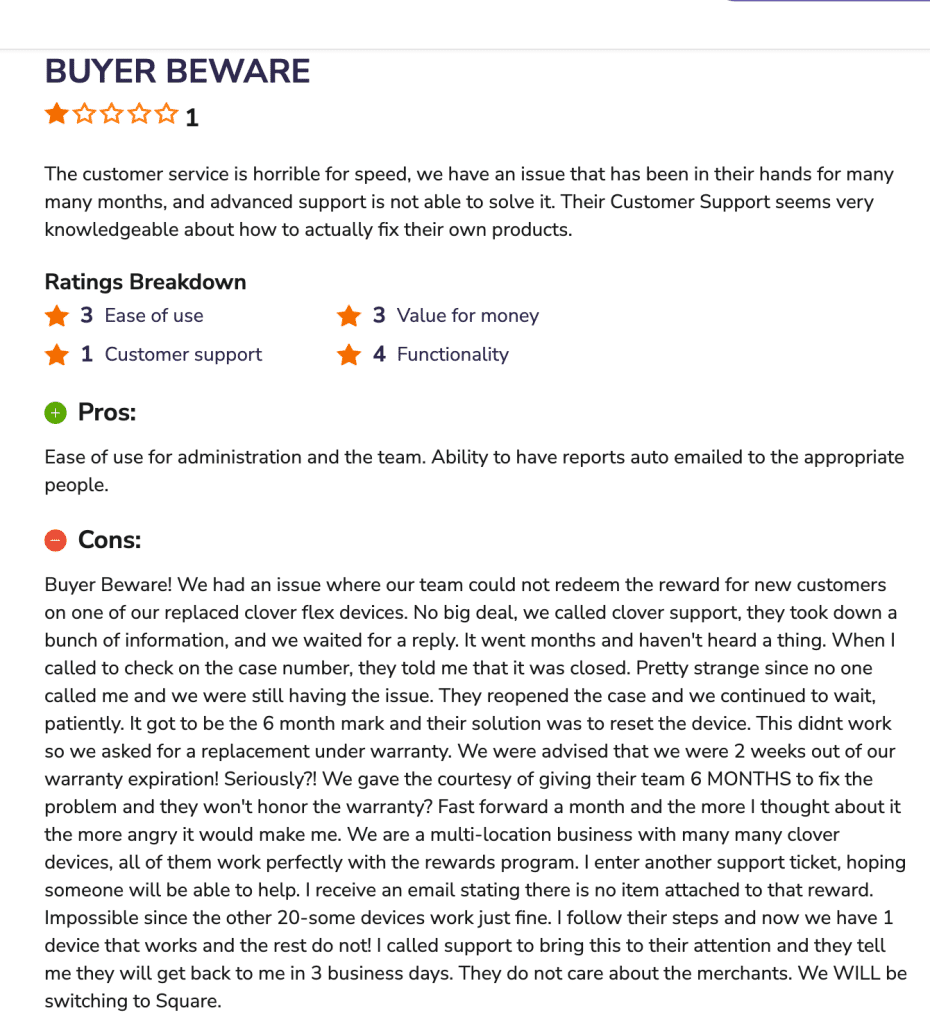
Clover POS scores 3.9 out of 5 on G2 and 3.5 out of 5 on Software Advice.
Who Clover POS Is Best For
- Established brick-and-mortar retailers: Shops that want polished, countertop-ready hardware with minimal setup.
- Quick-service and full-service restaurants: Clover’s restaurant plans include table management, order routing, and tipping features.
- Service-based businesses: Salons, repair shops, and field service companies benefit from appointment scheduling and mobile invoicing.
Pricing
Hardware ranges from $199 (Clover Go mobile reader) to $1,899 (Clover Station Duo). Financing options are available at $35–$180/month for 36 months. A 90-day free trial is available. Most plans require a 36-month commitment. Pricing may vary when purchasing through third-party resellers.
Hardware ranges from $199 (Clover Go mobile reader) to $1,899 (Clover Station Duo). Financing options are available at $35–$180/month for 36 months. A 90-day free trial is available. Most plans require a 36-month commitment. Pricing may vary when purchasing through third-party resellers.
4. Toast POS: Best for Restaurants on Android
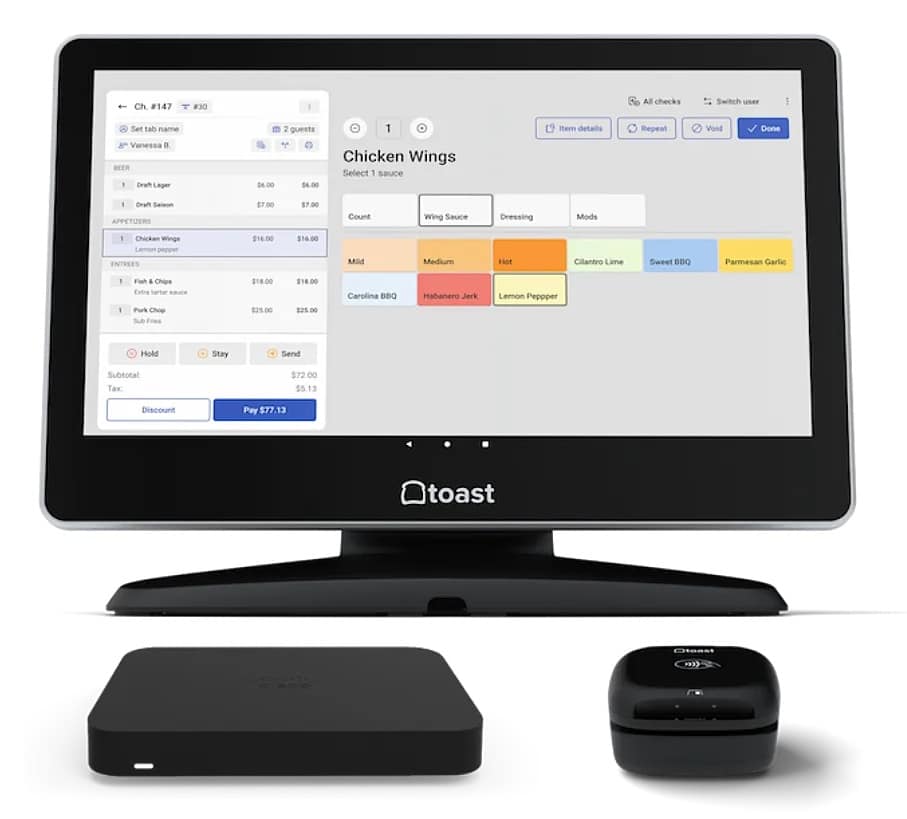
Toast POS is a restaurant-specific platform built entirely on Android. Widely recognized as one of the best POS systems for restaurants, Toast pairs proprietary, spill-resistant hardware with advanced foodservice features such as kitchen display systems, tableside ordering, online ordering, and menu management.
Key Features
Toast is designed exclusively for food service businesses, from food trucks to multi-location restaurant chains.
Restaurant-Grade Android Hardware
Toast’s hardware is engineered for kitchen environments. Devices are spill-resistant, grease-tolerant, and built to handle high temperatures.
Kitchen Display System (KDS)
Toast’s KDS replaces paper tickets with a digital screen that routes orders from the POS or online channels directly to the kitchen. Cooks can see order details, modifiers, and special instructions.
Built-In Online Ordering
Toast offers commission-free online ordering through a branded page linked to your POS. Customers can place orders for pickup or delivery without going through third-party apps.
Tableside Ordering and Payment
Servers use Toast Go tablets to take orders at the table, send them to the kitchen, and process payments. Guests can tip, sign, and choose receipt preferences right from the handheld device.
Multi-Location Menu Management
Restaurant groups can manage menus across locations from a single dashboard. Pricing, item availability, and modifiers can be standardized or customized per location.
Where Toast POS Shines
- Purpose-built for restaurants: Every feature is designed for food service workflows. Menu modifier logic, coursing, and kitchen coordination work seamlessly.
- 24/7 support on all plans: Even the free Starter plan includes round-the-clock phone and web messaging support.
- Strong ecosystem of restaurant tools: Payroll, loyalty, gift cards, online ordering, and email marketing are all available as integrated add-ons.
Where Toast POS Falls Short
- Locked into Toast’s payment processing: You cannot use a third-party processor with Toast. Processing rates can change during your contract with 30 days’ notice.
- Two-year contracts with early termination fees: Unlike Square or KORONA POS, Toast requires a multi-year commitment. Leaving early can be costly.
Customer Reviews
Toast POS holds a 4.2 out of 5 on Capterra and 4.2 out of 5 on G2.
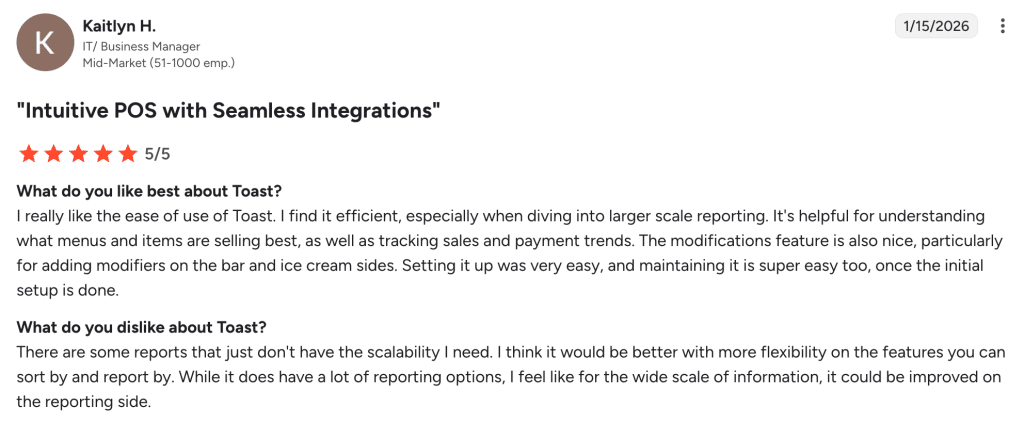
A business manager shared on G2: “While it does have a lot of reporting options, I feel like for the wide scale of information, it could be improved on the reporting side.”
Who Toast POS Is Best For
- Full-service restaurants: Fine dining, casual dining, and bar-and-grill operations benefit from tableside ordering, coursing, and kitchen display routing.
- Multi-location restaurant groups: Centralized menu management, cross-location reporting, and unified online ordering simplify chain operations.
- Growing restaurants investing in infrastructure: Businesses ready to commit long-term to a platform will appreciate Toast’s depth of features.
Pricing
Hardware kits (countertop, handheld, or self-service) are available through Pay-as-You-Go at no upfront cost or through Standard pricing with upfront hardware purchases. Setup and onboarding fees start at approximately $849 for 1–2 terminals. All plans require a 2-year agreement. Toast only runs on its proprietary Android-based hardware.
5. Shopify POS: Best for Online Retailers Expanding to In-Person Sales
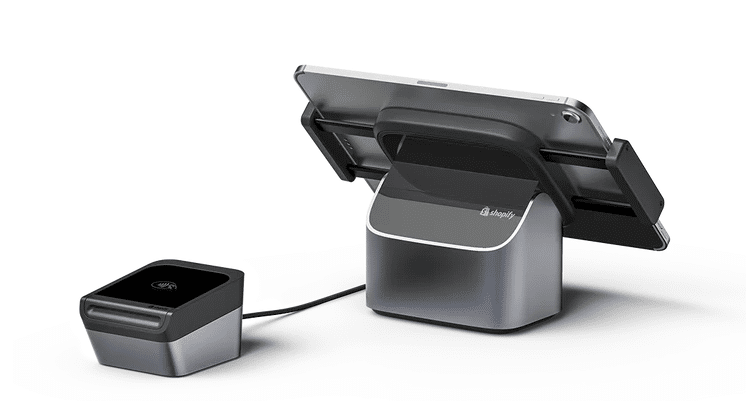
Shopify POS is a point of sale app that extends Shopify’s eCommerce platform to physical retail. It runs on Android tablets and iPhones, syncing in-store sales with your online store so inventory, customer profiles, and order data stay unified across every sales channel.
Key Features
Shopify POS bridges online and physical retail under a single back office.
Unified Online and In-Store Inventory
Inventory levels sync automatically between your Shopify online store and every physical retail location. When a product sells in-store, the online stock count updates instantly.
Omnichannel Selling
Shopify POS supports buy online and pick up in-store (BOPIS), ship-to-customer from store, local delivery, and exchanges across channels. Customers who purchase online can return or exchange in-store, and vice versa.
Customer Profiles Across Channels
Every purchase, whether online or in-store, is linked to a unified customer profile. Staff can view purchase history, lifetime spend, and buying preferences at the register.
Android-Compatible Hardware
Shopify sells its own hardware, including a $49 Tap and Chip Card Reader, a $349 POS Terminal with a customer-facing display, and a $149 adjustable tablet stand compatible with 7 to 13-inch Android tablets. Third-party compatible hardware is also supported.
Shopify App Ecosystem
With thousands of apps available in the Shopify App Store, businesses can add loyalty programs, advanced reporting, marketing automation, and custom integrations. Shopify also integrates with social selling on Instagram, TikTok, and marketplaces like Amazon and eBay.
Where Shopify POS Shines
- Best omnichannel experience: No other Android POS system matches Shopify’s ability to unify online, in-store, social, and marketplace sales under one roof.
- Massive app ecosystem: Thousands of apps cover nearly every business need, from accounting to shipping to customer engagement.
- Scalable from pop-up to enterprise: Shopify supports single pop-up booths through to large retailers like Alo Yoga and Glossier.
Where Shopify POS Falls Short
- No free POS plan: Every Shopify plan requires a paid eCommerce subscription starting at $39/month. Advanced in-store features require the $89/month POS Pro add-on.
- Bluetooth hardware connectivity issues: Multiple users across review platforms report card readers and barcode scanners disconnecting from Android devices, requiring re-pairing. Retailers frustrated by these issues may want to review Shopify POS alternatives with more reliable hardware connections.
Customer Reviews
Shopify POS holds a 4.4 out of 5 rating on G2.
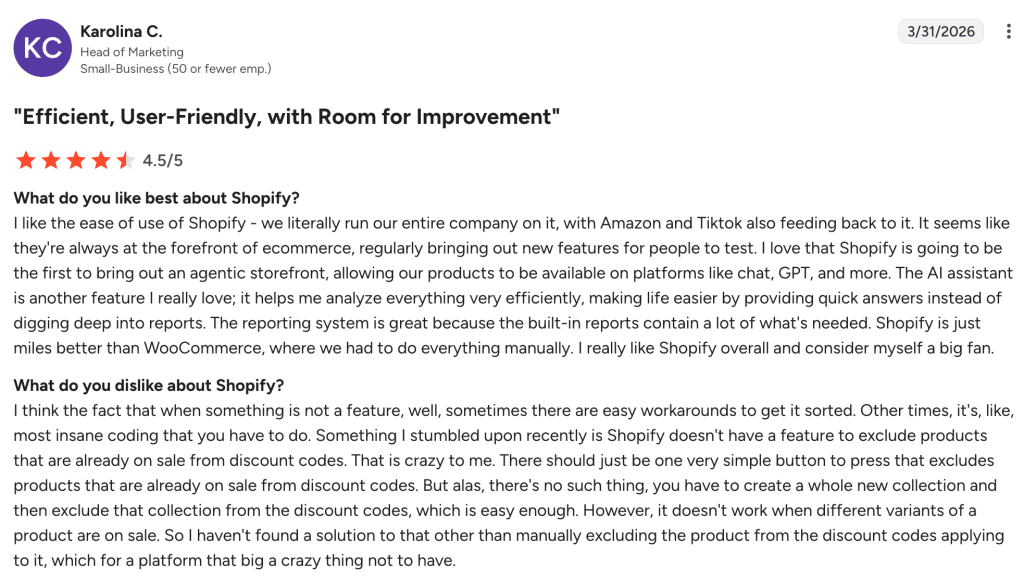
A retail user shared on G2: “The reporting system is great because the built-in reports contain a lot of what’s needed.”
Who Shopify POS Is Best For
- Online-first businesses opening physical stores: If you already sell on Shopify, adding the POS extends your existing catalog, customers, and inventory to in-person sales.
- Multi-channel retailers: Businesses selling on their website, social media, marketplaces, and in-store benefit from Shopify’s unified back office.
- Pop-up shops and seasonal stores: The lightweight Android POS app and portable card reader make temporary retail setups simple.
Pricing
Hardware starts at $49 for the Tap and Chip Card Reader, $149 for the Android tablet stand, and $349 for the POS Terminal. Counter bundles start at $459. If you use a third-party payment processor instead of Shopify Payments, an additional transaction fee of 0.6% to 2% applies on top of the processor’s rates.
6. AccuPOS: Best for Businesses Needing Tight Accounting Integration
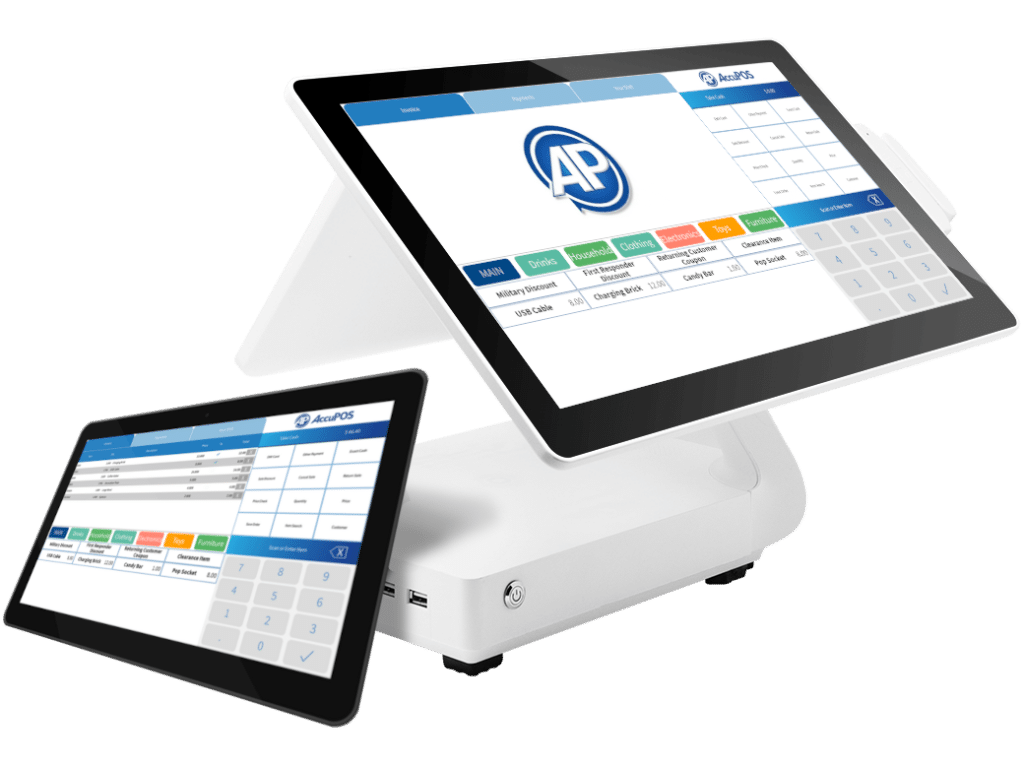
AccuPOS is an Android and Windows POS system built around deep integration with QuickBooks and Sage accounting software. As a Gold Developer Partner with both Intuit and Sage, AccuPOS automatically syncs sales, inventory, and customer data with your accounting platform, eliminating double entry.
Key Features
AccuPOS caters to businesses that prioritize seamless accounting workflows above all else.
QuickBooks and Sage Gold-Level Integration
AccuPOS integrates with QuickBooks Online, QuickBooks Pro, QuickBooks Enterprise, Sage 50, Sage 100 ERP, Sage Intacct, and Sage BusinessWorks. Sales transactions, inventory adjustments, and customer records sync automatically to your accounting software.
Android Mobile POS for Restaurants
AccuPOS supports tableside ordering on Android tablets. Servers can take orders at the table and send tickets directly to the kitchen printers. The system handles tab management, bill splitting, pre-authorized cards, and tip processing.
Customizable Touchscreen Interface
Button layouts, menu categories, and screen arrangements can be adjusted to fit the specific workflow of your restaurant or retail store. The kiosk mode locks the Android device so that only POS functions are accessible.
Employee Time Clock
A built-in time clock tracks employee shifts, clock-ins, and clock-outs directly within the POS. Time data syncs with your accounting software for simplified payroll processing.
Multi-Location Management
AccuPOS supports multiple store locations from a single dashboard. Inventory levels, sales data, and staff schedules can be monitored and managed remotely from anywhere.
Where AccuPOS Shines
- Deepest accounting integration available: No other Android POS system offers Gold-level certified integration with both QuickBooks and Sage.
- Hybrid retail and restaurant support: AccuPOS works for both retail stores and food service businesses on a single platform.
Where AccuPOS Falls Short
- Support costs extra: Unlimited technical support is an additional $64/month. Without the subscription, you may face per-incident charges or limited response availability.
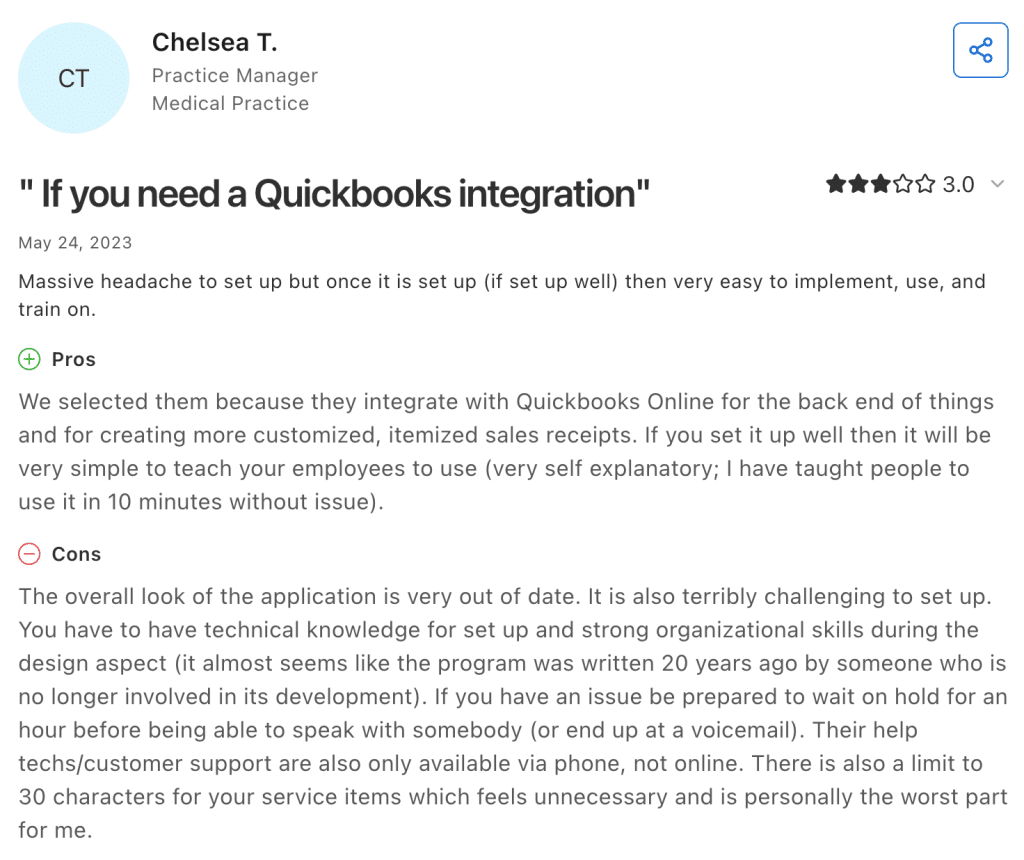
- Dated interface and mixed customer service reviews: Several users report that the interface feels outdated compared to Square or Toast, and some have experienced long wait times when reaching support.
Customer Reviews
AccuPOS holds a 3.00 out of 5 on Capterra.
Who AccuPOS Is Best For
- QuickBooks or Sage power users: If your books live in QuickBooks or Sage and you want every sale reflected there automatically, AccuPOS is the most direct path.
- Hybrid retail and food service businesses: Operations that combine retail sales with food service (like a winery with a gift shop or a deli with a convenience store) can manage both under a single POS.
- Businesses with existing Android hardware: AccuPOS works on a wide range of Android phones and tablets, so you can often use equipment you already own.
Pricing
Hardware is available through AccuPOS, or bring your own compatible Android or Windows device. Payment processing rates are not published and require a custom quote based on your volume and business type.
How to Choose an Android Tablet POS System
Not every Android tablet POS fits every business. The right pick comes down to how you sell, what you sell, and where your operation is headed.
Hardware Compatibility and Flexibility
Some platforms only run on proprietary devices, so if you leave, the hardware becomes useless. Before purchasing, confirm Android version support, verify peripheral compatibility with receipt printers and scanners, and check whether the system works offline. KORONA POS runs on standard Android tablets, Windows, Linux, and macOS with no hardware lock-in.
Payment Processing Fees and Flexibility
On $30,000 in monthly card sales, the difference between a 2.6% and a 2.3% processing rate saves over $1,000 per year. Pay attention to whether the platform locks you into a single processor or lets you shop around. You can compare which POS systems have the lowest fees to see how rates stack up. KORONA POS never acts as a processor, so merchants always retain full control over their costs.
Payment processors giving you trouble?
We won’t. KORONA POS is not a payment processor. That means we’ll always find the best payment provider for your business’s needs.
Inventory Management Across Locations
Look for a POS with automatic reorder points, vendor management, stock transfers between stores, and low-stock alerts. Any operation with two or more stores needs proper multi-store inventory management that keeps stock counts accurate everywhere.
Industry-Specific Features
A retail POS system for a clothing store needs matrix inventory for sizes and colors. A liquor store needs age verification and case-break tracking. A museum or theme park needs timed entry ticketing and turnstile integration, plus tools for theme park marketing. Write out the workflows unique to your business and test each POS against them during a trial. KORONA POS offers vertical-specific modules for retail, food service, and ticketing under one roof.
Customer Loyalty and CRM Tools
Look for a system that tracks purchase history, supports a points-based loyalty program, and segments your customer base for targeted promotions. Avoid platforms that charge steep add-ons just to store customer data. KORONA POS includes built-in loyalty and CRM on all plans and integrates with advanced providers like bLoyal.
Reporting and Analytics
Prioritize systems that offer product-level performance reports, hourly sales breakdowns, employee productivity metrics, and margin analysis. The best platforms let you compare across locations and drill down by date, category, or staff member. KORONA POS offers one of the most detailed reporting and analytics suites at its price point, including sell-through rates and cross-store KPI comparisons.
Scalability for Multi-Store Growth
Check whether the software charges per location, per terminal, or per user, and model out your costs at two to three times your current size. A multi-store POS system should let you manage pricing, promotions, and permissions centrally while giving store managers local flexibility. KORONA POS scales from single-store setups to franchise operations with a dedicated Franchise add-on for location-level controls.
Have trouble getting your POS customer service on the phone?
KORONA POS offers 24/7 phone, chat, and email support. Call us at 833.200.0213 to see how reliable we are.
Customer Support Quality
Before committing, test the support yourself: call during off-hours and measure how long it takes to reach a real person. The importance of reliable customer support is hard to overstate when your revenue depends on uptime. KORONA POS includes free 24/7 U.S.-based phone, chat, and email support on every plan.


