



Software overview:
- KORONA POS: Best for specialty retail, multi-location, franchises
- Lightspeed Retail: Best for large catalogs, advanced inventory, scaling retail
- Shopify POS: Best for Ecommerce + in-person sales
- Square for Retail: Best for small retail, startups, simple POS
- Zoho Inventory: Best for budget ecommerce, multichannel selling
- inFlow Inventory: Best for wholesale, B2B, distribution
- Katana: Best for manufacturing, makers, DTC brands
Web-based inventory software helps retailers avoid inventory management headaches by providing real-time stock visibility from any device. With dozens of options on the market, the hard part is picking the right one for your store.
This guide cuts through the noise. We’ve researched and compared the 7 best web-based inventory systems for retailers in 2026, with verified pricing pulled directly from each vendor’s website, honest pros and cons, and clear “best for” guidance. The goal is to match the right tool to your actual situation.
7 Best Web-Based Inventory Systems: At a Glance
| Tool | Best For | Standout Feature | Starting Price |
|---|---|---|---|
| KORONA POS | Specialty retailers, multi-location, ticketing | Advanced inventory reporting + payment processor freedom | $59/month/terminal |
| Lightspeed Retail | Complex catalogs, omnichannel retailers | 8M+ preloaded product catalog + 40+ reports | $89/month |
| Shopify POS | Ecommerce-first brands expanding in-store | Seamless e-commerce integrations | Free |
| Square for Retail | Small brick-and-mortar, startups | Free plan with real-time tracking and online store | Free |
| Zoho Inventory | Budget-conscious SMBs, multichannel sellers | 1,100+ integrations | $29/month (billed annually) |
| inFlow Inventory | Wholesale, distribution, B2B sellers | Built-in B2B Showroom + barcode generation | $129/month (billed annually) |
| Katana | DTC Brands & Makers | Bills of Materials (BOMs) & Work order management | Free |
How we ranked these POS Systems:
Our rankings are based on verified user reviews from G2, Software Advice, and Capterra. We looked at overall rating scores, review volume, and recurring themes in users’ praise and flags. We excluded products with fewer than 25 reviews. We don’t accept payment for placement. If a product ranks here, it’s because real users said so.
1. KORONA POS: Best for Specialty Retailers & Multi-Location Stores
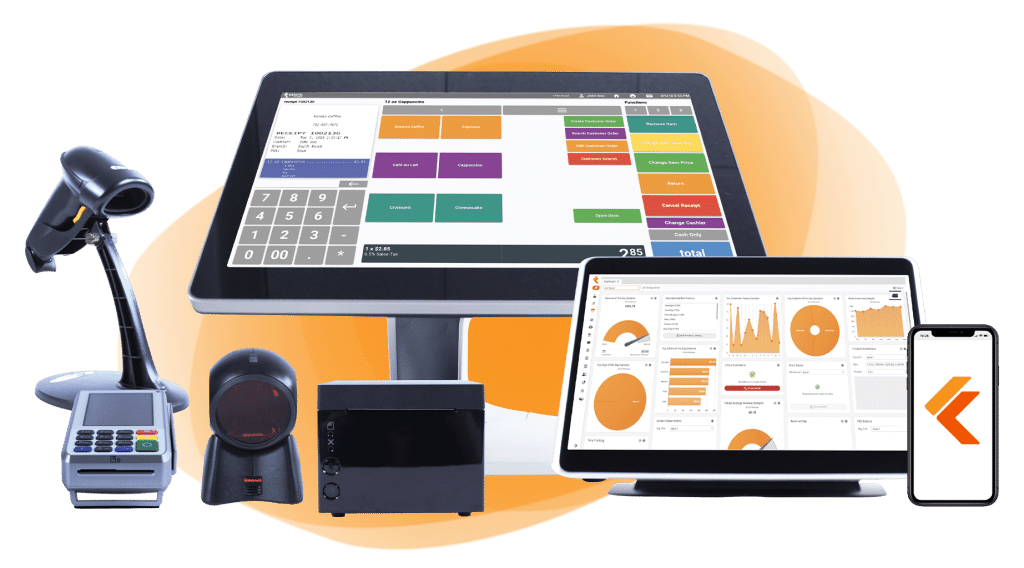
KORONA POS is a cloud-based point-of-sale and inventory management platform built for specialty retailers, quick-service operators, and admissions/ticketing venues. Unlike generic POS systems, it’s designed around high-SKU environments where tight inventory control directly impacts margins.
Its biggest differentiators from other systems include zero contracts, payment processor freedom (you choose your own processor), and one of the deepest retail inventory toolsets in its price range.
Key Features
- Real-Time Multi-Location Stock Tracking. KORONA POS’s cloud-based back office, KORONA Studio, gives retailers live inventory visibility across every location from any internet-connected device. Monitor stock levels, transfer products between stores, compare store performance, and identify discrepancies before they become costly shrinkage.
- Advanced Inventory Automation. KORONA POS offers barcode generation, customizable reorder points, automated purchasing workflows, and ABC inventory analysis that helps retailers identify bestsellers, dead stock, and profit drivers. These tools are especially valuable for high-SKU businesses that need tighter control over cash flow and inventory turnover.
- Software-as-a-Service (SaaS) Model. KORONA POS operates on a SaaS model, meaning software updates, upgrades, and platform improvements are automatically included in your subscription with no manual installations or added maintenance costs.
Where KORONA POS Shines
- Payment processor freedom: Unlike Clover (locked to Fiserv) or Shopify (pushes Shopify Payments), KORONA integrates with virtually any processor via PAX or Dejavoo terminals. This lets you shop for better rates, and for high-volume retailers, that can mean significant annual savings.
- Niche retail depth: KORONA offers compliance tools for age-restricted products (liquor, vape), integrations with wine clubs and loyalty programs, ticketing and turnstile integration for venues, and many other specialized tools for diverse retailers.
- No contracts, 60-day money-back guarantee: KORONA offers month-to-month billing with no setup fees and a 60-day software refund window. This is genuinely unusual in the POS space.
Where KORONA POS Falls Short
- Learning curve: The interface reflects its German-engineered roots. KORONA POS is functional and powerful, but not as streamlined as Square or Shopify. Some users report a steep initial learning curve navigating the back office.
- Limited integrations vs. competitors: KORONA integrates with QuickBooks, WooCommerce, bLoyal, and a handful of others. If your tech stack includes niche tools, confirm compatibility before committing.
Customer Reviews
“It is so customizable and is super easy to use. I love the ability to create our own buttons and customize the POS layout. The customer support is great, too. Any time I need to accomplish something new in KORONA, whether it’s a specific report or a new function, I call, and we find a way to get it done. They will walk you through every step when learning something new or even access your back office and do it for you while you watch.”
“The interface could be more modern, reporting customization is somewhat limited, and advanced features can take time to learn for new users. Some workflows could be streamlined to reduce clicks, integrations with third-party apps could be expanded, and more built-in templates or guided setup would help new users get started faster.”
Who KORONA POS Is Best For
- Specialty retailers (liquor, vape, pet, gift, convenience) with complex inventory needs and high SKU counts.
- Multi-location retailers who want centralized stock visibility without paying enterprise-ERP prices.
- Franchise operators who need automated royalty tracking and cross-location ordering.
- Businesses frustrated by processor lock-in who want to negotiate their own payment rates.
Pricing
| Plan | Price | What’s Included |
|---|---|---|
| KORONA Core | $59/month | 24/7 customer support, payment processor choice, customizable dashboard, unlimited users and sales, gift cards, eCommerce integration, API access |
| KORONA Retail | $79/month | Everything in Core + inventory counts, stock management, barcode automations, supplier interface integration, customer management, real-time tracking, and more |
| KORONA Plus | $99/month | Everything in Core and Retail + advanced stock management, assortment cleanup, key performance reports, custom ABC analysis, order level optimization, and more |
| Add-ons | $10–$50/month | KORONA Food (+$10), KORONA Franchise (+$30), KORONA Ticketing (+$50/gate) |
Get started with KORONA POS today!
Explore all the features that KORONA POS has to offer with an unlimited trial. There’s no commitment or credit card required.
2. Lightspeed Retail: Best for Complex Catalogs
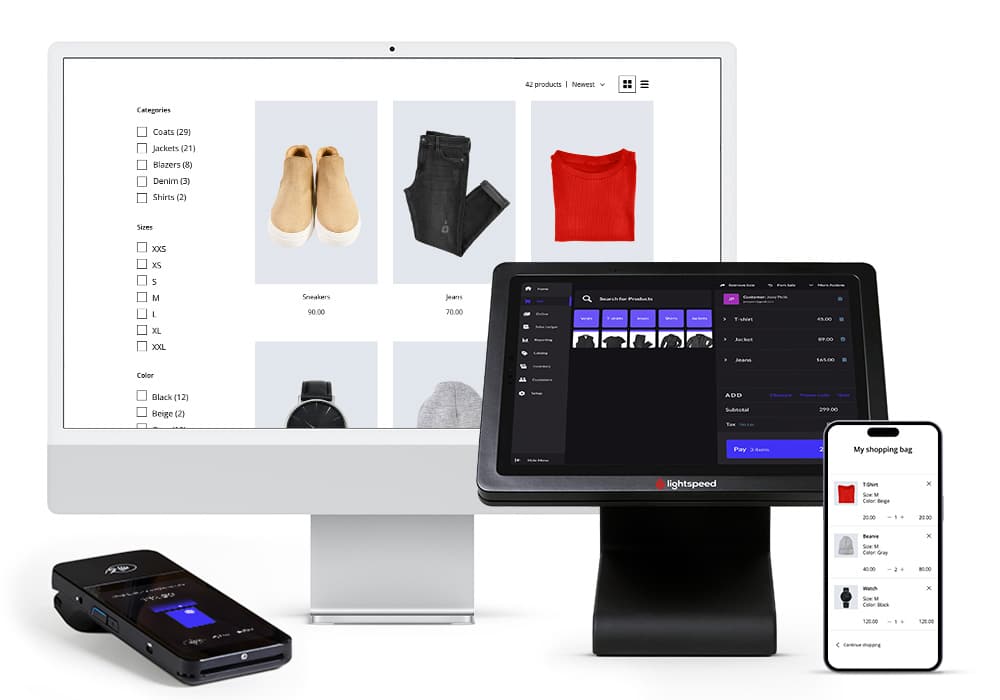
Lightspeed Retail is a cloud-based POS and inventory management platform built for inventory-heavy retailers such as bike shops, apparel stores, sporting goods stores, electronics stores, CBD stores, and multi-location chains. If you manage thousands of SKUs across multiple locations or channels, Lightspeed is one of the most capable tools in the mid-market.
Key Features
- Lightspeed Wholesale: With Lightspeed, you can connect your wholesale operation to your POS and purchase products instantly from thousands of suppliers. This helps retailers keep their inventory up to stock directly in their inventory management system.
- Lightspeed insights is a centralized analytics module for Lightspeed POS system that transform sales, inventory, and staff data into actionable visual reports. Retailers can use the Insights Live app to access a plethora of information about their business.
- Multi-location stock transfers: Users can move inventory between stores, track what’s available at each location, and manage purchase orders at the chain level.
Where Lightspeed Shines
- Vendor catalog integration: The 8M+ preloaded product catalog is rare. You can import full product specs directly from your supplier, bypassing hours of manual entry.
- Granular stock control: Lightspeed handles complexity that simpler systems can’t using serial number tracking, product bundling, matrix system for variants (size/color combos)
Where Lightspeed Falls Short
- Pricing jumps sharply: The $89/month Basic plan lacks certain features. You need Core ($149/month) for advanced sales and inventory reports, and Plus ($289/month) for API access, customer user roles, and forecasting.
- Interface can feel clunky: Multiple reviewers describe the UI as less intuitive than Square or Clover, particularly for onboarding new staff.
Customer Reviews
“I find inventory tracking to be extremely easy, and having the ability to alter products and the POS screen in-house without needing a third party is a huge plus. It’s especially important in my food management space where I can update products and pricing myself”
“The pricing is high compared to other POS options, especially once you add necessary features or integrations.”
Who Lightspeed Is Best For
- Omnichannel operators who sell both in-store and online and want unified data management.
- Established retailers with large, complex product catalogs (apparel, sporting goods, bike, electronics) where variant tracking and vendor catalogs add real value.
- Multi-location retailers who need consolidated cross-store reporting and inventory management.
Pricing
| Plan | Price | Key Inclusions |
|---|---|---|
| Basic | $89/month | Inventory tracking, purchase orders, basic reporting, one register |
| Core | $149/month | Adds ecommerce, loyalty program, accounting integrations (QuickBooks/Xero) |
| Plus | $289/month | Adds advanced analytics (Lightspeed Insights), AI-driven forecasting, custom reports |
3. Shopify POS: Best for E-commerce-First Brands with Physical Locations
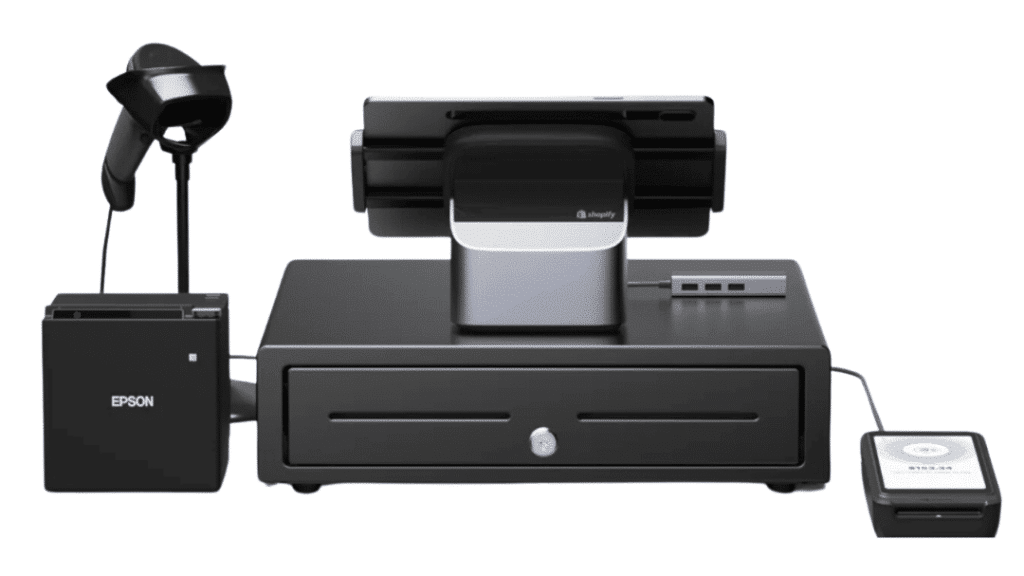
If your retail business started online and you’re expanding into physical stores, Shopify POS is an obvious choice. Its core strength is synchronization between your online store and brick-and-mortar operations: inventory updates the moment a sale happens, whether online or in-person.
Key Features
- Shopify app ecosystem: The ecosystem offers thousands of apps for advanced inventory, forecasting, demand planning, and warehouse management, giving you room to scale without switching platforms.
- Real-time inventory sync: Every sale, return, or transfer updates stock across all channels, including your Shopify online store, POS, and up to 10 inventory locations, automatically.
- Omnichannel tools: Shopify offers BOPIS (buy online, pick up in store), endless aisle (order out-of-stock items from the POS), and ship-to-customer from any location.
Where Shopify POS Shines
- Online-to-offline unification: No system on this list syncs ecommerce and physical retail more smoothly. For brands with Shopify stores, adding POS is trivially easy.
- Scalability: From one pop-up table to 200 locations (on Shopify Plus), the platform can grow with you.
Where Shopify POS Falls Short
- Processor lock-in: Shopify pushes Shopify Payments and charges additional transaction fees (0.5–2% depending on plan) if you use a third-party processor. For high-volume retailers, this can be costly.
- POS Pro costs stack per location: At $89/month per location, three stores costs $267/month in POS fees alone, on top of your Shopify subscription.
Customer Reviews
“What I like most about Shopify POS is how it fades into the background. I make a sale in-store, and my online inventory, customer data, and reports update automatically. There are no end-of-day reconciliation rituals and no spreadsheets to “fix” reality.”
“One thing I don’t like about shopify POS is the pricing. Some useful features are only available in higher plans, which can feel a bit expensive, especially for small businesses. Also certain advanced features and integrations sometimes require extra apps, which adds to the overall cost.”
Who Shopify POS Is Best For
- Shopify merchants already selling online who want to add in-person sales without a separate system.
- Direct-to-Consumer brands expanding into pop-ups, markets, or permanent retail locations.
- Omnichannel brands where ecommerce drives the majority of revenue and physical retail is a secondary channel.
Pricing
| Plan | Price | Key Inclusions |
|---|---|---|
| Basic | $39/month or $348/year |
Limited staff can access POS, simple customer profiles, returns at original purchase location |
| Grow | $105/month or $948/year |
10 inventory locations, 24/7 chat support, 5 staff accounts, in-person selling by phone or POS device |
| Advanced | $399/month or $3,588/year |
10 inventory locations, enhanced 24/7 chat support, 15 staff accounts, in-person selling by phone or POS device |
| Plus | $2,300/month (3-year term) |
Up to 87% shipping discount, 200 inventory locations, priority 24/7 phone support, unlimited staff accounts |
| POS Pro | +$89/month/location (+$79 billed annually) |
Staff permissions, advanced inventory management, exchanges, professional retail reports, unlimited POS logins, customer loyalty insights |
4. Square for Retail: Best for Small Retailers & Startups
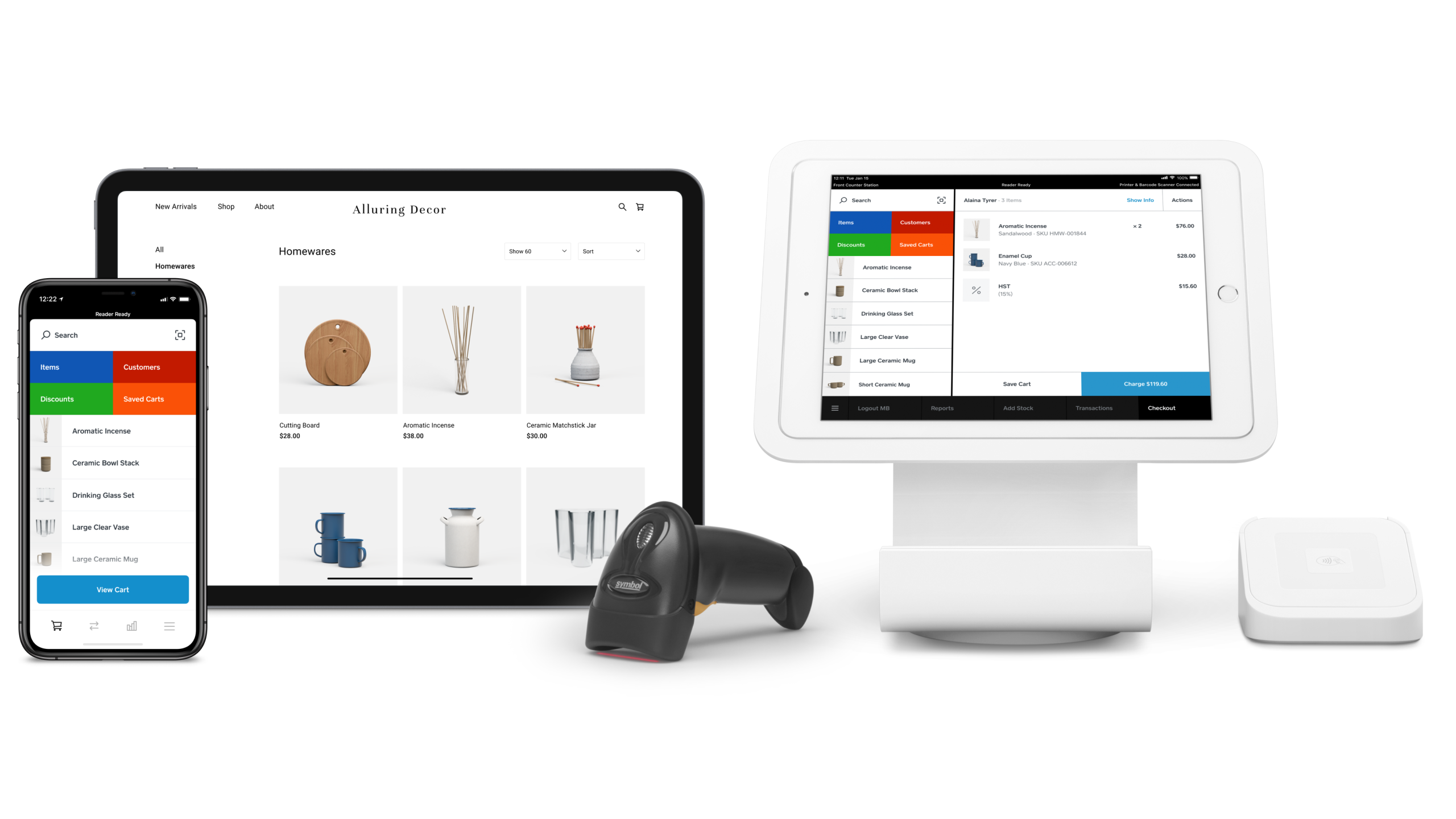
Square for Retail is the most accessible entry point on this list. It offers a free plan, no contracts, no setup fees, and setup that takes hours rather than days. For small brick-and-mortar businesses that need real-time inventory tracking, a free online store, and basic reporting without a learning curve, Square is hard to beat.
Key Features
- Real-time inventory tracking across up to 300 locations on all plans, with low-stock alerts and purchase order creation.
- Free online store included with every plan. You can start selling online the same day you sign up.
- Barcode scanning and label printing for stock management.
- Vendor management and COGS reporting on the Plus plan for accurate margin tracking.
Where Square Shines
- Zero-friction onboarding: Import your catalog, plug in a card reader, and you’re selling. No implementation consultant required.
- Free plan does more than most paid tiers did five years ago: The free plan offers real-time tracking, low-stock alerts, online store, and basic reporting, all at $0/month.
Where Square Falls Short
- Ceiling for growing retailers: Multi-location inventory management, advanced reporting, and cross-location transfers all require the Plus plan or higher.
- Transaction fees on the free plan are high: At 2.6% + 10¢ per in-person transaction, high-volume retailers will pay more than with a system offering interchange-plus pricing.
Customer Reviews
“We use Square for Retail as the basis for our online ordering page through Wix, as it works best for hosting that site for orders. It works great, we can track inventory and orders and such, it does what we need it to do”
“The fees are so high. Absolutely ridiculous when other companies offer funds transfer and payment options for a fraction of the service fee. I’ve had to start adding service fees to client bills who choose to pay with Square.”
Who Square Is Best For
- New retailers and startups who need to start accepting payments quickly with minimal upfront cost.
- Small single-location shops that don’t need complex multi-location inventory management.
- Pop-up sellers and market vendors who need mobile payment flexibility.
Pricing
| Plan | Price | Key Inclusions |
|---|---|---|
| Free | $0/month | Automatically create items and SKUs, discounts and refunds, sales reporting |
| Plus | $49/month per location | Inventory management and stock intake, vendor and purchase order management, cost of goods sold and inventory reporting |
| Premium | $149/month per location | Cross-location returns and fulfilment, transfer orders, 24/7 phone support |
| Pro | Custom pricing | If you process over $250,000 per year, you might be eligible for custom pricing, setups, and processing fees |
5. Zoho Inventory: Best for Budget-Conscious SMBs & Multichannel Sellers
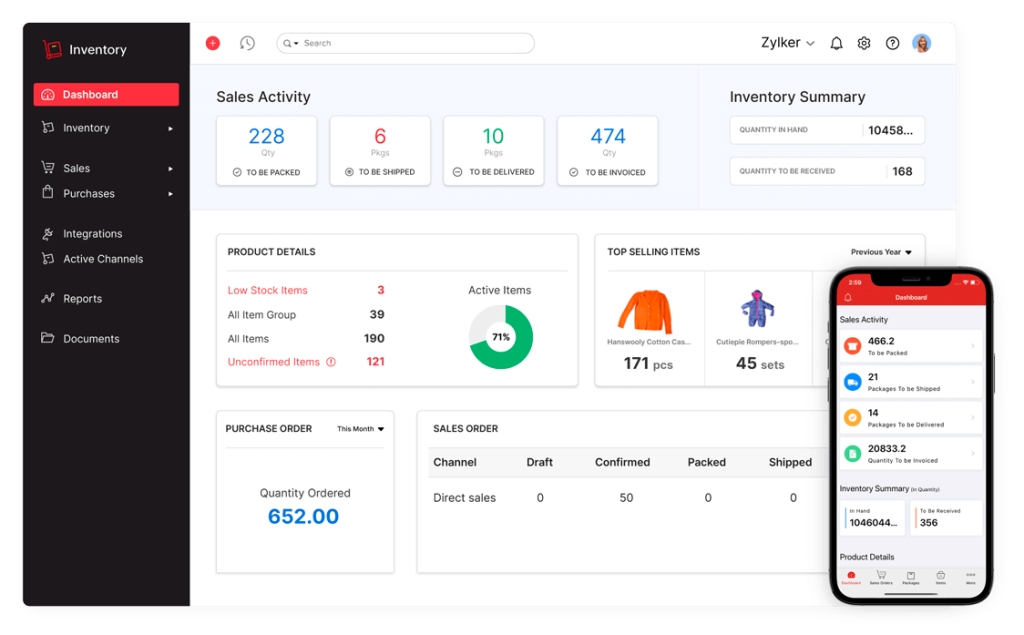
Zoho Inventory is a standalone cloud-based inventory management system (not a POS) that connects your sales channels (i.e., Shopify, Amazon, WooCommerce, eBay, Etsy) into one place. Its Standard plan is one of the most generous in the category, and it integrates natively with Zoho’s CRM, accounting (Zoho Books), and analytics suite.
Key Features
- Multichannel inventory sync: Real-time stock updates across your online store, Amazon, Shopify, WooCommerce, and other channels from a single dashboard.
- 700+ integrations: Including Shopify, Amazon, eBay, WooCommerce, Xero, QuickBooks, EasyPost, and ShipStation, Zoho offers one of the broadest ecosystems on this list.
- Built-in workflow automation: Native webhooks and custom functions let you automate reorder alerts, purchase orders, and channel updates without third-party tools.
- 100+ pre-built reports: Through Zoho Analytics (add-on), you get SKU-level profitability, inventory turnover, and demand forecasting insights.
Where Zoho Shines
- Best value at the low end: The Standard plan supports 50 orders/month across 2 locations with real inventory tracking, which should be more than enough for very small operations. Plans start at just $29/month (billed annually).
- Zoho ecosystem: If you already use Zoho CRM or Zoho Books, Inventory integrates natively with zero additional setup.
Where Zoho Falls Short
- Not a POS system: Zoho Inventory manages stock and orders but doesn’t process in-person transactions. You’ll need a separate POS if you have a physical retail presence.
- Order limits on lower tiers: The Standard plan caps you at 500 orders/month, and growing businesses can hit this ceiling faster than expected.
Customer Reviews
“We’ve been using Zoho Inventory for several months, and it has made a huge difference in how we organize and control our stock. The system is very intuitive and integrates perfectly with other Zoho apps and sales channels like Amazon and eBay.”
“There are many features that are free in Inventory but not Books, and features that I pay for in Books but can’t use in Inventory, forcing me to pay for both services just to have the same features in both apps. For as tightly coupled as the various Zoho apps are, calling them “completely separate products” is a farce.”
Who Zoho Inventory Is Best For
- Pure ecommerce retailers or businesses with minimal in-person selling who need multichannel inventory sync.
- Small businesses already in the Zoho ecosystem looking to centralize operations.
- Budget-conscious teams that need solid inventory management without paying for a full POS platform.
Pricing
| Plan | Price | Key Inclusions |
|---|---|---|
| Standard | $29/month billed annually |
500 orders/month, 2 users, 2 locations, composite items, dropshipment, backordering, item groups, customer portal |
| Professional | $79/month billed annually |
3,000 orders/month, 2 users, 4 locations, everything in Standard + serial number tracking, batch tracking, vendor portal |
| Premium | $129/month billed annually |
7,500 orders/month, 2 users, 6 locations, everything in Professional + contextual chat, UoM conversion, customization & automation, barcode generation, stock counting |
| Enterprise | $249/month billed annually |
15,000 orders/month, 7 users, 10 locations, everything in Premium + Zoho Analytics, multi-currency transactions for each contact |
6. inFlow Inventory: Best for Wholesale, Distribution & B2B Retailers
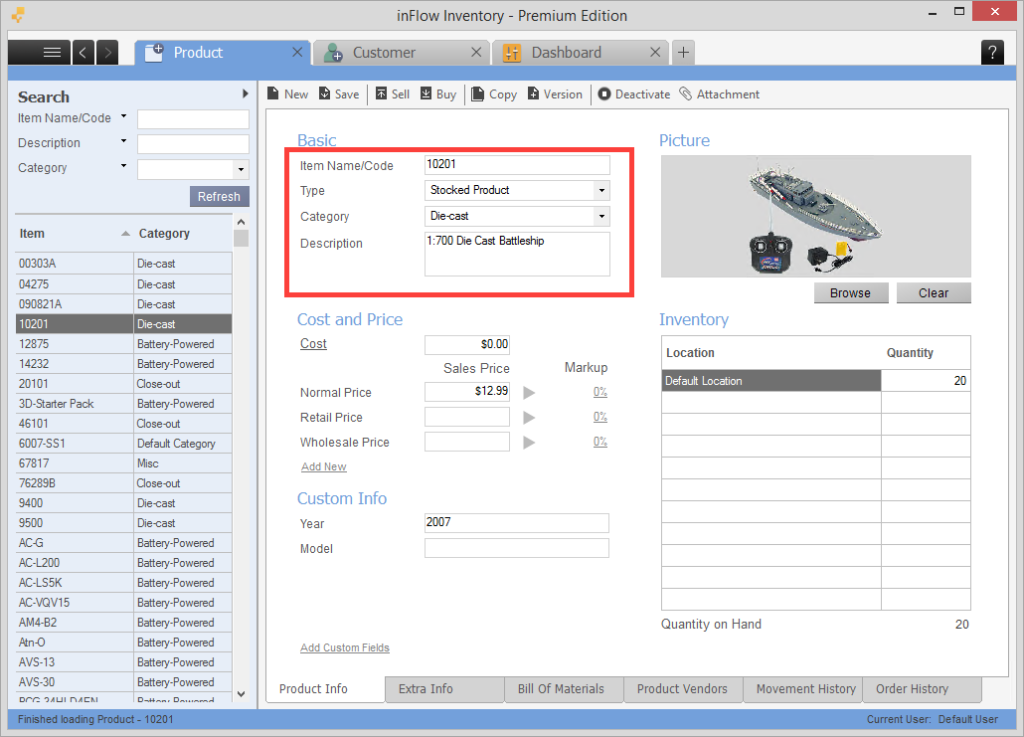
inFlow Inventory is purpose-built for wholesalers, distributors, and B2B sellers who need more than basic stock tracking. Its built-in B2B Showroom lets you create branded digital catalogs for wholesale customers without a separate platform.
inFlow handles the full order lifecycle from purchase to fulfillment, with native support for barcode generation, pick/pack/ship workflows, and 40+ ecommerce integrations including Shopify, Amazon, and WooCommerce.
Key Features
- B2B Showroom: Users can create public or private online catalogs for wholesale customers in a few clicks. Customers can browse, check stock, and place orders directly, reducing back-and-forth.
- Barcode generation, design, and scanning: Unlike many competitors that let you scan barcodes but not create them, inFlow includes a full Label Designer for generating and printing custom barcode labels.
- 44+ reports on the base plan: The Entrepreneur plan (inFlow’s base plan) offers sales performance, inventory valuation, reorder analysis, and more.
Where inFlow Shines
- B2B sales workflows: The Showroom feature is rare at this price point and eliminates significant manual work for wholesale-focused businesses.
- Intuitive interface: inFlow is praised across reviews for being one of the easiest-to-navigate inventory systems on the market. Teams often get up and running without formal training.
Where inFlow Falls Short
- No in-person POS: inFlow manages inventory and orders, not point-of-sale transactions. Retailers with in-person checkout need a separate POS solution.
- Order limits per tier: Each plan has a monthly sales order cap ($0.20 per additional order if exceeded), which can be a gotcha for high-volume sellers.
Customer Reviews
“I love using InFlow for how easy it is to set up inventory and be able to track stock from multiple locations and even sublocations. InFlow allows me to see my inventory quickly, and be able to track stock movement accurately. And it didn’t matter if the products had serial numbers or not.”
“The number of sales orders you can create each month is restricted based on your subscription plan, and going over that limit can become quite costly.”
Who inFlow Is Best For
- Wholesalers and distributors who sell to business buyers and need a seamless B2B order process.
- Teams that need barcode generation as well as scanning (inFlow builds the labels; many competitors often don’t).
Pricing
| Plan | Price | Key Inclusions |
|---|---|---|
| Entrepreneur | $161/month or $1,548/year |
2 team members, 100 orders/month, 1 integration, 1 location, technical support |
| Small Business | $436/month or $4,188/year (onboarding: $499) |
5 team members, 12,000 orders/year, 3 integrations, unlimited inventory locations, showroom, technical support |
| Mid-Size | $874/month or $8,388/year (onboarding: $499) |
10 team members, unlimited sales orders/year, 5 integrations, unlimited inventory locations, inFlow API, Showroom Pro, lot numbers, expanded technical support |
| Enterprise | Custom (onboarding: $499) |
25 members, unlimited sales orders/year, unlimited integrations, unlimited inventory locations, inFlow API, Showroom Pro, lot numbers, serial numbers, expanded technical support |
7. Katana: Best for DTC Brands & Makers That Manufacture What They Sell
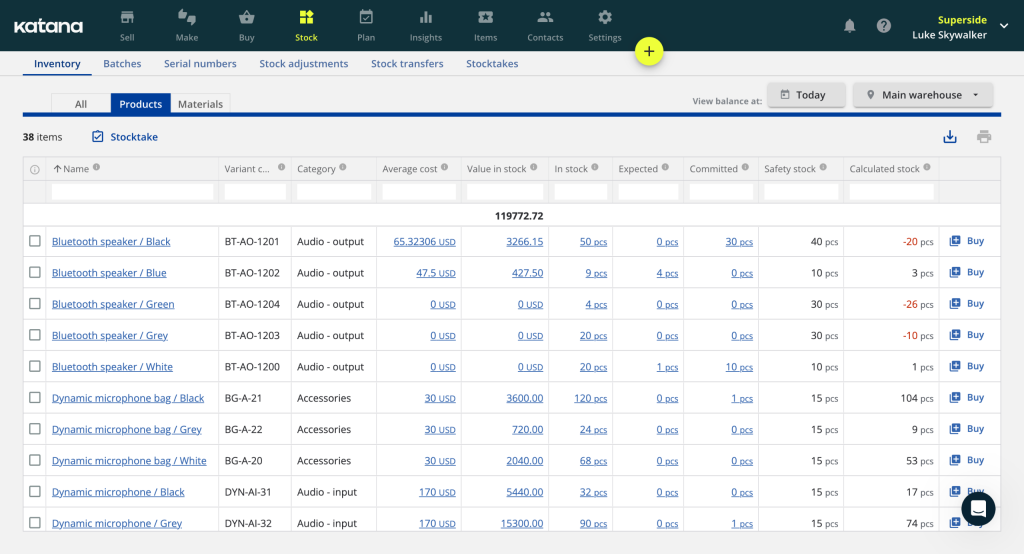
Katana is a cloud-based manufacturing and inventory platform built specifically for makers, small-to-mid-sized businesses that produce their own products and sell them directly, whether through Shopify, wholesale, or their own channels. (Think candle brands, skincare lines, small-batch food producers, apparel companies with custom kitting, or any DTC brand where inventory management and production planning are inseparable.)
Key Features
- Bills of Materials (BOMs) & Work Order Management. Define exactly what raw materials go into each finished product, then generate work orders that pull materials automatically as production runs. The shop floor view gives operators real-time task visibility with barcode scanning to keep inventory accurate as work happens.
- Live Inventory Across Production & Sales. Katana tracks raw materials, work-in-progress, and finished goods simultaneously, updating in real time as materials are consumed in production and as sales orders are fulfilled.
- Shopify & Multichannel Integration. Native Shopify integration pulls in sales orders automatically and triggers production planning based on demand. Connect accounting (QuickBooks, Xero), shipping, and other tools through Katana’s open API or integrations.
Where Katana Shines
- Production-first design: No other tool on this list connects raw material inventory directly to production scheduling and finished goods tracking in this way. For brands that make what they sell, that integration eliminates the spreadsheet gap most systems leave open.
- Unlimited users on all plans: Katana doesn’t charge per seat. Your whole team (operations, production, sales) can access the platform without the per-user cost creep that hits tools like inFlow or Zoho.
Where Katana Falls Short
- Pricing model has changed repeatedly: Long-term users report Katana has overhauled its pricing structure multiple times. High-order-count businesses with low-ticket items can find themselves bumped into expensive tiers disproportionate to their actual revenue. Model carefully before committing.
- Not a POS system: Katana manages production and inventory, not in-person transactions. If you sell in a physical retail location, you’ll need a separate POS.
Customer Reviews
“It’s great to be able to log in on any computer without having to install software, and it’s done an amazing job of keeping our inventory tidy and up-to-date. The Purchase Order generator has also made us look very professional to our suppliers.”
“The company has become increasingly difficult to work with, shows little understanding of small manufacturers’ realities, enforces punitive order-based pricing, changes terms mid-contract, and prioritizes larger customers over long-time users.”
Who Katana Is Best For
- DTC makers and small-batch manufacturers: Katana best serves makers (candles, skincare, apparel, food & beverage, jewelry, etc.) who need production planning connected to inventory.
- Shopify-first brands that manufacture or assemble products and need a single system for BOMs, work orders, and sales.
- Teams of any size that want unlimited user access without per-seat fees eating into the budget.
Pricing
| Plan | Price | What’s Included |
|---|---|---|
| Free | $0/month | Core manufacturing features, up to 30 SKUs, 1 location, Shopify integration only |
| Core | From $299/month | Unlimited SKUs, unlimited users, 1 location included, full BOM & work order management, multichannel integrations, open API |
How to Choose a Web-Based Inventory Software
Choosing the right inventory software means matching your business model, sales channels, and operational complexity to a system that can scale without creating unnecessary costs or workflow friction. Here’s what to consider:
1. Match the Tool to Your Sales Channels
If your business is primarily in-person, you need a POS-native inventory system like KORONA POS, Lightspeed, or Square. If you’re ecommerce-first, Shopify POS or Zoho Inventory will serve you better. If you sell across retail, wholesale, and online, inFlow is purpose-built for that complexity.
A system that doesn’t connect to your sales channels creates more work. Inventory updates that require manual reconciliation across platforms are the fastest path to stockouts and overselling.
2. Evaluate Inventory Depth
Every tool on this list tracks stock. What separates them is depth: can it track product variants (size, color)? Does it automate reorder points by location? Can it grade products by sales velocity and tell you which SKUs are dead weight? Does it handle multi-location stock transfers?
Basic inventory tracking prevents stockouts. Advanced inventory analysis prevents overbuying and helps you optimize cash tied up in slow-moving stock.
PRO TIP!
When evaluating inventory depth, ask vendors specifically: Does automated reordering work per-location? Can I see my reorder history? Does the system support vendor lead times?
3. Factor in Total Cost of Ownership
A $39/month base plan can easily become $300–$500/month once you account for processing fees, hardware, add-ons, and integrations. Before committing, model 12 months of real usage at your sales volume.
Key cost drivers to watch:
- Processing fees: Some systems (Shopify, Square) charge extra if you don’t use their built-in payment processor.
- Per-location fees: Shopify POS Pro charges $89/month per location. Three locations = $267/month in POS fees alone, before your Shopify subscription.
- Add-on modules: Some softwares’ base plan covers core inventory, then advanced WMS and manufacturing cost extra.
- Hardware: Budget $100–$2,000 per terminal depending on your setup.
4. Prioritize Real-Time Reporting and Analytics
Inventory software that doesn’t show you why products are moving (or not) is just a fancy counting tool. Look for systems that surface:
- Sell-through rates by SKU, category, and location
- COGS and margin reporting to understand true profitability
- Reorder timing recommendations based on lead times and sales velocity
- Cross-location comparisons for multi-store operators
5. Seek 24/7 Customer Support
A system glitch during a busy Saturday or a misconfigured reorder point discovered during year-end counts can cost real money. Before you sign up, check:
- Is support 24/7 or limited hours?
- Do you get a dedicated contact?
- What do users actually say? (Check review sites like G2 to learn more)
Have trouble getting your POS customer service on the phone?
KORONA POS offers 24/7 phone, chat, and email support. Call us at 833.200.0213 to see how reliable we are.
Final Thoughts: Finding the Best Web-Based Inventory System for Your Business
The best inventory system is the one that matches how your business actually sells. A single-location startup and a 20-location specialty retail chain have genuinely different needs, and no single tool is the right answer for both.
Whatever you choose, the bigger mistake is waiting too long. Inventory distortion (the combination of stockouts and overstock) costs retailers an estimated $1.77 trillion annually. The right web-based system doesn’t eliminate that risk entirely, but it gets you close.
FAQs: Web-Based Inventory Management
What’s the difference between web-based and cloud-based inventory software?
The terms are often used interchangeably, but web-based specifically means you access the software through a browser with no installation required, while cloud-based refers to where the data is stored. All web-based inventory software is cloud-based, but not all cloud-based software is browser-accessible.
Can I use web-based inventory software with my existing hardware?
Most web-based platforms work with standard tablets, laptops, and barcode scanners, but POS-native systems like KORONA POS, Lightspeed, and Square often pair best with specific receipt printers, cash drawers, and card readers. Check each vendor’s hardware compatibility list before assuming your current setup will work.
Do I need separate software for online and in-person sales?
Not necessarily — systems like KORONA POS, Shopify POS, Lightspeed, and Square unify both channels in one platform. Tools like Zoho Inventory, inFlow, and Katana are inventory-only, so if you have a physical register, you’d need to pair them with a separate POS.


