


Overview:
- Square: Best for new retailers starting out
- Shopify POS: Best for retailers who sell online and in-store
- KORONA POS: Best for specialty retailers who want to choose their own payment processor
- Clover: Best for storefronts that want hardware, software, and payments bundled
- Genius Retail: Best for independent and apparel retailers
- Retail Pro: Best for established multi-location and franchise operations
- SpotOn: Best for hybrid retail and food service businesses
Retailers today have more POS options than ever, and that can feel both exciting and overwhelming. Whether you run a single shop or 30 locations, and no matter your vertical, there’s a system built specifically for your operation.
This guide cuts through the noise and gives you a straight comparison of the 7 best POS companies for retailers in 2026, so you can find the right fit and get back to running your business.
Comparison Table: 7 Best POS Companies for Retailers
| POS System | Best For | Standout Feature | Starting Price |
|---|---|---|---|
| Square | New retailers starting out | Free plan, zero contracts | $0/month |
| Shopify POS | Retailers who sell online and in-store | Unified online + in-store inventory | $39/month (+ $89/location POS Pro) |
| KORONA POS | Specialty retailers who want to choose their own payment processor | Processor-agnostic, deep inventory | $59/month per terminal |
| Clover | Storefronts that want hardware, software & payments bundled | All-in-one hardware ecosystem | $14.95/month (software only) |
| Genius Retail | Independent and apparel retailers | Built-for-retail inventory, CRM & omnichannel | Custom quote |
| Retail Pro | Established multi-location and specialty retailers | True stock balancing, open API, 131 countries | Custom quote |
| SpotOn | Hybrid retail and food service businesses | Flexible processing + built-in marketing | $25/month (retail terminal) |
How we ranked these POS Systems:
Our rankings are based on verified user reviews from G2 and Capterra, weighted equally so neither platform skews the results. We looked at overall rating scores, review volume, and recurring themes in users’ praise and flags. We excluded products with fewer than 25 reviews. We don’t accept payment for placement. If a product ranks here, it’s because real users said so.
1. Square: Best for New Retailers Starting Out
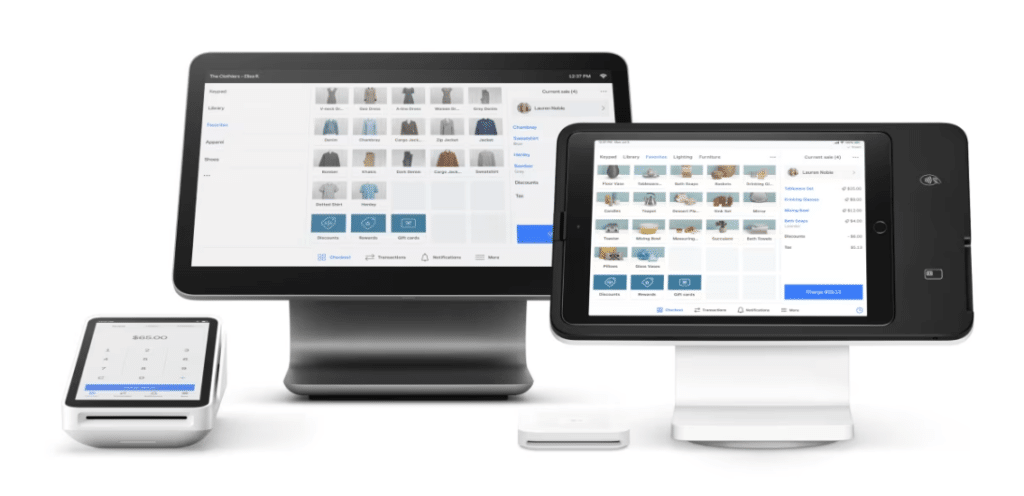
Square is the easiest entry point into retail POS. Zero monthly fee to start, no contracts, transparent processing, and hardware that arrives ready to use. Square completely overhauled its plan structure in October 2025, consolidating 18 separate subscriptions into three simple tiers: Free, Plus, and Premium.
The free plan is decent, too. It includes inventory management, customer profiles, basic reports, and the ability to sell online. Most small retailers can run comfortably on it for years.
Key Features
- Free plan with real features ($0/month): Users can enjoy inventory tracking, an online store, basic reports, and unlimited items without paying a monthly subscription fee.
- Integrated ecosystem: Square users can access payroll, invoices, appointments, marketing, and loyalty all under one login (on paid plans).
- Hardware flexibility: From the free Square Reader to the Square Register, you pick the setup that fits. Square is celebrated for its easy to use and aesthetically pleasing hardware.
Where Square Shines
- Zero startup cost: The free plan + a $49 card reader is all you need to start accepting payments in-store
- Ease of use: The interface is genuinely simple. Staff can be trained in under an hour and new or pop-up retailers can jump right into things.
Where Square Falls Short
- No processor flexibility: Square is its own processor. Rates are fixed, so you can’t bring your own merchant account or negotiate.
- Limited for complex retail: High-SKU stores, multi-location operations, or businesses needing deep customization will hit Square’s ceiling quickly.
Customer Reviews
On G2, Square holds a 4.6/5 rating. Users love the simplicity and free entry point; growing businesses frequently cite fixed processing rates and limited advanced inventory tools as reasons they eventually move on.
“I have journals that I sell during my courses, and Square Point of Sale makes it easy to accept multiple forms of payment. I like that it works on phones and tablets because I carry both with me. It also allows me to set up multiple ways to pay, using both a tablet and a phone, meaning there’s no limit to where I can go and use Square.”
“I find Square for Retail very limited in terms of customization. It’s challenging to personalize the website to meet specific needs because there aren’t enough options or flexibility. I can’t customize things sufficiently, which makes it difficult to get the website to look the way I want. The reliance on templates, which are quite restricted, poses a problem.”
Who Square is Best For
- New retailers who need to start selling immediately without upfront cost
- Small boutiques and pop-up shops with simple, low-SKU inventory
- Solopreneurs who want one ecosystem for payments, invoicing, and appointments
Pricing
| Plan | Price | Key Inclusions |
|---|---|---|
| Free | $0/month | Automatically create items and SKUs, discounts and refunds, sales reporting |
| Plus | $49/month per location | Inventory management and stock intake, vendor and purchase order management, cost of goods sold and inventory reporting |
| Premium | $149/month per location | Cross-location returns and fulfilment, transfer orders, 24/7 phone support |
| Pro | Custom pricing | If you process over $250,000 per year, you might be eligible for custom pricing, setups, and processing fees |
2. Shopify POS: Best for Retailers Who Sell Online and In-Store
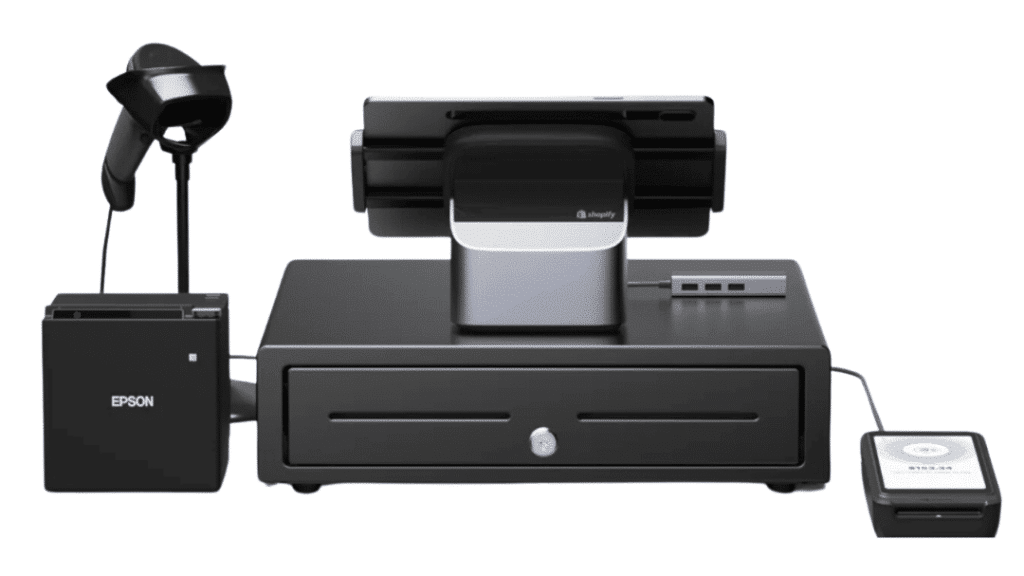
If you sell (or plan to sell) online and in-store, Shopify POS is the most logical choice on this list. Nothing else unifies eCommerce and physical retail as seamlessly.
Inventory updates the moment a sale happens anywhere, and customer profiles and loyalty points follow the shopper across channels. That kind of unified commerce is hard to build with two separate systems, but Shopify makes it native.
Key Features
- Unified inventory: Shopify offers a single product catalog across online stores, retail locations, and wholesale, eliminating overselling and manual syncing.
- Omnichannel customer profiles: Purchase history, refunds, gift card balance, and loyalty points are visible from any device, at any location.
- Buy online, pick up in-store (BOPIS): BOPIS is natively built in. Customers select their pickup location at checkout, and the staff is automatically notified.
- Social commerce: Users benefit from direct selling through Instagram, TikTok Shop, and Facebook from the same back-end.
Where Shopify POS Shines
- eCommerce-first brands expanding to physical retail: If your online store is already on Shopify, adding POS costs almost nothing, and the integration is instant.
- Multi-channel brands: Social, marketplace, wholesale, and retail all exist in one place.
Where Shopify POS Falls Short
- In-store-only retailers: If you have zero interest in online selling, you’re paying for capabilities you’ll never use.
- Processor flexibility: Using a third-party processor instead of Shopify Payments triggers additional transaction fees (0.5%–2% depending on your plan).
Customer Reviews
Shopify POS holds a 4.6/5 on Capterra. Users consistently praise the seamless online-offline sync, and flag limited offline functionality and the add-on cost of POS Pro as drawbacks.
“Overall, it’s been a reliable and scalable platform for our business. We’re able to turn YouTube traffic into purchases without friction, and that’s been huge. While it takes some initial setup to make it work for digital products and content funnels, once it’s dialed in, it runs smoothly.”
“For its price point, Shopify POS is easier to use and more customizable than other POS software/hardware combos like Square, but greater ease of access and business use is locked behind paywall tiers, and smooth flow of business can be disrupted by occasionally unreliable connections to external hardware like printers and card readers.”
Who Shopify POS Is Best For
- DTC brands with an online store expanding to physical retail
- Multi-channel retailers selling across social, marketplaces, and physical stores
- Any business already on Shopify (adding POS is a no-brainer)
Pricing
| Plan | Price | Key Inclusions |
|---|---|---|
| Basic | $39/month or $348/year |
Limited staff can access POS, simple customer profiles, returns at original purchase location |
| Grow | $105/month or $948/year |
10 inventory locations, 24/7 chat support, 5 staff accounts, in-person selling by phone or POS device |
| Advanced | $399/month or $3,588/year |
10 inventory locations, enhanced 24/7 chat support, 15 staff accounts, in-person selling by phone or POS device |
| Plus | $2,300/month (3-year term) |
Up to 87% shipping discount, 200 inventory locations, priority 24/7 phone support, unlimited staff accounts |
| POS Pro | +$89/month/location (+$79 billed annually) |
Staff permissions, advanced inventory management, exchanges, professional retail reports, unlimited POS logins, customer loyalty insights |
3. KORONA POS: Best for Specialty Retailers Who Want to Choose Their Own Payment Processor
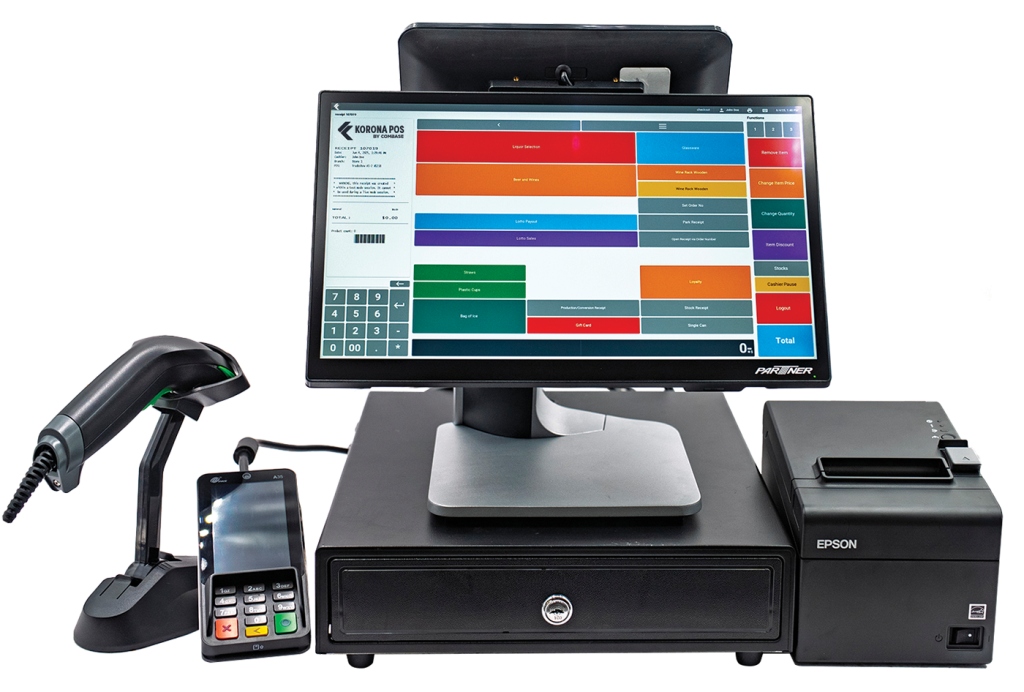
KORONA POS occupies a different space than most systems on this list. It was built specifically for several types of retailers that don’t fit neatly into the “generic small business” mold: liquor stores, convenience stores, vape shops, gift shops, museums, ticketing businesses, wineries, and franchise operations.
KORONA is payment processor agnostic, meaning you choose your own merchant services provider and negotiate your own rates. That alone can save multi-terminal retailers thousands per year compared to processor-locked systems like Square and Clover.
Key Features
- Advanced inventory management: ABC grading classifies products by performance, automated reorder points keep stock levels in check, and real-time tracking works across multiple locations — all included in the Retail plan. ABC grading classifies products by performance, automated reorder points through inventory management to keep stock levels in check, and real-time tracking works across multiple locations — all included in the Retail plan
- Loss prevention tools: Built-in tools track inventory discrepancies, flag unusual transaction patterns, and give managers visibility into employee-level activity. This is native tooling that’s rare at this price point.
- Real-time reporting and KPI dashboards: KORONA.studio gives you conversion rates, sales by hour, product performance, employee activity, and multi-location comparisons in real time with custom dashboards you can build without ever opening a spreadsheet.
Where KORONA POS Shines
- Processor independence: Use any processor you want. A 0.3% difference in processing rates on $1M in card volume is $3,000/year back in your pocket.
- Niche industry depth: KORONA offers age verification for liquor and vape, ticketing and membership for museums and parks, franchise royalty calculation, and winery tasting room management. Most POS systems don’t touch these.
- Customer support: Across hundreds of reviews, responsive US-based support is the most consistently praised aspect of KORONA. Most users report reaching a real person in under a minute.
Where KORONA POS Falls Short
- Learning curve: The backend is feature-dense and can feel overwhelming during setup. Budget time for onboarding.
- Per-terminal pricing adds up: At $59–$79/month per terminal for the lowest-tier plans, a 5-terminal store pays $295–$395/month before add-ons. Run the math carefully for large multi-terminal setups.
Customer Reviews
On G2, KORONA POS holds a 4.8/5 rating. Users consistently praise the inventory depth, real-time reporting, and processor independence, particularly among multi-location retailers who appreciate having all their store data centralized in a single dashboard. The most common criticism is the UI, which reviewers describe as functional but dated, with a learning curve for more advanced features.
“I like KORONA POS because it offers real-time inventory tracking, detailed reports, and stable performance. It’s easy to use, customizable, and works reliably without the need for long-term contracts. I also enjoy its responsive customer support, flexible integrations, offline mode reliability, and the ability to manage multiple stores from one dashboard.”
“While the system is highly functional, the initial setup can be a bit complex for users without prior POS experience. Additionally, some advanced customization options require technical assistance, which might slow down implementation for certain businesses. However, once configured, the system runs smoothly.”
Who KORONA POS Is Best For
- Specialty retailers with compliance requirements (liquor, vape, cannabis-adjacent).
- Multi-location and franchise operations needing centralized control with per-location visibility.
- High-volume retailers who want to negotiate their own payment processing rates
Pricing
| Plan | Price | What’s Included |
|---|---|---|
| KORONA Core | $59/month | 24/7 customer support, payment processor choice, customizable dashboard, unlimited users and sales, gift cards, eCommerce integration, API access |
| KORONA Retail | $79/month | Everything in Core + inventory counts, stock management, barcode automations, supplier interface integration, customer management, real-time tracking, and more |
| KORONA Plus | $99/month | Everything in Core and Retail + advanced stock management, assortment cleanup, key performance reports, custom ABC analysis, order level optimization, and more |
| Add-ons | $10–$50/month | KORONA Food (+$10), KORONA Franchise (+$30), KORONA Ticketing (+$50/gate) |
4. Clover: Best for Storefronts That Want Hardware, Software, and Payments Bundled
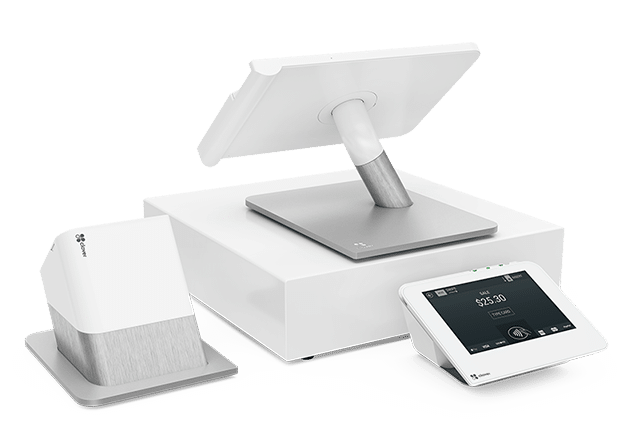
Clover bundles hardware, software, and processing into one polished package. The ecosystem is well-designed and covers most brick-and-mortar checkout scenarios out of the box. If you want everything from one vendor with minimal setup, Clover delivers.
Just know what you’re signing up for: Clover locks you into Fiserv for payment processing, hardware financing typically requires a 3-year contract, and rates vary significantly by reseller. Always buy directly from Clover rather than through third-party resellers to get cleaner terms.
Key Features
- Hardware ecosystem: The Clover POS hardware ecosystem is a premium, Android-based, and cloud-connected suite of devices featuring high-volume, commercial-grade hardware.
- App market: Users can choose from hundreds of third-party integrations via the Clover App Market.
- Online ordering: Receive and process orders from searches, apps, or your menu web page. Accept contactless payments for takeout, curbside pickup, delivery, and dine-in.
Where Clover Shines
- Ease of setup: Clover arrives largely pre-configured. It’s polished, durable hardware that looks professional in customer-facing settings.
- All-in-one convenience: Clover offers hardware, software, and processing from one vendor, which is deeply convenient for retailers looking for a one-and-done POS option.
Where Clover Falls Short
- Contract requirements: Most hardware financing plans require a 3-year commitment with significant early termination fees.
- Inventory depth: Retailers with large, super complex catalogs will hit limits fast.
Customer Reviews
On G2, Clover holds a 3.9/5 rating. Users love the hardware quality and how fast staff can get up to speed. It’s one of the easiest systems to just plug in and use. The most common complaints center on the app marketplace model (standard features require paid add-ons) and contract issues, with hidden fees and difficult cancellations being recurring themes.
“I really enjoy how Clover keeps everything organized in one place, making managing my business feel less stressful and way more efficient. The reports are super clear, which helps me understand how my business is doing without spending hours crunching numbers. I also like how customizable it is and I can set it up to fit exactly how I run things.”
“The whole thing with having to purchase individual apps, the prices add up quickly. I understand how Clover is basically a POS middle-man, but I think there should be a discounted price if we have to utilize other apps for clocking, scheduling, gift cards, combo/deals and promotions, etc.”
Who Clover Is Best For
- Traditional retail storefronts that want professional-looking hardware with minimal setup
- Service businesses and boutiques with simple inventory needs
- Businesses that want one vendor for hardware, software, and processing
Pricing
| Plan | Starting price |
|---|---|
| Full-service dining | |
| Starter | $179/mo (36-mo) or $1,799 + $89.95/mo |
| Standard | $239/mo (36-mo) or $2,548 + $109.90/mo |
| Advanced | $354/mo (36-mo) or $4,447 + $129.85/mo |
| Quick-service dining | |
| Starter | $135/mo (36-mo) or $849 + $89.95/mo |
| Standard | $185/mo (36-mo) or $1,899 + $89.95/mo |
| Advanced | $245/mo (36-mo) or $2,648 + $109.90/mo |
| Retail | |
| Basic | $16/mo (36-mo) or $349 |
| Standard | $180/mo (36-mo) or $1,899 + $84.95/mo |
| Advanced | $240/mo (36-mo) or $2,648 + $104.90/mo |
5. Genius Retail: Best for Clothing and Apparel Retailers
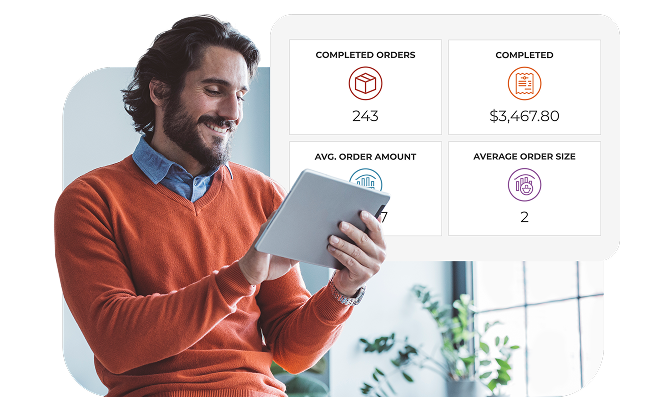
Global Payments acquired Heartland in 2015 and has since consolidated its retail offering into a single unified platform called Genius, launched for U.S. retailers in 2025. Genius Retail is built around how clothing stores operate: it includes matrix inventory grids that track size, color, and width combinations, fitting room workflows, and trade show buyer tools that let you place orders on the floor before inventory even arrives.
It’s a cloud-based system built for small- to medium-sized retail businesses, bringing together inventory management, omnichannel selling, CRM, and payment processing under one roof.
Key Features
- Matrix inventory management: Track every size, color, and width variant in real time, with COGS reporting, margin analysis, and custom reporting tools built around how apparel retailers actually buy and sell product.
- Fitting room and floor workflows: Purpose-built tools for the way clothing stores operate — from fitting room holds to trade show purchasing — that general-purpose POS systems don’t offer.
- Omnichannel selling: Sync inventory, process orders, and track sales across in-store and online channels from one platform, with eCommerce inventory sync available on the Complete plan.
Where Genius Retail Shines
- Purpose-built for retail: Unlike Square or Clover which serve many industries, Genius Retail is designed specifically around retail workflows (inventory, buying, customer data, and omnichannel selling).
- Apparel and boutique depth: The inventory grids, trade show buyer tools, and fitting room workflows are built around how clothing and specialty stores actually operate.
- Enterprise backing at SMB scale: Global Payments processes transactions for nearly 2.5 million merchants globally. You get the infrastructure stability of an enterprise platform without the enterprise price tag.
Where Genius Retail Falls Short
- No public pricing: Custom quotes only make it harder to compare upfront. Budget time for a sales conversation before you can evaluate total cost.
- Newer platform: Genius Retail only launched in 2025. It’s built on solid infrastructure, but it has less of a track record than established competitors. Fewer independent user reviews exist yet.
- Processing requirements: Like most bundled systems, Genius Retail works best when you process through their platform. Confirm flexibility if you want to shop for better rates.
Customer Reviews
On Capterra, Genius Retail holds a 4.5/5 rating across 185 reviews. Users praise it for consolidating order management, payments, reporting, and staff controls into one platform, with several noting that the system is quick to learn and easy for staff to adopt. The most common criticisms are the complexity of the initial setup and fees, which can be challenging for smaller operations. Worth noting: the retail-specific version launched in 2025, so independent retail reviews are still limited.
“Helpful customer service, very responsive with our request with help to integrate POS system with our current CMS software. Email is responded within 2 days at most, really happy with support experience.”
“Some features require time to set up and fully understand, especially when first getting started. Customization options can feel limited for restaurants with more complex or unique needs. Occasional updates may require staff to adjust to small changes, and certain integrations may need additional configuration or support.”
Who Genius Retail Is Best For
- Independent boutiques and specialty retailers who want a system built specifically for retail
- Apparel and footwear stores managing variant-heavy inventory (size, color, width)
- Small to medium-sized retailers who want strong inventory depth, omnichannel capability, and enterprise-grade backing without paying enterprise prices
Pricing
Genius Retail does not publish pricing publicly. Plans are custom-built and based on your number of stations, locations, and processing volume. You’ll need to contact them directly for a number.
6. Retail Pro: Best for Established Multi-Location and Specialty Retailers
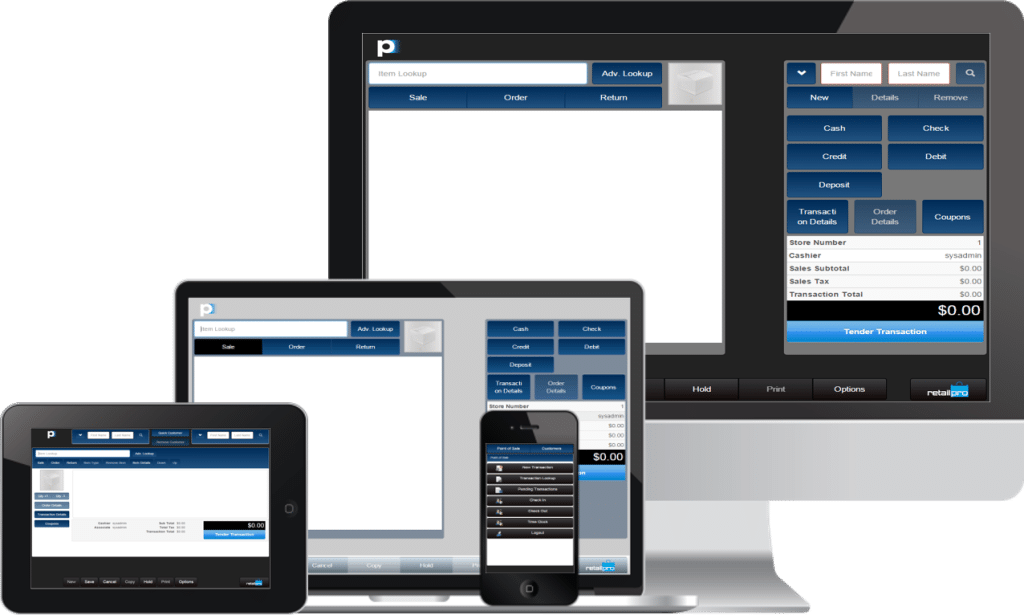
Retail Pro is one of the most purpose-built retail management systems on this list and one of the most established. It’s been in the market for over 35 years, with 54,000 installations across 131 countries.
Deep inventory management, granular multi-location visibility, true stock balancing across locations, and an open API that connects to SAP, Oracle, QuickBooks, Sage, and Shopify. Brands like Puma, Adidas, and L’Oréal run on it globally.
Key Features
- 150+ pre-built reports plus ad-hoc reporting: Run reports on inventory, margins, employee performance, vendor performance, sales trends, and KPIs across every location simultaneously with over 150 pre-built templates and full custom ad-hoc reporting.
- Open API with enterprise integrations: Connect Retail Pro to your existing ERP, CRM, HR, eCommerce, loyalty, RFID, and accounting systems (SAP, Oracle, QuickBooks, Sage, and Shopify integrations are all supported).
- Open API with enterprise integrations: Connect Retail Pro to your existing ERP, CRM, HR, eCommerce, loyalty, RFID, and accounting systems (SAP, Oracle, QuickBooks, Sage, and Shopify integrations are all supported).
Where Retail Pro Shines
- Established specialty retail chains: If you run multiple locations of a specialty retail brand and need true stock balancing, deep inventory control, and centralized visibility, Retail Pro is purpose-built for exactly that
- International operations: No other system on this list matches Retail Pro’s global footprint (131 countries, 19 languages, multi-currency, and localized tax compliance built in)
- ERP and enterprise integrations: The open API and native integrations with SAP and Oracle make Retail Pro the strongest choice for retailers who already have enterprise systems they need their POS to talk to
Where Retail Pro Falls Short
- Not for small or new retailers: Setup costs can run into the tens of thousands of dollars for complex implementations. One Capterra reviewer noted paying $18,000 to set up and integrate with their website.
- Dated interface: Across G2, Capterra, and Software Advice, reviewers consistently flag the UI as feeling sluggish and outdated compared to modern alternatives like Square or Shopify.
- Minimum 24-month contract: Unlike most systems on this list, Retail Pro requires a minimum 24-month subscription commitment.
Customer Reviews
On G2, Retail Pro holds a 3.8/5 rating across 32 reviews. Users consistently praise the inventory depth, multi-location transfer capabilities, and flexibility for customizing workflows. It’s genuinely powerful for high-volume specialty retail. The recurring complaints are the dated, sluggish interface and expensive reporting customizations that typically require vendor assistance to implement.
Retail Pro V9 provides an end-to-end point-of-sale facility with great visibility into inventory management and shipment receiving. As point-of-sale software, it’s extremely user-friendly. Transaction recording speed is admirable. Functions like stock aging, shipment batch recording are extremely useful for organizations operating in the retail industry.”
“The reports of the Retail Pro are an extremely complicated process which can cost a significant amount of money at every customization. The support is not skilled enough to solve issues instantaneously. The new reporting dashboard is way expensive.”
Pricing
Retail Pro does not publish pricing publicly. Plans are custom-built and based on your number of stations, locations, and processing volume. You’ll need to contact them directly for a number.
7. SpotOn: Best for Hybrid Retail and Food Service Businesses
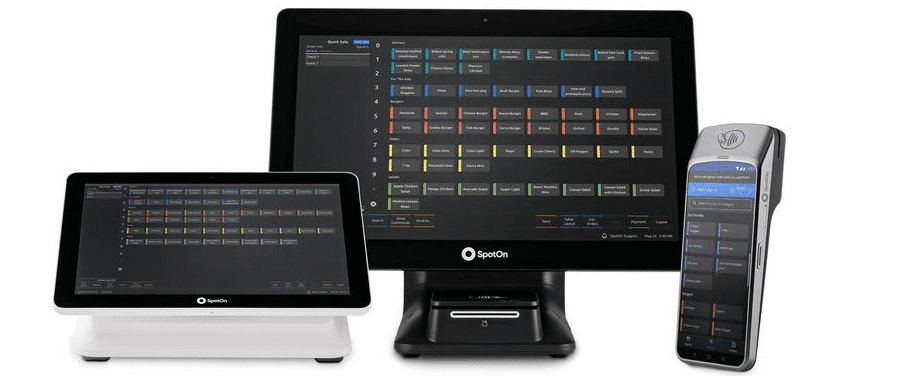
SpotOn and Toast are often compared head-to-head as restaurant POS systems, but SpotOn has a meaningful advantage for businesses that don’t fit neatly into one category. SpotOn serves restaurants, retail stores, and service businesses through a single platform, and has for a while now.
That makes SpotOn the strongest choice for hybrid operations: a gift shop with a coffee counter, a brewery with a retail merchandise area, a food hall vendor who also sells packaged goods.
Key Features
- Hybrid retail + restaurant: SpotOn offers a single platform handling both retail merchandise and food service. Inventory, orders, and payments are unified.
- Commission-free online ordering: First-party online ordering integrates directly with the POS, meaning retailers can avoid marketplace fees.
- AI-powered profitability tools: Profit Assist analyzes your P&L and surfaces actionable cost-saving opportunities. SpotOn reports an average 4.3% savings on overall costs.
Where SpotOn Shines
- Hybrid businesses: This is one of the only systems in this guide that handles retail and restaurant workflows equally well under one roof.
- Independent operators: SpotOn offers value for single and small multi-location businesses that want built-in marketing tools alongside their POS.
Where SpotOn Falls Short
- Retail depth: For retail-only businesses with complex inventory needs, SpotOn’s retail tools are more limited than KORONA or Lightspeed. It works best for simple retail paired with food service.
- Restaurant pricing complexity: Restaurant plans carry add-on costs that make total monthly spend hard to predict without a detailed quote.
Customer Reviews
On G2, SpotOn holds a 4.3/5 rating and was named the #1 Restaurant POS System in Winter 2026. Users consistently praise the ease of use, responsive 24/7 support that connects you to a real person in under a minute, and how well the platform ties together POS, online ordering, and reporting in one place. The most common complaints center on pricing transparency. Several reviewers noted monthly fees increasing without a clear explanation and an internet dependency that causes disruptions when connectivity drops.
“Spot On is amazing for its simplicity and transparency. The automated reminders, scheduling, and easy-to-use dashboard all coordinate really well, which makes day-to-day management much easier. The trainers at Spot On are also friendly, patient, and communicate very clearly. I also like the reports, especially that we can customize them, because they provide deeper insight and help drive better decisions that can benefit the business.”
“The pricing structure becomes confusing when you start adding extra features, and the overall cost can increase rapidly. The system sometimes experiences glitches and relies significantly on a stable internet connection, which can be problematic during periods of downtime. Additionally, it takes some time to become familiar with certain advanced features.”
Who SpotOn Is Best For
- Hybrid businesses with both a retail and food service component
- Independent restaurants that prioritize support quality and transparent pricing
- Small specialty retailers (boutiques, gift shops) that want built-in marketing tools alongside their POS
Pricing
| Plan | Price | What’s Included |
|---|---|---|
| Terminal | $25/month + $200 hardware |
|
| Terminal + Website | $90/month + $200 hardware |
|
| All-In (Restaurant) | $0/month Hardware included, 2-yr term |
|
| POS Essentials (Restaurant) | $55/station/month Month-to-month |
|
| Build Your Own (Restaurant) | Custom |
|
| Core Bundle Add-on | $50/month + 20bps GPV (capped at $200) |
|
How to Choose the Right POS System for Your Retail Business
Choosing a POS system comes down to one question: what does your specific operation actually need? The seven systems in this guide each win in a different scenario — so here’s how to figure out which one is yours.
1. Inventory Complexity
This is the first filter. Fewer than 500 SKUs with no variants and simple reorders? Square or Clover is fine. Managing thousands of items across multiple categories, needing matrix variants, or wanting automated purchase ordering? You need Retail Pro or KORONA.
Inventory management a headache?
KORONA POS makes stock control easy. Automate tasks, generate custom reports, and learn how you can start improving your business.
2. Payment Processing Independence
Processor-locked systems (Square, Clover) charge fixed rates with no negotiation room. For a retailer doing $1M/year in card transactions, a 0.3% difference in processing rates is $3,000 annually.
KORONA POS is fully processor-agnostic. Shopify pushes you toward Shopify Payments but allows alternatives (with a fee penalty on lower plans). Square and Clover are locked. See our guide on which POS system has the lowest fees for a deeper breakdown.
3. Multi-Location and Franchise Management
Not every system handles centralized inventory, location-level reporting, and employee permissions across locations cleanly. KORONA is the strongest option here, going deep on franchise and multi-location operations with royalty calculation and franchisor-level reporting. Retail Pro is the play for established specialty chains that need true stock balancing across many locations. Square gets shaky past 2–3 locations.
4. eCommerce Integration
If online selling is part of your strategy, Shopify POS is the obvious first choice. The integration is native and genuinely seamless. KORONA and Clover offer eCommerce capabilities but are primarily built for in-store retail. Genius Retail’s Complete plan includes omnichannel sync. If you’re an in-store-first retailer, don’t pay extra for omnichannel features you won’t use.
5. Reporting and Analytics
Every POS system claims “robust reporting.” The real test: Can you see real-time stock levels across all locations? Can you run product performance by margin, not just revenue? Can you compare store performance side by side? KORONA leads here for retail-specific reporting depth. Retail Pro’s 150+ pre-built report templates are strong for established chains. Shopify is the best for eCommerce-blended analytics.
Discover Advanced Analytics and Custom Reports
Speak with a product specialist and learn how KORONA POS can work for your business.
6. Customer Support and Reliability
This is often the deciding factor nobody thinks about until their system goes down on a Saturday. KORONA users consistently mention reaching US-based support in under a minute, 24/7. Retail Pro offers support through a global partner network. SpotOn includes 24/7 support at no extra cost and scores higher than most competitors for responsiveness. Square has strong self-service resources but limited live support. Clover includes 24/7 phone support on all plans. If customer support reliability matters (and it should), ask specifically about after-hours support before signing anything.
Conclusion: Finding the Best POS System for Your Retail Business
The best POS system for your retail business is the one that fits how you actually operate. The right system depends on factors unique to your business: how many locations you run, whether you sell online, how complex your inventory is, and how much flexibility you want over payment processing rates.
Whatever you decide, the right POS system should save you time, give you real visibility into your business, and never lock you into terms that don’t serve you. Use this guide as your starting point, and if you’re still unsure, most of these systems offer a free trial or demo worth taking before you commit.


