


A retail QR code turns a quick phone scan into a product page, a payment, a loyalty sign-up, or a review. Shoppers already know how to use them, and more stores add them every year. The real question is how to use them well. Below, you will find what a retail QR code is, the most valuable ways to use one in your store, how QR payments work, and how to create your own. We also cover the coming shift to 2D barcodes at checkout and how to get your POS ready.
Key Takeaways:
- A retail QR code connects a shopper’s phone to product info, payments, loyalty, or reviews in one scan.
- Dynamic codes work best for most stores, since you can change the destination without reprinting.
- QR payments only help if they record against the sale inside your POS.
- The 2D barcode shift (GS1 Sunrise 2027) means your POS should scan 2D codes at checkout by the end of 2027.
What Is a Retail QR Code?
A retail QR code is a two-dimensional (2D) barcode that shoppers scan with a smartphone camera to instantly open digital content: a product page, a payment screen, a loyalty sign-up, or a promotion. “QR” stands for quick response, and that’s the point: one scan, no app to download, no typing. For a retail business, it’s the connective layer between what’s on the shelf and everything you can do online.
What sets it apart is how much it can carry. The traditional 1D UPC barcode on the back of a product stores just one thing, a Global Trade Item Number (GTIN) the register uses to look up a price. A QR code is a 2D format that holds far more data and can link directly to the web, which is exactly why it’s moving from the marketing flyer to the checkout lane (more on that, and GS1 Sunrise 2027, below).
Build Your Own POS
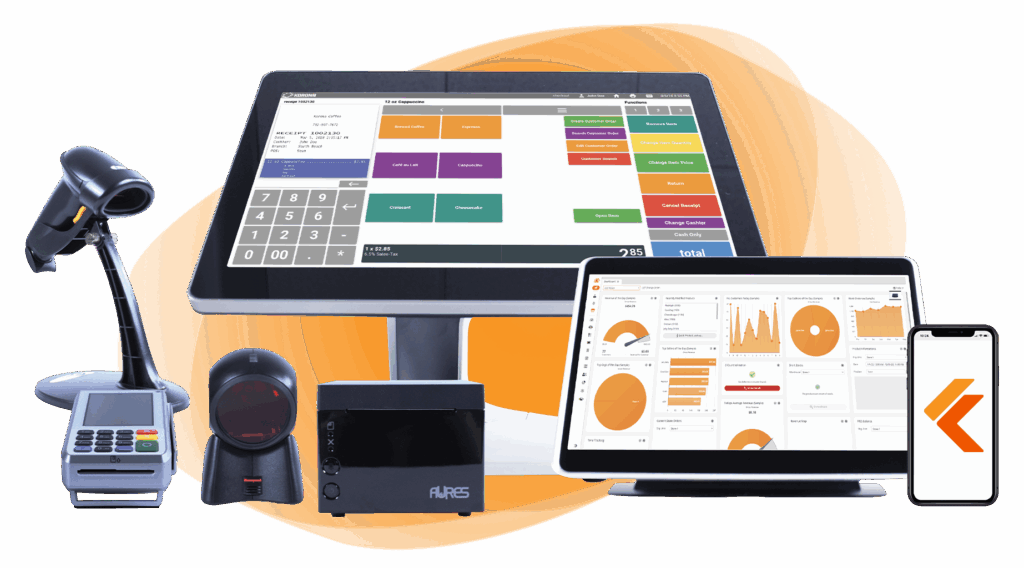
Whether you run a retail store, café, or admissions booth, we have the point of sale hardware designed for your specific needs. Start building your ideal POS system now.
Static Vs. Dynamic QR Codes (And Which One Your Store Should Use)
The difference between a static and a dynamic QR code comes down to one thing: whether you can change where it points after it’s printed. A static QR code has its destination baked in. It’s free to create, never expires, and works forever, but the moment the link changes, the code is dead and you reprint everything it’s on.
A dynamic QR code stores a short redirect instead of the final destination, so you can swap where it leads at any time without touching the printed code, and you can track every scan (how many, when, and where).
For most retail uses, dynamic wins. Anything tied to a promotion, a campaign, a menu, or a product page you’ll update should be dynamic, so you’re not reprinting signage every time something changes and so you can measure what’s actually getting scanned.
Save static codes for links that will never move, like a permanent “follow us” page or a fixed Wi-Fi login. Dynamic codes usually require a paid QR platform or a POS that manages them, but for a working store the flexibility and the scan data are worth it.
| Feature | Static QR code | Dynamic QR code |
|---|---|---|
| Cost | Free to generate | Usually needs a paid plan or a POS that manages codes |
| Editable after printing | No, reprint to change the destination | Yes, change the destination anytime, no reprint |
| Scan tracking | None | Yes: count, timing, and location of scans |
| Expiration | Never expires | Tied to the platform or subscription |
| Best for | Permanent links (Wi-Fi login, “follow us” page) | Promotions, product pages, anything you’ll update or measure |
7 Ways To Use QR Codes In Your Retail Store
Retail QR codes are most useful when each one has a clear job. The highest-value uses fall into seven categories: product information, promotions and coupons, loyalty sign-ups, reviews and feedback, wayfinding, contactless payment, and post-purchase support. Here is how each one works and the goal it serves.
1. Product information and storytelling
Put a code on the shelf edge, hang tag, or packaging that opens specs, ingredients, sizing, care instructions, or the story behind the product. It answers the questions staff field all day (“Is this gluten free?” “How do I wash it?”) and gives undecided shoppers the detail that tips them toward buying. The goal is to help shoppers decide and cut repetitive staff questions.
2. Promotions and coupons
A code in the window or on in-store signage can open a discount, a coupon, or a limited-time offer. Because a dynamic code is editable, the same printed sign can point at a new promotion each week without reprinting anything. It drives foot traffic and conversions.
3. Loyalty and sign-ups
Place a code at the register or on the receipt that enrolls shoppers in your loyalty program or newsletter in one scan, with no clipboard and no typing. It turns a one-time buyer into a contact you can bring back. It grows your list and repeat visits.
4. Customer reviews and feedback
A code at checkout or in the fitting room that opens a quick rating or review form makes feedback frictionless. More reviews build trust with future shoppers, and the responses tell you what’s working and what isn’t. It collects reviews and operational insight.
5. Wayfinding and storefront
On the storefront, a code can share hours, directions, or a mobile-friendly page about the store even when you’re closed. Inside, codes on signage can point customers to departments or related items and keep shoppers engaged as they browse, which is especially useful across multiple locations. The objective is to enhance engagement and in-store navigation.
6. Contactless payment at checkout
Shoppers scan a code at the counter or a self-checkout station to pay from their phone with a mobile wallet, no card handoff needed. It speeds up the line and meets contactless preferences. It allows a faster checkout.
7. Post-purchase: receipts, warranty, and returns
A code on the receipt can deliver a digital copy, register a warranty, start a return, or link to setup instructions. It cuts paper, keeps the customer connected after they leave, and takes routine questions off your team. It helps reduce paper and support load.
| Use case | Primary goal | What you need |
|---|---|---|
| Product information & storytelling | Help shoppers decide, cut staff questions | Dynamic code linked to a product page |
| Promotions & coupons | Drive foot traffic and conversions | Dynamic code linked to the offer or landing page |
| Loyalty & sign-ups | Grow your list and repeat visits | Code linked to your loyalty or newsletter sign-up |
| Reviews & feedback | Collect reviews and insight | Code linked to a review or rating form |
| Wayfinding & storefront | Engagement and in-store navigation | Code with store info, map, or department links |
| Contactless payment | Faster checkout | POS with QR and mobile-wallet payment support |
| Post-purchase | Reduce paper and support load | Code on the receipt for digital receipt, warranty, or returns |
QR Code Payments In Retail
QR code payments let a shopper pay from their phone by scanning a code, with no card swipe or tap. In retail this runs in one of two directions, and it’s worth knowing which one your setup uses, because each places different demands on your POS.
Customer-presented (app-to-app)
The shopper opens a store or wallet app, which shows a QR or barcode on their screen, and the cashier scans it at the register. Payment pulls from a card or balance already linked inside the app. This is how Walmart Pay and the Starbucks app handle checkout.
Merchant-presented (customer-scans)
You display a QR code on the POS screen, a counter placard, or the printed receipt, and the shopper scans it with their phone camera, then confirms the payment in their mobile wallet or bank app. This flow needs no app download from the customer, which makes it the easier one for an independent store to roll out.
How QR codes connect to your POS
Moving money is only half the job. For a QR payment to be worth anything operationally, it has to record against the sale in your POS, not sit in a separate app. The right retail POS ties QR and wallet payments (Apple Pay, Google Pay, and processor-backed options) into the transaction itself, so the sale, the receipt, and your reporting all stay in sync. That integration is the difference between a real payment method and a workaround.
QR codes have also moved from novelty to mainstream at the register. Square’s 2025 Future of Commerce report found that 67% of retailers considered QR codes a convenient payment method.
How To Create a Retail QR Code
Creating a retail QR code takes five steps, whether you use a free generator or your POS. The order matters: decide what the code needs to do before you make it, so you don’t reprint later.
1. Decide static or dynamic
Start here, because it shapes everything else. If the code points somewhere permanent, static is fine and free. If it’s for a promotion, a product page, or anything you’ll change or want to measure, choose dynamic so you can edit the destination and track scans without reprinting.
2. Pick a generator or use your POS
A free online generator works for a one-off code. For codes tied to payments, loyalty, or product data, generating them from a POS that manages QR and 2D codes keeps everything connected to your catalog and reporting, rather than living in a separate tool.
Speak with a product specialist and learn how KORONA POS can power your business.
3. Set the destination or payment target
Point the code at the exact URL, payment link, sign-up form, or product page you want. Double-check it goes to a mobile-friendly page; a code that lands on a clunky desktop layout loses the shopper you just earned.
4. Brand it
A QR code does not have to be a plain black square. Add your logo, brand color, and a short call-to-action frame (“Scan to pay,” “Scan for reviews”) so it’s recognizable and shoppers know why to scan. Keep contrast high enough that the code still reads.
5. Test before you print
Scan the finished code on both an iPhone and an Android before it goes on any sign, label, or receipt. Confirm it opens the right page and loads quickly. This one step prevents the most common and most expensive QR mistake: printing thousands of codes that go nowhere.
QR Codes Design And Placement Best Practices
A QR code only works if shoppers can see it, understand it, and scan it on the first try. A handful of design and placement rules prevent most scan failures:
- Size it for the scan distance. A code on a shelf tag can be small, but one on a window or wall sign needs to be large enough to scan from where people actually stand. As a rough rule, bigger viewing distance means a bigger code.
- Place it at eye level. On shelves and signage, aim for roughly 3.5 to 5 feet off the ground so shoppers can scan without crouching or reaching.
- Keep contrast high. Use a dark code on a light background. Low-contrast or inverted (light-on-dark) codes are the most common reason a camera won’t lock on.
- Use matte, flat surfaces. Avoid glossy, reflective, curved, or wrinkled surfaces, and keep the code off corners and folds where it can distort.
- Protect the quiet zone. Leave a clear margin of empty space around the code. Text or graphics crowding the edges can stop it from scanning.
- Always add a call to action. Tell people why to scan (“Scan to pay,” “Scan for product details,” “Scan to save 10%”). A code with no reason attached gets ignored.
- Test in the real environment. Scan the printed code under your actual store lighting, on both iPhone and Android, before rolling it out. A code that scans fine on your desk can fail under fluorescent glare.
The 2D Barcode Shift At Checkout (GS1 Sunrise 2027)
GS1 Sunrise 2027 is an industry initiative to make retail point-of-sale systems able to scan 2D barcodes, such as QR codes, at checkout by the end of 2027. It’s a milestone the retail industry is working toward together, not a government mandate or a hard switch-off date, and it’s why the QR code you use for marketing and the barcode you scan at the register are starting to become the same thing.
From one number to a whole product record
For 50 years the checkout barcode has been the 1D UPC, and it does one job: hold a Global Trade Item Number (GTIN) so the register can look up a price. A 2D barcode holds far more. It can carry that same GTIN plus a batch or lot number, an expiration date, a serial number, and, using the GS1 Digital Link standard, a web address that opens product information on a shopper’s phone. One code can serve both the checkout scan and the consumer scan.
What it unlocks at the register
When your POS can read and parse that data, new things become possible at checkout: the system can flag an item that’s past its sell-by date before it’s sold, automatically discount products nearing expiration, and support targeted recalls by specific batch instead of pulling an entire product line. It also tightens inventory accuracy and product traceability, because each scan carries more than a price lookup.
It won’t happen overnight
During the transition, most products carry both a traditional 1D barcode and a 2D code so they still scan everywhere, and your product’s GTIN does not change; only the carrier does. Major US retailers, including Walmart and Target, are already building 2D scanning into their checkout systems ahead of the 2027 timeline. (Link a primary source, such as GS1, when publishing.)
The practical takeaway for a store owner: whether you’re ready for this shift comes down to your POS and scanning hardware, which is exactly where the next section goes.
Getting Your Retail POS Ready (And Generating Codes With The Right System)
Everything above (QR payments, dynamic codes, and the shift to 2D at checkout) runs through your retail POS system. A free generator can make a code, but only your POS can tie that code to a sale, your inventory, and your reporting. That connection is what turns QR codes from a marketing add-on into store infrastructure. When you’re evaluating whether a system is ready, look for four things:
- Payment and wallet integration. It should work with major processors and mobile wallets (Apple Pay, Google Pay) so QR payments record against the sale automatically, not in a separate app.
- 2D and Sunrise-capable scanning. The hardware and software should be able to read 2D barcodes and extract the GTIN, so you’re ready for the 2027 shift rather than scrambling for it.
- Dynamic code management. You should be able to create and update QR codes for payments, loyalty, and product info from inside the system, and see the scan data.
- Catalog and loyalty data. Codes should link to your actual products, prices, and loyalty program, not live in a disconnected tool.
Quick QR and 2D readiness checklist
- Can your POS generate QR codes for payments, loyalty, and product information?
- Do QR and wallet payments record against the sale automatically?
- Can your scanner read 2D barcodes (QR and DataMatrix), not just 1D?
- Can you edit and track dynamic codes without a third-party tool?
- Is your product data structured so a 2D code can carry the GTIN plus batch and expiry?
If you answered “no” to more than one, that’s your roadmap. KORONA POS is processor-agnostic and built specifically for retail, which is why QR payments, dynamic codes, and product data all live in one place rather than being bolted on afterward.
Troubleshooting And Common Pitfalls
QR codes are simple, but a few issues trip up retailers. Here’s what to watch for and how to fix them.
Scans that fail
Most scan failures come down to a short list of causes: poor lighting or glare on the code, low contrast between the code and its background, a code printed too small for the distance shoppers scan from, or a damaged quiet zone (the clear margin around the code). Reprinting larger, at higher contrast, on a matte surface, with the margin intact clears up the majority of them.
Privacy
If scanning a code collects customer data, be transparent about what you gather and store, comply with the privacy rules in your area, and keep that data secure. For codes that take payment, make sure the setup behind them stays PCI compliant. Give shoppers a clear way to opt out or have their data removed.
Cost
Custom, branded, and dynamic codes are not free. Dynamic codes in particular usually need a paid plan or a POS that manages them. Budget for the platform if you plan to run many codes, and weigh that cost against the flexibility and scan data you get in return.
Accessibility
A QR code only works for shoppers with a camera-equipped smartphone or tablet. Anyone without one, or who simply prefers not to scan, is left out if the code is the only path to the information. Always pair a code with a fallback: a short URL, the key details in plain text, or staff who can help, so no customer is stuck behind a code they can’t use.
FAQ
Are retail QR codes secure for payments?
Yes, when the payment runs through a reputable mobile wallet or payment processor. The code itself only carries a link or a token; the actual transaction is encrypted and handled by the payment app or your POS, the same infrastructure behind tap-to-pay. The main real-world risk is a fake code stuck over a real one, so use dynamic codes you control and check periodically that in-store codes haven’t been tampered with.
Static vs. dynamic: which should I use?
For most retail uses, dynamic. A dynamic code lets you change the destination and track scans without reprinting, which suits promotions, product pages, and anything you’ll update. Use a static code only for links that will never change, like a permanent Wi-Fi login or a “follow us” page.
Do QR codes replace barcodes at checkout?
Not yet, and not all at once. Through the GS1 Sunrise 2027 transition, products carry both a traditional 1D barcode and a 2D code (such as a QR code) so they scan everywhere. Over time a single 2D code can handle the price lookup and carry extra data like batch and expiry, but the two formats will coexist for a while.
Do customers need an app to scan?
Usually not. Most modern iPhones and Android phones scan QR codes straight from the built-in camera with no app required. An app is only needed for specific closed systems, such as paying through a store’s own wallet app.
How much do retail QR codes cost?
A basic static QR code is free to generate. Costs come in with dynamic codes, custom branding, and scan analytics, which typically require a paid QR platform or a POS that manages codes. Budget based on how many codes you’ll run and whether you need to edit and track them.
What is GS1 Sunrise 2027?
GS1 Sunrise 2027 is an industry initiative to get retail point-of-sale systems ready to scan 2D barcodes, such as QR codes, at checkout by the end of 2027. It’s a milestone the retail industry is working toward, not a legal mandate. The goal is for one 2D code to handle the checkout scan while also carrying richer data like expiration dates and batch numbers.


