



Square POS is known for its transparent, no-surprise pricing, which appeals to small and medium-sized businesses. But is it the best choice for your business? In this guide, we break down Square’s costs, from monthly subscriptions to transaction and hardware fees, and compare it to alternatives like KORONA POS.
Square POS Pricing Calculator
Estimate your total cost — software, hardware & processing fees
| Plan | Subscription | Processing Fees |
|---|
Square Pricing: A Quick Glance
Square offers four plan tiers: Free, Plus, Premium, and Pro. Each has different subscription costs and transaction fees. The table below breaks down monthly pricing, along with in-person and online processing rates, so you can quickly compare what each plan will cost your business.
| Square Plan | Subscription Price | In-Person Transaction Fee | Online Transaction Fee |
|---|---|---|---|
| Square Free | $0/moPer location · No contract | 2.6% + 15¢ | 3.3% + 30¢ |
| Square Plus | $49/moPer location · Free 30-day trial | 2.5% + 15¢ | 2.9% + 30¢ |
| Square Premium | $149/moPer location · Free 30-day trial | 2.4% + 15¢ | 2.9% + 30¢ |
| Square Pro | Custom pricingFor businesses processing $250K+/yr | Custom rates | Custom rates |
Square POS Pricing Overview
Square Pricing
Square provides a range of hardware, from basic card readers to full POS systems. Square POS pricing offers optional monthly subscriptions for advanced features, which can increase the cost for businesses requiring these tools.
Square Monthly Subscription Plan
Free Plan
Best for new or very small businesses with lower sales volumes and basic needs. You pay only transaction fees.
POS app and payments
Website builder with SEO tools
Courses
Item library
Plus ($49/month)
Ideal for growing businesses that need essential tools to manage a team, optimize their website, and want the benefit of a slightly lower in-person transaction rate (2.5% ).
Staff management
Expanded site customization
Loyalty rewards program
Premium ($149/month)
The most cost-effective option for high-volume sellers due to the lowest in-person transaction fee (2.4%) and the included features like 24/7 dedicated support and waived gift card load fees, which can add up to significant savings.
Advanced reporting
No gift card load fees
24/7 phone support
Payment Processing Fees
Square's Point of Sale (POS) system is known for its simple, flat-rate pricing structure. These fees apply to all major credit cards (Visa, Mastercard, American Express, and Discover) at the same rate.
Transaction Type | Standard Rate (US) | Key Information |
In-Person (Tap, Dip, or Swipe) | 2.6% + 10¢ to 15¢ | Applies when the customer's card is physically present and used with a Square Reader, Terminal, or Register. |
Online (eCommerce API, Square Online Store) | 2.9% + $0.30 to 3.3% + 30¢ | A higher rate due to the increased risk associated with card-not-present transactions. |
Manually Keyed-In / Card on File | 3.5% + 15¢ | The highest rate typically applies to payments entered into the Virtual Terminal or saved on file, as they carry the highest fraud risk. |
ACH Bank Transfer (via Invoice) | 1% (Min. $1) | For payments made directly from a customer's bank account. |
Afterpay (Installments) | 6% + $0.30 | Square pays you the full amount upfront, and the customer pays over time. |
PRO TIP
For the most up-to-date details, please visit Square's pricing page for your country or contact our support team.
Hardware Costs
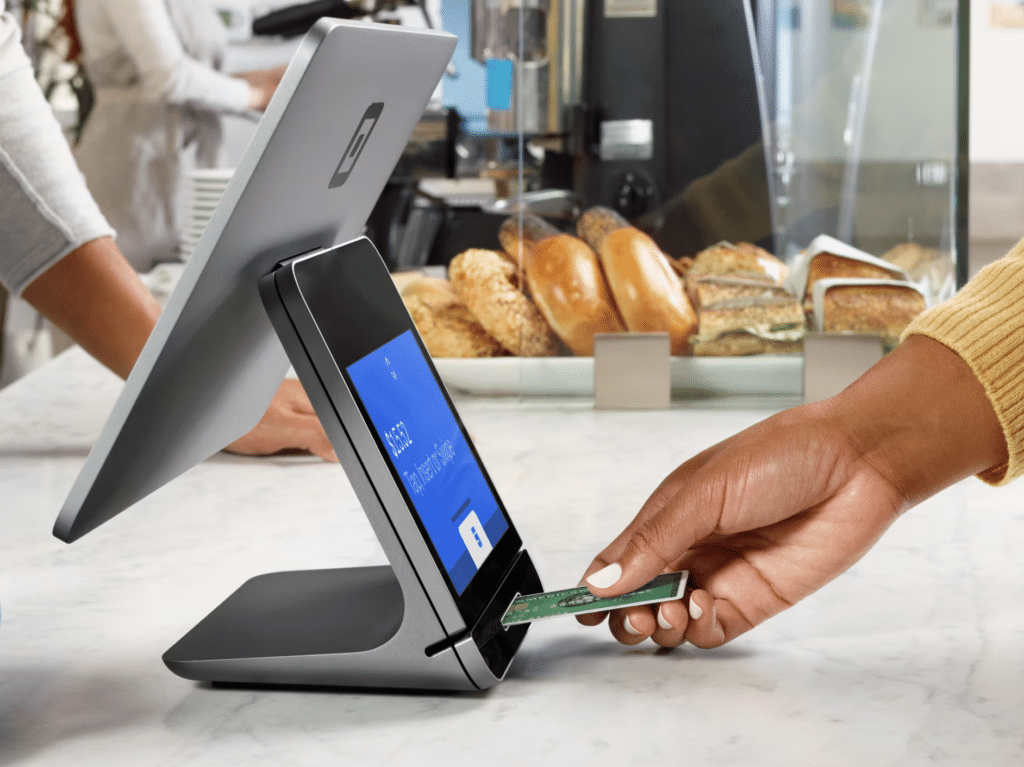
Square offers a range of hardware solutions to suit different business needs:
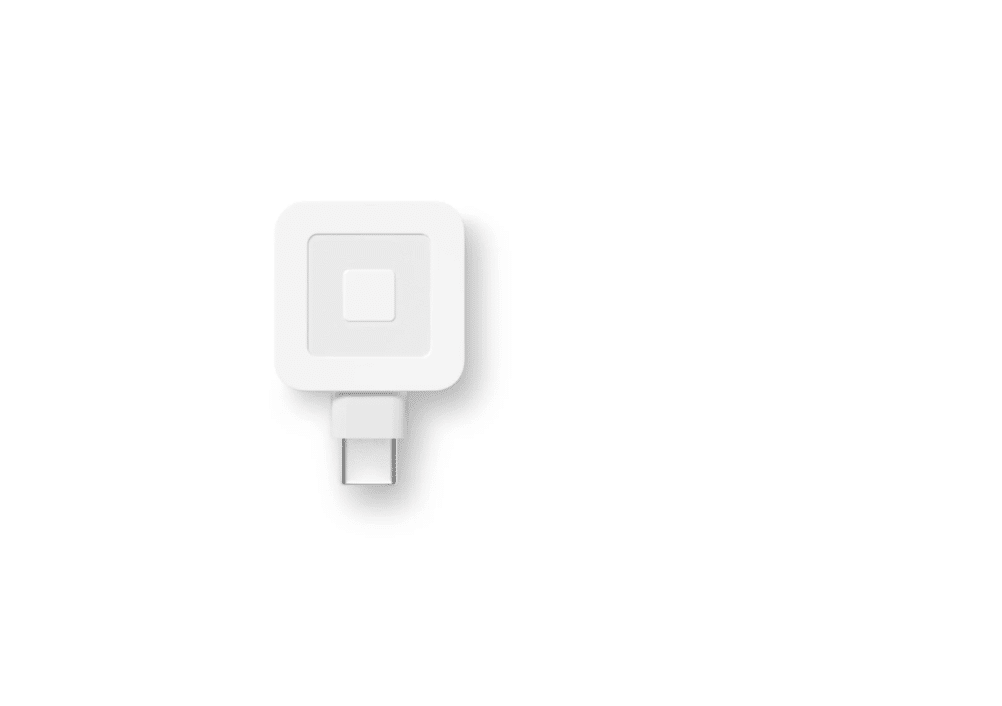
Square Reader for Magstripe: The reader allows you to accept Magstripe card payments using a mobile device. Square offers the first reader for free.
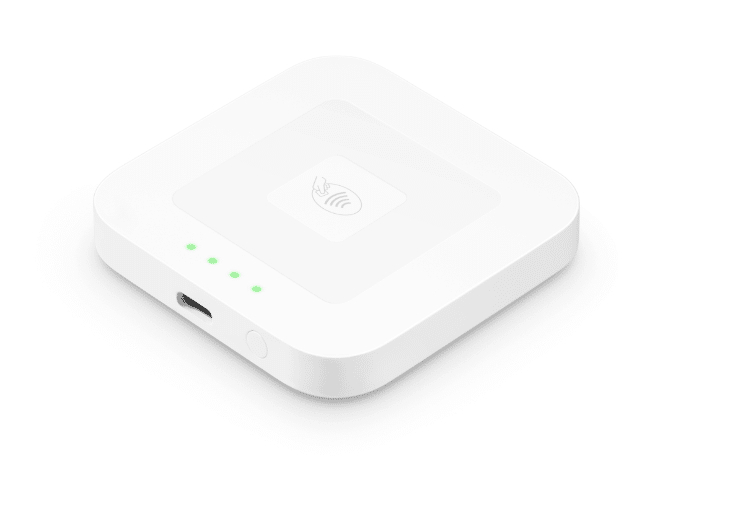
Square Reader for Contactless and Chip (2nd Generation): This reader, available for $59, supports contactless payments and EMV chip cards.
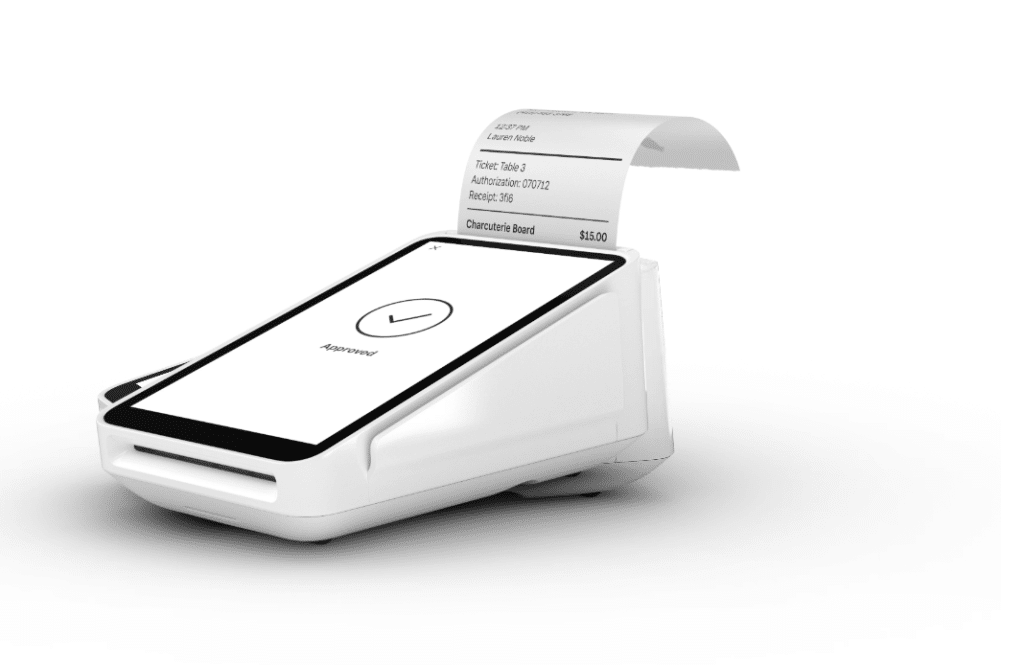
Square Terminal: At $299 or $27/mo over 12 months, this all-in-one device enables you to accept payments, print receipts, and manage transactions without additional hardware.
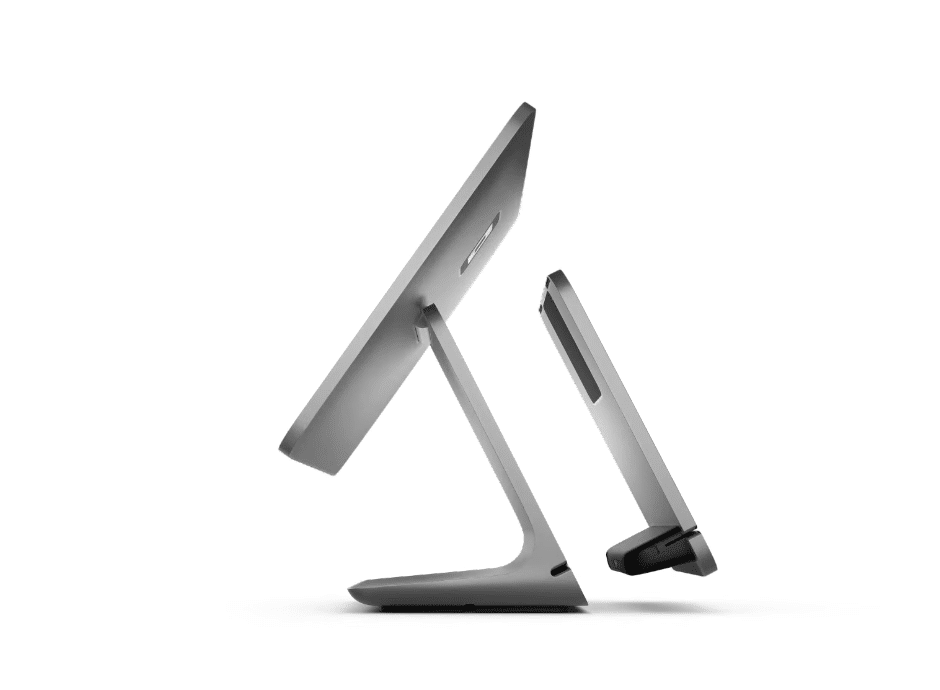
Square Register: Starting at $799 or $39/mo over 24 months, it is a fully integrated POS system that features a customer-facing display and is designed for seamless payment processing.
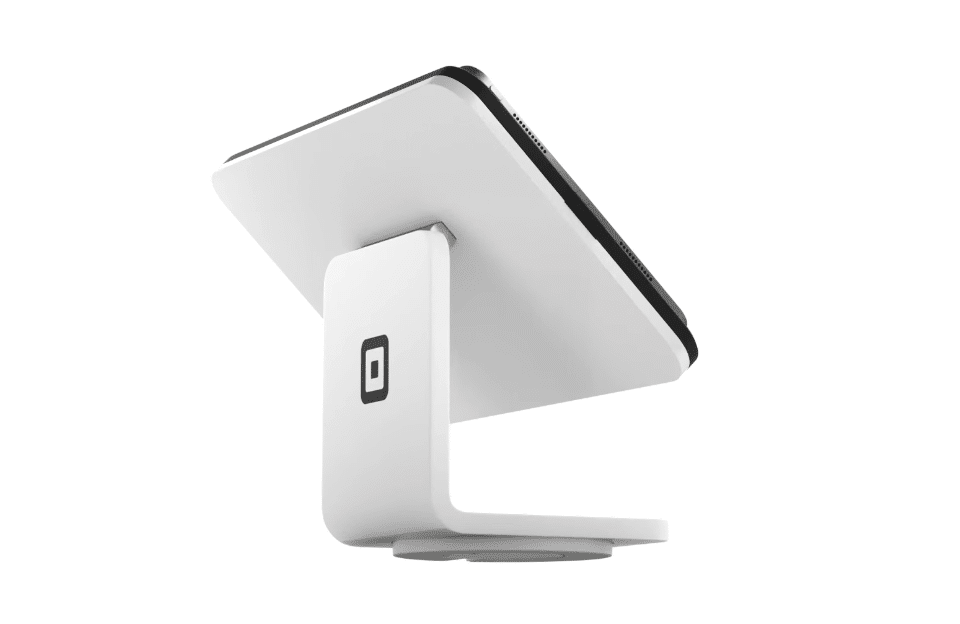
Square Stand: For $149 or $14/mo over 12 months. The Square Stand transforms your iPad into a professional POS system that supports various payment methods.
Additional Fees and Information
- Monthly Fees: Square's POS software is free to use, but depending on the options and the type of business you run, it can cost between $29 and custom pricing.
- No Long-Term Contracts: Square does not require long-term contracts or charge equipment fees, providing business flexibility.
- Custom Pricing: Square offers custom pricing for businesses that process over $250,000 in card sales annually. Interested companies can contact Square's sales team for more information.
- Afterpay Fees: Square charges a fee of 6% + $0.30 per transaction for transactions using Afterpay.
Free Processing Fee Calculator
Want to find out how much you might spend on fees with Square POS? Use our free processing fee calculator below to run the numbers:
Extra Square POS Features & Add-Ons
For businesses that require more advanced features, Square POS offers a suite of additional options. These additional tools enable businesses to manage finances, accept remote payments, and foster stronger customer relationships.
Square Loyalty
- Price: Starts at $45/month/location
- Use: Create customer loyalty programs to encourage repeat visits
Square Loans
- Allows eligible businesses to access fast financing based on a business’s sales history, with repayments as a percentage of daily sales.
Virtual Terminal
- Fee: 3.5% + 15¢ per transaction
- Use: Accept payments over the phone or manually from any internet-enabled device. No additional hardware is required, and all transactions are processed through Square.
Customer Directory
- Free tool to manage customer data and purchase history
Square Payroll
Square Payroll is a native employee scheduling software that supports both hourly and salaried employees, as well as contractors, and offers direct deposit, automatic tax withholding, and timecard integration features. Square offers two different payment options for its Payroll feature:
- Full-service payroll: $35/mo plus a $6 monthly fee per person paid
- Contractor-only payroll: $6/mo per person paid
Square POS Customer Reviews
Like any POS system, it has strengths and limitations. Based on a thorough Square POS review, here's what real users on Software Advice have to say about it.
Positive Reviews
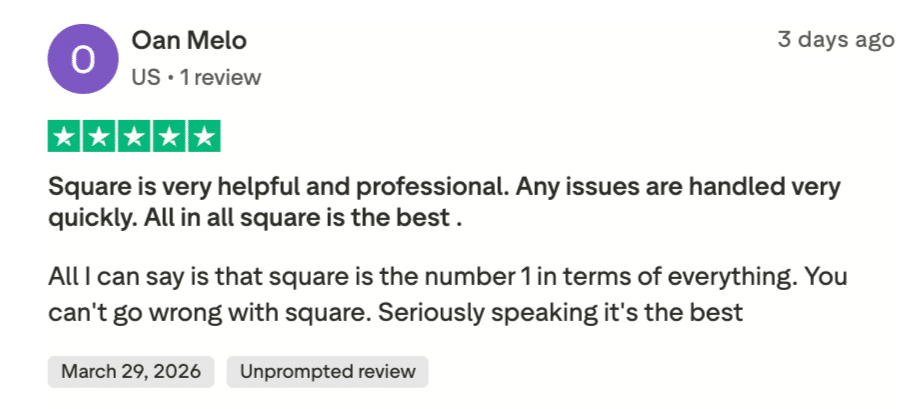
Source: Trustpilot
Square’s hardware is praised for its plug-and-play functionality. The consistent software-hardware integration ensures a smooth experience, even on mobile devices. Here are other pros of using Square:
- Easy to use: Square’s setup is incredibly straightforward, with a clean interface that’s perfect for beginners
- Efficient invoicing: Creating and sending invoices is quick, allowing easy payment collection via email
- Flexible payment options: Supports multiple hardware and payment methods.
Complaints
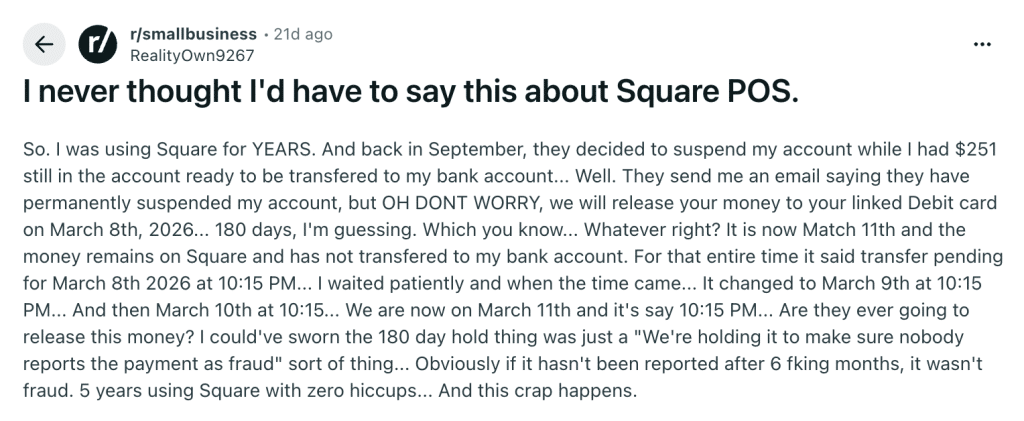
Source: Reddit
Some users have encountered issues with system updates that alter the layout and disrupt workflows. Another frequent concern is occasional delays caused by random account reviews, which can temporarily restrict access to funds.
Here are other common negative reviews about Square:
- Frequent updates: Mandatory updates often change settings locations, causing inconvenience for regular users
- Account holds: Occasional random checks can lead to temporary bans on withdrawing funds, impacting cash flow
- High transaction fees: Processing fees can be high, especially for businesses handling large transactions
- Difficulty reaching support: Some users complain about the customer support at Square, claiming that getting phone assistance takes far too long
Square POS Alternatives and Competitors
| Product | Best For | Price | Processing Fees | Key Features |
|---|---|---|---|---|
 |
Retail stores, vape shops, liquor stores, QSRs | Core: $59/moRetail: $79/moAdd-ons: $10–$50/mo | Processing-agnostic; no additional processing fees. Integrates with any processor of your choice. |
|
 |
Retail and restaurant businesses | Retail Basic: $89/moRetail Core: $149/moRetail Plus: $289/moRestaurant Starter: $69/moRestaurant Essential: $189/moRestaurant Premium: $399/moEnterprise: Custom | 2.6% + 10¢ per in-person transaction; 2.6% + 30¢ online via Lightspeed Payments.Higher-tier plans may qualify for custom rates. |
|
 |
eCommerce retailers with physical stores | Basic: $39/mo ($29/mo yearly)Retail: $89/moGrow: $105/mo ($79/mo yearly)Advanced: $399/mo ($299/mo yearly)Plus: $2,300/mo | Basic: 2.9% + 30¢ online, 2.6% + 10¢ in person. Grow: 2.7% + 30¢ online, 2.5% + 10¢ in person. Advanced: 2.5% + 30¢ online, 2.4% + 10¢ in person.Additional 3rd-party processor fees: 2% (Basic), 1% (Grow), 0.6% (Advanced) if not using Shopify Payments. |
|
 |
Full-service restaurants and bars | Starter Kit: $0/moPoint of Sale: $69/moBuild Your Own: Custom | Standard: 2.49% + 15¢ in-person. Pay-as-you-go: 3.09% + 15¢ in-person. Online: 3.50% + 15¢.Requires Toast proprietary hardware and processing. |
|
 |
Small to medium-sized businesses | Professional/Home & Field: from $29.95/moRetail: from $84.95/moQuick-Service Dining: from $89.95/moFull-Service Dining: $89.95–$129.85/mo | Restaurant: 2.3% + 10¢ in-person. Retail: 2.6% + 10¢ in-person. All plans: 3.5% + 10¢ keyed-in.Rates may vary through third-party resellers. |
|
Square POS Alternatives: Why Consider KORONA POS
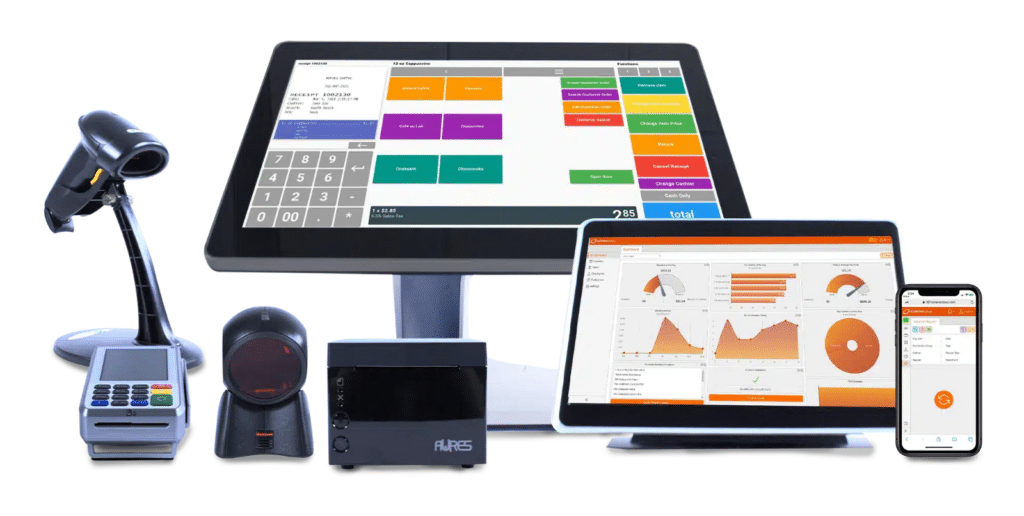
KORONA POS offers a range of features that make it ideal for retail stores, from its intuitive interface to its sophisticated feature set. Some of the most noteworthy features of KORONA POS include:
Automatic Minimum and Maximum Inventory Levels
Most point of sale software supports manual inventory restocking. If you have nearly 1000 products, this process can take hours. However, KORONA POS simplifies this task with its auto-stock replenishment feature, saving you significant time and effort.
Inventory management a headache?
KORONA POS makes stock control easy. Automate tasks, generate custom reports, and learn how you can start improving your business.
Processing-agnostic
KORONA POS is processing-agnostic, meaning merchants have the flexibility to use any payment processor with their POS. It’s especially ideal for vape shops, liquor stores, and other businesses that need flexible payment options.
Payment processors giving you trouble?
We won't. KORONA POS is not a payment processor. That means we’ll always find the best payment provider for your business’s needs.
Security
KORONA POS implements strict security measures, including regular vulnerability testing and encrypting all payment data following industry standards (PCI-DSS). You can also enable two-factor authentication in KORONA Studio.
Flexible Integrations
KORONA POS also provides seamless integrations with various online platforms, such as eCommerce and loyalty software, so merchants can handle online and offline operations from a single point of sale system. An open API allows any retailer to easily develop custom integrations into the platform.
Real-Time Inventory Tracking
With robust inventory tracking, you can always stay on top of your store’s inventory levels and be sure that you have the right amount on hand without worrying about overstocking or running out unexpectedly. Square does not offer in-depth inventory management, supplier relationship management, stock notifications, or automated inventory features.
Discover Advanced Analytics and Custom Reports
Speak with a product specialist and learn how KORONA POS can work for your business.
Comprehensive Reports and Analytics
The reports and analytics tool in KORONA POS allows you to track and monitor your retail store’s performance in real-time so that you can make informed decisions about how best to run your business. With detailed insights into every aspect of your sales data, KORONA POS also makes forecasting easier.
PRO TIP!
KORONA POS is especially well-suited for high-volume retailers, liquor stores, vape shops, cannabis retailers, and specialty retailers that require more control and customization.
Square POS Pricing Wrap-Up
Square POS is a user-friendly and transparent choice for many small businesses, especially those just starting out. However, higher processing fees and limited advanced features may make it less ideal for high-volume or niche retailers.
Looking for more flexibility, advanced inventory tools, and lower long-term costs? Check out KORONA POS , a fully customizable solution that adapts as your business grows.
Get started with KORONA POS today!
Explore all the features that KORONA POS has to offer with an unlimited trial. There's no commitment or credit card required.
Square POS Pricing FAQs
How much does it cost to use a Square card reader?
From $0 (basic magstripe) to $49 (chip/contactless reader). The Square Terminal costs $299.
How much does Square charge for payment processing fees?
Ranges from 2.6% + 10¢ to 3.5% + 15¢ depending on the payment type.
What are the hidden fees for Square?
Generally no, but watch for international transaction fees and potential chargeback fees.
Can I pass fees to customers?
You can factor them into your pricing but must follow local surcharge laws.
Does Square report taxes?
Yes, via Form 1099-K for businesses processing over $20,000 and more than 200 transactions per year.


