
Key Takeaways:
- A retail margin calculator helps store owners quickly determine a product’s profit margin by comparing its cost to its selling price.
- Retail margin is the profit you keep after covering the cost of goods sold (COGS) and is usually expressed as a percentage.
- Modern POS systems automatically track margin data, making it easier to analyze profitability by product, category, employee, or location.
Retail pricing mistakes are one of the fastest ways to lose profit. Many store owners know their product costs but struggle to determine the right selling price to maintain a healthy margin. A Retail Margin Calculator solves this problem by instantly converting cost and price data into a clear profit margin percentage.
Instead of manually calculating margins or relying on spreadsheets, retailers can use a simple calculator to determine profitability before setting prices. This guide explains how retail margin works, how to calculate it, and how the best POS systems like KORONA POS make margin tracking easier across your entire store.
Retail Margin Calculator
Use the calculator below to quickly determine your retail margin. Enter your product’s retail price and selling cost, and the tool will automatically calculate the profit margin percentage.
What Is Retail Margin?
Retail margin is the percentage of revenue a retailer keeps as profit after covering the cost of goods sold (COGS). It reflects how effectively a product is priced relative to what it costs the business.
Retail margin is a core metric because it determines whether a product contributes to profitability or simply generates revenue without meaningful returns. Monitoring margins across categories allows retailers to adjust pricing strategies, negotiate supplier costs, or shift marketing focus toward higher-margin products.
For example:
If a product costs $20 and sells for $40, the retailer earns $20 in gross profit. The margin is 50%, meaning half the sale price becomes gross profit before operational expenses.
Retail Margin vs Markup: What’s the Difference?
Retail margin and markup are closely related but often confused metrics.
- Markup is the amount a retailer adds to a product's cost when setting its selling price.
- Margin, on the other hand, measures the percentage of the final selling price that becomes profit.
For example:
- Product Cost: $50
- Retail Price: $75
→ Markup = 50%
→ Margin = 33%
While markup helps determine how to price a product, margin shows how much profit remains after the sale. Retailers should track both metrics, but margin is generally more useful for understanding overall profitability.
Retail Margin Formula
Retail margin is calculated using a simple formula: Retail Margin = (Retail Price – Cost) ÷ Retail Price × 10. This formula converts gross profit into a percentage of the selling price.
For example:
- Cost = $30
- Retail Price = $60
→ Margin = (60 – 30) ÷ 60 × 100
→ Margin = 50%
Although the formula itself is straightforward, calculating margins across dozens or hundreds of products can quickly become time-consuming. Retail margin calculators automate this process, enabling retailers to test pricing scenarios instantly.
Why Retailers Use a Retail Margin Calculator
Retailers use a retail margin calculator because it removes the guesswork from product pricing and profitability. Here’s how:
Faster Pricing Decisions
Retailers constantly introduce new products or adjust prices. A margin calculator eliminates manual math and allows owners to instantly test pricing strategies before committing to a final retail price.
Prevents Underpricing
Without calculating margin, retailers may unknowingly price products too low. Even strong sales volume cannot compensate for products that generate minimal profit.
Helps Optimize Product Mix
Understanding margin by product category helps retailers identify which items contribute the most profit. This allows them to promote higher-margin products or adjust pricing strategies.
Supports Better Inventory Decisions
Margins influence stocking decisions. Products with healthy margins often justify higher inventory investment, while low-margin items may require renegotiating with suppliers or adjusting prices.
What Is a Good Retail Margin?
Retail margins vary significantly across industries, product categories, and business models. However, many retailers aim for gross margins between 30% and 60%.
examples by sector:
- Convenience stores: ~20–30%
- Apparel retail: ~50–60%
- Specialty retail: ~40–50%
Higher margins provide more flexibility for promotions, discounts, and operational costs. Lower margins may require higher sales volume to maintain profitability.
PRO TIP!
Retailers should evaluate margins alongside other metrics such as inventory turnover, sales velocity, and customer demand to determine whether pricing strategies are sustainable.
How POS Systems Help Track Retail Margins
While margin calculators support individual pricing decisions, POS systems enable continuous margin tracking across the entire business. Modern POS software automatically connects sales, inventory, and purchasing POS data, allowing retailers to analyze profit margins in real time.
Key benefits include:
- Automatic tracking of product costs and retail prices
- Margin reports by product, category, or location
- Real-time updates when inventory costs change
- Integration with purchasing and supplier data
- Custom profitability reports
Instead of manually calculating margins for every item, retailers can use POS reporting tools to identify which products drive the most profit and which may require price adjustments.
Discover Advanced Analytics and Custom Reports
Speak with a product specialist and learn how KORONA POS can work for your business.
Turn Your POS System Into a Retail Margin Calculator: KORONA POS
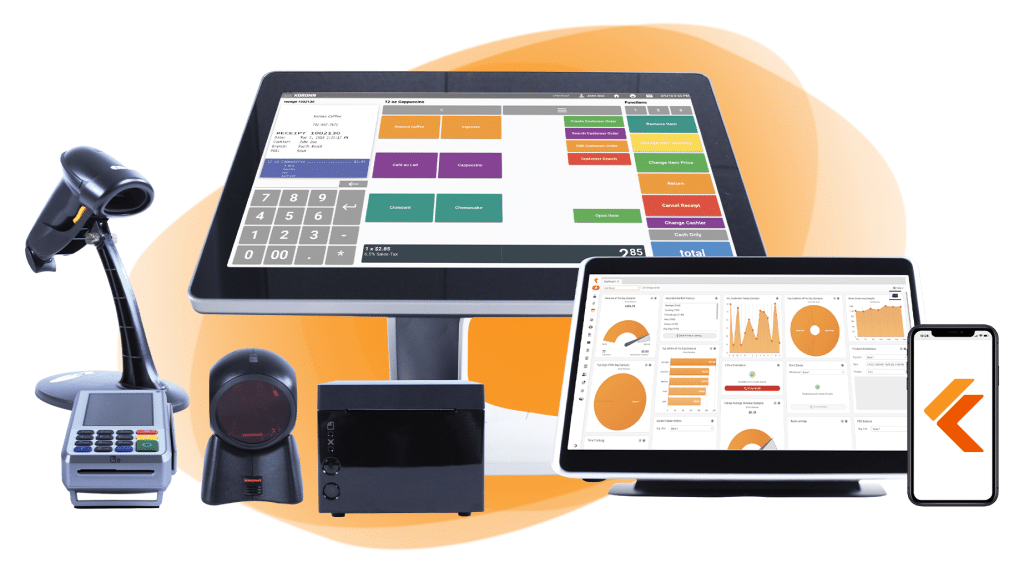
Retail margin calculators are helpful for quick pricing checks, but long-term profitability requires continuous monitoring. KORONA POS automatically tracks product costs, retail prices, and gross margins across your entire inventory.
With built-in reporting tools, retailers can analyze margin performance by product, category, location, or time period—all from a single dashboard. Instead of relying on manual calculations, businesses can use KORONA POS to turn everyday sales data into actionable insights into profitability.