


Key Takeaways:
- A traditional POS is counter-based and hardware-anchored. An mPOS runs on a tablet or smartphone and can go anywhere in the store or off-site entirely.
- Most growing retailers eventually need both. The right setup depends on your store type, transaction volume, whether you sell off-site, and whether you carry age-restricted products that require reliable ID verification at a fixed terminal.
- Running both from the same system matters more than which hardware you choose. Separate systems that do not share inventory and sales data create more problems than they solve.
Most retailers who treat this as an either/or decision are framing it wrong: a traditional POS and a mobile POS solve different problems. The stores that use both strategically tend to check out customers faster, sell more on the floor, and handle peak hours without long lines.
This post covers what each setup actually does, when each one makes sense, and how to know if you need both. There is also a short quiz below if you want a direct recommendation for your store type.
Find Your Setup: Take the Quiz
Not sure which setup fits your store? Answer five questions and get a direct recommendation.
Which POS setup is right for your store?
Answer 5 questions to get a direct recommendation.
What Is a Traditional POS System?
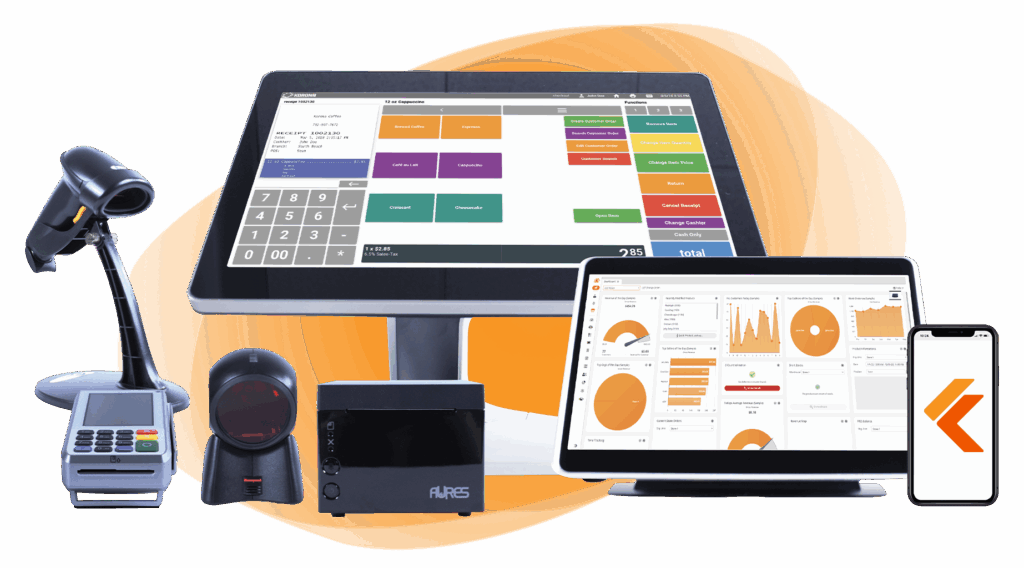
A traditional POS is a fixed checkout setup: a terminal (Windows PC or all-in-one touchscreen), a cash drawer, a receipt printer, and a card reader, all anchored to a counter. It is the standard checkout infrastructure for most brick-and-mortar retail stores, designed to handle high transaction volumes reliably and securely.
Fixed POS systems typically offer deeper functionality than mobile-only setups: robust inventory management, age verification with barcode scanning, end-of-day cash balancing, multi-tender payments including cash, and full reporting suites. For stores that do most of their selling from a single location with a dedicated checkout counter, a traditional POS is the backbone the rest of the operation runs on.
What Is a Mobile POS (mPOS)?
A mobile POS is a tablet or smartphone running POS software, paired with a portable card reader. It can process transactions anywhere: on the sales floor, at a pop-up market, curbside, or at a trade show. The hardware footprint is small, the setup is fast, and the upfront cost is typically lower than a full fixed terminal.
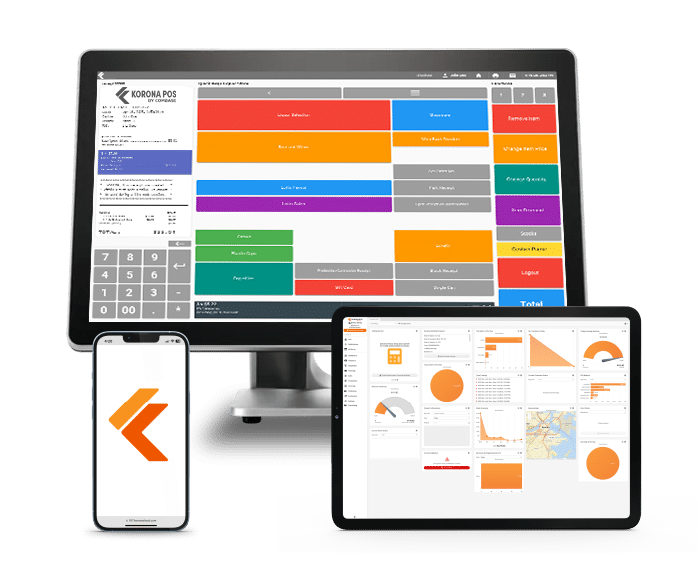
When modern mPOS systems share a backend with a traditional POS (as KORONA does across both Android tablet and Windows terminal setups), they access the same product catalog, pricing, inventory counts, and customer data in real time. A sale completed on a tablet updates the same inventory as a sale completed at the fixed register.
| Traditional POS | mPOS | |
|---|---|---|
| Hardware | Fixed terminal, cash drawer, printer | Tablet or smartphone + card reader |
| Upfront cost | $500 to $2,000+ for hardware bundle | $50 to $500 depending on device |
| Portability | Counter-only | Anywhere with Wi-Fi or cellular |
| Offline capability | Usually yes, with local data sync | Varies by system — check before buying |
| Cash handling | Full cash drawer integration | Limited or none |
| Age verification | Full ID scan support | Depends on hardware and software |
| Inventory sync | Real-time when cloud-connected | Real-time when on same backend |
| Best for | High-volume fixed checkout | Floor sales, pop-ups, line-busting |
When a Traditional POS Is the Right Choice
A fixed terminal is the right foundation when your operation depends on reliability, compliance, or cash. Good indicators that you need one:
- Compliance requirements: If you sell age-restricted products, a fixed terminal handles mandatory ID verification automatically and reliably at scale.
- High daily transaction volume: Convenience stores, liquor shops, and busy specialty retailers need a checkout counter that does not depend on Wi-Fi signal or battery life.
- Cash handling: A fixed terminal supports blind cash balancing at end of shift and a physical cash drawer that logs every transaction.
A KORONA Testimonial: Traditional POS
Carl runs a liquor store in Baltimore, Maryland. His state requires a scannable barcode check on every tobacco and alcohol sale. His fixed KORONA terminal handles this automatically: the moment a restricted product hits the receipt, the system locks the transaction and prompts a mandatory ID scan before it can complete. For a store doing 300-plus transactions a day, that workflow needs to be airtight.
When mPOS Makes More Sense
mPOS is the right primary setup when there is no fixed location or when the checkout counter model does not fit. It is a natural fit for:
- Line-busting during peak hours: A second or third device on the floor during busy periods cuts wait times without adding permanent hardware.
- Off-site sellers: Food trucks, farmers market vendors, pop-up retailers, trade show sellers, and service businesses that bill on-site.
- Floor sales in larger stores: Staff can close a sale anywhere in the store without asking the customer to walk to a register.
PRO TIP!
If you are using mPOS purely for line-busting, the most important thing is that it runs on the same backend as your fixed register. Two separate systems that do not share inventory data will create stock discrepancies within days.
A KORONA Testimonial: mPOS
Dana runs a mid-size sporting goods shop in Fort Collins, Colorado. Every Saturday from 11am to 2pm, her single checkout counter backs up. She added two Android tablet terminals running KORONA on the same account as her fixed register. Staff circulate the floor with the tablets during peak hours and complete sales before customers ever reach the main counter. Her Saturday transaction count went up and her average wait time went down, using hardware she already owned.
When You Need Both: The Hybrid Approach
The hybrid setup is the right choice for most retailers above a certain size or level of complexity. A fixed terminal handles primary checkout, compliance-sensitive transactions, and cash. Mobile terminals handle in-store floor sales, line overflow, curbside pickup, and any sales that occur outside the store.
The key requirement for a hybrid setup to work is a unified backend. When KORONA runs on both a Windows terminal and an Android tablet, both devices connect to the same KORONA Studio back office: the same product catalog, the same inventory counts, the same customer records, the same reporting. A return processed on the tablet appears in the same receipts history as a sale processed at the fixed counter. There is no manual reconciliation at the end of the day because there is only one unified system.
What to Look for in an mPOS System
Not all mobile POS systems are built the same way, and the differences that matter most are not the ones that show up in marketing materials. Here is what to actually evaluate:
- Offline mode: Can it process transactions if Wi-Fi drops? Look for systems that store transactions locally and sync when connectivity returns.
- Shared backend with your fixed POS: If it does not sync inventory and sales data with your existing system in real time, it will create more work than it saves.
- Payment method support: Tap, chip, and swipe at minimum. Contactless (NFC) is increasingly expected by customers and is worth prioritizing.
- Age verification capability: If you carry tobacco, alcohol, or any restricted product, confirm the mobile setup can handle ID checks before you commit.
- Hardware cost and durability: A cheap card reader that fails during a busy Saturday is not a bargain. Check reviews for reliability in high-volume environments.
Common Mistakes When Choosing Between POS and mPOS
Retailers switching to or adding mobile POS tend to stumble on the same issues. Here are the ones worth avoiding:
- Going fully mobile without an offline backup. A store running entirely on mPOS with no offline mode is one Wi-Fi outage away from not being able to take payments. This is a real problem, not a theoretical one.
- Choosing mPOS based on upfront cost alone. Some mobile POS providers charge higher per-transaction fees to offset the lower hardware cost. Run the math on your actual transaction volume before deciding.
- Running two systems that do not share data. A separate mPOS that does not sync with your main inventory system will produce stock discrepancies, duplicate customer records, and reporting gaps within a week of going live.
- Using mPOS for age-verified products without confirming ID check capability. Not all mobile setups support barcode-based ID scanning. If you sell tobacco, alcohol, or cannabis, verify this before purchase.
- Assuming mPOS is always cheaper. For a high-volume fixed-location store, a tablet on a stand with a card reader and receipt printer can cost nearly as much as a traditional terminal. Compare total cost of ownership, not just hardware sticker price.
Build Your Own POS
Whether you run a retail store, café, or admissions booth, we have the point of sale hardware designed for your specific needs. Start building your ideal POS system now.
The Right POS Setup Is the One That Matches How Your Store Actually Operates
A traditional POS built for a high-volume fixed checkout does not work well for a market vendor who needs to process sales from a folding table. An mPOS-only setup does not work well for a liquor store that needs cash management and mandatory age verification on every third transaction.
The retailers who get this right are the ones who match their hardware to how their store actually runs and then make sure everything talks to the same backend.
mPOS vs. POS: FAQs
Can I use my existing smartphone as an mPOS device?
- Yes, most modern mPOS software runs on iOS and Android smartphones. You will need a compatible card reader (typically Bluetooth or plug-in) and a reliable data connection. The main tradeoff versus a tablet is screen size, which can make scanning and navigation slightly slower in high-volume situations.
What happens to mPOS transactions if my internet goes down?
It depends entirely on the system. Some mPOS platforms have a true offline mode that stores transactions locally and syncs when connectivity returns. Others simply stop working without a connection. This is one of the most important questions to ask before committing to any mobile POS software.
Do mPOS systems charge higher transaction fees than traditional POS?
- Sometimes. Some providers offset lower hardware costs with higher per-transaction processing rates. Others charge the same rate regardless of device type. Always compare the total cost of ownership (hardware plus monthly fees plus processing rates at your actual transaction volume) rather than hardware cost alone.


