
Key Takeaways:
- Credit card declined codes explain why a transaction failed, whether due to customer input, issuer rules, fraud prevention, or technical issues.
- Understanding decline codes helps retailers troubleshoot faster, reduce checkout friction, and protect revenue.
- Many declines are preventable with better POS systems, payment routing, and staff training.
Few checkout moments are more awkward than hearing, “Sorry, your card was declined.” If you’re a retailer, understanding credit card declined codes is the fastest way to resolve those moments without losing the sale.
These codes tell you why a transaction failed—whether it’s insufficient funds, issuer restrictions, or a technical issue. In this guide, we’ll break down the most common reasons credit cards are declined, explain what the codes mean, and show how retailers can reduce declines by implementing better processes and POS technology.
What Is a Credit Card Declined Code?
A credit card declined code is a response message sent by the card issuer, payment network, or processor explaining why a transaction was rejected. These codes help merchants identify whether the issue is customer-related, bank-related, or tied to their POS or payment setup.
PRO TIP!
Keep a reference sheet of common decline codes at your checkout or POS dashboard. Recognizing the code quickly lets staff troubleshoot faster and guide customers without slowing down the sale.
5 Common Reasons Credit Cards Get Declined
Credit card declines typically fall into a few predictable categories:
- Customer input errors
- Issuer or bank restrictions
- Merchant or POS configuration issues
- Network or technical failures
Credit card decline rates vary by industry, but understanding how credit card processing works helps retailers reduce preventable failures at checkout.
Reason #1: Insufficient Funds or Credit Limits
The most common decline occurs when the cardholder lacks available funds or credit. Even customers with money in their accounts may hit daily spending limits or temporary holds, which issuers enforce to manage risk during real-time authorization.
Reason #2: Incorrect Card Information
Simple input errors—wrong card number, expiration date, or CVV—trigger immediate declines. These issues are more common in card-not-present transactions, where manual entry increases the likelihood of mistakes.
Reason #3: Fraud Prevention Flags
Issuers may decline transactions that appear suspicious based on location, purchase behavior, or velocity. This is especially common with online or card-not-present transactions, where fraud risk is higher by default.
Reason #4: Expired or Restricted Cards
Expired, blocked, or restricted cards for certain merchant categories will be declined automatically. These restrictions are enforced at the issuer level and cannot be overridden by the merchant.
Reason #5: Technical or Network Issues
Temporary outages, gateway misconfigurations, or processor timeouts can cause declines even when everything else is correct. Understanding the role of payment gateways and processors helps merchants identify when the issue isn’t customer-related.
Payment processors giving you trouble?
We won’t. KORONA POS is not a payment processor. That means we’ll always find the best payment provider for your business’s needs.
What Are The Benefits of Recognizing Credit Card Declined Codes?
Recognizing decline codes gives retailers clarity in the moment it matters most—at checkout. Instead of guessing why a transaction failed, staff can take immediate, informed action. Here’s why that matters:
- Faster Checkout Resolution
- Reduced Checkout Friction
- Improved Customer Trust
- Higher Sales Recovery Rates
- Stronger Fraud Prevention
- Better Staff Training and Confidence
In short, recognizing credit card decline codes turns a potentially frustrating moment into a controlled, recoverable interaction.
Common Credit Card Decline Reasons (and Codes Explained)
Below are some of the most common decline codes retailers encounter and what they mean in practice.
Codes 14 & 15: Invalid Card Number
These codes indicate the card number entered doesn’t match a valid issuer format. This is usually caused by input errors or outdated stored card information.
Code 63: Incorrect Security Code / Security Violation
This decline occurs when the CVV doesn’t match issuer records. It’s a common fraud-prevention measure, especially for online transactions.
Code CV: Card Type Verification Error
The card type isn’t supported or doesn’t match the transaction format. This can occur when card brands or acceptance rules aren’t configured correctly in the POS.
Code 65: Activity Limit Exceeded
The cardholder has exceeded a daily or transaction-based spending limit. Issuers use this to control risk even when funds are available.
Code 51: Insufficient Funds
The cardholder doesn’t have enough available balance or credit. This is one of the most frequent reasons for decline across retail.
Code 54: Expired Card
The card expiration date has passed. These declines are automatic and require a different payment method.
Code 57: Transaction Not Permitted
The card isn’t authorized for this type of transaction or merchant category. This often affects corporate, prepaid, or restricted cards.
Further Code: Code 05 – Do Not Honor
A generic issuer decline with no specific reason provided. Merchants should prompt customers to contact their bank.
Further Code: Code 91 – Issuer Unavailable
The issuer can’t be reached at the time of authorization. Retrying later often resolves the issue.
Decline Code | Description | What It Means for Retailers | Recommended Action |
05 | Do Not Honor | Issuer declined the transaction without giving a specific reason | Ask customer to contact bank or try another method |
14 | Invalid Card Number | The card number entered doesn’t match a valid issuer format | Re-enter the card number or use chip/tap |
15 | Invalid Issuer | The card issuer can’t be identified | Verify card details or request another card |
51 | Insufficient Funds | The cardholder doesn’t have enough available balance or credit | Suggest alternate payment method or split tender |
54 | Expired Card | The card expiration date has passed | Ask for a different card |
57 | Transaction Not Permitted | The card isn’t allowed for this type of purchase | Try another card or payment method |
63 | Security Violation | Incorrect CVV or failed security check | Re-enter security code or use chip-enabled payment |
65 | Activity Limit Exceeded | The cardholder exceeded a daily or transaction limit | Ask customer to contact issuer or try another card |
CV | Issuer Unavailable | Card type or verification failed | Verify card type, retry using supported methods |
91 | Card Verification Error | The issuer couldn’t be reached at the time of authorization | Retry transaction or ask the customer to try again later |
96 | System Malfunction | A network or processing error occurred | Retry the transaction or use a backup payment method |
How Retailers Can Reduce Credit Card Declines
Retailers play a bigger role in preventing declines than they often realize. These best practices reduce friction and failed transactions.
Best Practice #1: Use EMV and Secure Payment Methods
EMV chip transactions reduce fraud-related declines significantly. Using EMV chip technology improves issuer confidence during authorization.
Best Practice #2: Offer Multiple Payment Options
When one payment fails, alternatives save the sale. Supporting multiple tenders reduces dependence on a single authorization path.
Best Practice #3: Optimize Gateway and Processor Setup
Misconfigured gateways cause unnecessary declines. Understanding the difference between a payment gateway and a payment processor helps merchants optimize routing.
Best Practice #4: Monitor Declines by Risk Category
High decline rates may indicate fraud rules that are too strict. Merchants in higher-risk categories should evaluate whether they need specialized high-risk merchant accounts.
Best Practice #5: Train Staff to Respond Calmly
How staff handle declines affects customer trust. Clear scripts and retry options reduce embarrassment and abandoned purchases.
How Can Credit Card Declined Codes Impact Your Business?
Declines slow checkout, frustrate customers, and reduce conversion rates. Over time, high decline rates signal deeper payment or system issues that impact revenue.

Learn more about how credit card processing works and save your business money with this free eGuide.
Can You Prevent Credit Card Declined Codes and Error Codes For Fraud?
Not all declines are preventable, but many fraud-related declines can be reduced. The right POS setup and payment controls dramatically lower false positives.
POS System’s Role in Preventing Declines:
Modern POS systems help retailers reduce declines by:
- Displaying clear decline messages instead of vague errors
- Reducing manual entry errors at checkout
- Supporting multiple payment methods and routing options
- Logging declined transactions for analysis and follow-up
Retailers using integrated retail payment processing and properly configured payment gateways see fewer unnecessary declines overall.

Why Did My Card Get Declined When I Have Money?
Cards can still decline due to daily limits, fraud flags, merchant restrictions, or issuer outages. Having funds doesn’t guarantee authorization if issuer rules are triggered.
Reduce Credit Card Declines With a Reliable POS System Like KORONA POS
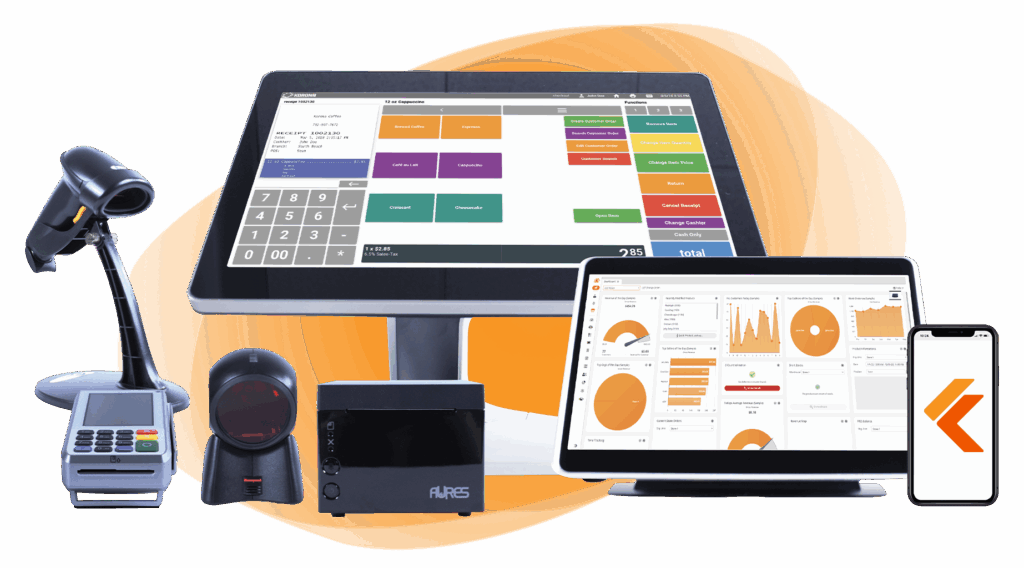
Declined transactions don’t just cost sales—they hurt customer trust. KORONA POS helps retailers reduce credit card declines by providing clear error messages, secure payment processing, and detailed reporting on failed transactions.
With integrated payment tools and modern fraud controls, KORONA POS gives retailers the visibility they need to fix issues before they escalate.
FAQs: Card Declined Codes
Do credit card decline codes differ between payment processors?
Yes. While many decline codes are standardized by card networks, payment processors and gateways may use slightly different wording or internal codes. Always reference your processor’s documentation for exact definitions.
Can customers see the exact reason their card was declined?
Typically, customers see a general message (e.g., “Transaction Declined”). Detailed codes are usually visible only to the merchant to protect sensitive financial and fraud-related information.
How can retailers train staff to handle card declines professionally?
Provide basic training on common decline codes, create simple response scripts, and establish clear steps for when to retry, request another payment method, or escalate to a manager.