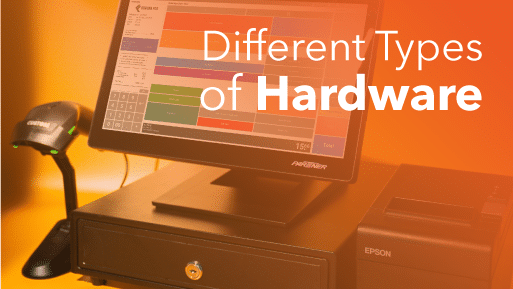
In 2026, retailers have four main types to consider: electronic cash registers, desktop POS systems, mobile tablets, and cloud-based solutions. Each serves different business needs, budgets, and growth plans.
Cash registers have evolved from simple adding machines into powerful business management tools. Whether you’re starting a new store or upgrading outdated equipment, understanding your options is essential.
We’ll break down how each type works, what they cost, and which one best fits your business.
Key Takeaways:
- Electronic cash registers offer basic functionality at low cost but lack modern business tools. They’re only suitable for very small retailers
- Modern POS systems provide comprehensive business management beyond simple transactions.
- Mobile and tablet POS systems deliver full functionality with complete portability. Perfect for pop-ups, events, and retailers.
- Cloud-based systems let you manage your business from anywhere with automatic updates and superior data security.
- Most retailers should upgrade when manual inventory tracking becomes overwhelming or when opening a second location.
What Is a Cash Register?
A cash register is a machine that records sales transactions and stores money. It calculates totals, provides receipts, and tracks cash flow in retail environments. Modern versions are electronic and connect to inventory systems, but traditional models simply rang up prices and opened a cash drawer.
How Does a Cash Register Work?
A cash register operates through several straightforward steps:
• Recording sales: The cashier enters item prices manually or scans barcodes to input product information
• Calculating totals: The machine automatically adds up purchases and applies any discounts or taxes
• Processing payment: It accepts cash, cards, or digital payments and calculates change when needed
• Printing receipts: A thermal printer generates customer receipts with transaction details
• Storing money: The cash drawer opens to secure bills and coins by denomination
• Tracking data: Modern registers log all transactions for inventory management and accounting purposes
4 Different Type of Cash Register
Cash registers have evolved from simple adding machines into powerful business tools. Modern systems now handle everything from payment processing to inventory tracking. Here’s what you need to know about each type.
1. Electronic Cash Registers (ECR)
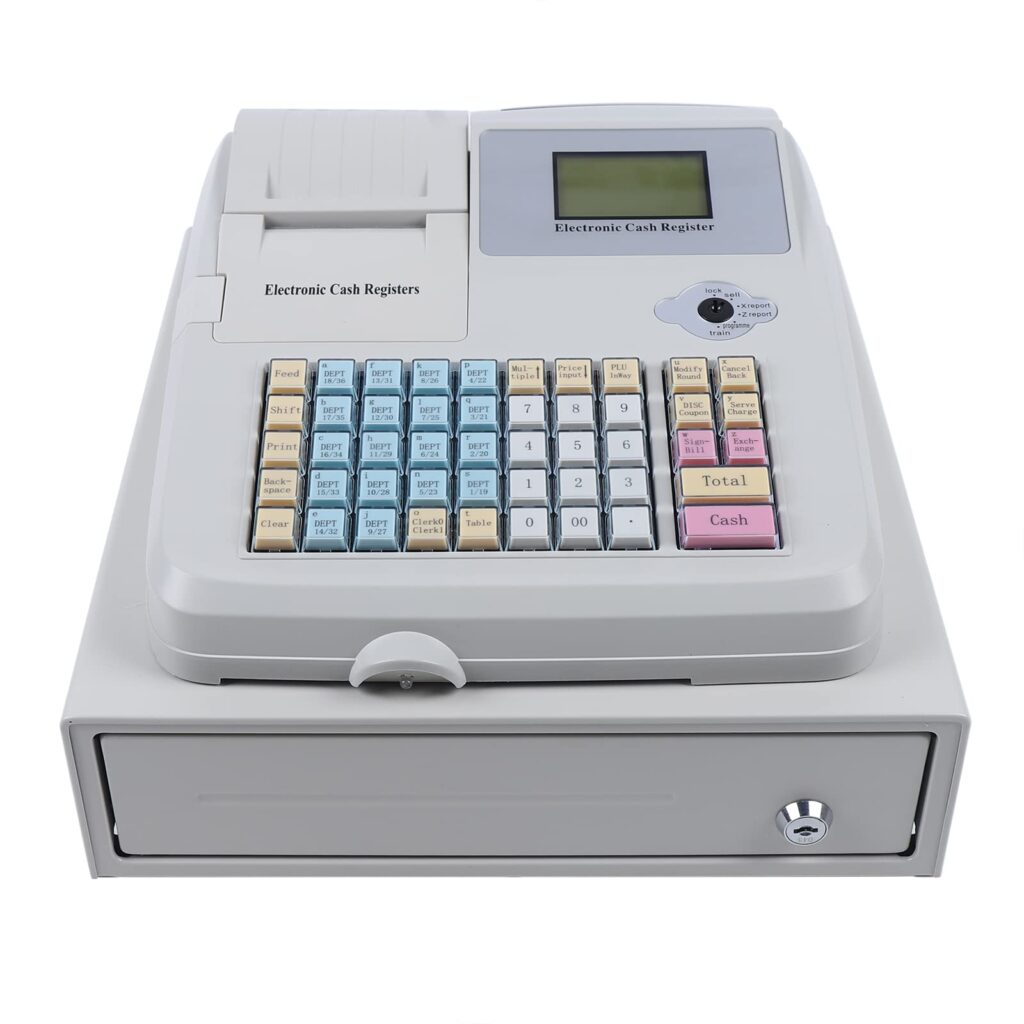
Electronic cash registers represented a major upgrade from mechanical models. These machines dominated retail for decades before modern POS systems took over.
Key Features
Electronic cash registers handle the fundamentals of retail transactions. They ring up sales and calculate totals automatically while adding sales tax to each purchase.
These machines process both cash and credit card payments and generate customer receipts via a thermal printer.
WATCH OUT
Basic inventory tracking is possible through barcode scanners, though capabilities are limited. Sales data can be exported via USB, but you’ll need to manually review and import it into other business systems.
Hardware Components
- Cash drawer for storing bills and coins
- Digital screen or keypad for input
- Receipt printer
- Barcode scanner
- Credit card terminal
Pros
- Affordable upfront cost
- Simple to learn and operate
- Reliable for basic transactions
- Low maintenance requirements
- Battery or outlet power options
Cons
- No internet connectivity
- Cannot sync with other business software
- Limited inventory management
- Manual data export required
- No customer relationship tools
- No multi-location support
- Lacks advanced reporting features
Best For
Small retailers with minimal inventory needs who only require basic sales processing and don’t need integration with other business systems.
2. Point of Sale (POS) Cash Registers
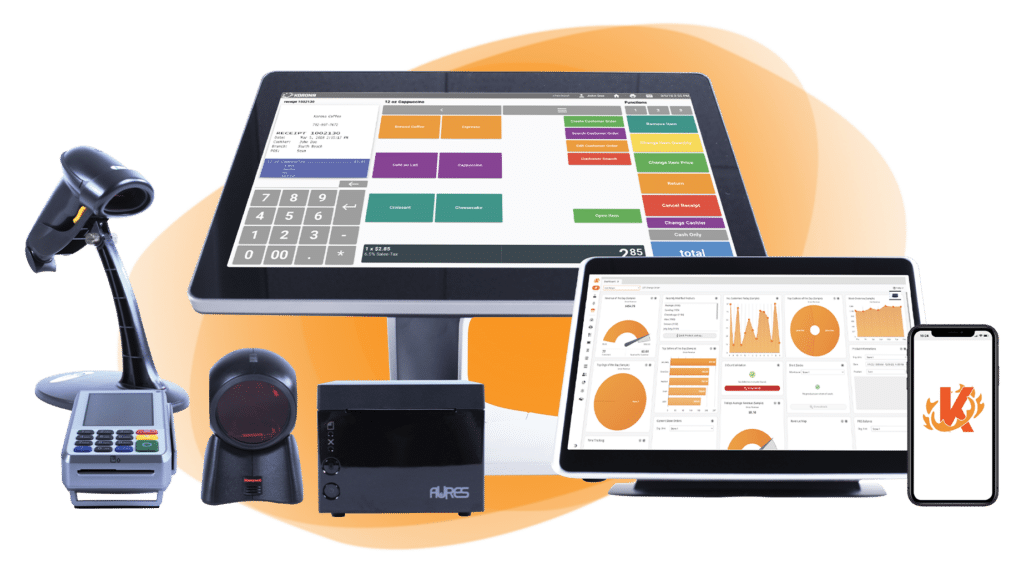
POS systems combines hardware with POS software. These desktop machines offer comprehensive business management tools far beyond simple transactions.
Key Features
POS systems provide inventory management software that tracks stock levels across all your locations. Advanced analytics deliver sales reports, performance metrics, and trend analysis to help you make informed decisions.
Customer relationship management tools let you build detailed profiles and track purchase history. Employee management features allow you to set permissions, track hours, and monitor performance.
Multi-location support consolidates data from multiple stores into one dashboard.
PRO TIP
You can create and manage loyalty programs, set up discounts and promotions, sync with accounting software, and connect your online store to your physical locations for unified commerce.
Hardware Components
- Desktop computer or dedicated terminal
- Large digital display
- Barcode scanner
- Receipt printer
- Cash drawer
- Card reader for EMV and contactless payments
Pros
- Powerful business intelligence tools
- Seamless software integrations
- Detailed reporting and analytics
- Improved customer experience
- Faster checkout process
- Reduces cashier errors
- Supports business growth
Cons
- Higher initial investment
- Requires staff training
- More complex setup
- Needs reliable internet connection
- Takes up counter space
BEST FOR
Growing retailers who need robust inventory tracking, detailed analytics, and tools to manage multiple aspects of their business operations.
3. Mobile Cash Registers (Tablets)
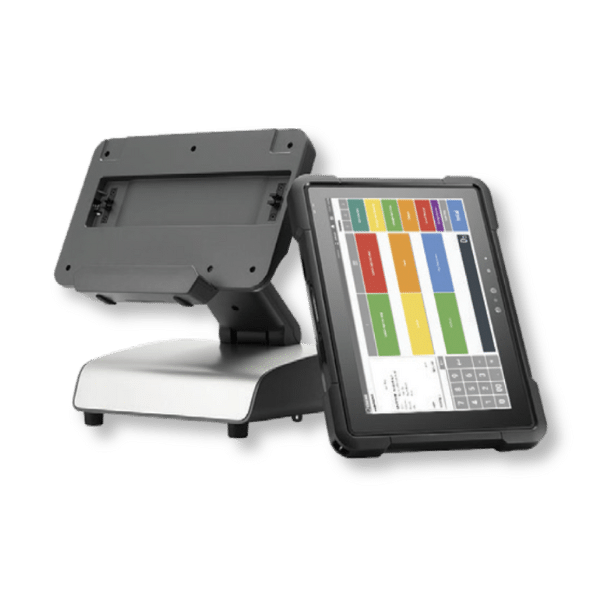
Mobile POS systems bring flexibility to retail checkout. These tablet-based solutions offer the same powerful features as desktop systems but with complete portability.
Key Features
Mobile POS systems deliver full functionality in a portable format. You get all the features of desktop systems, but can process sales anywhere in your store, at events, or in temporary locations.
These tablets excel at line busting during peak hours and make pop-up shops simple to operate. Setup takes minutes—just turn on the device and start processing sales.
The space-saving design frees up valuable retail floor area while enabling associates to engage with customers and check them out simultaneously, creating a more personal shopping experience.
Hardware Components
- iPad or Android tablet
- Portable card reader
- Optional receipt printer
- Optional cash drawer
- Protective case or stand
Pros
- Highly portable and flexible
- Lower cost than desktop systems
- Easy to transport between locations
- Creates better customer experiences
- Enables mobile checkout
- Minimal counter space required
- Quick deployment for busy periods
Cons
- Less processing power than desktops
- Slower transaction speed
- More difficult to access back-end features
- Higher theft risk
- Smaller screen for complex tasks
- Battery life limitations
Best For
Retailers who value flexibility, operate pop-up shops, attend markets and events, or want to offer checkout anywhere in their store.
4. Cloud-Based Cash Registers

Cloud technology represents the latest evolution in cash register systems. Both desktop and tablet POS systems can now operate through the cloud, offering unprecedented connectivity and convenience.
Key Features
With cloud technology, you can manage your business from anywhere with internet access. Software upgrades happen automatically overnight, so you always have the latest features without manual updates. Data gets stored on encrypted remote servers, providing better security than local storage.
You can view information on any connected device and check sales, inventory, and operations from home or while traveling.
GOOD TO KNOW
Automatic backups mean you never lose critical business data, and the system scales easily as you add new locations and devices.
PRO TIP
KORONA POS offers cloud-based systems specifically built for retail, franchise, and multi-location businesses, with powerful inventory management and seamless integration across all your stores.
Speak with a product specialist and learn how KORONA POS can power your business.
How Cloud Systems Work
Instead of storing data locally on one machine, cloud-based registers save all information to secure remote servers. Every transaction, inventory change, and customer interaction updates instantly across all connected devices.
Pros
- Access business data from anywhere
- Superior data security and backup
- Always up-to-date software
- No manual updates required
- Better data protection than local servers
- Seamless multi-location management
- Easy to scale as you grow
- Lower IT maintenance costs
Cons
- Requires stable internet connection
- Monthly subscription fees
- Initial learning curve
- Dependent on cloud provider reliability
Best For
Retailers who need flexibility to manage their business remotely, operate multiple locations, or want the best data security and automatic updates.
How to Choose the Right Cash Register Type?
Selecting the right cash register depends on your specific business needs, growth plans, and operational requirements. Consider these key factors before making your decision.
1. Business Size
Small shops with a single checkout counter can often get by with basic electronic cash registers. However, growing retailers need more robust solutions. Medium to large stores benefit from POS systems that handle complex operations and multiple checkout stations. If you operate more than one location or plan to expand, invest in a system that scales with your business rather than replacing it later.
2. Inventory Needs
Simple businesses with fewer than 50 products might manage with an electronic cash register. But once your inventory grows, manual tracking becomes impossible. POS systems automatically update stock levels with each sale, alert you to low inventory, and generate purchase orders. Retailers selling hundreds or thousands of SKUs need real-time inventory visibility to avoid stockouts and overordering.
3. Payment Processing Requirements
Modern customers expect multiple payment options beyond cash and traditional cards. Consider whether you need to accept contactless payments, mobile wallets like Apple Pay and Google Pay, or buy-now-pay-later services. Advanced POS systems integrate seamlessly with various payment processors and automatically update security protocols. Electronic cash registers offer limited payment flexibility and may require separate terminals for different payment types.
Payment processors giving you trouble?
We won’t. KORONA POS is not a payment processor. That means we’ll always find the best payment provider for your business’s needs.
4. Multi-Location Management
Operating multiple stores creates serious challenges with basic cash registers. You can’t track inventory across locations, consolidate sales reports, or transfer products between stores. Cloud-based POS systems solve these problems by centralizing all your data.
You see every location’s performance from one dashboard, manage inventory transfers instantly, and maintain consistent pricing and promotions across all stores.
5. Staff Management Needs
Employee oversight becomes critical as your team grows. Basic registers can’t track individual sales performance, manage permissions, or monitor clock-in times.
POS systems create unique logins for each employee, track their sales and returns, restrict access to sensitive functions, and integrate with payroll software. You can see who’s performing well, identify training needs, and prevent unauthorized discounts or voids.
6. Reporting and Analytics
Electronic cash registers provide minimal insight into your business performance. You might get daily sales totals, but that’s about it. POS systems generate detailed reports on top-selling products, peak sales hours, average transaction values, and customer trends.
These insights help you make smarter decisions about staffing, inventory purchases, and marketing campaigns. Without good data, you’re running your business blind.
Discover Advanced Analytics and Custom Reports
Speak with a product specialist and learn how KORONA POS can work for your business.
7. Customer Relationship Features
Building customer loyalty requires more than good service. POS systems store customer profiles, track purchase history, and enable targeted email marketing. You can create loyalty programs, send personalized promotions, and identify your best customers. Electronic cash registers can’t capture or use customer data, limiting your ability to build lasting relationships and encourage repeat business.
8. Budget Considerations
Electronic cash registers cost less upfront—typically $200 to $800. POS systems require a bigger initial investment, ranging from $1,000 to $3,000 for hardware plus monthly software fees. However, POS systems pay for themselves through reduced errors, better inventory management, decreased shrinkage, and increased sales. Calculate your total cost of ownership over three years rather than just the purchase price.
9. Technical Support and Training
Consider the support you’ll receive after purchase. Electronic cash registers offer limited help—often just a manual and maybe a phone number. Quality POS providers include comprehensive training, ongoing technical support, and regular software updates. Your staff learns the system faster, and problems get resolved quickly. Downtime at the register costs you money, so reliable support matters.
Have trouble getting your POS customer service on the phone?
KORONA POS offers 24/7 phone, chat, and email support. Call us at 833.200.0213 to see how reliable we are.
10. Future Growth Plans
Choose a system that grows with your ambitions. If you plan to add locations, launch an online store, or expand your product line, you need a scalable solution. Electronic cash registers hit a wall quickly. Cloud-based POS systems add new features, integrate with emerging technologies, and support business expansion without requiring complete replacement.
💡 PRO TIP
For most retailers today, modern POS systems outperform traditional cash registers significantly. The operational efficiency, business insights, and customer experience improvements typically justify the higher investment within the first year of use.
Cost Breakdown of Each Cash Register Type
Understanding the true cost of cash register systems goes beyond the sticker price. Here’s what you can expect to invest in each type.
Cost Comparison Table
| Register Type | Hardware Cost | Monthly Software | Payment Processing | Setup Complexity | Ongoing Maintenance |
|---|---|---|---|---|---|
| Electronic Cash Register | $200 – $800 | $0 | 2-3% (separate terminal) | Low | Self-managed repairs |
| Desktop POS | $1,000 – $3,000 | $50 – $200 | 2-3% per transaction | Medium | Vendor support included |
| Tablet POS | $350 – $1,000 | $50 – $200 | 2-3% per transaction | Low | Vendor support included |
| Cloud-Based POS | $350 – $3,000 | $60 – $300 | 2-3% per transaction | Medium | Automatic updates |
Electronic Cash Registers (ECR)
Electronic cash registers offer the lowest entry point for retail businesses. Hardware costs typically range from $200 to $800 depending on features and brand. You’ll pay extra for add-ons like barcode scanners ($50-$150) or upgraded receipt printers. No monthly fees exist since these operate without software subscriptions. However, repairs and replacements fall entirely on you, and upgrading means buying new hardware.
Point of Sale (POS) Cash Registers
Desktop POS systems require a larger upfront investment. Expect to pay $1,000 to $3,000 for complete hardware setups including the terminal, cash drawer, receipt printer, barcode scanner, and card reader. Software subscriptions run $50 to $200 monthly per location, depending on features. Payment processing fees typically add 2-3% per transaction, though rates vary by processor and volume. Factor in occasional hardware upgrades and potential integration costs for accounting or inventory software.
Mobile Cash Registers (Tablets)
Tablet-based systems cost less than desktop setups. An iPad or Android tablet runs $300 to $800, while portable card readers cost $50 to $150. Software subscriptions match desktop POS pricing at $50 to $200 monthly. You might need accessories like cases ($30-$100) or stands ($50-$200). Payment processing fees remain similar to desktop systems. The lower hardware cost makes tablets attractive for businesses testing POS systems or operating pop-up locations.
Cloud-Based Cash Registers
Cloud systems use the same hardware as desktop or tablet POS, so initial costs remain comparable. The difference lies in software pricing and capabilities. Monthly subscriptions range from $60 to $300 per location, slightly higher than non-cloud systems. However, you avoid costs for on-site servers, IT maintenance, and manual software updates. Multi-location businesses save money through centralized management. Payment processing fees stay consistent at 2-3% per transaction.
Note
Prices reflect general market ranges and vary by provider, features, and business size. Payment processing fees depend on transaction volume and provider agreements.
When to Upgrade to a POS System
Basic cash registers eventually limit your business growth. Recognizing the right time to upgrade can save you money and headaches down the road.
Watch for these warning signs:
• Manual inventory tracking becomes overwhelming – Spreadsheets can’t keep up once you stock more than 50-100 products, and upgrading to a proper inventory management system becomes essential
• Frequent stockouts or overstock situations – You’re losing sales because popular items run out while slow movers pile up
• Opening a second location – Managing multiple stores with separate registers creates chaos and prevents accurate inventory transfers
• Long checkout lines during peak hours – Customers wait too long, and you’re losing sales to impatient shoppers who leave
• No visibility into business performance – You can’t identify your best-selling products, peak sales times, or seasonal trends
• Employee theft concerns – Basic registers can’t track individual transactions or flag suspicious voids and discounts
• Expansion into online sales – You need unified inventory between your physical store and eCommerce platform
Most retailers see a return on their POS investment within 12-18 months through reduced shrinkage, better inventory turnover, and improved operational efficiency.
Upgrade to a Modern POS with KORONA POS
The biggest problem with basic cash registers isn’t just their limited features—it’s the lack of support when something goes wrong. You’re on your own with no one to call for help. KORONA POS provides exceptional support with knowledgeable teams ready to assist your business whenever you need them.
KORONA POS specializes in retail verticals that demand precise inventory control and compliance tracking. Whether you run a liquor store, vape shop, tobacco retailer, convenience store, smoke shop, bakery, coffee shop, or specialty boutique, the system handles your unique requirements. Built-in age verification, lot tracking, and category management come standard.
The platform offers complete processing flexibility. You’re not locked into a single payment processor, and dual pricing capabilities let you offer cash discounts while staying compliant. Choose the processor that gives you the best rates and switch if you find a better deal.
Ready to upgrade from your outdated cash register? Call us at 833-200-0213 or click below to book a personalized demo and see how KORONA POS can transform your retail operations.