


Weedmaps Cost And ROI Calculator
Enter your own numbers to see whether your Weedmaps spend pays back. Only the spend field uses a sourced benchmark. The other fields hold example values to replace.
Fill in spend, orders, and order value to see your result.
How The Calculator Works
- Revenue equals monthly Weedmaps orders multiplied by average order value.
- Gross profit equals revenue multiplied by your gross margin.
- Net return equals gross profit minus monthly Weedmaps spend, and ROI equals net return divided by spend.
- Spend per order equals spend divided by orders, and spend per new customer divides spend by the first-time customers among those orders.
- Break-even orders equal spend divided by the gross profit of one average order, rounded up.
- The repeat-visit estimate multiplies new customers by return visits, average order value, and gross margin.
Example Result
With $2,807 in monthly spend, 220 orders, a $55 average order, and a 45% margin, revenue is $12,100 and gross profit is $5,445. The net return is $2,638, which is a 94% ROI. Spend works out to $12.76 per order and $21.27 per new customer, and the store needs 114 orders a month to break even.
What The Calculator Leaves Out
- Staff time spent on pickup and delivery orders.
- Discounts funded through Weedmaps deals, which belong in a lower margin figure.
- Customers who would have bought from you without Weedmaps, so count only orders you can trace to your listing.
- Any costs beyond the spend you enter, such as payment fees or delivery driver pay.
All results are estimates based on the numbers you enter. Weedmaps does not publish a rate card, so confirm current pricing with a Weedmaps sales rep.
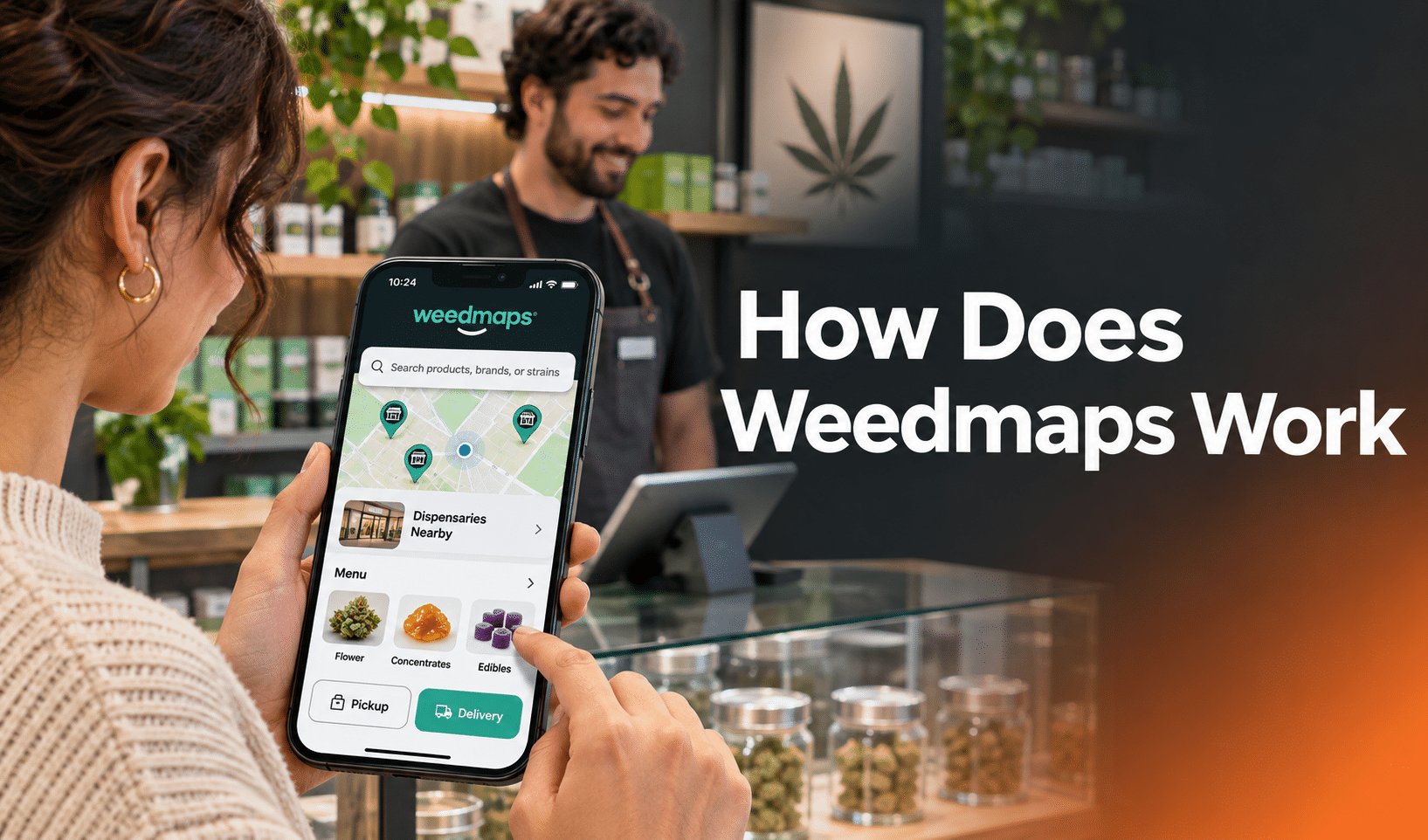
Weedmaps is a cannabis directory and ordering portal. Shoppers search it by location, product, or brand, then send an order request to a licensed retailer.
The store fills the order and takes payment, since Weedmaps handles neither.
Dispensaries pay a monthly fee for a listing, layer on ads when they want top placement, and frequently connect a POS so menus and orders stay accurate.
The sections below cover how shoppers use the platform, how dispensaries run it, what it costs, and how to pair it with sales channels you control.
Key Takeaways:
- Weedmaps functions as a directory and ordering portal. Retailers fulfill orders and collect payment themselves.
- A listing comes with a monthly subscription. Featured placement and deals cost extra.
- An order integration pushes Weedmaps orders into your POS, and menu sync keeps stock and prices up to date.
- Shoppers need a photo ID, and Weedmaps does not collect payment or issue refunds.
- Retail listings must display a state license number, yet Weedmaps acknowledges some listings may not comply, so verify licenses.
What is Weedmaps?
Weedmaps is an online cannabis marketplace run by WM Technology, Inc., a company headquartered in Irvine, California, whose stock trades on the OTCQX market under the ticker MAPS.
Shoppers use the website and mobile apps to find retailers and brands, read menus, and reserve products for pickup or delivery in participating markets. Retailers and brands pay for listings, ads, and software.
The platform operates at scale. Its FY2025 annual report places Weedmaps in more than 35 U.S. states and territories at the end of 2025, with 5,190 paying clients on average across the year and 56% of revenue coming from California.
Many people call Weedmaps the Yelp of cannabis. The nickname fits the directory and review side. Weedmaps also sells advertising and runs a software suite for retailers.
Who Founded Weedmaps And When?
Justin Hartfield and Doug Francis founded Weedmaps in 2008. Francis serves as chief executive today. The company went public in June 2021 through a merger with the blank-check firm Silver Spike Acquisition Corp. In April 2026, WM Technology voluntarily delisted from Nasdaq and moved to over-the-counter trading.
How Does Weedmaps Work For Shoppers?
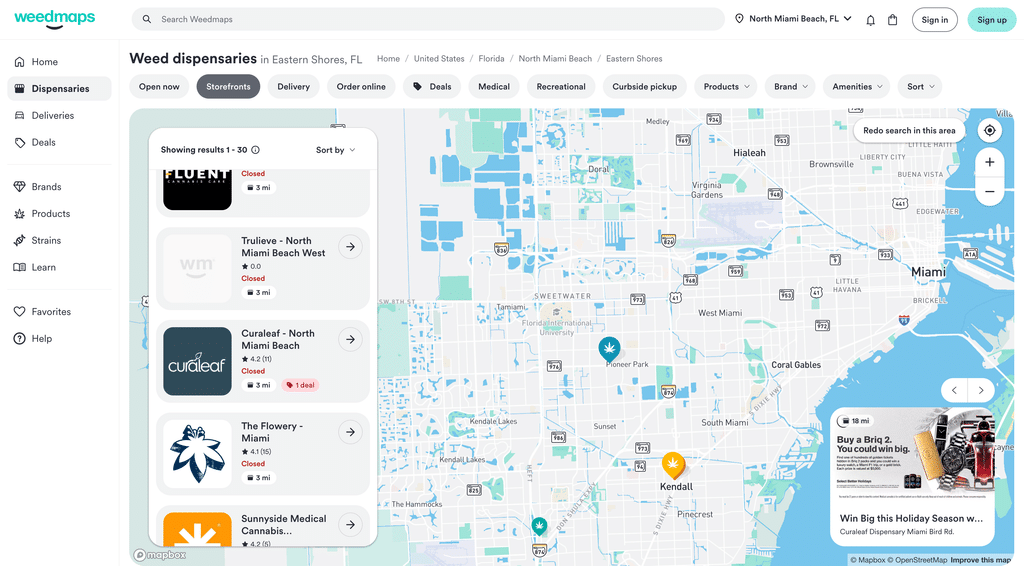
Shoppers use Weedmaps to find nearby licensed dispensaries and delivery services, compare menus, and submit an order for pickup or delivery.
Search And Browse by Location, Product, or Brand
Every Weedmaps search begins with your location. Enter an address or share your position, and look up a retailer, a product, a brand, or a strain. The marketplace pulls menu data from retailer POS systems, so you can browse by strain, price, and cannabinoid content. A deals section gathers active discounts.
Say you loved Durban Poison flower in Denver and you are now in Venice Beach. Search the strain, set your location, and check which nearby menus list it.
A menu is only as fresh as its last sync. Weedmaps pulls a connected POS menu on a periodic schedule, so stock can trail the shelf. Check with the shop first when you are after one particular product.
Ordering Pickup And Delivery
Placing an order on Weedmaps sends a request to a participating dispensary, which confirms it, collects payment, and hands over the products. Availability differs by state and city, so some areas offer browsing only.
- Open the app or website, enter your location, and choose a dispensary or delivery service that accepts orders.
- Add products to your cart, adjust quantities, and include any promo code or special instructions.
- Enter your profile details at checkout. First-time customers provide a photo ID and, for medical orders, a medical recommendation, and Weedmaps may ask you to verify your email and mobile number.
- Pick cash or cashless to signal how you intend to pay, then place the order.
- Watch for a confirmation and text updates. Pickup customers receive a message once the order is ready, and delivery customers hear from a driver with an estimated arrival time.
Delivery services set fees and minimums independently, and state law decides whether a store can deliver at all. Our breakdown of whether dispensaries can deliver covers those rules.
Weedmaps city pages describe minimum orders that generally land between $30 and $100. Speed depends on the day, the hour, holiday volume, and staffing, so ask for an ETA once your order is in.
Payment, ID, And Tipping Basics
Weedmaps does not collect payment, so you settle up with the retailer directly when your order arrives.
Checkout asks you to select cash or cashless, a choice that tells the store what to expect. Accepted methods differ by shop and appear on the Details tab of every listing.
Standard credit card processing remains off limits for cannabis purchases, so cashless tends to mean PIN debit or an ACH-based payment app.
The platform does not handle the funds, and refunds are not part of its service, so take problems with an order to the dispensary.
Bring a government-issued photo ID, such as a driver’s license, state ID, or passport. Adult-use purchases require you to be 21 or older, or the minimum age your state sets.
Medical purchases, in states that allow them, call for a medical card or license, and Weedmaps lists 18 as the usual minimum age, with state rules taking precedence.
Show your ID and your chosen payment method to the staff when you collect or receive the order. Some shops go further and demand an ID upload before accepting an order.
Tipping a delivery driver is optional. Weedmaps’ delivery pages call a tip a good gesture, cite 15% to 20% as the customary range, and suggest $5 to $15 when the order total is large.
Hand the tip to the driver or store directly, as the platform does not process payments.
How Does Weedmaps Work For Dispensaries?
For dispensaries, Weedmaps works as a paid discovery and ordering channel: a monthly subscription provides a listing and software, and add-ons buy added visibility.
The subscription package includes a listing page with a product menu, order handling, an embeddable storefront menu called WM Store, integration tools, and analytics.
Advertising and delivery logistics software are sold separately. Weedmaps is one layer of the broader dispensary tech stack, alongside POS, compliance, payments, and loyalty tools.
Getting Listed And Listing Tiers
A retailer needs an active state cannabis license before Weedmaps will list it. Weedmaps requires cannabis retailers to display an unexpired state license number, and a compliance team reviews license information at signup and continuously afterward. Owners still working toward a license can start with our guide on how to start a dispensary.
- Check that your license is in good standing and matches your legal business information.
- Contact the Weedmaps for Business team and submit your license for review.
- Build the listing with your license number, hours, phone, and address, and discount policies.
- Load your menu by hand or connect a POS to sync it.
- Set up a pickup profile, a delivery profile, or both if you want to take online orders.
Weedmaps help documentation names a Basic Listing as the minimum account for order integration. Featured placement sits on top of that base.
Social equity applicants may qualify for free software, advertising, and training through the WM Teal program.
Advertising, Deals, And Featured Placement
Featured Listings put a dispensary in premium positions on desktop and mobile, and WM Deals lets stores publish discounts for shoppers to browse.
Banner ads and promotion tiles fill other high-traffic spots on the marketplace, and a few banners tie to keyword searches.
Paid placement carries most of the revenue. In the second quarter of 2026, Featured Listing and WM Deal products made up approximately 63% of Weedmaps’ revenue, subscriptions and other software 31%, and other ad products 6%, per its second-quarter 2026 filing.
Weedmaps has said it historically sold premium add-ons in a bid-auction format, which means operators bid for visibility and costs shift from market to market.
What Weedmaps Costs Retailers
Weedmaps publishes no rate card, so up-to-date pricing comes from a sales quote. That filing reports average monthly spend of $2,807 per paying client in Q2 2026, a blend of subscriptions, featured placement, deals, and other ads.
Third-party agency estimates run wider and are less reliable: $300 to $1,500 a month for a standard listing, and $500 to $5,000 or more for placements in competitive markets.
Ask a sales rep to price out the full month, including the add-ons you plan to buy. Next, weigh the total against the revenue an engaged shopper brings to your business. The right dispensary KPIs show whether a placement earns its cost.
Customer Data And Trade-Offs
Weedmaps holds the marketplace audience and its browsing data, and the dispensary receives customer information with each order.
Its SEC filings describe that data as a growing first-party asset. Flowhub’s integration documentation confirms that orders sent to a connected POS carry the shopper’s name and phone number.
That split shapes your strategy. Shoppers who discover you on Weedmaps start the relationship on Weedmaps, and your listing appears beside competitors on one page.
Enroll customers in a loyalty or CRM tool you manage at pickup, so repeat visits do not hinge on the marketplace. Your POS can run the follow-up campaigns, and our primer on how to market with a POS system explains the setup.
How Weedmaps Online Orders And Menu Sync Work With a POS
Weedmaps Integration Eligibility Checker
Answer five questions to see which Weedmaps POS integration you can set up and what is missing. The checker mirrors the requirements Weedmaps publishes. It cannot see your account, so confirm the result with Weedmaps Support.
0 of 5 answered.
Requirements Check
Next Steps
Order integration is not a self-service setting. Weedmaps Support enables it. Contact help@weedmaps.com or call 1-844-WEEDMAPS (933-3627).
How The Checker Works
- Live menu integration means Weedmaps periodically crawls your POS menu to keep your Weedmaps menu synced.
- Order integration means an order placed on Weedmaps is sent to your POS for fulfillment.
- Order integration requires an active Basic Listing, Orders enabled, live menu integration, and an account with your POS provider.
- Weedmaps Support enables order integration, so it is not available for self-service.
What Each Result Means
- Ready to request order integration: all five requirements are met, so contact Weedmaps Support.
- Menu sync works, so enable Orders next: your menu syncs, but online ordering is not enabled yet.
- Ready to set up menu sync: your listing, POS support, and POS account are in place, and live menu integration comes first.
- Fix your menu sync first: a menu that looks wrong should go to Weedmaps Support before you add orders.
- Not ready yet: at least one requirement is missing, and the next steps list shows what to fix first.
- Confirm a few details: no requirement is missing, but some answers need checking.
What The Checker Cannot Confirm
- Your actual Weedmaps account status, which only Weedmaps can verify.
- POS-specific setup steps, such as API credentials or clearing existing menu items before you connect.
- Requirement changes Weedmaps makes after November 2026, the month the requirements were last checked against the Weedmaps help center.
Results are guidance, not a guarantee of eligibility. If your Weedmaps menu looks wrong after setup, do not edit it. Contact Weedmaps Support so Weedmaps and your POS provider can investigate.
Weedmaps’ POS integration guide describes two options: live menu sync, which keeps your Weedmaps menu current, and order integration, which delivers shopper orders straight to your POS.
Under live menu sync, Weedmaps periodically crawls your POS menu to update products, prices, and stock. Keeping those counts accurate across Weedmaps, your website, and the register is the core of multichannel inventory management.
Order integration needs an active Basic Listing, Orders enabled on your account, live menu sync, and an account with your POS provider.
Weedmaps Support switches it on, since it is not a self-service setting. After a menu syncs from your POS, create and edit products there: featuring a product and linking brands are the sole changes Weedmaps permits on a synced menu. If the menu looks wrong, contact Weedmaps Support so Weedmaps and your POS provider can investigate.
Here is the cart-to-counter flow for a connected store. Screens and labels differ by POS.
- A shopper builds a cart on your Weedmaps listing and places an order.
- The order lands in your POS queue with items, totals, special instructions, and the shopper’s contact information.
- Staff accept the order, and many systems hold the items so nobody else can buy them.
- Staff pick and pack the products and mark the order ready. Weedmaps texts the shopper.
- The shopper arrives, your team checks ID and completes payment in the POS, and the sale lands in your compliance records. KORONA POS pairs that record with its Metrc integration for state tracking.
- The order closes, and Weedmaps tells the shopper it is complete.
KORONA POS connects to Weedmaps through its partner Appspensary, a cannabis ecommerce and compliance platform. Ask Weedmaps Support to confirm your setup is active, as integration availability varies by POS and state. Stores still choosing a system can compare options in our guide to the best dispensary POS systems.
Speak with a product specialist and learn how KORONA POS can power your business.
What to Own Outside Weedmaps
Control your ordering website, your customer list, and your loyalty program, and treat Weedmaps as a way to be discovered.
- Your ordering site. KORONA POS includes ecommerce built into the POS and a WooCommerce integration for online pre-orders. Green 2 Go, a dispensary on KORONA POS, reports that online ordering cut the lines outside its store by 20% to 30%, and it now handles 200 to 300 orders a day through KORONA eCommerce.
- Your customer list. Collect names, phone numbers, and consent at pickup, which lets you reach shoppers without buying placement.
- Your loyalty program. KORONA POS integrates with loyalty platforms such as Springbig, Splango, and Data Owl, which convert first-time Weedmaps visitors into regulars. Our walkthrough of Springbig loyalty for dispensaries demonstrates one way to set that up.
- Your search presence. A complete Google Business Profile and a fast, crawlable menu page bring in shoppers who skip Weedmaps entirely.
Weedmaps markets WM Store, which places your Weedmaps menu on a site you control. Compare its price with a POS-native storefront before committing.
Can You Trust Weedmaps? Reviews, Licensing, And Safety
Weedmaps is a legitimate company that has operated since 2008, yet it lists businesses without vouching for them, so verify the retailer yourself.
Licensing. Weedmaps requires retail listings to display a license issued by the state, and its policy team reviews them. Its annual report acknowledges that certain listings may fall short of licensing rules. Compare the license number on a listing with your state regulator’s public database before you order.
Reviews. Reviews help, but treat them as one signal among several. A 2016 Los Angeles Times investigation flagged potentially thousands of unreliable comments on Weedmaps, and Weedmaps disputed the scale, as detailed in MJBizDaily’s report. Weedmaps says its moderation teams act on reviews that break its community terms. Favor recent reviews that describe service and stock accuracy, and be skeptical of a wall of generic five-star praise.
Orders and payment. Because Weedmaps stays out of the transaction, any dispute is between you and the dispensary. Pay at handoff, and call ahead to confirm stock and timing when you are in a hurry.
Weedmaps vs Leafly, Dutchie, And Other Alternatives
Weedmaps’ main competitors are Leafly for marketplace listings and Dutchie and Jane Technologies for menu embeds and online ordering, as named in Weedmaps’ own annual report.
Leafly launched in 2010 as a strain information site and still leans on its strain database, reviews, and educational content. Retailers pay a subscription to list menus and take orders there. Weedmaps built its audience around finding stores, then added ads and ordering as it grew.
Dutchie concentrates on ordering tools that dispensaries embed in their websites. Jane Technologies competes in that menu and ordering space.
Search engines, Yelp, and general ecommerce platforms chase the same audience. Most dispensaries use several channels at once. List on a marketplace for discovery, run a site you control for repeat sales, and let your POS keep all menus accurate.
FAQs: Weedmaps For Dispensaries
How Does Weedmaps Make Money?
Weedmaps charges its business clients recurring subscriptions and sells advertising upgrades such as Featured Listings and Deals. It skips order commissions because the dispensary closes the sale and takes payment itself. Those ad upgrades supply the bulk of the revenue.
Who Are Weedmaps’ Competitors?
Leafly leads the marketplace-listing rivals, while Dutchie and Jane Technologies chase the menu-embed and ordering business, per Weedmaps’ own filings. Search giants, review sites, and broad ecommerce tools vie for local retail attention through search and advertising.
Which Is Better, Leafly Or Weedmaps?
Neither wins universally. Weedmaps centers on retailer discovery and sells ads plus ordering tools, whereas Leafly adds a deep strain database and educational content. Compare the traffic and orders both platforms deliver in your market before assigning budget.
Is Weedmaps Cash Only?
No. Retailers choose which payment methods to accept, and Weedmaps never touches the money. Checkout lets you flag your preferred payment type, and the Details tab on a listing names the accepted methods. Cashless options center on PIN-entered debit or bank-linked ACH apps.
Does Weedmaps Check ID?
Yes, in stages. New customers add profile details such as a photo ID, stores can require an ID upload first, and staff verify your ID again at handoff. Adult-use shoppers must have turned 21, or reached whatever minimum age their state sets.
How Long Does Weedmaps Delivery Take?
No fixed time exists. Speed varies by retailer, weekday, hour, and holiday volume, so the store supplies the most reliable ETA after you order. A few delivery listings show an estimate drawn from that retailer’s recent completed orders.
Do You Tip A Weedmaps Delivery Driver?
Tips are optional but customary. Weedmaps’ own city pages list 15% to 20% as typical for delivery, and smaller amounts suit big orders. Your chosen amount goes directly to the courier or shop, since Weedmaps never handles the money.