Apple Pay Fees for Merchants: The 2026 Cost Guide

Photo of author

Author

Michael C.

Published

Last Updated

More customers want to pay with their phones, and you might wonder what accepting Apple Pay will cost your business. The good news: Apple doesn’t charge merchants any fees. You’ll pay the same credit card processing rates you already pay.

In the guide below, you’ll learn how Apple Pay works from a merchant’s perspective, what equipment you need, and the real benefits beyond just offering another payment option.

We’ll also cover common fee myths and show you how payment systems like KORONA POS make it straightforward for businesses of any size to accept Apple Pay.

Key Takeaways:

  • Apple Pay is free for businesses to accept. You only pay your standard credit card processing fees (2-3%), with no additional charges from Apple.
  • Most modern payment terminals already support Apple Pay. If your card reader accepts contactless payments, you can start taking Apple Pay without buying new equipment.
  • No Added Subscription Costs: Merchants do not need a paid monthly plan to offer Apple Pay to their customers.
  • Settlement timing follows your processor’s normal schedule. Funds arrive the same way as standard card payments.

What is Apple Pay?

Apple Pay lets customers pay using their iPhone, Apple Watch, or iPad instead of physical cards. When shoppers hold their device near your payment terminal, the transaction processes instantly through contactless technology. You need a compatible card reader that accepts NFC payments to receive Apple Pay in your store.

How Much Does Apple Pay Cost?

Apple Pay is free for businesses. You won’t pay setup fees or monthly charges to accept it. Your standard credit card processing fees still apply—typically 2-3% per transaction. The cost comes from your payment processor, not Apple. Most modern card readers already support Apple Pay without additional equipment purchases.

How Apple Pay Works on the Merchant Side?

When a customer wants to pay with Apple Pay, they hold their device near your NFC-enabled card reader. The process happens in seconds:

  • Customer authenticates using Face ID, Touch ID, or their device passcode
  • Device sends encrypted payment data to your terminal through contactless technology
  • Your payment processor handles the transaction like any credit card payment
  • Confirmation appears on both the customer’s device and your register

You don’t see the customer’s actual card number. Apple Pay creates a unique token for each transaction, adding security for both parties. Your third-party payment processor manages everything behind the scenes, so accepting Apple Pay works just like taking a regular card payment.

Most businesses find that retail payment processing with Apple Pay is faster than traditional card swipes or chip insertions.

Payment processors giving you trouble?

We won’t. KORONA POS is not a payment processor. That means we’ll always find the best payment provider for your business’s needs.

Why Is the New Apple Card More Expensive for Retailers?

Simply put, the card has higher fees. Because the Apple Card is deemed an elite, or high-rewards, card, the interchange fees for each transaction will be higher.

Unfortunately, these interchange fees are passed directly on to the merchant. Though the interchange fees make a small percentage of each transaction, a spike in rates can have serious consequences for businesses with small margins.

Benefits of Accepting Apple Pay for Both Businesses and Customers

Faster Checkout Times

Apple Pay transactions complete in seconds compared to traditional card payments. Customers don’t need to insert cards, sign receipts, or enter PINs. Lines move quicker during busy periods, and you can serve more customers per hour without adding extra registers.

Enhanced Security

You never handle actual card numbers. Apple Pay uses tokenization and encryption, which reduces your liability for fraud. If a data breach occurs, customer payment information stays protected because their real card details never touch your system.

Lower Risk of Chargebacks

Biometric authentication (Face ID or Touch ID) verifies each purchase. Someone can’t claim they didn’t authorize a transaction when their fingerprint or face confirmed it. Fewer disputed charges mean less time dealing with payment issues and fewer lost sales.

Attracts Tech-Savvy Customers

Many shoppers now expect contactless payment options. Accepting Apple Pay signals that your business stays current with customer preferences. Some people actively choose stores that offer mobile payment options over those that don’t.

No Additional Costs

You already pay processing fees for credit cards. Apple Pay doesn’t add extra charges on top. If your current terminal accepts NFC payments, you’re ready to go without buying new equipment or paying setup fees.

Improved Customer Experience

Customers appreciate the convenience of paying with devices they already carry. They can leave wallets at home and still shop at your store. A smoother payment experience often leads to repeat visits and positive word of mouth.

Works With Existing POS Systems

Most modern card readers already support Apple Pay. No major hardware changes or special software setups are required to start accepting payments.

What Are Interchange Rates from the Card Networks?

an infographic illustrating Apple card fees

The card networks (VISA, American Express, Discover, etc.) determine the interchange rates for each debit and credit transaction.

There are other factors that contribute to the final processing fee a merchant must pay, but interchange fees make up the vast majority of those fees.

GOOD TO KNOW

The card networks determine the fees as part of their regulatory role in the industry. The issuing bank (the consumer’s bank) actually collects most of this fee for assuming the risk in transferring the money for each transaction. After all, should the charge be contested, they’ll be the party that has to refund their member and lose the money. 

So it’s upon this risk that interchange rates are based. Dynamic factors during payments can lower or raise the interchange rate. These commonly include the following:

  • Card-not-present
  • eCommerce
  • Keyed entry
  • Business cards
  • High-rewards cards

Retailers can choose to avoid certain types of transactions in order to keep their interchange rates lower. But, most choose to accept all forms of payment to avoid losing a sale altogether because of the lack of convenience.

Why Do Higher Benefit Cards Come with Higher Interchange Fees?

The card networks argue that higher interchange fees are acceptable for higher benefit cards because those shoppers are more likely to spend more on a single purchase. 

Typically, interchange rates increase when a transaction is deemed riskier to accept. This is not an instance of that, however. In fact, it’s quite the opposite – an elite card is far less risky than many other types of card payments.

Retailers are left having to accept these cards. No business is going to accept all VISA cards, except, for example, VISA Infinite. Instead, because of consumer demand, retailers must accept all major cards and pay additional fees.

What Merchants Need in Order to Accept Apple Pay?

You need three basic components to start accepting Apple Pay at your store:

NFC-enabled payment terminal: Your card reader must support contactless payments. Most modern terminals from the past few years already have built-in NFC capability.

Payment processor account: You need a merchant account with a processor that supports Apple Pay transactions. Major processors like Square, Stripe, and Clover all work with Apple Pay.

Updated point of sale software: Your POS system should recognize and process contactless payments. Check with your provider to confirm compatibility or update if needed.

Common Myths About Apple Pay Fees

Many business owners hesitate to accept Apple Pay because they’ve heard incorrect information about costs. Understanding what you actually pay helps you make informed decisions about payment options. Here are the most common misconceptions about Apple Pay fees, along with the truth behind them.

Myth: Apple Charges Merchants a Fee

The Truth: Apple doesn’t charge businesses anything to accept Apple Pay. You pay the same processing fees you already pay for credit and debit cards. Apple makes money from card-issuing banks, not from merchants. Your costs remain identical whether customers tap their iPhone or insert a physical card.

Find out how much you’re spending.

Calculate your total processing fees

Your total processing fees:

Myth: You Need Expensive New Equipment

The Truth: Most payment terminals sold since 2015 already accept Apple Pay. If your card reader handles contactless payments (look for the wireless symbol), you’re set.

You won’t need to purchase specialized Apple hardware. Upgrading an outdated terminal might actually help you lower merchant fees through better processing rates.

Myth: Apple Pay Transactions Cost More Than Card Swipes

The Truth: Payment processors treat Apple Pay transactions exactly like regular credit card purchases. The fee structure stays the same.

In fact, contactless payments sometimes qualify for lower interchange rates because they’re more secure and carry less fraud risk than swiped cards.

Myth: Small Businesses Can’t Afford Apple Pay

The Truth: Accepting Apple Pay requires no special business size or sales volume. Small retailers pay the same rates as large chains.

Since there are no setup fees or monthly charges specific to Apple Pay, even the smallest shops can offer it without financial burden.

Accept Apple Pay Seamlessly With KORONA POS

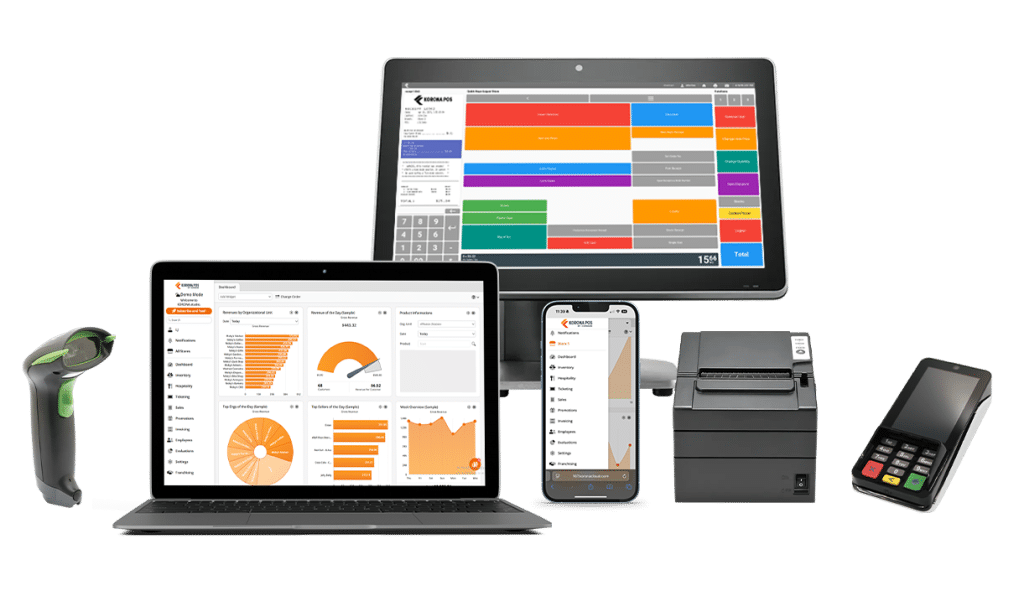
KORONA POS works with any payment processor, so you can choose the one that offers your business the best rates for Apple Pay transactions.

Our Apple Pay POS system supports dual pricing, which lets you offer different prices for cash versus card payments while staying compliant. You’ll get exceptional support from our team whenever you need help setting up contactless payments or troubleshooting issues. We’ll even set you up with a credit card processing rate comparison to help you find the cheapest rates.

Ready to start accepting Apple Pay at your store? Sign up for a demo with one of our product specialists or call us at 833-200-0213 to learn how KORONA POS can streamline your payment processing.

Photo of author

Written By

Michael C.

Michael has long focused his writing on the world of retail and small businesses. He's been a part of the KORONA POS team since 2018 and loves helping entrepreneurs find ways to adapt and succeed. In his spare time, you'll likely find him hiking somewhere in the Southwest.