


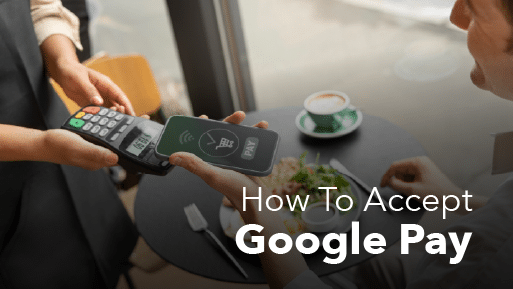
Most guides on how to accept Google Pay tell US merchants to get a UPI ID first. Ignore that. Google’s own developer documentation states the US position plainly: Google Pay runs on the payment processing stack you already have, and Google adds no fees of its own. There is nothing to sign up for.
Contactless payments have climbed steadily since the pandemic, as TechCrunch reported back in 2021, and Google Pay taps now arrive at counters daily.
Below you’ll find the three genuine acceptance routes, what a tap actually costs, the POS setup checklist, how chargeback liability works, and what changed when Google Wallet replaced the Google Pay app.
Key Takeaways:
- You do not register with Google. Acceptance rides on the processor you already use and a terminal with NFC. No Google merchant account exists to open for in-store sales.
- Google charges the merchant nothing. You pay your processor’s normal card rate. Published 2026 in-person rates run roughly 2.3% to 2.7% plus $0.05 to $0.15 at the common flat-rate providers.
- A tap costs the same as a chip insert. Both qualify as card-present. Keyed and online transactions cost more.
- Google Wallet is the app. Google Pay is the payment method. The standalone US Google Pay app was retired on June 4, 2024.
- Most stores are already capable. Enabling acceptance is usually a settings check with your processor plus a test transaction, not a hardware purchase.
Do You Need To Sign Up With Google To Accept Google Pay? (No)
Accepting Google Pay in-store involves no sign-up with Google whatsoever. Acceptance is controlled by two things you likely already have: a payment processor that supports contactless transactions and a terminal with NFC. Google sits in the middle of the transaction as a wallet layer, not as a party you contract with. If the split between your POS and your processor has never been clear to you, that distinction is the whole answer here.
The confusion is worth addressing directly, because most articles on this topic get it wrong.
What Google Actually Tells US Merchants
Google’s instruction to merchants fits in four words: ask your payment service provider. The Google Pay API documentation frames acceptance entirely around the provider you already work with, charges nothing on top, and notes that Google Pay slots into your existing processing stack.
Google publishes the list of participating providers, and the names on it will look familiar. Chase Merchant Services, Elavon, Global Payments, Worldpay, Shift4, Square, Stripe, Braintree, Authorize.net, Moneris, North, Helcim, and GoDaddy Payments all appear. Odds are your processor is already there, which means your acceptance question has a one-call answer.
So where does the UPI advice come from? Google Pay for Business is a separate product built for a different market, and writers keep pulling its setup steps into articles aimed at American readers. If a guide sends you to a Google signup form before it mentions your processor, close the tab.
When Do You Need a Google Pay Merchant ID?
One situation calls for registering with Google: coding the Google Pay button into your own website through the Google Pay API. That build requires a Google Pay & Wallet Console business profile, a merchant ID, and a domain review before it goes live. Custom eCommerce sites hit that requirement. Physical stores never do, and neither do sellers on Shopify, BigCommerce, or any hosted checkout where the platform owns the integration.
What Is Google Pay?
Google Pay is the payment method that lets a customer pay by tapping an Android phone, tablet, or watch at a contactless terminal, or by selecting a saved card at online checkout. The service uses tokenization, so the merchant never receives the customer’s actual card number.
Tap-to-pay with Google Pay runs on NFC-enabled Android phones, tablets, and Wear OS watches. There is no Google Wallet app for iPhone, so an iPhone customer at your counter taps to pay with Apple Pay instead. Google Pay can still appear as a checkout button on your website for iPhone users, because the web integration does not depend on the phone’s NFC chip.
Google Pay vs. Google Wallet: What Changed
Google Wallet is the app that stores the card. Google Pay is the transaction that happens when the customer taps it. A product consolidation created the confusion.
Google retired the US version of the standalone Google Pay app on June 4, 2024. Tap-to-pay and payment method management moved into Google Wallet, which Google said was already used five times more often than the Pay app in the US. Peer-to-peer transfers, offers, and the in-app balance went away with the app. For US retailers, Google Wallet is now the only consumer-side app that matters.
Here is what that means at your counter:
- Google Wallet is the app on the customer’s phone holding their cards, transit passes, loyalty cards, and, depending on where they live, a driver’s license.
- Google Pay is what actually executes when they tap.
A customer may say either name. Your terminal cannot tell the difference, because only one transaction is happening underneath.
How Many Shoppers Actually Pay With Digital Wallets?
Digital wallets handle 17% of in-store spending and 40% of online spending in the US today, and the in-store share is forecast to reach 26% by 2030.
Worldwide, the numbers run higher: wallets took 56% of global eCommerce transaction value and 33% of in-store point-of-sale spend in 2025, according to Worldpay’s 2026 Global Payments Report, which surveyed more than 63,000 consumers across 42 markets. Worldpay also found that wallet adoption at the physical register is climbing roughly three times faster than overall POS growth.
One caveat belongs with those numbers. Wallet use skews young, so the share at your counter swings hard on who walks through your door. A vape shop will see a materially higher tap rate than a hardware store serving an older demographic. Our broader mobile payment guide covers how the rest of the wallet category behaves at checkout.
The last major holdout just folded. On August 21, 2026, Google announced that tap to pay is coming to Walmart and Sam’s Club, starting with select US locations and expanding to all stores and clubs by the end of 2026, then to fuel stations by mid-2027. Walmart had declined to accept NFC wallets for years. Customers who learn the habit at Walmart will expect it at your register too.
Three Ways US Merchants Accept Google Pay
Three routes exist for accepting Google Pay in the US, and the right one comes down to where your customer stands when they pay. All three run the transaction through a payment processor, not through Google.
| Route | What you need | Typical cost | Best fit |
|---|---|---|---|
| Existing processor plus NFC terminal | Contactless-capable terminal, with the feature switched on at account level | Card-present rate, roughly 2.3% to 2.7% plus $0.05 to $0.15 | Any store with a counter and a modern terminal |
| Tap to pay on a phone (SoftPOS) | Compatible NFC phone plus a processor app that supports it | Card-present rate, though flat-rate plans are the norm | Pop-ups, farmers markets, curbside, mobile lines, festivals |
| Online checkout or payment link | Gateway or platform that supports Google Pay, or a direct API integration | Card-not-present rate, commonly 2.9% to 3.3% plus $0.30 | eCommerce, invoicing, phone and remote orders |
Route 1: Use the Terminal You Already Own
Most stores can already take Google Pay and have no idea. Any terminal displaying the contactless symbol, four curved lines, can take a Google Pay tap the moment your acquirer flips contactless on for that merchant ID.
In many cases the capability is dormant, not absent, and the fix is a software update or a settings change your processor can push remotely. If you are shopping for hardware rather than checking what you own, our guide to contactless payment terminals breaks down the options.
Route 2: Take Taps on a Phone, No Terminal Needed
An NFC-equipped Android phone can serve as your card reader, which eliminates the hardware purchase. Worth knowing: Google does not make a merchant-side tap-to-pay app. The capability is delivered by processors and platforms built on top of Android’s NFC stack, including Stripe, Square, and others.
Visa reported in March 2025 that Tap to Phone adoption had grown 200% year over year worldwide, with the US, UK, and Brazil showing a combined growth rate of 234%. Nearly 30% of those sellers were brand-new small businesses, not established merchants kitting out more registers.
Route 3: Accept Google Pay Online or by Payment Link
Online acceptance is decided by your gateway, not by Google. If your store runs on a platform that supports Google Pay, enabling it is typically a toggle in your payment settings. Custom builds require the Google Pay API and console registration described earlier.
What Google Pay Actually Costs You
Google charges merchants no fee to accept Google Pay. Google’s own developer documentation says so outright: no additional fees to accept Google Pay, with standard processing fees from your payment provider still applying. Your cost is the ordinary card processing rate you already pay, so the economics come down to how your retail payment processing is priced. The wallet itself changes nothing.
What Does a Google Pay Tap Cost In Store?
A Google Pay tap costs you exactly what a chip insert costs. Networks classify both as card-present, both rely on EMV cryptographic authentication, and interchange lands in the same bucket.
Here is what that costs at three common flat-rate providers, using published US rates as of 2026:
- Square: 2.6% plus $0.15 per in-person tap, dip, or swipe on the free plan, falling to 2.5% plus $0.15 on Plus at $49 per month and 2.4% plus $0.15 on Premium at $149 per month.
- Stripe Terminal: 2.7% plus $0.05 per in-person transaction, with no monthly fee on the standard plan.
- Clover: 2.3% to 2.6% plus $0.10 in person depending on plan, plus monthly software fees that range from nothing to about $90.
Two cautions on those numbers. Square has raised prices twice recently, moving the in-person fixed fee from $0.10 to $0.15 and, in January 2026, lifting free-plan online rates from 2.9% to 3.3%. Any article still quoting 2.6% plus $0.10 is out of date. Second, flat rates are not the only option, and interchange-plus pricing from a traditional merchant account often costs less at volume.
No contactless surcharge exists. Stripe, for one, prices Google Pay exactly like a standard card payment. If you currently accept chip cards and not contactless, turning on contactless does not raise your processing rate.
What Does Google Pay Cost on Your Website?
Expect 2.9% to 3.3% plus $0.30 for an online Google Pay order at the major flat-rate providers. Web payments settle as card-not-present, which always prices above the counter. Stripe charges 2.9% plus $0.30, and Square’s free plan reached 3.3% plus $0.30 after its January 2026 increase. A Google Pay purchase on your website is priced on that side of the line, exactly as any other online card payment would be.
Why Your Effective Rate Climbs as Taps Increase
Growing tap volume can push your effective rate up, and the wallet is not the reason. Merchants watch the number creep and blame Google Pay. Wallet users skew toward premium rewards cards, which carry higher interchange regardless of how they are presented. The card mix moved, not the pricing of the payment method. You can prove it to yourself by learning to read your merchant processing statement, where the card-type breakdown sits behind the headline rate.
Payment processors giving you trouble?
We won’t. KORONA POS is not a payment processor. That means we’ll always find the best payment provider for your business’s needs.
Accepting Google Pay With Your POS System
Enabling Google Pay at your POS is a four-step check, and for most stores, it takes under an hour. No purchase is required if your hardware already supports contactless.
Step 1: Check That Your Terminal Has NFC
Look for the contactless symbol printed near the card slot, or pull up the model’s spec sheet. Almost anything sold in the last several years ships with NFC built in, switched on or not.
Step 2: Make Sure Contactless Is Switched On
A capable terminal means nothing if your merchant account has contactless turned off. Hardware and account configuration travel separately. Call your processor and ask specifically whether contactless acceptance is enabled for your merchant ID. Merchants regularly discover the terminal was ready the whole time. Where the answer is no, the fix usually sits inside your POS payment integration, not in new equipment.
Step 3: Run a Test Transaction
Add a card to Google Wallet on a staff phone, run a small sale, void it, then check that the transaction lands correctly in your POS reporting. A test tap surfaces configuration problems before a customer does.
Step 4: Tell Customers and Train Staff
Place the contactless and Google Pay marks at the register. Staff should know two things: hold the phone flat against the reader for one to two seconds, and fall back to the chip after two failed taps instead of retrying indefinitely. Both belong in your standard point of sale training so new hires learn them on day one.
How Contactless Speed Changes Your Checkout
Faster payment moves the bottleneck, it does not remove it. With KORONA POS, contactless payments run through whichever merchant service provider you choose, and you can take payments anywhere on the floor, not just at a fixed counter. For stores that build queues, the throughput gain is measurable, since a tap clears in a couple of seconds while a chip insert drags on several times longer. The constraint moves to bagging, age checks, and receipt handling.
How Does Google Pay Work on Your Website?
Online Google Pay acceptance requires a Google Pay-enabled payment gateway, and for custom builds, the Google Pay API. The setup is more involved than in-store, though most merchants never touch code because their platform handles the integration.
The Google Pay wallet is a server-side wallet, which means customer data lives on Google’s systems, not on the customer’s device. The financial transaction runs between Google’s servers and your existing payment gateway.
Your systems never see the shopper’s real card number. Tokenization works like this:
- The customer adds a credit or debit card to Google Wallet. Google requests a token representing that card from the issuing bank.
- Once the token is issued, the card is tokenized, meaning a unique identification number is associated with it. Google encodes the tokenized card and it becomes available for transactions.
- The card network validates the encryption and correlates the token with the customer’s real card number.
- Your acquiring bank and the customer’s issuing bank use the decoded billing information to finalize the transaction.
For platform-based stores, the short version applies: find Google Pay in your payment settings and switch it on. Google names Shopify, BigCommerce, WooCommerce, Magento, OpenCart, and X-Cart as participating platforms, and each publishes its own setup guide. Custom sites go through the console registration covered earlier before the button can go live in production.
Does Google Pay Reduce Chargebacks?
Yes, on qualifying fraud disputes. A correctly processed Google Pay transaction can move fraud liability off your books and onto the card issuer. The protection comes with conditions, so the details below decide whether you get it. If you are new to how a credit card chargeback unfolds, start there and come back.
Who Pays for Fraud on an In-Store Tap?
The issuing bank absorbs qualifying fraud, provided your terminal handled the transaction properly. Liability shift applies when the terminal follows EMV contactless specifications and the cryptogram validates successfully. If the terminal is legacy, unsupported, or misconfigured, the shift may not apply, and the presence of a token alone does not guarantee it. Correct processing is what earns the protection.
Practical implication: a misconfigured terminal is not just a checkout annoyance. It can cost you a dispute you would otherwise have won.
Who Covers Fraud on an Online Google Pay Order?
Online liability hinges on which token type carried the transaction. Google Pay supports the shift for qualified Mastercard and Visa Android device tokens. Two token types exist, and they behave nothing alike:
- Device tokens (CRYPTOGRAM_3DS) are bound to the customer’s device and qualify for liability shift.
- PAN_ONLY transactions pass the full card number in place of a device token, carry higher risk, and do not qualify unless you add 3D Secure.
Mastercard shifts liability automatically for qualified device-token transactions. Visa requires merchants to enable fraud liability protection for Visa device tokens in the Google Pay Console. If that setting is off, you are absorbing losses that belong to the issuing bank, which is the single most common way retailers eat avoidable card-not-present fraud.
What Liability Shift Does Not Cover
Protection stops at qualifying fraud disputes, and plenty of chargebacks fall outside that line. You remain responsible for non-fraud chargebacks such as non-delivery, incorrect amounts, defective goods, and unprocessed refunds. Disputes from legitimate cardholders on authorized transactions carry no automatic shift either. Liability shift also protects individual transaction revenue without protecting your overall chargeback ratio.
How Secure Is Google Pay for Merchants?
Google Pay is safer for your business than a swiped card, because no genuine account number ever reaches your systems. Tokenization, device-level authentication, and hardware isolation do the work. Five features carry operational weight.
Tokenization: Your POS Never Sees a Card Number
Each transaction swaps the customer’s account number for a unique encrypted stand-in. Genuine card details never touch your terminal or your records, so your PCI compliance scope narrows and a breach at your store exposes less.
Biometric and PIN Authentication
Transactions require PIN, pattern, fingerprint, or facial recognition, so only the authorized user can pay. Behavior varies by ticket size. Under the issuer’s no-CVM threshold, usually pegged somewhere between $100 and $200 in the US, the terminal may waive a tap-through with no prompt at all. Cross that line, and it requests verification on its own.
Secure Element: Credentials Locked in Hardware
Many Android devices store payment credentials on a tamper-resistant chip isolated from the main operating system, which prevents access even if the device software is compromised.
End-to-End Encryption
Payment data is encrypted on the device, in transit to Google’s servers, and in exchanges with merchants and banks. NFC transactions encrypt the tokenized data sent to your terminal.
Fraud Monitoring and Remote Device Management
Google monitors transactions for suspicious patterns and works with banks and card networks to flag potential fraud. If a customer loses their phone, they can lock or erase it remotely through Find My Device, so a lost handset does not become a lost card.
Google Pay vs. Apple Pay
Google Pay and Apple Pay work almost identically from your side of the counter, and any terminal that accepts one accepts the other. Both let customers load credit, debit, prepaid, and loyalty cards, and both use NFC and tokenization to complete a contactless transaction.
The meaningful difference is device coverage. Google Pay works on most NFC-enabled Android phones and watches. Apple Pay is the tap wallet on iPhone. Apple did open its Secure Element and NFC APIs to third-party developers in the US starting with iOS 18.1 in 2024, so rival wallets are now technically permitted on iPhone, but Google has not shipped one. In practice, Android customers tap with Google Pay and iPhone customers tap with Apple Pay. Between them, the two cover nearly every smartphone your customers carry, which is the argument for turning on contactless and letting customers choose their own wallet.
Checkout flow differs slightly. Apple Pay always requires authentication through Face ID, Touch ID, or a passcode. Google Pay’s prompt depends on the amount and the device lock state, so below the no-CVM threshold a tap may complete without an explicit confirmation step. Neither difference requires anything from your staff, since the terminal drives the prompts.
Google Pay in Liquor, Smoke, and Vape Shops
In liquor stores, smoke shops, vape shops, and dispensaries, the risk with contactless payments is sequence, not security: a tap can clear before the ID check happens. The problem is operational, and it has a simple fix.
A chip insert takes long enough that the ID check and the payment overlap naturally. A tap is done almost before the clerk looks up, which can leave them holding an approved transaction for a customer nobody has verified. Voiding a completed sale is slower and messier than checking an ID first.
Check ID Before You Total the Sale
Run the age check first, then ring up the order. Make ID verification a step your POS enforces, not a habit your staff has to remember. Age-verification prompts tied to restricted product categories keep the sequence correct regardless of who is on the register or how busy the store is.
Can a Google Wallet ID Be Used to Buy Alcohol?
No. Google states directly that a Wallet digital ID does not work for alcohol, tobacco, or other age-restricted purchases. Google’s Wallet help documentation limits the digital driver’s license to TSA checkpoints and a handful of apps such as car rental services for identity and age verification. It is not a substitute for a physical ID at your register.
The coverage picture explains why. As of early 2026, some 21 states plus Puerto Rico issue mobile driver’s licenses that meet the ISO/IEC 18013-5 standard, and only about a dozen of those work specifically in Google Wallet. Even in a supported state, in-person verification requires a reader or verifier app that your store almost certainly does not have.
Where that leaves you in 2026: keep checking physical IDs, and watch your state’s mobile ID program without acting on it early.
What Comes Next: AI Agents Paying at Checkout
Google is building the plumbing for AI agents to buy on a shopper’s behalf, and retailers will meet it through their processor, not through a Google product. No action is required of you today. Knowing the direction still helps.
Google announced the Agent Payments Protocol (AP2) in September 2025, an open protocol for authorizing payments initiated by AI agents. The protocol uses cryptographically signed mandates as proof that a human authorized a specific purchase, and it launched with more than 60 partner organizations including Mastercard, American Express, PayPal, and Adyen.
The important update came on April 28, 2026, when Google donated AP2 to the FIDO Alliance so the standard would stay platform-agnostic and community-led. The same release shipped version 0.2, which adds “human not present” payments that let an agent complete a purchase on pre-authorized instructions. Alongside it, Google and Mastercard are co-developing a related standard called Verifiable Intent.
Google has also built a Google Pay payment handler for the Universal Commerce Protocol, which lets customers pay with a card from Google Wallet during checkout on Google AI surfaces such as Gemini and AI Mode. Google notes that it works with existing payment service providers, so merchants use the processing stack they already have.
The merchant action is limited to one question for your processor: are you tracking agentic payment standards? Retailers do not implement AP2 themselves. The protocol lives at the network and processor layer, which is precisely why a processor-agnostic POS matters. You want the freedom to move to whichever provider supports what your customers start doing.
Simplify Payments and Save on Processing Fees With KORONA POS
Accepting Google Pay comes down to two decisions. For a brick-and-mortar store, verify NFC on the hardware, get contactless switched on at the account level, then run a test tap. For an online store, flip Google Pay on inside your gateway, or build the Google Pay API integration yourself if the site is custom.
What you should not do is switch processors, buy hardware, or open a Google account before checking what you already have. Most stores are one phone call away from accepting Google Pay.
Payment processing is not our business. KORONA POS integrates with any provider you choose, so you can upgrade your POS without switching processors and keep the rates you already negotiated. We can review your current setup and tell you plainly whether you need to change anything.
Speak with a product specialist and learn how KORONA POS can power your business.
FAQs
1. Do I Need a Google Pay for Business Account to Accept Google Pay in the US?
No such account exists for US businesses. Google tells merchants to ask their payment service provider, and its documentation lists the major US processors that already support Google Pay. Pair that provider with an NFC-capable terminal and you are done. Signing up with Google enters the picture only when you code a checkout button yourself.
2. Does Google Pay Cost More Than a Card Swipe?
No. Networks file an in-person tap under card-present, the identical bucket a chip insert falls into, and interchange follows accordingly. Nobody adds a surcharge for going contactless. Online is pricier, commonly 2.9% to 3.3% plus $0.30, but the channel drives that gap, not Google Pay.
3. Is Google Wallet the Same as Google Pay?
Related, but they are not interchangeable. Think of Google Wallet as the container holding cards, passes, and in some states a digital ID. Google Pay is what executes when the customer taps or checks out online. Google shut down the separate US Google Pay app on June 4, 2024.
4. Do I Need a New Terminal to Accept Google Pay?
Probably not. Spot the four curved lines on the terminal face and the hardware side is handled, provided your account permits contactless. Those two things travel independently, so a perfectly capable reader can sit there with the feature dark. Raise both with your processor before you spend money.
5. Does My POS System Need to Support Google Pay Separately From My Processor?
Your POS needs to support contactless transactions and pass them to your processor correctly. Acceptance itself is determined by the processor and the terminal, not by your software. A processor-agnostic POS gives you an advantage here, because you can change processors later without replacing your point of sale system.
6. Does Accepting Google Pay Reduce My Chargeback Risk?
It can. A correctly processed in-store tap may shift fraud liability to the card issuer when the terminal validates the EMV contactless cryptogram. Online, the shift applies to qualified Mastercard and Visa device-token transactions, and Visa requires you to enable it in the Google Pay Console. Non-fraud chargebacks remain your responsibility.
7. Can I Accept Google Pay Without a Terminal at All?
Yes. Your own NFC-equipped Android handset can serve as the reader, which removes the hardware purchase entirely. Google supplies no merchant-facing app for it, so you get the feature from whichever processor or platform you already use. Pop-ups, markets, curbside pickup, and roaming checkout lines all suit the arrangement.
8. Can iPhone Customers Pay With Google Pay in My Store?
Not at the counter. Google publishes no Wallet app for iPhone, leaving Apple Pay as the tap option for those shoppers. Since one contactless terminal handles both wallets, you lose no sales. Web checkout behaves differently: the Google Pay button loads fine in an iPhone browser, which never touches the NFC chip.


