


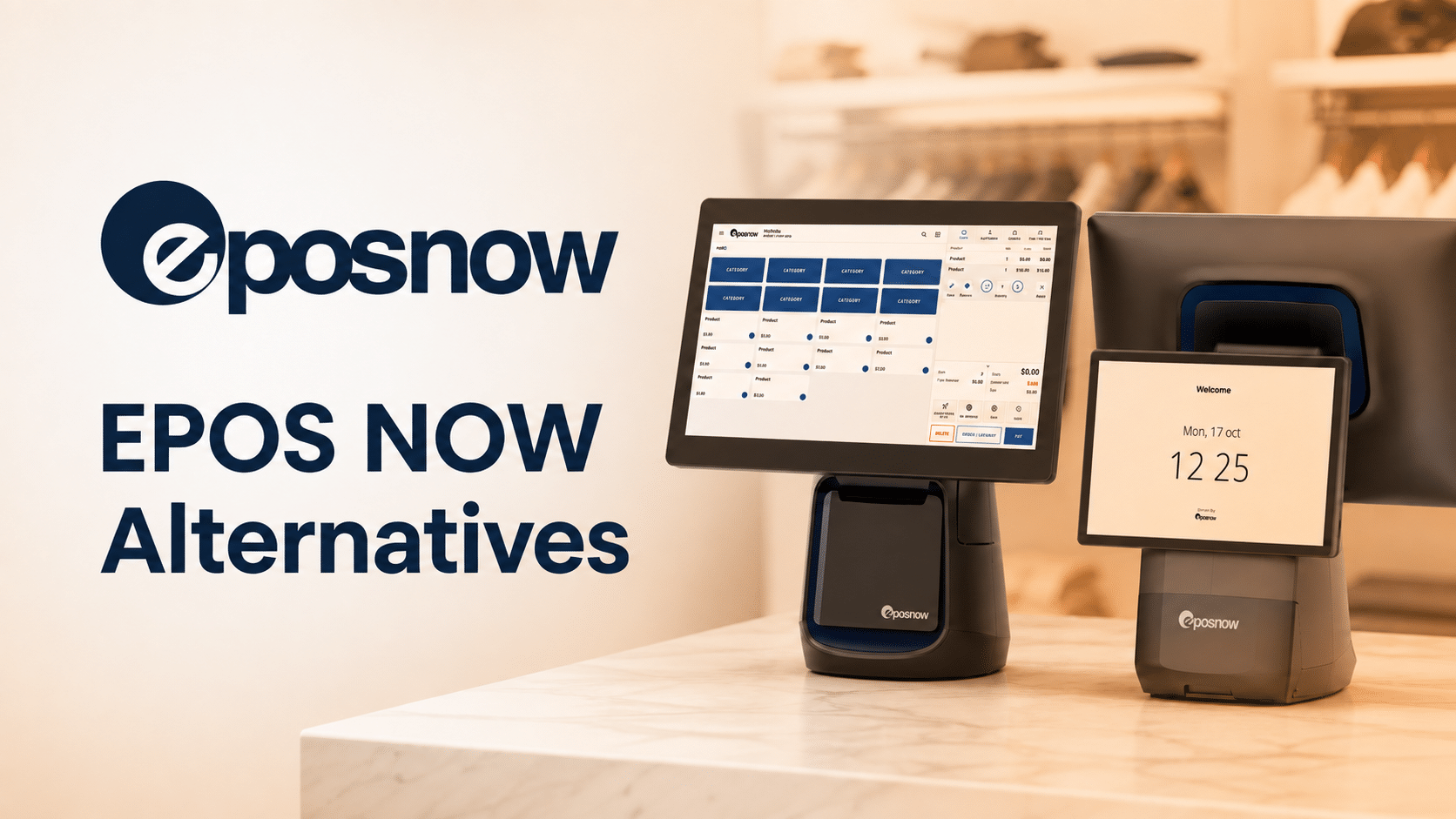
Find your best Epos Now alternative
Answer six quick questions about how you run your store. We will rank the six systems from this guide and show your closest match, based on what you sell and who controls your payments.
Most merchants searching for Epos Now alternatives are already under contract and want out. The reasons repeat: three-year terms, cancellation trouble, and a feature set that stops short of what age-restricted retail needs at the register.
Below are six Epos Now alternatives for US retailers, with published pricing, contract terms, and processor policies for each. You will also find what switching costs, how to exit an Epos Now contract cleanly, and which system fits your store format.
Epos Now Alternatives at a Glance
The six systems below cover every major US retail and hospitality format. Find the one that matches your store, then read that section.
- KORONA POS: Best for high-risk and multi-store retail
- Shopify POS: Best for retailers selling online
- Square for Retail: Best for simple, low-volume stores
- Lightspeed Retail: Best for high-SKU and matrix retail
- Clover: Best for service businesses and app depth
- Toast: Best for restaurants, bars, and food and beverage retail
Why US Merchants Are Leaving Epos Now
Three complaints drive the exits: agreements that resist cancellation, payment terms the company keeps off its published pages, and a compliance layer too thin for stores selling tobacco, alcohol, or hemp. None of the three surfaces during a demo. All of them surface by month eighteen.
Payment Processor Lock-In
Payment processing is the highest-stakes decision in a POS contract, and it bites hardest on merchants with the fewest options. Vape shops, CBD retailers, kratom sellers, tobacco stores, and liquor stores get underwritten differently from a gift shop.
Processors exit these categories, tighten their criteria, or close accounts with limited notice, which is why high-risk merchant accounts are underwritten and priced on their own terms. When that happens to a merchant whose POS is welded to a single in-house processor, the problem is not a worse rate. The problem is a till that cannot take a card.
Epos Now does support third-party processors in the US, and its own materials name partners including International Bancard, Worldpay, and EVO Payments. Credit where it is due, because plenty of competitors do not. But two points deserve a written answer before you sign.
First, Epos Now does not publish a high-risk underwriting policy for Epos Now Payments. If you sell restricted goods, ask outright whether the in-house processor will board your account, and keep the reply.
Worth noting
Confirm Epos Now Payments' stated position on high-risk categories. If they decline outright, name it. If the policy is simply unpublished, the sentence above stands as written
Second, the direction of travel across the POS category is toward bundling. Lightspeed's own support documentation states that merchants using non-Lightspeed payment solutions are charged a monthly third-party processing fee.
Shopify permits outside processors but charges a percentage of every transaction that runs through one, from 2% on its Basic plan down to 0.6% on Advanced. Toast requires merchants to process through Toast. Processor freedom that exists today as a courtesy rather than a contract term is worth exactly as much as the courtesy lasts.
The practical test is simple. Ask each vendor whether processor choice is written into your agreement or merely a setting they control. The answers differ enormously, and only one of those answers protects you.
Missing Features For Age-Restricted Retail
Epos Now offers age-verification prompts, but it does not offer tobacco scan data reporting, and the gap between those two things is expensive. Its US convenience store page markets built-in ID check prompts for tobacco and alcohol alongside inventory tools. ID prompts keep you legal. Scan data pays you.
Tobacco scan data is the item-level record your POS captures on every tobacco sale, submitted weekly to Altria, RJ Reynolds, and ITG in exchange for rebates and manufacturer-funded buydowns. A store selling cigarettes without a scan-data-capable POS is doing the work and collecting none of the money.
Enrollment requires software that maintains a tobacco product database, matches manufacturer catalogs, flags promotions, and files on schedule. A general-purpose register cannot do it, and Epos Now does not appear among the platforms that do. Our full breakdown of tobacco scan data programs covers enrollment, tiers, and what the payouts look like in practice.
The same gap shows up in adjacent places. Case break inventory tracking, where you buy by the case and sell by the pack or the single, is standard in liquor and tobacco retail and awkward in generalist systems. State excise tax handling, lottery reconciliation, and EBT and eWIC acceptance follow the same pattern. Each one is a category the US independent retail stack takes for granted and a generalist platform treats as an edge case.
Contract Length And Cancellation
Nothing draws more complaints from US Epos Now merchants than getting out of the contract. Capterra's structured review analysis flags difficult contract termination as a negative theme in 98 percent of the reviews that mention it, describing persistent charges, restrictive terms, and slow account closure. Across the profile's 700-plus reviews at the time of writing, sentiment runs roughly 68 percent positive and 27 percent negative.
The contract length behind those complaints is substantial. Merchant Maverick reports that Epos Now's advertised all-in-one hardware and software package carries a three-year software commitment, with hardware terms running up to five years. Its review, last updated in December 2025, also recorded a B rating with the Better Business Bureau and 54 complaints closed in the trailing twelve months. Epos Now has been BBB accredited since 2019, and BBB figures move, so check the current profile before you treat any of those numbers as fixed.
One counterweight belongs here. Epos Now's Trustpilot profile holds roughly 26,000 reviews at 4.3 out of 5, with 83 percent at five stars and 11 percent at one star. The picture is polarized, not uniformly bad. Most merchants are satisfied day to day, and the complaints cluster hard around one thing: getting out.
One pattern in US reviews deserves a specific warning: multiple merchants describe losing access to their account and business data during the cancellation process while charges continued. Whatever system you are on, export your catalog and customer records before you initiate a cancellation, not after. It also pays to understand how early termination fees are calculated, because the number is rarely the one quoted on the phone.
Unclear And Unpublished Pricing
Epos Now does not publish a plain software price list, and the advertised monthly figure is not the figure you pay. Business.com's current review describes the promotion this way: the Complete POS System runs $349 upfront plus $39 per month, but only when paired with a required $79 monthly support package. Skip the support plan and the upfront cost jumps to $1,099. So the $39 headline is really $118 per month once support is included.
Other sources land in different places again. Capterra lists one plan at $349 as a one-time flat rate with no monthly figure at all. SelectHub reports software from $39 to $69 per month for the first register, with additional registers at $24 to $45 each, and Complete bundles starting at $449. Epos Now Payments processing sits at 2.6% plus $0.10 per transaction across Business.com and Merchant Maverick, the one figure every source agrees on.
The pattern tells you more than any one figure. Demand a written quote that itemizes software, the support package, hardware, and the processing rate, then measure it against what POS systems cost elsewhere before committing to a multi-year term.
Where Epos Now Still Makes Sense
Epos Now is a capable system, and for some businesses it is the right one. Its install base is among the largest of any cloud POS. The company's own About page reports more than 80,000 business locations across 74 countries and an app store with over 130 integrations, a wider library than most competitors in its price range offer.
It works across retail and hospitality without forcing you into a vertical-specific product. It runs on a wide range of hardware, including equipment you may already own. Several review sites report a 30-day trial, though Capterra's listing states there is no free trial, so confirm what you are being offered before you count on it.
If you run a single-location general retail store or a small hospitality operation, you are not selling age-restricted products, and you have read the contract, Epos Now can serve you well. The rest of this post is for everyone else.
Epos Now Alternatives Compared
| POS system | Best for | Starting price | Contract | Processor choice | Sells age-restricted goods |
|---|---|---|---|---|---|
KORONA POS

|
High-risk and multi-store retail | $59 per month | Month to month | Any processor | Yes, your processor decides |
Shopify POS
|
Retailers selling online | $39 per month plan plus $89 per month POS Pro | Monthly, or term on Plus | Fee of 0.6% to 2% for third party | No, vape banned July 2026 |
Square for Retail

|
Simple, low-volume stores | $0 | Month to month | Square only | In person only, not online |
Lightspeed Retail

|
High-SKU and matrix retail | $89 per month billed annually | Monthly or annual | Fee applies for third party | Policy not published |
Clover

|
Service businesses and app depth | $0 per month software | 3 years on Clover.com offers | Fiserv network | Varies by reseller |
Toast

|
Restaurants, bars, and food retail | $0 or $69 per month | 1 to 3 years | Toast Payments only | Alcohol and grocery retail |
Pricing reflects each vendor's published US rates as of August 2026. Age-restricted policies come from each vendor's own terms where published. Where a vendor stays silent, insist on a written answer first.
1. KORONA POS: Best For High-Risk And Multi-Store Retail
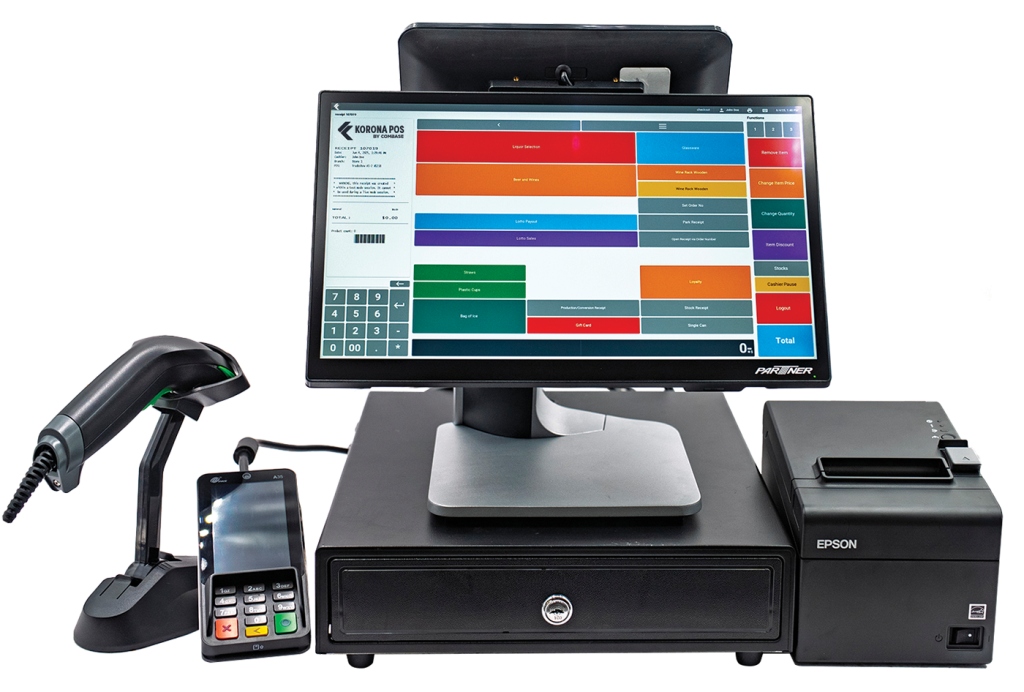
KORONA POS is the strongest Epos Now alternative for two groups: stores that sell tobacco, alcohol, vape, or hemp, and operators managing several locations at once. Both come down to the same thing. Payment processing stays separate from your software, and the inventory and reporting layer is built for the catalogs and compliance loads that liquor stores, convenience stores, smoke and vape shops, and CBD retailers actually carry.
Key Features of KORONA POS
- Processor-agnostic payments. KORONA POS does not bundle merchant services. You bring your own processor, keep your existing rate, and switch providers without changing software or hardware. High-risk merchants can work with an underwriter that accepts their category rather than accepting whoever the POS company partners with.
- Inventory built for high-risk product catalogs. Case break tracking handles buying by the case and selling by the pack, bottle, or single unit with accurate counts throughout. Supplier integration, automated ordering, barcode generation, and ABC analysis manage catalogs running into the tens of thousands of items, the kind of depth liquor store inventory management demands across tobacco, convenience, and CBD assortments too.
- Centralized multi-store management. Run every location from one back office with per-store pricing, individual product listings, stock transfers, and cross-store performance comparison. The optional Franchise module adds royalty systems, product syncing, and custom taxes for franchisors and franchisees. See how it compares against other multi-store POS systems if you are running three locations or more.
- Compliance and manufacturer program reporting. ID scanning prompts and logs age checks before every restricted sale. The item-level transaction data behind those sales also supports state excise tax reporting, PACT Act filings for remote sales, and manufacturer scan data programs, with automated submission to Altria, RJ Reynolds, and ITG through the mKonnekt integration.
KORONA POS Pricing
| Plan | Price | What it adds | In-person processing |
|---|---|---|---|
| Core | $59 per month | Checkout, product database, promotions, gift cards, API access | Your processor, your negotiated rate |
| Retail | $79 per month | Inventory counts, stock management, barcode automation, supplier integration, order automation | Your processor, your negotiated rate |
| Plus | $99 per month | Advanced stock management, per-store pricing, ABC analysis, assortment cleanup, movement reports | Your processor, your negotiated rate |
Subscriptions are month-to-month with no forced contract. The trial is unlimited with no credit card required, and the money-back guarantee runs 30 days on hardware and 60 days on software. Every figure above is listed publicly on the KORONA POS pricing page.
KORONA POS Pros And Cons
Pros
- Integrate any payment processor
- Personalized product demo
- Flat rate with no contracts
- 60-day money-back guarantee
Cons
- Slight learning curve
- Not great mobile POS features
- Not ideal for sophisticated matrix-sized stores
2. Shopify POS: Best For Retailers Selling Online
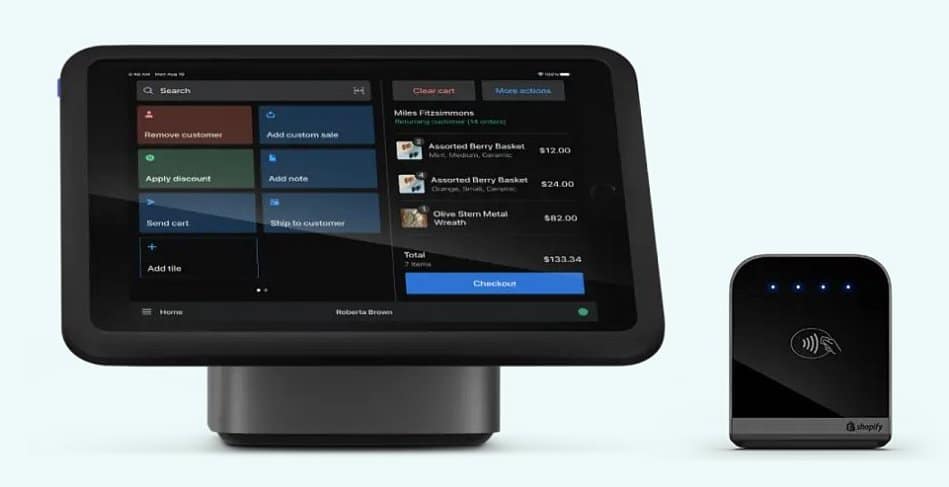
Shopify POS earns its place here when a meaningful share of your revenue comes from online sales. It runs as a sales channel inside your Shopify admin, so the storefront and the register share one product catalog, one customer list, and one reporting layer. Retailers who currently reconcile two systems get the biggest gain here.
Key Features of Shopify POS
- Unified online and in-store inventory. Stock, customers, and orders live in one back office spanning every location and sales channel, which removes the manual reconciliation that separate ecommerce and POS systems create.
- Omnichannel fulfillment. Buy online and pick up in store, ship from store, and sell items you do not physically stock, all handled from the register instead of a bolt-on workflow.
- POS Pro retail controls. Staff permissions, sales attribution by employee, custom receipts, and in-store exchanges, which are the operational tools a staffed retail counter needs beyond basic checkout.
- Flexible hardware and app ecosystem. Runs on iOS and Android, works with standard Bluetooth printers and USB scanners alongside Shopify's own terminals, and extends through the Shopify App Store.
Shopify POS Pricing
Shopify prices the platform plan first, then adds POS Pro per location. Each paid plan includes casual in-person selling, meaning limited staff access, simple customer profiles, and returns at the original purchase location only.
| Plan | Price | In-person card rate | Online card rate | Third-party processor fee |
|---|---|---|---|---|
| Basic | $39 per month | 2.6% + $0.10 | 2.9% + $0.30 | 2% |
| Grow | $105 per month | 2.5% + $0.10 | 2.7% + $0.30 | 1% |
| Advanced | $399 per month | 2.4% + $0.10 | 2.5% + $0.30 | 0.6% |
| Plus | From $2,300 per month on a 3-year term | Negotiated for high-volume merchants | Negotiated | Negotiated |
POS Pro is a separate add-on at $89 per month per location, or $67 per month on a 12-month term. Canceling a yearly POS Pro subscription early requires paying the remaining months.
Hardware starts at $49 for a Tap and Chip reader, with the POS Terminal at $349. Our full Shopify POS pricing breakdown walks through how the plan, the add-on, and the hardware stack up over a year.
Read the third-party processor column closely, because it is the cost most buyers miss. Shopify does permit outside payment providers, then skims a percentage off each of those sales on top of what your processor already bills you.
On the Basic plan that surcharge is 2% of sales. A store running $80,000 a month through an outside processor pays Shopify $1,600 monthly for the privilege, which is why most merchants end up on Shopify Payments, whether they intended to or not.
One recent event belongs in any evaluation. In June 2026, Shopify began notifying merchants that electronic nicotine delivery system products had to come off the platform, with a compliance deadline roughly two weeks later.
The ban covers hardware, e-liquids, pods, disposables, and accessories, regardless of FDA authorization status. Merchants who had operated compliantly for years lost the category. If you sell vape, the platform risk here is not theoretical.
Shopify POS Pros And Cons
Pros
- One catalog across online and retail
- Strong omnichannel fulfillment tools
- Large app and integration ecosystem
- Free migration support on yearly POS Pro
Cons
- Percentage fee on outside processor transactions
- Vape and tobacco products banned platform-wide
- POS Pro priced per location on top of the plan
- Weak fit for offline-only retailers
3. Square for Retail: Best For Simple, Low-Volume Stores
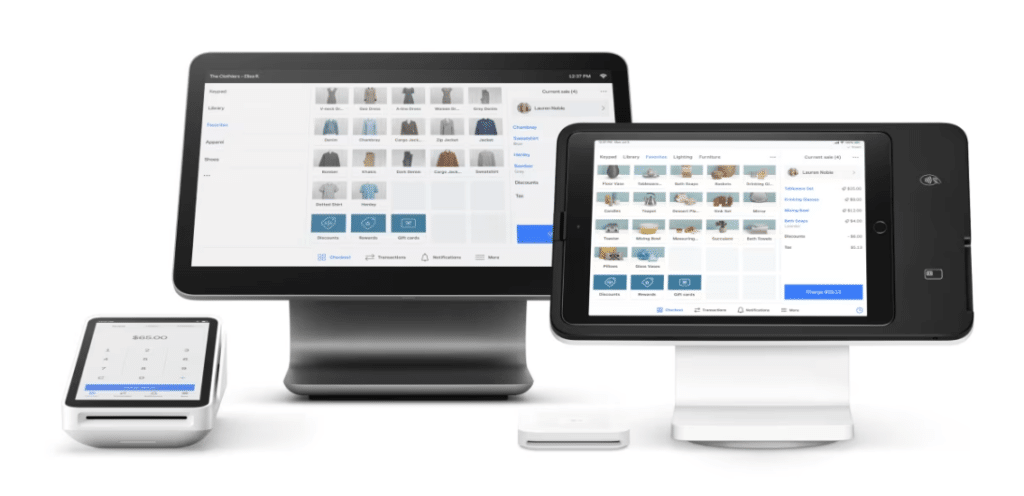
Square for Retail is the best Epos Now alternative for small stores that want to stop paying a monthly software fee. There is no subscription cost on the free tier, setup takes an afternoon, and pricing is published down to the transaction. The trade-offs are real, but for a low-volume shop with a simple catalog, Square is difficult to beat on cost and speed.
Key Features of Square for Retail
- Genuinely free entry tier. Square Free charges no monthly software fee across all point-of-sale modes, so a small store pays only when it takes a payment.
- Retail-specific POS mode. Purchase orders, vendor management, cost tracking, and barcode workflows built for a stocked shop, not retrofitted from a restaurant interface.
- Published, predictable processing rates. Every rate is listed publicly, with no negotiation and no reseller variance, which makes cost forecasting straightforward for an owner without a payments background.
- EBT and SNAP acceptance. Square supports in-person EBT payments for SNAP-eligible items, with processing fees waived while the feature is in beta through fall 2026, a meaningful detail for small grocery and corner-store formats.
One caveat to absorb before you build plans around it: Square permits card-present sales of age-restricted goods like tobacco and alcohol, but its terms bar the same products from internet, mail-order, and telephone sales.
A liquor store or smoke shop running Square at the counter cannot use it to take an online order. Hemp retailers face a separate set of rules, which we cover in our guide to Square CBD payment requirements.
Square for Retail Pricing
| Plan | Price | What it adds | In-person processing |
|---|---|---|---|
| Square Free | $0 | All point-of-sale modes, basic inventory, Square Banking | 2.6% + $0.15 |
| Square Plus | $49 per month per location | Advanced inventory, loyalty, marketing, staff management | 2.5% + $0.15 |
| Square Premium | $149 per month per location | Nearly all Square software, advanced reporting, 24/7 phone support | 2.4% + $0.15 |
Hardware starts at $59. Paid plans include a 30-day free trial and can be canceled or switched at any time. Businesses processing more than $250,000 per year can request custom rates. Square Payroll and Franchise Suite are separate paid add-ons.
Square for Retail Pros And Cons
Pros
- No monthly cost on the free tier
- Fast setup with minimal training
- Fully published, predictable pricing
- Month-to-month with no contract
Cons
- Payment processing locked to Square
- Age-restricted goods barred from online and phone orders
- Account holds and freezes are a known risk
- Inventory depth limited for large catalogs
4. Lightspeed Retail: Best For High-SKU And Matrix Retail
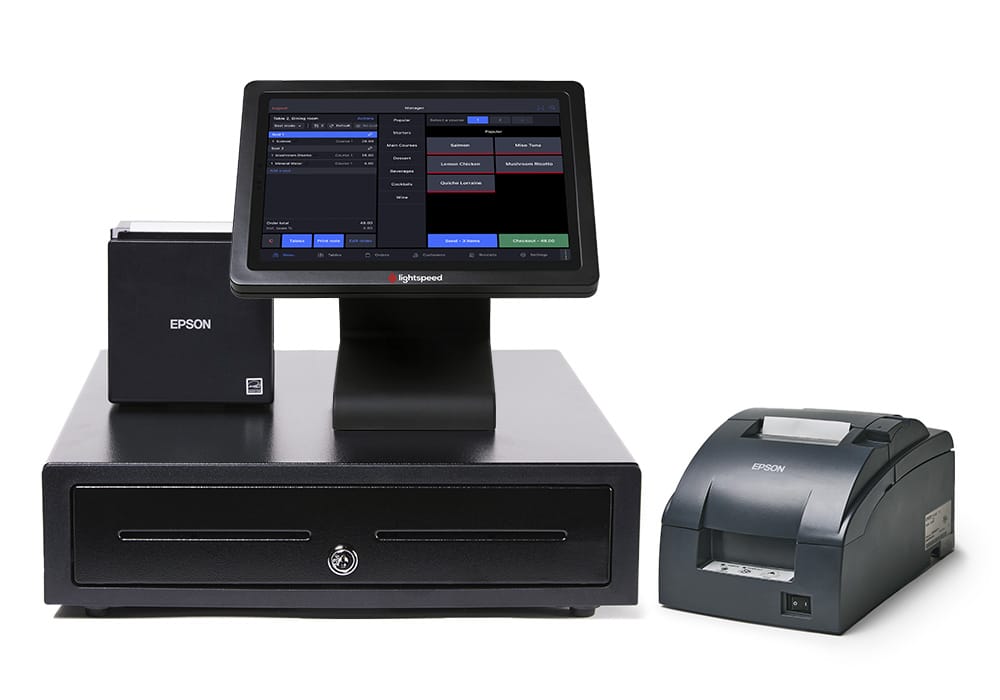
Lightspeed Retail suits stores whose inventory has dimensions, meaning size, color, style, or material variants across a deep catalog. Apparel, footwear, sporting goods, and bike shops get the most from it. Where Epos Now testing has flagged slow and awkward product-variant setup, Lightspeed handles matrix inventory as a core function.
Key Features of Lightspeed Retail
- Matrix and variant inventory. Build products across multiple dimensions and manage them as one item, the daily workflow apparel and specialty retail depend on.
- Supplier catalog ordering. Connect to supplier catalogs, place purchase orders, and track stock across channels from inside the POS, cutting the manual entry that large seasonal catalogs generate.
- Multi-location management. Centralized stock, transfers, and per-location reporting for retailers running more than one store under one back office.
- Advanced and custom reporting. Detailed sales, staff, and inventory analytics, with custom reporting, API access, and workflow automation available at the Plus tier.
Lightspeed Retail Pricing
| Plan | Annual billing | Monthly billing | What it adds |
|---|---|---|---|
| Basic | $89 per month | $109 per month | One register, integrated payments, inventory, supplier catalogs, 24/7 chat |
| Core | $149 per month | $179 per month | In-store loyalty, advanced reporting, ecommerce, accounting integrations |
| Plus | $289 per month | $339 per month | Custom reporting, API access, workflows, custom user roles, 24/7 phone support |
Enterprise pricing is quote-based. Each tier includes one register, so additional registers cost extra. Our full Lightspeed POS pricing details break down hardware and processing on top of the subscription.
One cost does not appear on the pricing page. Lightspeed's own support documentation states that merchants running payments outside Lightspeed pay an extra charge each month. The amount scales with transaction volume and never appears publicly. Request the number on paper.
Lightspeed Retail Pros And Cons
Pros
- Strongest matrix and variant inventory
- Deep supplier catalog integration
- Solid multi-location controls
- Annual billing saves 15 to 18 percent
Cons
- Monthly fee for using an outside processor
- One register included per tier
- Phone support gated to the Plus tier
- Expensive relative to comparable systems
5. Clover: Best For Service Businesses And App Depth
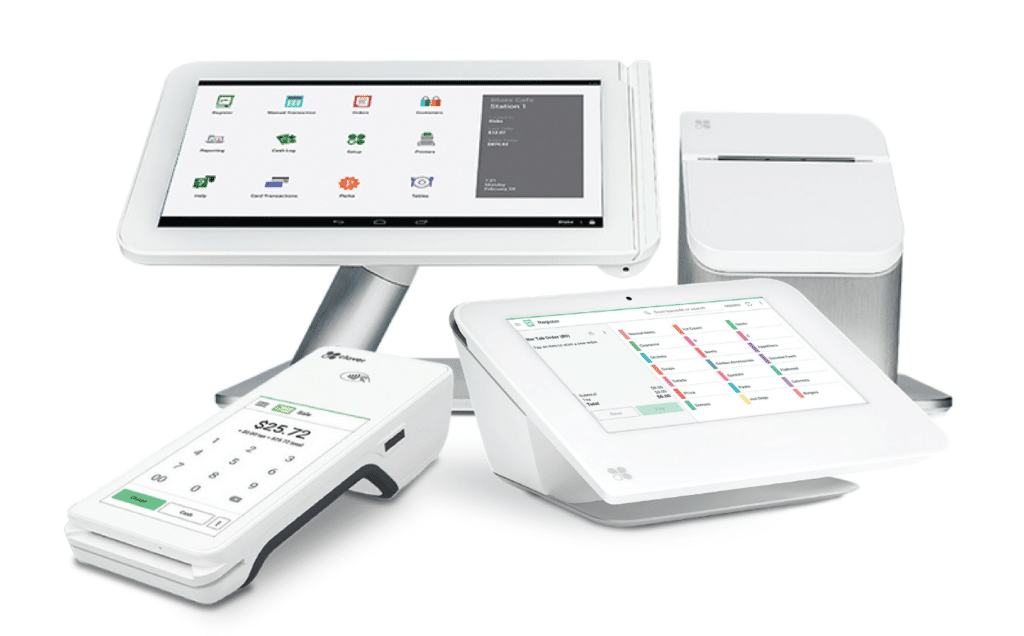
Clover works best for businesses that need to extend a POS well beyond retail checkout. Its app marketplace holds hundreds of add-ons spanning scheduling, dispatch, time tracking, and client management, which makes it a strong fit for personal, professional, home, and field service operations that Epos Now handles only partially.
Key Features of Clover
- Extensive app marketplace. Hundreds of third-party apps cover appointments, payroll, dispatch, and industry-specific workflows, so a service business assembles the system it needs instead of accepting a fixed feature set.
- Purpose-built hardware range. Clover Go, Flex, Mini, and Station cover everything from a handheld reader on a job site to a full countertop station, which suits businesses that take payments in more than one place.
- Virtual terminal. Take payments from a phone, tablet, or computer, send invoices for online payment, and store customer card details, the core requirement for mobile and appointment-based service work.
- Built-in gift cards and customer engagement. Sell and redeem gift cards directly from the POS with dedicated reporting, alongside loyalty and marketing tools that ship with the platform.
Clover Pricing
Clover prices by service type, and each type offers three configurations. Software plan, hardware, and processing rate all change with the configuration you pick. Figures below are Clover's direct pricing on Clover.com.
Professional Services
| Configuration | Monthly price | Software plan | Hardware | Tap, dip, swipe rate | Keyed-in rate |
|---|---|---|---|---|---|
| Starter | $0 | Starter | None, browser and mobile app | Not available | 3.5% + $0.10 |
| Essentials | $29.95 | Essentials | None, browser and mobile app | Not available | 3.5% + $0.10 |
| Services Growth | $84.95 | Services Growth | None, browser and mobile app | Not available | 3.5% + $0.10 |
Personal Services
| Configuration | Monthly price | Software plan | Hardware | Tap, dip, swipe rate | Keyed-in rate |
|---|---|---|---|---|---|
| Basic | $16 for 36 months | Starter | Compact terminal, 3.6 inch screen | 2.6% + $0.10 | 3.5% + $0.10 |
| Standard | $130 for 36 months | Services Growth | Mini, 8 inch touchscreen with printer | 2.3% + $0.10 | 3.5% + $0.10 |
| Advanced | $180 for 36 months | Services Growth | Station Duo, 14 inch with 8 inch customer display | 2.3% + $0.10 | 3.5% + $0.10 |
Home And Field Services
| Configuration | Monthly price | Software plan | Hardware | Tap, dip, swipe rate | Keyed-in rate |
|---|---|---|---|---|---|
| Starter | Software only | Essentials | None, web browser | Not available | 3.5% + $0.10 |
| Standard | Software only | Essentials | Go, phone-paired card reader | 2.5% + $0.10 | 3.5% + $0.10 |
| Advanced | $125 for 36 months | Services Growth | Flex handheld with built-in receipt printer | 2.3% + $0.10 | 3.5% + $0.10 |
Three points the tables make plain. Software-only configurations cannot take a card in person at all, only keyed-in payments at 3.5% plus $0.10, the steepest rate on the page. Appointment management, online booking, and project tracking sit behind Services Growth, so most service businesses land on the $84.95 tier or a hardware bundle that includes it. And the cheap hardware entry points are 36-month commitments.
Two things to weigh beyond the numbers. Clover's own promotional terms state that these offers require a three-year contract, so the low entry price comes bundled with a commitment much like the one merchants leave Epos Now to escape.
And Clover is a Fiserv product distributed through banks and independent sales organizations, each setting its own rates and terms.
The figures above are available only on Clover.com. Two businesses with identical hardware bought through different resellers can pay very different amounts, so press any seller for a line-item quote covering software, hardware, rate, term length, and cancellation terms. Our Clover POS pricing guide catalogs the add-on fees that tend to surface after the first invoice.
Clover Pros And Cons
Pros
- Largest app marketplace on this list
- Wide hardware range for mobile work
- Low entry-level software cost
- Strong virtual terminal for off-site payments
Cons
- Processing locked to the Fiserv network
- Promotional pricing requires a three-year contract
- Hardware tied to your merchant account
- Rates and terms vary by reseller
6. Toast: Best For Restaurants, Bars, And Food Retail
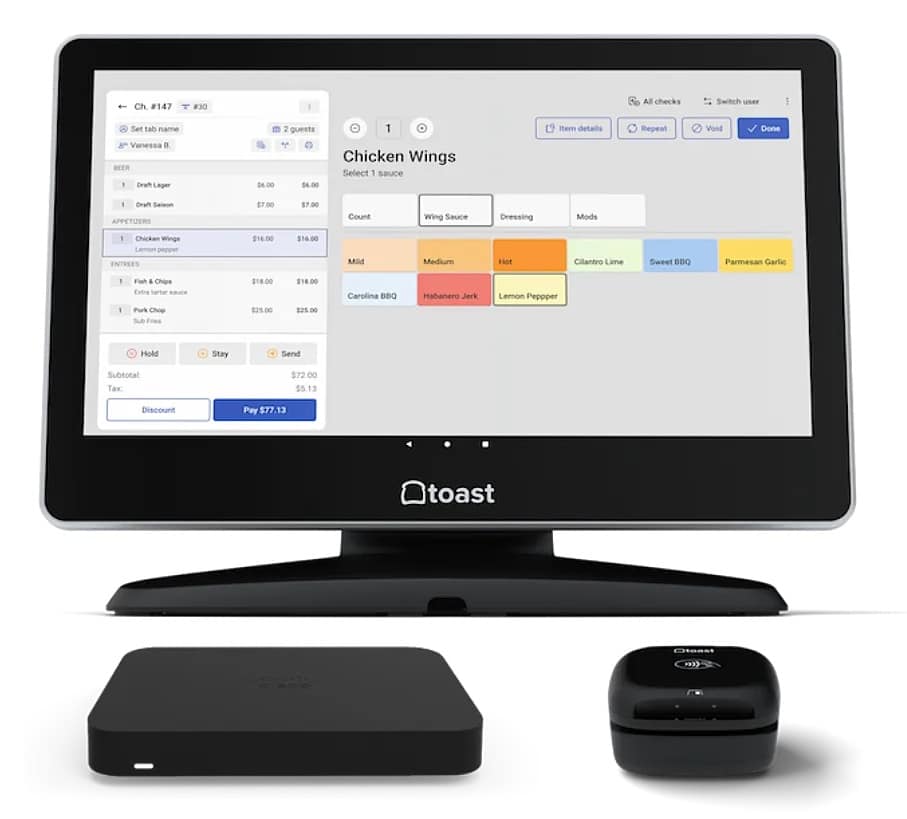
Toast is the clearest Epos Now alternative for restaurants, and as of 2026 it is chasing food and beverage retail too. Toast Retail now markets to bottle shops, convenience stores, and grocery stores, with case breakdown into six-packs, four-packs, and singles, unlimited SKUs, and barcode scanning from a phone. The company puts its restaurant footprint above 171,000 locations and counts its retail base in the thousands.
For a bar, cafe, or dining room, Toast is the obvious pick here. For a bottle shop or c-store, treat it as a genuine option with two caveats covered below: you cannot bring your own processor, and you cannot bring your own hardware.
Key Features of Toast
- Restaurant-grade hardware. Terminals, handhelds, and kiosks built to survive heat, grease, and spills, which general-purpose tablet systems are not designed for.
- Kitchen display and tableside ordering. Orders route from handhelds directly to kitchen screens, coordinating multi-station tickets and cutting the errors that paper tickets create.
- Online ordering and delivery integrations. Direct connections to major delivery platforms feed orders into the POS, removing the tablet farm and the manual re-entry that comes with it.
- Retail inventory for food and beverage stores. Toast Retail adds case breakdown into packs and singles, unlimited SKUs, scale and barcode scanner support, and one transaction covering both retail goods and prepared food.
Toast Pricing
| Plan | Price | What it adds | In-person processing |
|---|---|---|---|
| Starter Kit | $0 per month | One or two terminals, basic POS, order management, basic reporting | 3.09% to 3.69% + $0.15 |
| Point of Sale | $69 per month | Everything in Starter Kit with hardware purchased separately | 2.49% + $0.15 |
| Build Your Own | Custom | Multi-terminal configurations and add-on modules | Custom |
Hardware starts around $449 for a handheld setup and runs past $1,000 for a countertop terminal. Add-on modules including online ordering, loyalty, gift cards, and kitchen display each carry their own monthly fee, which commonly pushes a $69 plan past $200 per month. Terms commonly span one to three years.
Two constraints come straight from Toast's own pricing FAQ. Toast describes itself as a payment facilitator, not a card processor, and it partners with processors to provide card services, so your processing runs through Toast either way. And Toast states that its services may only be used on approved Toast hardware, which it can change at its discretion. With no ability to shop the rate, a Toast processing rate increase hits your margin and stays there.
Toast Pros And Cons
Pros
- Purpose-built for restaurant operations
- Excellent kitchen display and handheld tools
- 24/7 support on every plan
- Large restaurant integration ecosystem
Cons
- Payments run through Toast with no alternative
- Approved Toast hardware only, per its own terms
- Add-on costs escalate quickly
- Multi-year contracts with termination fees
How to Switch From Epos Now to a New POS System
Export your data before you cancel, not after. US merchants repeatedly describe being locked out of their accounts mid-cancellation while the billing kept running, which turns a routine migration into a salvage job. Work the sequence below in order.
Steps to Take Before You Cancel
- Find your contract end date and notice period. Pull the signed agreement, not the sales email. Note the renewal date, the required notice window, and any early termination fee.
- Export everything. Products, prices, suppliers, customers, and at least two years of sales history. Save it somewhere outside the POS while your account is fully active, and read up on historical sales data migration before you decide what to keep.
- Audit your hardware. Separate what you own outright from what is financed or leased. Terminals tied to a specific merchant account may not carry over, and that changes your switching budget.
Steps to Take During The Switch
- Start the merchant account application early. Underwriting takes time, and longer if your category is high-risk. Begin before you set a cutover date, not after.
- Cancel in writing and keep confirmation. Email or written letter, never a phone call alone. Request written acknowledgment and keep it. Persistent charges after cancellation are the most common complaint against Epos Now in US reviews.
- Run both systems for a week. Overlap costs one month of double subscription and catches catalog errors, tax misconfigurations, and hardware problems while you still have a working fallback.
What Switching POS Systems Costs And Saves
The savings from switching usually come from processing, not software. Software is a two-figure or three-figure monthly line. Processing takes a slice of everything you sell, so it grows with your business while your subscription sits still.
Consider a store running $80,000 per month in card volume at an average ticket of $25, or 3,200 transactions.
On a flat blended rate of 2.6% plus $0.10: $80,000 × 0.026 = $2,080, plus 3,200 × $0.10 = $320. Monthly total: $2,400.
On a shopped interchange-plus rate averaging an effective 2.3%: $80,000 × 0.023 = $1,840. Monthly total: $1,840.
Monthly difference: $560. Across a 36-month contract term: $20,160.
The assumptions deserve to be stated openly. Effective interchange-plus rates vary with card mix, and a store heavy on rewards cards will land higher than one heavy on debit, a distinction to grasp before comparing quotes. Our explainer on how interchange fees work covers where the money actually goes. The comparison also assumes you can actually shop the rate, which is the entire point. On a POS that bundles processing, or charges a monthly fee for using an outside processor, that $560 is not available to you at any price. To run the math on your own volume, use our processing rate calculator.
How to Choose The Right Epos Now Alternative
Choose on what you sell and who controls your payments, not on feature count. Retailers selling age-restricted or high-risk products need processor freedom written into the contract rather than granted as a setting, which points to KORONA POS, as does running more than one location. Online-first retailers should look at Shopify POS, simple low-volume shops at Square, deep variant catalogs at Lightspeed Retail, service businesses at Clover, and restaurants and food-and-beverage retail at Toast.
Put these four questions to every vendor you shortlist.
Can You Use Your Own Payment Processor?
Ask whether your right to use an outside processor is written into the agreement. If it lives in a back-office setting instead, the vendor can change it later without asking you. Two systems on this list already charge you for bringing your own processor. Three more do not allow it at all. A contract term protects you. A setting does not.
What Does Keeping Your Own Processor Cost?
Get the answer in dollars, not percentages. Lightspeed bills an unpublished monthly surcharge to anyone processing elsewhere. Shopify takes a cut of every transaction that runs through an outside provider, up to 2% on its entry plan. On $80,000 a month in card sales, that Shopify fee alone comes to $1,600. Make them quote yours in advance.
What Are The Contract Length, Notice Period, And Termination Fees?
Ask for all three together, because they work as one. A three-year term with a 90-day notice window means you have to decide months before your renewal date. Clover's promotional pricing requires three years. Toast contracts commonly run one to three years. Epos Now's package runs three years on software and longer on hardware. Write the dates down the day you sign, not the day you want to leave.
What Will You Pay Across Every Location?
Sticker prices describe one register. Shopify adds $89 per month for each POS Pro location, so five stores cost $445 a month on top of the plan itself. Square Plus and Premium bill per location. Clover software bills per device. Multiply by your real footprint before you compare any two systems.
Epos Now Alternatives: The Bottom Line
The right Epos Now alternative depends less on features than on two structural questions: who controls your payment processing, and whether your POS understands the goods on your shelves. Feature lists converge across all six systems here. Contract terms and processor freedom do not.
For stores in restricted categories, and for owners with several locations to run, KORONA POS is the pick. Processor choice is contractual rather than conditional, the inventory layer handles case breaks and deep catalogs, and multi-store controls come without per-device fees stacking up. Book a demo with one of our product specialists to see how it handles your catalog.
Speak with a product specialist and learn how KORONA POS can power your business.
Frequently Asked Questions
Can You Cancel an Epos Now Contract Early?
Rarely without paying for it. Reviewers place the bundled hardware and software deal at a three-year minimum, with equipment financed over a longer stretch. Your own agreement governs, so read the notice window and exit charge printed there.
Does Epos Now Work With Third-Party Payment Processors?
Yes, and the company advertises several US processing partners by name. What it does not spell out is whether that freedom is guaranteed by your contract or simply enabled in your account settings. Pin that down on paper.
Does Epos Now Support Tobacco Scan Data?
No. Its US retail pages stop at ID check prompts. Without automated submission to Altria, RJ Reynolds, and ITG, a cigarette retailer captures none of the rebate and buydown money those programs pay out, and there is no manual workaround.
Is Epos Now Good For Vape Shops And Liquor Stores?
Only up to a point. ID checks and stock counts work fine. What is absent is manufacturer reporting, pack-and-single-unit handling, and any stated position on underwriting-restricted categories. Most owners in these verticals do better with purpose-built software.
What is The Cheapest Epos Now Alternative?
Square for Retail, whose entry plan costs nothing monthly and bills 2.6% plus $0.15 per in-person sale with no term commitment. You give up processor choice, and Square's terms block restricted goods from online, phone, and mail orders.
Can You Keep Your Existing Hardware When Leaving Epos Now?
Partly. Scanners, printers, and cash drawers commonly move across. Card terminals bound to a particular merchant account seldom do. Sort owned equipment from financed equipment early, because the split decides your true switching cost.


