

Key Takeaways:
- Pick one industry: Resellers who know one type of business well close more deals than those who pitch everyone.
- Ask before you pitch: Questions about slow checkouts, counting errors, and reports tell you what to show in a demo.
- Use the merchant’s own numbers: Show what a problem costs them each month instead of quoting general savings claims.
- Keep supporting merchants after go-live: Training, check-ins, and referrals protect your residual income.
The best way to sell a point-of-sale (POS) system is to solve a specific problem for a specific kind of business, then stay involved after the install. This guide covers 11 strategies for independent sales organizations (ISOs), value-added resellers (VARs), and 1099 agents, plus which businesses to target and how to stand out from other resellers.
11 Strategies for Selling POS Systems
Your approach to the sale can determine your success as a traditional reseller / VAR, ISO, or 1099 agent. Below are 11 in-depth strategies top-performing POS resellers use to close deals and consistently build strong merchant relationships.
1. Pick One Industry and Learn It
Pitching every business you meet leads to burnout. Choose one type, such as bakeries, liquor stores, or salons, and learn its busy hours, rules, and daily problems.
Merchants trust someone who already speaks their language. A reseller who only serves bakeries can talk about morning rushes and pre-orders without first explaining them.
2. Know Your Product and Its Limits
Know your system well enough to run a demo without notes, and know where it falls short. Telling a merchant “that is not our strength” builds more trust than overpromising. Compare your system with Square, Clover, Toast, Lightspeed, and Shopify on offline mode, inventory, integrations, fees, hardware, and reporting so you can answer “how are you different?” on the spot.
Build short three-minute demos for common tasks: splitting a check, refunding an item, creating a promotion, and adding a new product.
3. Ask Questions Before You Pitch
The best salespeople listen more than they talk. Start with open questions such as “What is the biggest problem with your current setup?”, “How do you track customer loyalty today?”, and “What do you want to change in the next year?”
Then match each answer to one feature. Dana owns a bakery and says Monday mornings are chaos. Show her how your system handles a rush and leave the rest of the feature list out.
4. Find the Right Prospects
Look for signs that a business is ready to switch: “opening soon” signs, new business licenses, job postings mentioning a POS, and reviews complaining about slow checkout or wrong orders. Local business directories and LinkedIn can fill in owner names.
5. Build Referral Partnerships
Referrals close faster than cold calls. Accountants, IT support firms, and web agencies all hear about problems a POS can fix.
Accountants want clean books, so an accounting export matters to them. IT firms want fewer support calls, and web agencies want an online store that connects to inventory. Ask happy customers for introductions too.
PRO TIP!
Ask for a referral right after a smooth go-live, when the merchant is happiest. A simple “Who else do you know who is frustrated with their register?” is enough.
6. Make Demos and Trials About the Merchant
A demo should feel like a day in the merchant’s store. Load it with their real products and prices, remove modules they will never use, and walk through the day from owner to cashier to closing out.
A free trial lets them test the system at their own counter. KORONA POS offers an unlimited free trial with no credit card required.
Speak with a product specialist and learn how KORONA POS can power your business.
7. Show What the System Is Worth in Dollars
Merchants buy a POS to save time and money, so they put numbers on it. Savings usually show up in four places: staff time, lost or stolen stock, tips, and card processing fees.
Priya owns a vape shop and spends 6 hours a week counting stock by hand. At $18 an hour, that is $108 a week, or about $468 a month, before counting mistakes. Use the merchant’s own figures like these, and skip percentages you cannot back up.
8. Offer Bundles and Flexible Pricing
Price is the most common reason deals stall. Bundle hardware, training, and card processing where you can, and offer a payment model that fits the merchant’s cash. Check which models your provider supports.
Marcus owns a liquor store and balks at $4,800 for hardware. Spread over 36 months, that is about $133 a month, which is easier to accept than one large bill.
| Model | How it works | Best for |
|---|---|---|
| Pay up front, low monthly fee | Merchant buys hardware outright and pays a lower monthly software fee. | Businesses with cash on hand |
| Hardware rental or lease | Hardware cost is spread into a monthly payment. | Merchants who want a low upfront cost |
| Bundled with card processing | Merchant gets a lower software fee when they also use your processing. | Merchants open to switching processors |
| Seasonal plans | Merchant scales the plan down or pauses it in the off season. | Businesses with busy and slow months |
9. Use Content to Find Buyers
Do not wait for walk-ins. Share guides your target merchants search for, such as a compliance checklist for liquor stores, or short setup videos. 1099 agents can build a name on LinkedIn by sharing customer stories, and ISOs can send a newsletter with a free POS buyer’s guide.
10. Prepare for Objections
Most objections come down to cost, switching trouble, or learning time. Prepare a short answer for each and back it with the merchant’s own numbers or a customer story.
| Objection | How to respond |
|---|---|
| “It costs too much.” | Ask what slow checkouts, counting errors, and extra staff time cost each month. Then compare that number with the subscription. |
| “I’m happy with my current system.” | Ask, “What would have to change for you to switch?” Then listen for the real problem. |
| “It looks too complicated.” | Offer hands-on training, simple buttons for each role, and help on install day. |
| “I don’t want to change processors.” | Check whether your system works with their current processor. If it does, there is nothing to switch. |
11. Keep Supporting Merchants After Go-Live
Go-live is just the start of the relationship. Collect product data and order hardware, set up and test the system, train staff before opening day, check in during the first busy weekend, and review how the merchant uses the system each quarter.
Merchants who feel supported stay longer and send referrals. That protects your residuals, the ongoing commission you earn on each account.
Which Businesses Buy POS Systems
These nine types of business are strong prospects. Match your pitch to the problem each one feels most.
| Business type | Biggest problems | What the POS should do |
|---|---|---|
| Restaurants and quick service | Long ticket times, order errors, staff turnover | Kitchen display screens, delivery app connections, table management |
| Bars and breweries | Slow drink service, lost tabs, stock shrinkage, age checks | Fast tab recall, tip adjustment, age verification, pour tracking |
| Retail stores and boutiques | Stock visibility, selling online and in store, repeat customers | In-store and online stock sync, barcode scanning, loyalty and gift cards |
| Grocery and convenience stores | Long lines, EBT and lottery rules, age-restricted items | Fast scanning, scale support, age prompts, shift cash balancing |
| Liquor and tobacco stores | Strict age checks, manufacturer rebate reporting, case-level stock | ID checks at the register, scan data reporting, case and pack tracking |
| Salons and spas | No-shows, scheduling, staff commissions | Booking with reminders, memberships and packages, commission tracking |
| Gyms, repair shops, and auto shops | Appointments, recurring payments, parts tied to jobs | Scheduling, invoicing, membership billing, job-based inventory |
| Franchises and multi-location businesses | Inconsistent reports, messy stock transfers, no central control | One dashboard, shared product catalog, role-based staff permissions |
| Food trucks and pop-ups | Weak internet, little space, daily menu changes | Offline mode, tablet use, easy tipping, quick menu edits |
How to Stand Out From Other POS Resellers
Most systems look alike on paper. What sets you apart is how you position, price, and support yours.
- Sell results. Instead of “we have inventory management,” say “it flags low stock and builds the purchase order, so you run out less often.” Tie each feature to something the merchant can see in their own store.
- Specialize and be honest about fit. A reseller known as “the POS provider for restaurants in your city” will close faster than a generalist. No system fits everyone: Square and Clover suit small shops that mostly take payments, Toast suits full-service restaurants, and Shopify suits online-first sellers. Stores with a lot of inventory need strong stock tools and reports, which is where a system like KORONA POS fits.
- Offer hands-on local support. Large providers mostly offer chat or ticket support. You can install on-site, train staff, and be there for the first busy night.
- Be open about costs. Merchants worry about hidden fees. Share the effective processing rate, put every cost in writing, and offer a one-lane pilot before a full install.
- Back it up with proof. Collect short quotes or videos from nearby merchants, with before-and-after results they agree to share. Show that the integrations they care about work in the demo: delivery apps for restaurants, online store and accounting connections for retail, and online booking for salons.
What KORONA POS Offers Resellers
KORONA POS has two programs. In the partner program, you refer a client, and KORONA handles training, installation help, and support, and you earn a flat referral fee or a residual percentage of the software license. In the reseller program, you handle training and support yourself and earn a residual percentage of each subscription for as long as the partnership lasts.
KORONA POS serves retail, quick-service, and ticketing businesses, including liquor stores, smoke and vape shops, and convenience stores. It is processing-agnostic, so merchants can keep their current card processor or shop for a better rate, and KORONA never takes a percentage of sales. Plans cost $59, $79, or $99 per terminal per month with no forced contracts, and the open API lets you build custom connections.
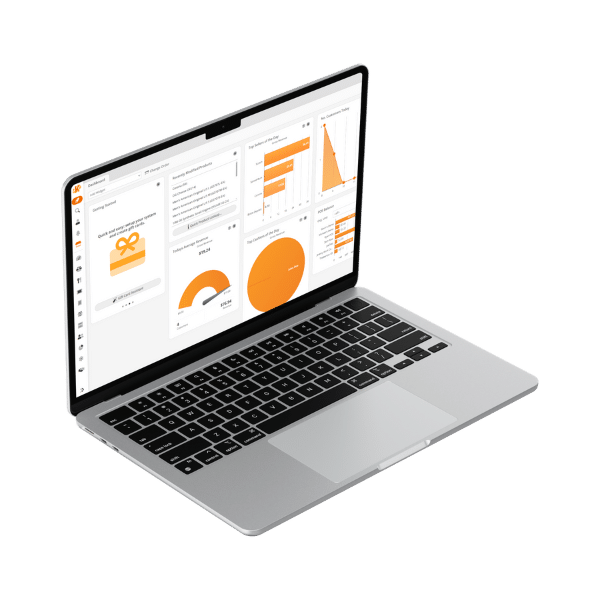
Speak with a product specialist to learn exactly what you need and how we can help.
Frequently Asked Questions
How do POS resellers make money?
Most earn a sale or referral fee plus residuals, an ongoing percentage of the merchant’s monthly subscription or card processing. The exact split depends on your provider and agreement.
What is the difference between an ISO, a VAR, and a 1099 agent?
An ISO is a company registered to provide card processing services and often bundles a POS with them. A VAR buys a system from a software maker and adds installation, training, and support. A 1099 agent is an independent contractor paid a commission to sell for a provider.
Which businesses are easiest to sell a POS system to?
Businesses with a clear problem, such as slow checkouts, messy inventory, or compliance rules. Liquor stores, convenience stores, and retailers with a wide range of products often fit.