


Bottle POS reviews usually cover the same ground, the liquor-specific feature list and the $59 starting price. Both are worth knowing, and there is more to weigh before signing. Bottle POS is a cloud-based point of sale built specifically for liquor stores, and only one of its three pricing plans is published.
Below, we break down what the software costs in year one, which features are behind which tiers, what owners report about payment processing and support, and how it compares to five alternatives.
Key Takeaways:
- Bottle POS is built only for beverage retail, so case breaking, ID checks, and distributor invoice import work without workarounds.
- Only the $59 Starter price is published. Growth and Premium both require a custom quote.
- The automation most owners want, including auto ranking, loyalty, and DoorDash, sits above the Starter plan.
- Bottle POS advertises switchable processors, though at least one customer reports being refused a switch back to an outside provider.
Bottle POS at a Glance
Bottle POS is a cloud point of sale system built for liquor stores, package stores, and wine shops, and $59 per month for the Starter plan is the only price it publishes.
At a glance
Bottle POS
A cloud point of sale built only for liquor stores, package stores, and wine shops. One of its three plan prices is published.
Starter plan
$59 per month
PublishedGrowth plan
Contact sales
Quote requiredPremium plan
Contact sales
Quote requiredHardware bundle
$999
PublishedHardware after processing rebate
About $499
PublishedSetup and implementation
$0
PublishedPayment processing rates
Not disclosed
Quote requiredAuto invoicing distributor costs
Third party, not disclosed
Quote requiredQuickBooks Online sync
Paid intermediary, not disclosed
Quote requiredNo long-term contract, backed by a 30-day money-back guarantee. Hardware warranty runs lifetime on Starter and two years on Growth and Premium.
What it is
Cloud POS for beverage retail. Ships with a catalog of more than 20,000 liquor, wine, and beer products, plus case breaking, A-to-D auto ranking, distributor invoice import, ID-scan age verification, and offline sales mode.
Who owns it
POS Nation acquired Bottle POS in 2022. POS Nation operates as a brand of Crimson Solutions, LLC, and support routes through POS Nation’s help desk.
Payment processing
Switchable per marketing, disputed by users
API access
Not publicly documented
Support
24/7 in house, dedicated CSM, ticketing, knowledge base
Capterra rating
3.9 from 16 reviews
Ease of use is the strongest sub-score at 4.6. Customer service is the weakest at 3.9.
Good fit
- One location or a small group of package stores wanting hardware, software, and processing in one contract
- Stores whose main daily pain is receiving and inventory accuracy
- Owners already using dual pricing, in a state that permits it
- Stores that want a webstore and delivery channel without building one
- New stores that need a product catalog on day one
Look elsewhere
- Retailers running many locations that need centralized control across every site
- Owners holding a competitive processing rate, or who want to negotiate independently
- Operators who need documented API access or custom integrations
- Retailers selling across mixed verticals beyond beverage
What is Bottle POS? Overview and Ownership
Bottle POS is a cloud point of sale system built specifically for liquor stores, package stores, and wine shops. Software plans start at $59 per month, sold alongside hardware and payment processing.
The specialization is the reason to consider it. New accounts arrive with more than 20,000 liquor, wine, and beer products already loaded. Case breaking lets a single bottle sell out of a case without the count going wrong.
Products rank from A to D by sales performance, supplier invoices import directly from participating distributors, and age verification holds the transaction until an ID scans. Integrations are the thinner side. Bottle POS does not publish API documentation, though reviewers report enabling API access for Shopify with support's help, so ask directly rather than assuming either way.
Who Owns Bottle POS?
POS Nation acquired Bottle POS in April 2022, and POS Nation operates as a brand of Crimson Solutions, LLC.
The deal was POS Nation's first move into cloud-based, industry-specific point of sale software (GlobeNewswire, April 5, 2022). POS Nation's terms of service name Crimson Solutions, LLC as the provider of services under the POS Nation brand, and support tickets route through posnation.com/help. The practical takeaway for a shopper: POS Nation sells Bottle POS as its own liquor product, so comparing the two means comparing two offerings from one company.
On scale, the bottle pos homepage claims more than 3,000 retailers served and more than $2.7B processed annually, though the company's own liquor retail trends report analyzes 1,478 stores, which suggests the larger figure counts cumulative rather than active customers.
Bottle POS Key Features
Bottle POS runs a short, liquor-specific feature list rather than a broad one, and the parts doing real work are receiving, age checks, and dual pricing.
Age Verification
Bottle POS prompts for an ID scan and holds the sale until the ID clears. Verification requires a 2D imaging scanner, which is a separate hardware item. POS Nation states the system also records that the check occurred and prints confirmation on the receipt, which matters if a compliance audit follows.
Inventory Management and Auto Ranking
The strongest part of the system. Products are ranked A through D by sales performance and carry color-coding, so slow movers surface without an owner pulling a report. Case breaking treats cases, packs, and single bottles as one item, so selling one bottle adjusts the rest correctly. Getting case break inventory right is where most general retail systems fall down, and Bottle POS handles it without workarounds. Reorder points update from sales history, and intelligent ordering suggests quantities. Auto ranking and intelligent ordering both sit at the Growth tier, not Starter.
Inventory management a headache?
KORONA POS makes stock control easy. Automate tasks, generate custom reports, and learn how you can start improving your business.
Auto Invoicing
Scan a supplier invoice and Bottle POS adds new products, updates costs, and prints shelf tags. Two caveats worth knowing before the demo. The feature sits at the Growth tier, and the pricing page notes that third-party costs for it fall outside the plan. Coverage also depends on whether your specific distributors participate.
Dual Pricing
Bottle POS displays a cash price and a card price so card-paying customers absorb the processing cost. The vendor cites one customer, Charlie's II, saving up to $5,000 a month. Two things to weigh: dual pricing is not legal in every state, so confirm your own rules first, and the fees land on customers, which can cut against repeat business. The module is included at the Starter tier.
Offline Mode
Sales continue without an internet connection. Transactions process, stock updates locally, receipts print, and data syncs once the connection returns.
Customer Loyalty
Staff collect a phone number at checkout to enroll a customer, and the system tracks purchases and rewards from there. Enrollment that fast removes the usual friction, though what you do afterward decides whether it works, and the mechanics of customer loyalty for liquor stores matter more than the sign-up count. Loyalty starts at the Growth tier.
eCommerce, Pickup, and Delivery
Bottle POS sells online through BottleZoo, its own webstore, and integrates with DoorDash and local delivery services. The vendor builds the storefront from a library of more than 20,000 product images and descriptions, and stock stays matched between the shelf and the site.
The limitation users raise most often is flexibility: BottleZoo supplies stock photography with no option for custom labels. Storefront quality is only half the job anyway, since the rules for selling alcohol online vary by state and govern what you can ship and where. The DoorDash integration sits at the Growth tier.
Shrinkage Prevention
Employee activity at the register is tracked, and camera integration lets an owner replay a transaction from the POS station. Webcam integration is a Premium feature and requires additional hardware.
AI Agents for Liquor Retail
Bottle POS added four AI assistants for 2026, and none of the competing reviews cover them. Marketing Assistant builds SMS and email campaigns from purchase history, which targets the same lever as most proven tactics for increasing liquor store sales.
Support Assistant answers customer questions by text around the clock. Site Assistant generates a store website aimed at search visibility and AI answer tools including ChatGPT, Perplexity, and Google AI Mode.
Commerce Assistant handles reorder ranking and flags errors on scanned invoices. All four descriptions come from the vendor. No user reviews cover them yet, and no pricing or tier placement is published, so ask a rep which plan includes them.
What Bottle POS Costs in Year One
Bottle POS advertises $59 per month, and a realistic first year for a single-register store lands between roughly $1,200 and $1,700 once hardware is counted. Two of the three plan prices and all processing rates sit behind a sales call.
What Bottle POS actually publishes, and what it does not:
| Cost item | Price | Notes |
|---|---|---|
| Starter plan | $59 per month | Listed at $69 and discounted to $59. Lifetime hardware warranty |
| Growth plan | Custom quote | Shown as “Contact Sales for Pricing.” Two-year hardware warranty |
| Premium plan | Custom quote | Shown as “Contact Sales for Pricing.” Two-year hardware warranty |
| Hardware bundle | $999 | Touch PC, receipt printer, barcode scanner, cash drawer, payment terminal |
| Hardware with processing rebate | About $499 | A $500 rebate applies when you use their payment processing |
| Setup and implementation | $0 | No setup fees charged |
| Inventory import and migration | Included | Handled by their team from your current system |
| Custom web store | Included | Free for liquor stores |
| Payment processing | Not published | Rates require a custom quote |
| Auto invoicing | Third-party costs apply | The pricing page notes outside costs are not included |
| QuickBooks Online sync | Third-party costs apply | Users report a paid intermediary service is required |
Every figure above comes from Bottle POS's pricing page or from published 2026 reviews of parent company POS Nation. Anything marked as a quote is genuinely unavailable without contacting sales.
Payment Processing, and Why the Answers Conflict
Bottle POS markets switchable processors. Its own comparison pages tell shoppers they can pick a processor and a tier rather than accept a single bundled price, and parent company POS Nation is reported to support some outside processors while offering a $500 hardware rebate to merchants who use its own.
At least one long-term customer describes the opposite. In an April 2026 Capterra review, a store owner of four years writes that outside processing was allowed when he signed, with his rates matched, and that the policy later changed. He reports fees rising by more than $12,000 per year, a request to return to a third-party processor refused, and a full POS replacement offered as the only route out.
Both accounts cannot be right for every merchant, and the gap is the single most important thing to resolve before signing. No processing rates appear anywhere on the site. For a liquor store running high transaction counts on small tickets, card fees usually dwarf the software subscription over a year.
Get three things in writing: your effective rate, whether it can rise and under what notice, and whether you may move to an outside processor later while keeping the software.
Payment processors giving you trouble?
We won't. KORONA POS is not a payment processor. That means we’ll always find the best payment provider for your business’s needs.
Costs That Sit Outside the Subscription
Three items carry charges the plan price does not cover.
Auto invoicing appears as a Growth feature, and the pricing page states that additional third-party costs are not included. The distributor connection itself is where those costs come from, so ask which of your suppliers are covered and what each connection costs.
QuickBooks Online sync is the clearest example of an outside cost. Reviewers report that the integration runs through a paid intermediary service and that the requirement was not raised during the sales process.
Hardware sits outside the subscription too. A full bundle runs $999, and a $500 rebate brings it to roughly $499 for merchants who use Bottle POS payment processing. Setup, implementation, and inventory migration carry no fee.
Warranty terms differ by tier. Starter carries a lifetime hardware warranty, while Growth and Premium carry two years.
What Year One Actually Looks Like
For a single-register store on Starter, the arithmetic is straightforward:
- Starter subscription, $59 per month across 12 months: $708
- Hardware bundle: $999, or about $499 with the processing rebate
- First-year total: roughly $1,200 to $1,700, before card fees
Bottle POS uses the same $708 figure in its own competitor comparisons, so the software side is uncontested. What the number leaves out is everything that requires a quote. Growth and Premium pricing, processing rates, and any distributor or QuickBooks connection fees all land on top, and none of them are published.
Treat $1,200 as a floor rather than an estimate. Whether that lands as a rounding error or a real hit depends on your margins, and liquor retail runs thinner than most people expect, which is worth reviewing if you are weighing how profitable a liquor store actually is against a new system cost.
The No Hidden Fees Claim
The pricing page states there are no contracts and no hidden fees, and a 30-day money-back guarantee backs the subscription. The guarantee and the absence of a long-term contract both hold up across independent reviews.
The no-hidden-fees claim needs one qualification: the same page notes that third-party costs for auto invoicing fall outside the plan, and reviewers describe discovering the paid QuickBooks intermediary only after signing. Nothing there is concealed exactly, but neither cost is visible from the pricing page alone.
Bottle POS Pricing Tiers Compared
Most liquor stores shopping Bottle POS will need Growth rather than Starter, because the automation that makes the system worth choosing starts at that tier. Only Starter carries a published price. Growth and Premium both require a quote, so compare the feature columns first and treat the upgrade cost as an open question for your sales call.
| Feature | Starter, $59 per month | Growth, quote | Premium, quote |
|---|---|---|---|
| Unlimited employee accounts | Yes | Yes | Yes |
| Full report library | Yes | Yes | Yes |
| Live sales dashboard | Yes | Yes | Yes |
| Mobile back office access | Yes | Yes | Yes |
| Purchase orders | Yes | Yes | Yes |
| Discounts at checkout | Yes | Yes | Yes |
| Mobile label printing | Yes | Yes | Yes |
| Age verification | Yes | Yes | Yes |
| Dual pricing module | Yes | Yes | Yes |
| Employee management and time clock | No | Yes | Yes |
| Customer loyalty program | No | Yes | Yes |
| A-to-D auto ranking | No | Yes | Yes |
| Mix and match discounts | No | Yes | Yes |
| Intelligent ordering | No | Yes | Yes |
| SMS reports | No | Yes | Yes |
| Auto invoicing | No | Yes | Yes |
| DoorDash integration | No | Yes | Yes |
| Staff task assignment | No | No | Yes |
| Multi-site inventory transfers | No | No | Yes |
| SMS marketing | No | No | Yes |
| Pointy integration | No | No | Yes |
| Review collection at the register | No | No | Yes |
| Webcam security integration | No | No | Yes |
| Hardware warranty | Lifetime | Two years | Two years |
Two notes on reading the grid. Auto invoicing is included at Growth, but the distributor connections behind it carry third-party costs the plan does not cover. Webcam integration needs hardware the plan does not include.
Bottle POS User Experience and Support
Ease of use is the most consistent thing about Bottle POS, and support quality is the least consistent. Reviewers agree the software is simple to run and disagree sharply about what happens when something breaks.
Day-to-Day Use
The interface is deliberately narrow. Bottle POS covers liquor workflows and leaves out most of what a general retail platform carries, so screens stay uncluttered, and cashiers reach the functions they need without hunting through menus. Checkout is quick, ID prompts fit naturally into the flow of a sale, and reviewers commonly describe new staff picking it up within a single shift. Ease of use scores 4.6 on Capterra, the highest of its four sub-scores there by a wide margin.
“Overall, my experience with Bottle POS has been positive. The system is designed specifically for liquor stores, which makes inventory management, checkout, and compliance with age verification easier. It helps streamline daily operations and provides useful sales and inventory reports. While there are some limitations with customization and occasional support or reporting issues, the system is generally reliable and effective for running a liquor store.”
Three weak spots show up in the Capterra review base. Reporting is the most consistent one, and Capterra's own feature scoring backs it up: sales reports rate 3.6, the lowest score of any Bottle POS feature, and reviewers describe needing manual work to pull useful details.
"Certain reports may require extra steps or manual adjustments to get detailed insights. Integration options: Fewer integrations with third-party software compared to larger POS systems. Customer support response time: Support can sometimes take longer than expected to resolve issues. Learning curve for new staff: Training employees may take time because some menus are not very intuitive. System updates: Updates or feature improvements do not come as frequently as some users would like.”
Inventory accuracy is the second, with one owner reporting a migration that came in roughly 1,200 items short of a physical count taken days before. Counts that drift undermine everything built on top of them, which is why the fundamentals of liquor store inventory management deserve checking before you trust any system's numbers. The third is BottleZoo, where a reviewer notes the webstore supplies stock photography but will not accept custom wine labels.
Onboarding and Switching
Bottle POS makes specific promises about migration. Most stores switch in under a day with no downtime. The team imports your existing inventory from your current system or a spreadsheet and helps clean it up along the way.
Existing hardware works in most cases, and compatibility is confirmed before you start. Staff training runs 10 to 15 minutes. Each account gets a dedicated Customer Success Manager through onboarding, hardware setup, training, and the inventory import.
Reviewer accounts mostly support the easy part, while adding friction, the sales pitch leaves out. Migrations typically land, but often need adjustment afterward, and staff have to relearn familiar tasks the Bottle POS way.
Owners arriving from a system that has been discontinued face a longer job than a straight swap, and anyone in that position should read what happened to LiquorPOS before setting a timeline. Treat the one-day figure as the best case rather than the expected one.
Have trouble getting your POS customer service on the phone?
KORONA POS offers 24/7 phone, chat, and email support. Call us at 833.200.0213 to see how reliable we are.
Customer Support
Support runs 24/7 from an in-house team, with unlimited training and a dedicated Customer Success Manager, though tickets route through POS Nation's help desk rather than a Bottle POS channel. Customer service is the weakest of Bottle POS's Capterra sub-scores at 3.9. Positive reviews name individual representatives who stayed with a problem until it cleared.
“in immense emergency i had called POS Nation and I had the opportunity to speak to Mr Saumil Shah and I had best customer service experience. Mr Saumil Shah is very Knowledgeable and ready to help. It would have not been possible to achieve the data without his help. We are always ready to complain but this time i would be more than happy to appreciate help and support from Mr Shah. He deserves promotion.”
Critical ones describe first-line staff learning the software alongside the customer, and escalations that promise a senior technician within two business days without always delivering one.
Billing draws the sharpest complaints, and they appear on two platforms. Unprompted January 2026 Trustpilot reviews describe support as rude and unhelpful, and deposits that did not match the terms a merchant had agreed to, with no resolution after repeated calls to the processing department. Ask who your CSM is, how escalation works, and who you contact when a deposit does not match your statement.
"I’ve been using Bottle POS for the past few months. The software itself is user-friendly, but I’m having ongoing issues with processing fees and the deposits going into my account are not what I originally agreed to.
I’ve contacted the credit card processing department several times, but I still haven’t received a clear resolution. Unfortunately, the support staff has been rude and unable to properly explain or address the issues.
I recommend that all business owners closely monitor their accounts and statements.”
waycross
What the Review Scores Actually Tell You
Bottle POS carries a large, positive review base on one platform and a very small one everywhere else, and the gap changes how you should read the scores.
Trustpilot holds roughly 677 reviews, most of them strongly positive. Capterra holds 16, with an overall score of 3.9. The split there is polarized rather than middling: eight 5-star reviews, five 4-star, none in the middle, and three 1-star.
One pattern is worth knowing before you weigh any of it. Capterra labels how each review was collected, and the labels line up almost perfectly with the scores. Ten reviews came through vendor referral with an incentive offered, and every one of them rated 4 or 5 stars. Six came in without an incentive, and all three 1-star reviews sit in that group.
Nothing about that is against the rules, and an incentivized review can be honest. It does mean the positive volume was largely solicited while the criticism arrived unprompted, so the harshest reviews deserve more weight than their count suggests. The same holds on Trustpilot, where reviews overwhelmingly describe support calls and name the representative who helped, which points to collection after a support interaction rather than after a year of use.
Read Trustpilot to judge whether support answers the phone. Read the non-incentivized Capterra reviews to judge whether the system holds up over time. And note that Capterra's own comparison puts Bottle POS at 3.9 from 16 reviews against KORONA POS at 4.7 from 80.
Bottle POS Pros and Cons
The pattern across Bottle POS reviews is consistent. Owners tend to praise what the software does inside the store and question the terms attached to getting it.
Pros
- Built only for beverage retail, so case breaking, bottle deposits, and mix and match promotions work without workarounds
- A pre-loaded catalog of more than 20,000 liquor, wine, and beer products removes most of the setup burden
- Auto ranking and intelligent ordering turn sales history into reorder decisions without manual reporting
- Distributor invoice import cuts receiving time where your suppliers participate
- The dual pricing module is included at the entry tier rather than sold as an upgrade
- Short learning curve, with cashiers commonly productive inside one shift
- 24/7 in-house support, unlimited training, and a dedicated Customer Success Manager during onboarding
- 30-day money-back guarantee and no long-term contract
- A done-for-you webstore with DoorDash and curbside built in
Cons
- Only the Starter price is published, so Growth and Premium cannot be compared without a sales call
- No processing rates appear anywhere, which makes total cost impossible to estimate up front
- Marketing promises switchable processors, while at least one customer reports being refused a switch
- Auto invoicing and QuickBooks sync both carry third-party costs outside the plan price
- No published API documentation, so integration plans need confirming with sales before you commit
- Reporting and interface customization are limited, and some owners report sales figures that do not reconcile across reports
- The BottleZoo webstore allows little customization, with no custom label option
- Mobile access covers less than the desktop back office
- Support quality varies noticeably by representative
- A thin third-party review base makes independent verification hard
Who Bottle POS is Right For (and Who Should Look Elsewhere)
Bottle POS fits well if you:
- Run one location or a small group of package stores and want hardware, software, and processing in a single contract
- Have receiving and inventory accuracy as your main daily pain
- Already use dual pricing, or plan to, and operate in a state where it is permitted
- Want a webstore and delivery channel without building one
- Run a wine-led shop, though compare it against the best POS systems for wineries if production or tasting room sales are part of the business
- Are opening a new store and need a product catalog on day one
Look elsewhere if you:
- Already hold a competitive processing rate, or want to negotiate one independently
- Need open API access or integrations the vendor has not already built
- Operate in a state that restricts surcharging or dual pricing
- Run multiple locations with complex reporting requirements
- Want to compare plan pricing without first talking to a sales representative
- Sell across mixed verticals, since the liquor specialization becomes a constraint outside beverage retail
Bottle POS Alternatives
Five systems cover the ground most Bottle POS shoppers are actually weighing, drawn from the wider field of POS systems for liquor stores. Prices below reflect published vendor pricing at the time of writing.
| System | Best for | Software price | Processor choice | Liquor-specific |
|---|---|---|---|---|
KORONA POS

|
Stores that want processor flexibility | From $59 per month | Choose your own | Yes |
mPower Beverage
|
Stores wanting a liquor-only system with eCommerce reach | $1,000 upfront plus $120 per month per register | Select partners only | Yes |
FTx POS

|
Stores selling several age-restricted categories | From $89 per month | Your own or FTx | Yes |
Lightspeed Retail

|
Larger retailers needing deep reporting | From $89 per month billed annually | Effectively required | No |
NRS

|
Budget-conscious small stores | From $19.95 per month | NRS Pay, or outside for $29.95 per month | No |
1. KORONA POS
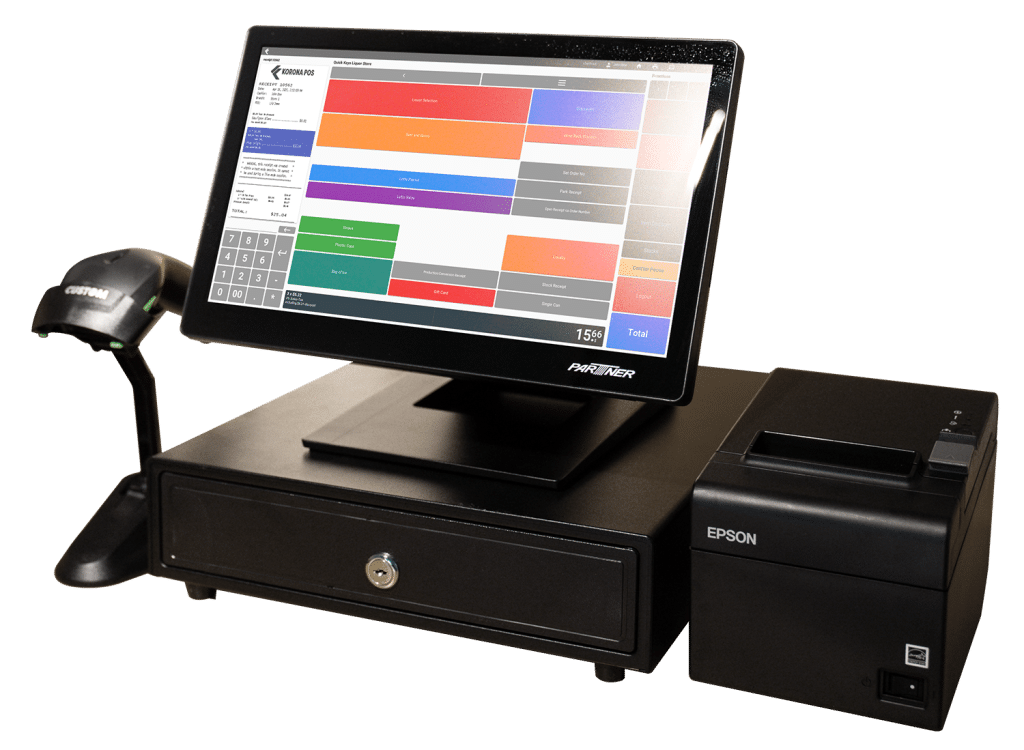
KORONA POS is processor-agnostic, meaning you select your own payment provider and can change it later without replacing the software. Case break pricing, mix and match discounts, bottle deposit tracking, and ID verification prompts are built in, and the reporting library runs past 100 reports.
Core starts at $59 per month, Retail at $69 per month, with add-ons from $10 to $50 per month for franchise management, invoicing, and custom integrations. The free trial is unlimited and requires no card. The tradeoff: eCommerce runs on WooCommerce rather than a vendor-built storefront, which suits stores that want control but adds setup work for those that do not.
2. mPower Beverage
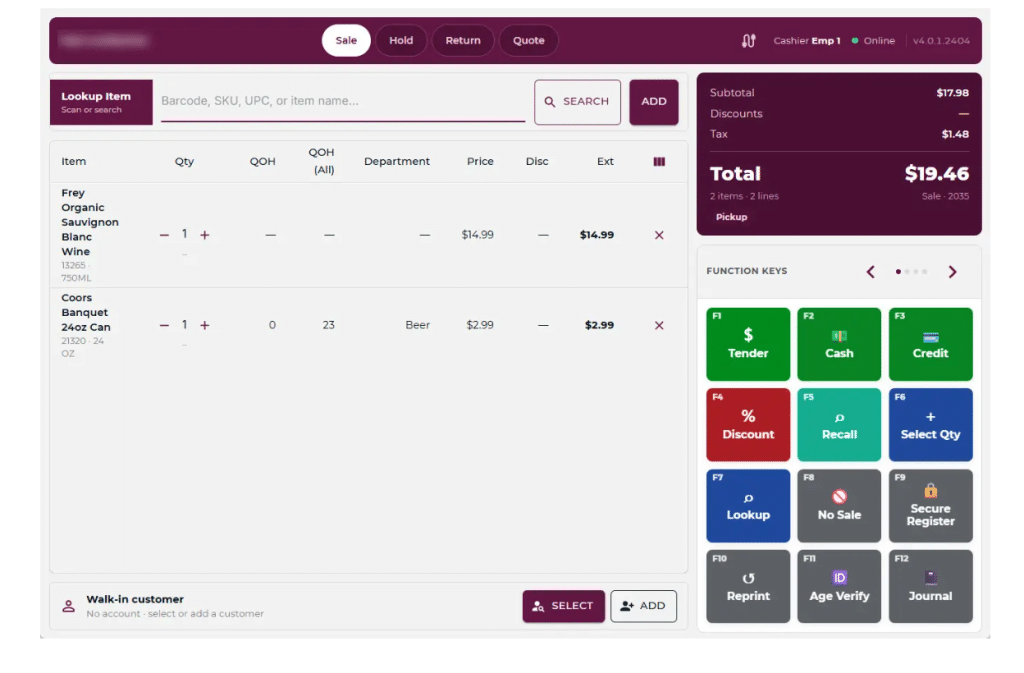
mPower is another liquor-only system, and it prices differently from everyone else. The first register costs $1,000 upfront plus $120 per month, and each additional register costs $250 upfront plus $120 per month, with the subscription covering software renewals and cloud hosting.
Case management across singles, six-packs, and cases is native, and the preloaded UPC database is built for beverage retail. Its strongest suit is online reach, with connections to roughly ten eCommerce and delivery tools. Two limits matter: processing works only with certain partner providers, and reports cannot be scheduled to generate automatically. The review base is thin at 7 ratings on Capterra.
3. FTx POS
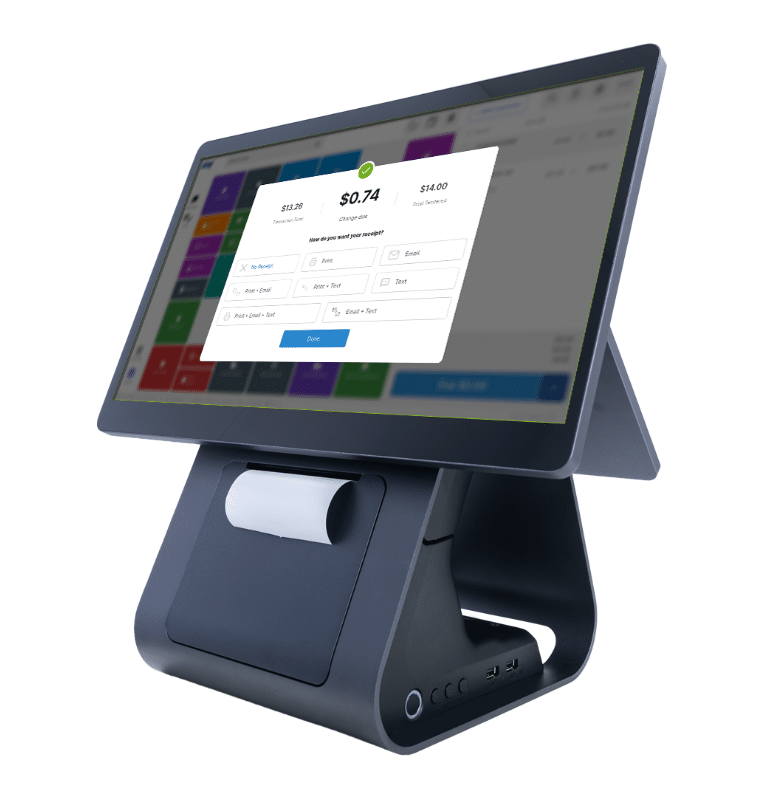
FTx POS, also sold as FasTrax, is built for age-restricted retail, so liquor, tobacco, vape, and convenience stores are its core market. Case, single, and break-pack tracking is native, alongside AI-assisted age verification, dual pricing, loyalty, and digital signage.
Core runs $89 per month per register, Pro $149 for the first register plus $99 for each additional, and Enterprise $249 plus $129. Plans fall as low as $0 per month when bundled with FTx Card Payments at 2.59% plus $0.10 in person, though FTx also supports outside processors and gateways. Contracts are month-to-month. Loyalty and eCommerce carry add-on fees, and no open API is offered.
4. Lightspeed Retail
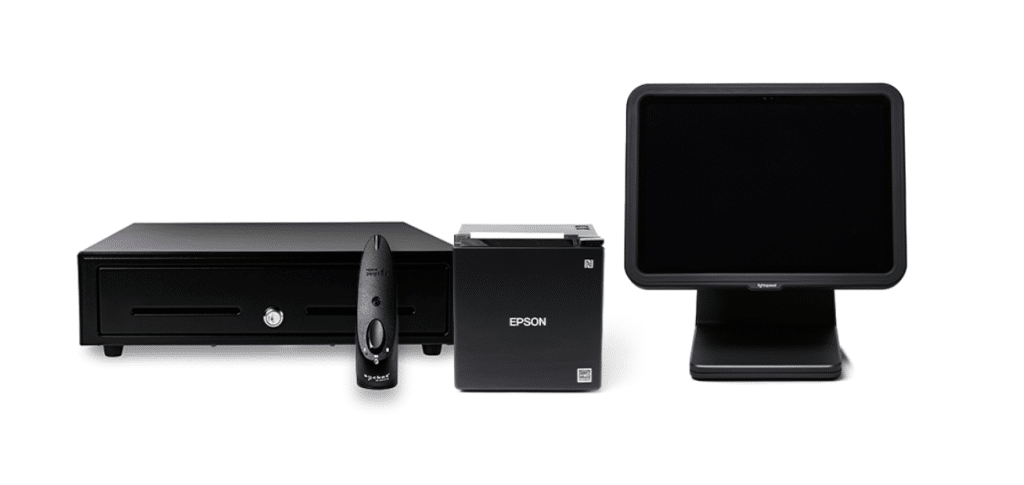
Lightspeed is the strongest option here for reporting depth and multi-location control, and the most expensive. Basic runs $89 per month billed annually or $109 billed monthly, Core $149 or $179, and Plus $289 or $339. Nothing about it is liquor-specific, so case breaks and deposits need configuration.
Worth knowing before comparing it to Bottle POS on processor flexibility: Lightspeed Payments is effectively mandatory, and merchants using an outside processor face a monthly fee tied to transaction volume. Lightspeed does not publish the exact amount.
5. National Retail Solutions
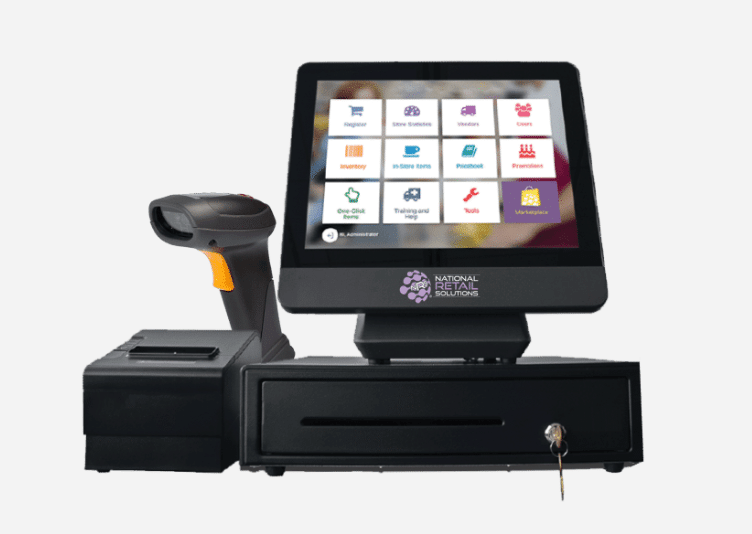
NRS is the cheapest entry here and the least liquor-specific. Software runs $19.95 per month for Basic, $34.95 for Pro, and $49.95 for Advanced, with hardware bundles from $599 under a one-year NRS Pay commitment.
A division of IDT Corporation, NRS is strongest in convenience, bodega, and tobacco retail, with native lottery and EBT support. Three costs are easy to miss: ID scanning and purchase orders require the Advanced plan, removing NRS advertising from the customer-facing display costs $44.95 per month, and running your own processor costs $29.95 per month. Liquor-specific inventory tooling trails the specialists.
Why KORONA POS is a Strong Bottle POS Alternative
KORONA POS is a strong Bottle POS alternative because it covers the same liquor-specific ground and stays processor-agnostic. You pick your payment provider, compare rates, and change later without replacing the software.
Bottle POS ties a hardware rebate to using its own processing and does not publish rates, and at least one customer reports being refused a later switch. For a liquor store running high transaction counts on small tickets, the processing rate usually outweighs the software subscription cost over two years, making keeping that choice worthwhile.
Four other differences matter for stores comparing the two:
- Reporting depth. More than 100 built-in reports, against a fixed report set in Bottle POS that several users describe as hard to customize.
- Multi-store inventory. Centralized inventory and transfers across locations come standard, where Bottle POS puts multi-site transfers at the Premium tier.
- API access. KORONA POS offers documented API access for custom integrations. Bottle POS publishes none.
- Liquor-specific tooling without the lock-in. Case-break pricing, mix-and-match discounts, bottle deposits, and ID verification prompts are all present.
KORONA POS is not a payment processor. The role is to find the provider that fits your store and volume, then get out of the way. Pricing starts at $59 per month, and the free trial is unlimited with no card required.
Speak with a product specialist and learn how KORONA POS can power your business.
Bottle POS FAQ
How much does Bottle POS cost?
Bottle POS starts at $59 per month for the Starter plan. Growth and Premium are not priced publicly and require a custom quote. A full hardware bundle runs $999, or about $499 after a $500 rebate for merchants using Bottle POS payment processing. Setup and inventory migration carry no fee, and processing rates are quoted individually.
Does Bottle POS require you to use its payment processing?
Bottle POS advertises switchable processors, and a $500 hardware rebate applies when you use its own. At least one customer reports being told a move back to a third-party processor was not permitted without replacing the POS entirely. Ask for written confirmation that you may switch later.
Who owns Bottle POS?
POS Nation acquired Bottle POS in April 2022. POS Nation operates as a brand of Crimson Solutions, LLC, which is the entity named in its terms of service. Support runs through POS Nation's help desk.
Is Bottle POS the same as POS Nation?
Not the same product, but the same company. POS Nation sells Bottle POS as its liquor offering alongside its general retail POS. Comparing the two means comparing two products from one vendor.
Does Bottle POS have an open API?
Bottle POS does not publish API documentation, and most third-party listings report no open API. Reviewers have described enabling API access for a Shopify connection with help from support, so some capability exists. Confirm what your specific integration needs before signing.
Can Bottle POS work offline?
Yes. Sales continue without an internet connection. Transactions process, inventory updates locally, receipts print, and everything syncs once the connection returns.
How long does it take to switch to Bottle POS?
Bottle POS states most stores switch in under a day, with inventory imported from your current system and staff trained in 10 to 15 minutes. Reviewer accounts suggest migrations usually land but often need adjustment afterward, so treat one day as the best case.
Does Bottle POS work for wine shops?
Yes. Bottle POS markets a wine shop configuration alongside its liquor store product, and the preloaded catalog covers wine and beer as well as spirits.
Should You Choose Bottle POS?
Bottle POS earns its place on a liquor store shortlist. The specialization is real, receiving and inventory are genuinely faster than on a general retail system, and the learning curve is short enough that staffing changes do not become a problem. A POS only ever supports the work, of course, and the habits behind running a successful liquor store do more for margins than any software choice.
What holds it back is not the software. Two of the three plan prices require a sales call, no processing rates appear anywhere, and the vendor's promise of switchable processors sits uneasily beside a customer account of being refused exactly that. For a store where card fees are the largest technology cost of the year, none of that is a small gap.
Before signing anything, get two answers in writing: what your processing rate is, and whether you may move to another processor later while keeping the software. Those answers tell you more about the true cost of Bottle POS than any feature list will.
If processor flexibility matters to you, KORONA POS covers the same liquor-specific ground and lets you keep that decision. The free trial is unlimited, no card required.


